Three Line Break indicator, conversion code mq4 to prorealtime

Viewing 13 posts - 1 through 13 (of 13 total)

  • Author
    Posts
  • #52594 quote
    robdav
    Participant
    Veteran

    Hi Nicolas,

    The Three Line Break code on this topic https://www.prorealcode.com/topic/three-line-break/doesn’t seem quite right or to be working in PRT 10.3.

    Would it be possible to convert the attached MT4 version?

    It should look like the standard PRT price set to ‘Three Line Break” but allow for coding of strategies.

    Many thanks

    Robert

    Three-Line-Break.mq4
    #52719 quote
    Nicolas
    Keymaster
    Master

    It works fine for me with prorealtime 10.3.

    And what about this one in the Library? ThreeLineBreak revert signal

    robdav thanked this post
    #91471 quote
    tradingpro
    Participant
    Senior

    POTREI AVERE IL codice Three Line Break della prorealtime ?

    grazie

    #91472 quote
    Vonasi
    Moderator
    Master

    tradingpro – English only in the English forums please! 🙂

    #91474 quote
    tradingpro
    Participant
    Senior

    Could you have the Three Line Break code of the prorealtime? Thank you

    #91475 quote
    Vonasi
    Moderator
    Master
    The code being discussed is in this post:
    Three line break
    #91476 quote
    tradingpro
    Participant
    Senior
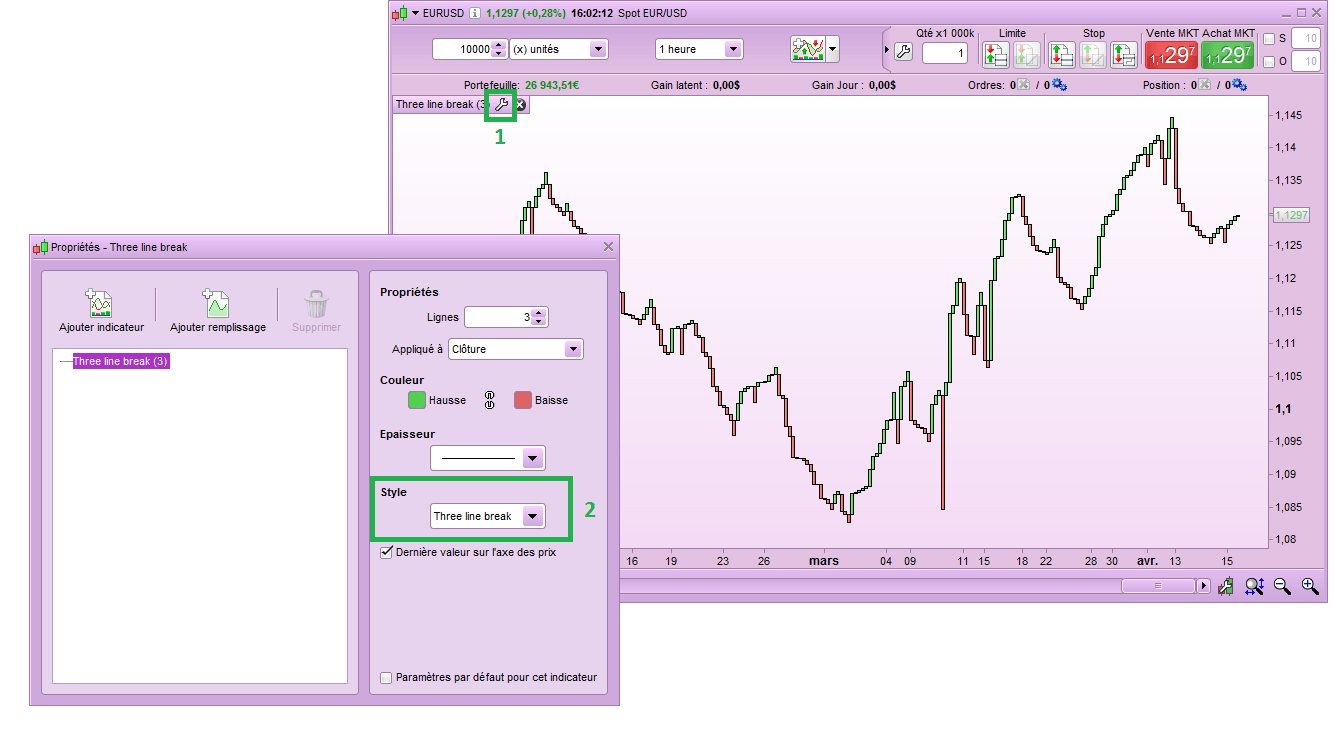
    it is not the same as the attached chart
    three-line-break.png three-line-break.png
    #91482 quote
    robertogozzi
    Moderator
    Master
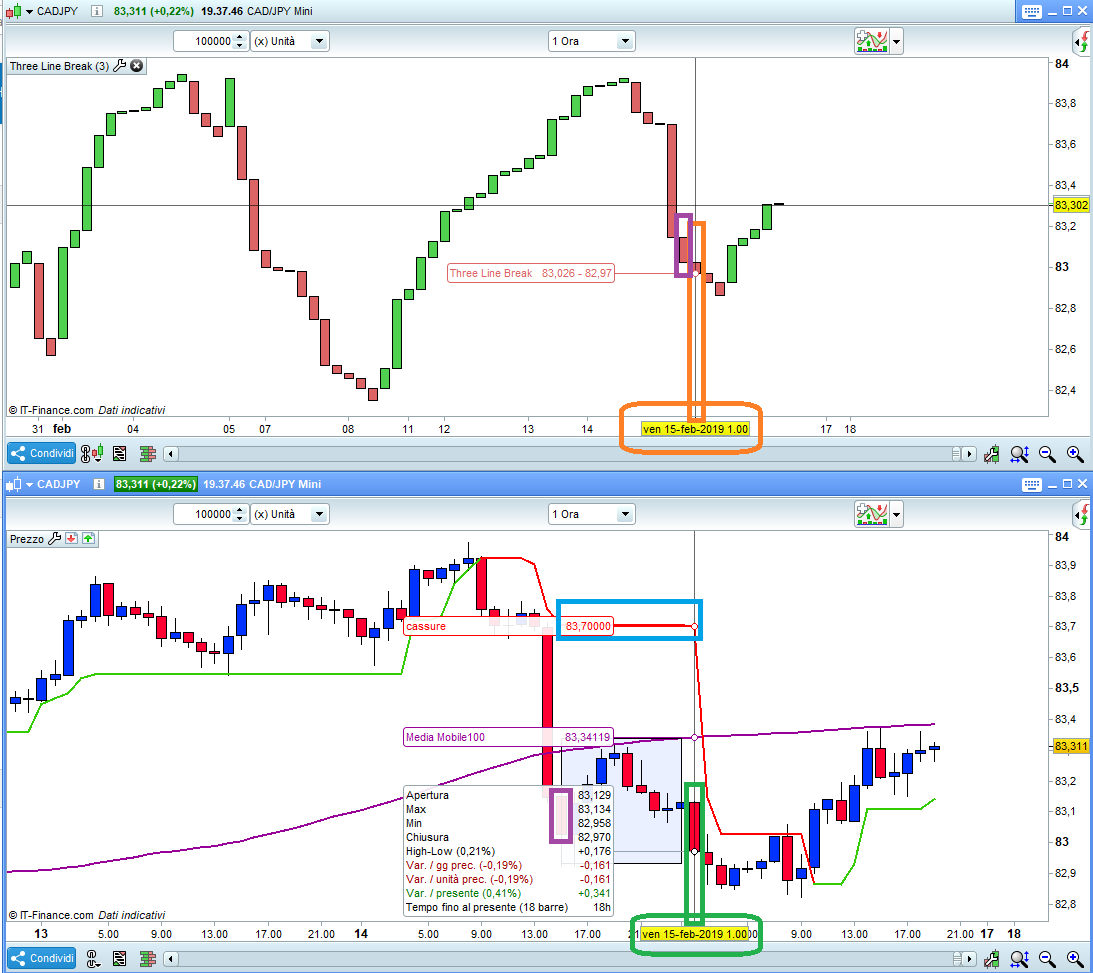
    What you attached is NOT an indicator, it’s just the PRT platform that draws candles in a Three-Line-Break style (just like you can do with Renko styles, HA style,…..). Three Line Break is actually a trading system. According to this system there are many “holes” in a chart due to the fact that not all candlesticks are plotted (see https://www.prorealcode.com/prorealtime-indicators/reversal-signal-threelinebreak/ to see a sort of caomparison between Japanese Candlesticks and the Three Line Break chart). The indicator posted here, which just plots lines, as you can see from my attached pic (cyan box) outlines missing candles before there’s a move. As you can see in the upper chart (both mini CadJpy, h1), displaying Three-Line-Break candles set by the platform with the price properties, misses candles from 15:00 (3pm) to 01:00 (1am) as outlined with the rectangle plotted on the lower chart. So, to recap, you CANNOT leave holes on a chart, but PRT can! You can still apply the posted Three-Line-Break indicator to a Three-Line-Break chart. I suggest that you use the same chart displayed twice to spot real movements, compared to the Three-Line-Break ones.
    x.png x.png
    #91484 quote
    Vonasi
    Moderator
    Master
    As far as I can see from a brief look the indicator in that link calculates what the ‘close’ would be of each new three line break candle. It does not draw candles. From this indicator you could use three line break close values in a strategy. If you just want to display candles then use the standard PRT indicator that you showed images for!
    #91536 quote
    tradingpro
    Participant
    Senior

    a TS code for three line break of the PRT?

    #91540 quote
    robertogozzi
    Moderator
    Master
    Three-Line-Break can be used as a trading system, it’s a bit more than an indicator. Of course it’s better to add some indicator to make it more reliable.
    #91541 quote
    Nicolas
    Keymaster
    Master
    #91542 quote
    Vonasi
    Moderator
    Master
    TLB code here: https://www.prorealcode.com/topic/three-line-break/#post-5472
    Same link as I already provided above! We’re too efficient!
Viewing 13 posts - 1 through 13 (of 13 total)

  • You must be logged in to reply to this topic.

Three Line Break indicator, conversion code mq4 to prorealtime


ProBuilder: Indicators & Custom Tools

New Reply
Author
author-avatar
robdav @robdav Participant
Summary

This topic contains 12 replies,
has 5 voices, and was last updated by Vonasi

6 years, 12 months ago.

Topic Details
Forum: ProBuilder: Indicators & Custom Tools
Language: English
Started: 11/13/2017
Status: Active
Attachments: 3 files
Logo Logo
Loading...