Its logic seem to favor trena=-1 (since it’s only 1 if trend = 1 and line1>=line2). How does this make sense?
I will be honest. Actually I didn’t pay much attention, it was obtained from https://www.prorealcode.com/prorealtime-indicators/perfect-trend-line/ and I adjust it for strategy. I just verify if the entry is correct referring to the indicator.
Also, I’m confused by the numbers switching from 1 for bullish to -1 for bullish to 2 for bearish, etc. It would make more sense to just use 1 for bullish and -1 for bearish imho.
Yes, I think it will work too. Specifying 1 and 2 just my preference, as sometimes I might initialize a variable as -1 to indicate invalid state (e.g. if it is not obvious either state), though not applying to this scenario. Alternatively can be using 2 flags (1 for bull, 1 for bear), but usually I don’t do so, except for readability.
 Wil
WilParticipant
New
@yahootew3000 I checked the original indicator, it works with a “SlowLength” and a “FastLength”. As long as the “SlowLength” is larger (and thus slower), it shouldn’t be a problem. In your WalkForward, there is no check on this. The outcome could be that the SlowLength is smaller (and thus faster). Especially during times when the market falls, since it favours short trades.
You could solve this problem by limiting the range of SlowLength and FastLength, so they don’t overlap. Or by defining SlowLength as “FastLength+Distance”.
Hi All,
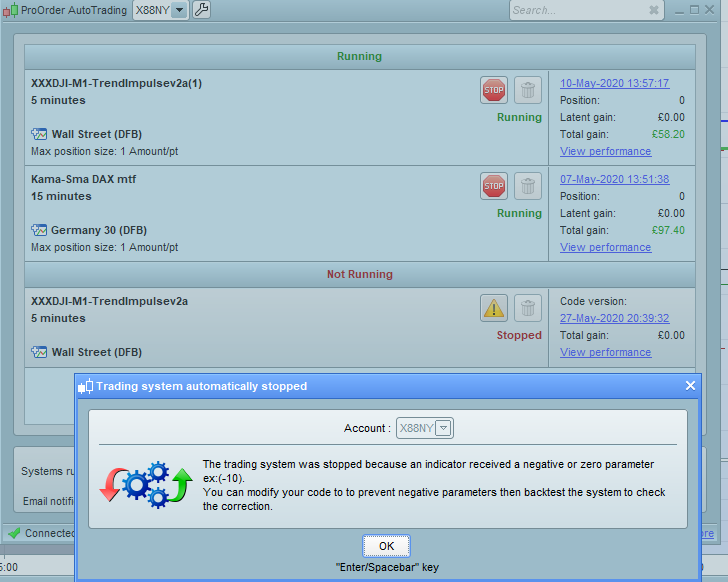
I’m also struggling with an issue regarding an indicatorand I do believe its the same rewference that @wil stated. Here I have attached it in the image but as i’m not a coder i’d appreciate it if someone could upload the code change that needs to happen to resolve this issue for me.
Best wishes,
Plaedies
someone could upload the code change that needs to happen to resolve this issue for me
Try replace this part,
bollMA = average[length, 1](close)//50,1
STDDEV = STD[length]
bollUP = bollMA + 2 * STDDEV
bollDOWN = bollMA - 2 * STDDEV
bollPercent = 100 * (close - bollDOWN) / (bollUP - bollDOWN)
With this,
bollMA = average[length, 1](close)//50,1
STDDEV = STD[length]
bollUP = bollMA + 2 * STDDEV
bollDOWN = bollMA - 2 * STDDEV

IF bollUP = bollDOWN THEN
bollPercent = 50
ELSE
bollPercent = 100 * (close - bollDOWN) / (bollUP - bollDOWN)
ENDIF
So if I wanted to run this strategy from the UK, do I
a) Just change the UTC+8 to UTC+1?
b) Change the PC system time to Singapore (for example)?
c) Change the platform time to UTC+8?
d) Change all the times in the code to x-7 hours?
e) a selection of the above
I’m a bit baffled really I’m afraid.
If I run it with all my UK default settings and with the code unadjusted, the results looks OK anyway…
Many Thanks.
Please @Nicolas, the code below is part of the Indicator you posted on the link … can you confirm that trena (used 5 times) is not a typo that should read trend??
https://www.prorealcode.com/prorealtime-indicators/perfect-trend-line/
Many Thanks
if (Close[0]<line1[0] and Close[0]<line2[0]) then
 trend =  1
endif
if (Close[0]>line1[0] and Close[0]>line2[0]) then
 trend = -1
endif
if (line1[0]>line2[0] or trend[0] =  1) then
 trena =  1
endif
if (line1[0]<line2[0] or trend[0] = -1) then
 trena = -1
endif
if trena<>trena[1] then
 if trena=1 then
So if I wanted to run this strategy from the UK, do I
I reckon you need times as below …
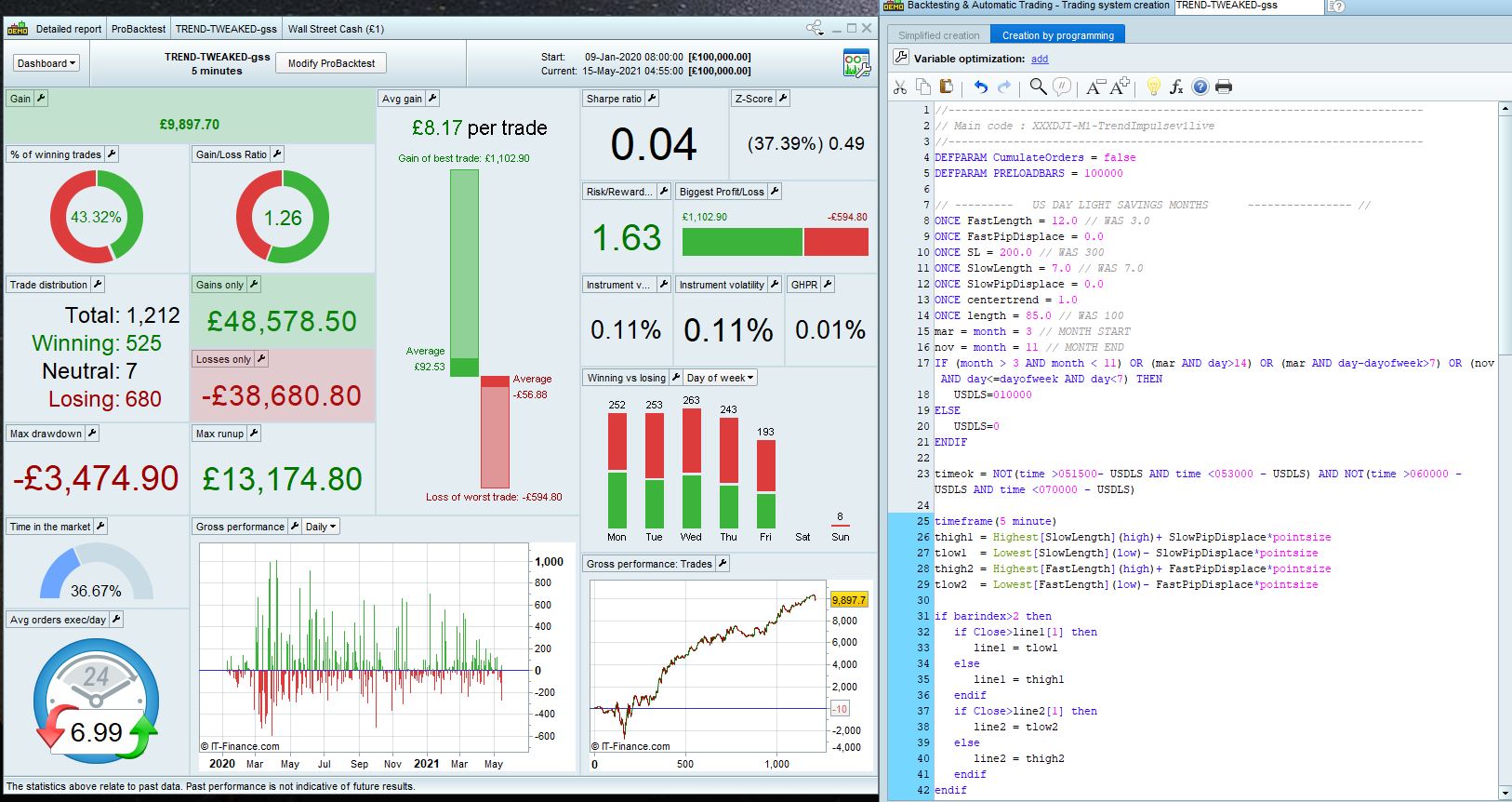
Out of interest … I deleted time and month constraints … and out 348 trades over 100,000 bars 1 min TF, it made a difference of – £22 on £1599
mar = month = 3 // MONTH START
nov = month = 11 // MONTH END
IF (month > 3 AND month < 11) OR (mar AND day>14) OR (mar AND day-dayofweek>7) OR (nov AND day<=dayofweek AND day<7) THEN
USDLS=010000
ELSE
USDLS=0
ENDIF

timeok = NOT(time >221500- USDLS AND time <223000 - USDLS) AND NOT(time >110000 - USDLS AND time <120000 - USDLS)
Bonjour
Comment faut-il faire pour la faire fonctionner à Paris (UTC+02:00) ?
 AleX
AleXParticipant
Senior
someone could upload the code change that needs to happen to resolve this issue for me
Try replace this part,
|
|
bollMA = average[length, 1](close)//50,1
STDDEV = STD[length]
bollUP = bollMA + 2 * STDDEV
bollDOWN = bollMA – 2 * STDDEV
bollPercent = 100 * (close – bollDOWN) / (bollUP – bollDOWN)
|
With this,
|
|
bollMA = average[length, 1](close)//50,1
STDDEV = STD[length]
bollUP = bollMA + 2 * STDDEV
bollDOWN = bollMA – 2 * STDDEV
IF bollUP = bollDOWN THEN
bollPercent = 50
ELSE
bollPercent = 100 * (close – bollDOWN) / (bollUP – bollDOWN)
ENDIF
|
the problem still run with your new code, have you some suggestion?
@bidolia, likely you are using v2a that has the “machine learning”. This part is quite common to have division zero problem, I have removed it from all my strategies as I also find it hard to have consistency and hard to control efficiency (maybe I didn’t use it right). Since there is interest on this strategy, I have been working on another version removing the machine learning code.
Hello and thanks for your work !
I try to launch in automatic trading the file ( V1-3 ) but problem with variable
I don’t see in the code where are the variable . Can you help me ?
Best
Many thanks, I have been playing with and testing this on a demo account. It works well.
My question is:
When it opens a trade, It sets the Open, then 300 pts away, a stop. But no target price?
Does the code allow for movement then to implement a target, moving the stop closer as the price rises stop, or am I missing something?
I am just trading Long, and have observed it make some significant gains, but then give it back as there is no target price or movement of the stop?
Thanks in advance.
Hi,
Is this strategy suitable for daily SPY?
Regards