Hi,
I want to build a screener that screen the stock which has closing volume higher then the highest volume of last 10 days. One of the condition with this search is that minimum stock volume should be 10000 so it doesn’t search for low liquidity stocks. I copied something from the library below but it isn’t working as it simply showing all the stock listed on the exchange.. !! I am looking for this screener to be used on daily time frame.
appreciate if any one can help to correct this ?
Volumeminimum = 10000
VolumeIndicator = 1

if volumeindicator =1 AND volume > 3*(highest[10](volume)) and volume > volumeminimum THEN

volumeindicator = 2

ENDIF

c1 = (VolumeIndicator>1)

screener[c1]
Try this one:
Volumeminimum = 10000
c1 = (volume > 3*(highest[10](volume))) and (volume > volumeminimum)
screener[c1]
Actually, that is how started but it didn’t gave any results so basically there is no error in the code if i use your code but when i screen there will be zero stock that meets that criteria which is not possible. As you will find at-least one stock that has volume 3 times higher then last 10 day’s highest volume.. !!
so while there is no error in the code there is no result that comes out of this code as well so something wrong in the logic not giving us output.
I will test it later in the (EU) morning.
The issue is in highest[10](volume), as the last ten bars are the current one and the prior 9 bars, so the current volume CANNOT be higher than itself. The solution is to use volume[1] with highest:
Volumeminimum = 10000
c1 = (volume > 3*(highest[10](volume[1]))) and (volume > volumeminimum)
screener[c1]
Robert, Sorry to ask again but I tried using same code but replaced volume with price and the condition is to screen stocks where EMA 5 >= EMA50
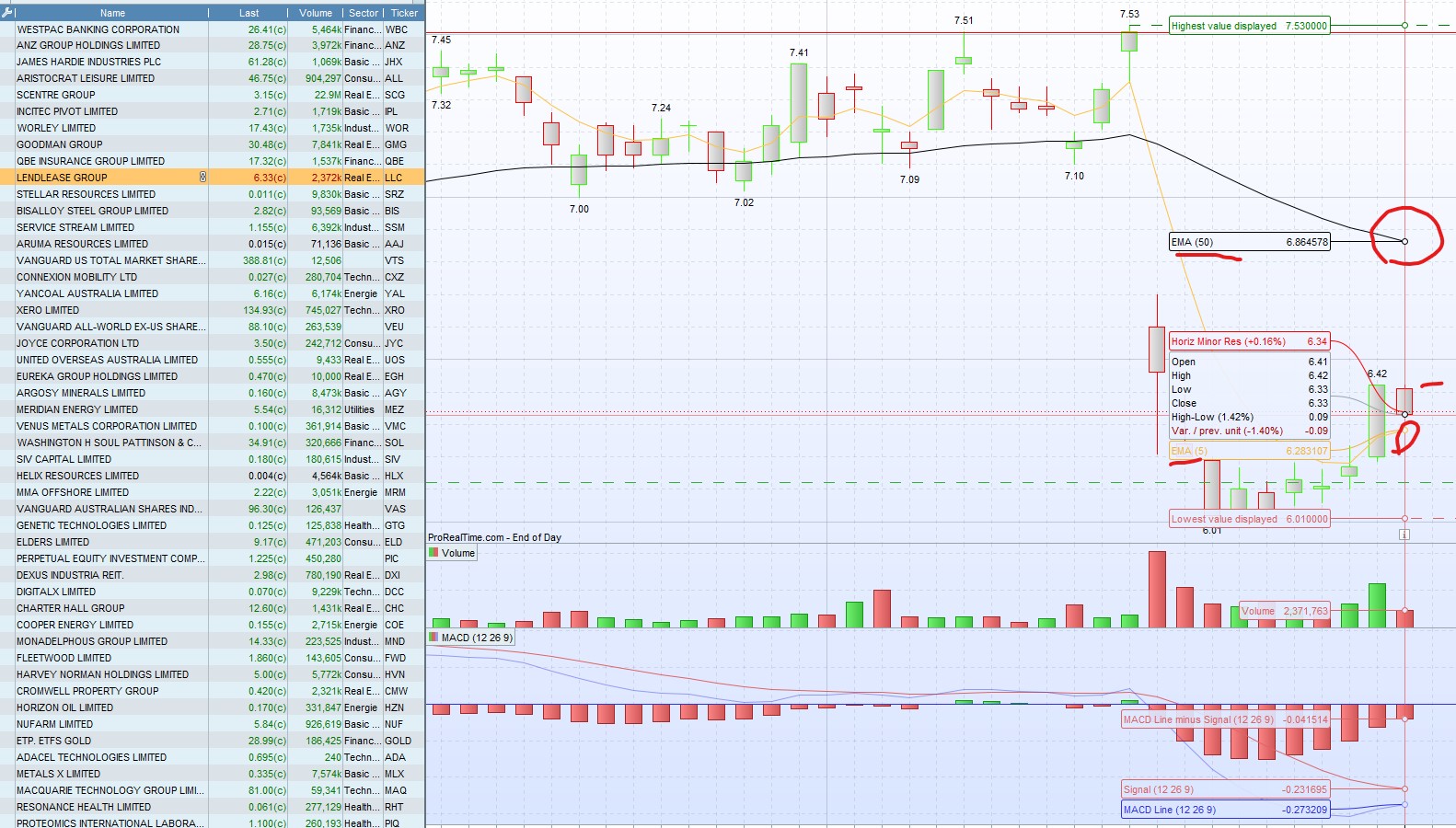
The screen result includes stock which had EMA 5 < EMA 50 and many stock which has closing price not higher then 27 day highest price. the code has no error so seems like error is in the logic but not sure why it worked with volume but not with the price ?
see below code for the price, let me know if there is improvement i can do to avoid the wrong stock coming out of screener.
if ExponentialAverage[5](close)> ExponentialAverage[50](close) THEN

B = (close > (highest[27](close[1])))

ENDIF

screener[B]
 JS
JSParticipant
Veteran
Hi,
I tried your screener and the results were according to the conditions…
Can you give an example of where it’s not right?
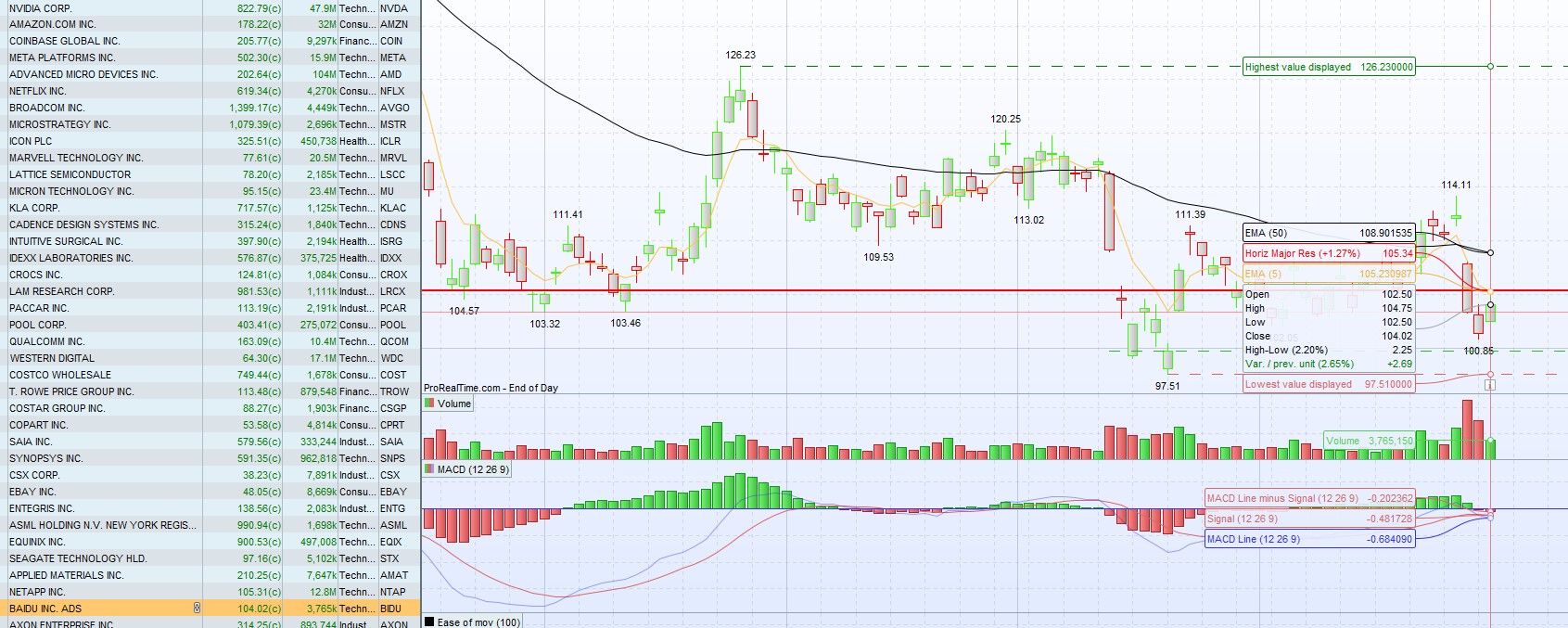
See attached image. You will notice that the stock price isn’t higher then 27 day highest and EMA 5 is below EMA50. There are few stocks where ema is correct but price isn’t higher then past 27 days also there are instances where price is correct but EMA is not correct. Obviously majority meets the criteria but there are few which doesn’t, which means there is something wrong either in program to give this error or something wrong in the logic of the code. it is simple code with not many conditions.
You can check my code but select ” Australian Stock ” (not Australia 100) and see if you get the same result or not.
JSParticipant
Veteran
Hi,
Unfortunately, I can’t check your results because I don’t have any Australian data…
When something like this happens, some results do not meet the criteria, it is usually due to the combination of “Exponential Average” and the limited historical data of a screener…
If you want to know if it’s the EMA, you can change the “ExponentialAverage” to a simple average (Average[..] (Close)) …
If the results are now correct, you know what the problem is… (the EMA)
Thanks, I tried that as well, and it still giving out the result that doesn’t meet criteria. This particular stock LLC is listed since 2001 and if i zoom then PRT has all the data so limited data is not the issue.
I think issue is in the program and not in the logic as how come it can’t produce correct result for such a simple code ?
which stock exchange did you use to check this code ? I can try and see if it works on my side for that stock exchange.
I checked for US market and run the screener for “US NASDAQ Anadelen” and it also has same issue see attached screenshot.
Do you use desktop version 12 or web version? i am using desktop app version 12.
JSParticipant
Veteran
That’s right, I see the same thing…
Most of them are good, but there are also stocks that don’t meet the criteria…
I can’t say anything meaningful about it except that this (unfortunately) happens regularly with screeners…
It is disappointing, as in past for many different screener I had similar issue but always thought something was wrong with my code..!
I am new to this software and still learning, however you seems to be around long time? so can i ask a question?
is this website prorealcode forum owned by the PRT software company or they both are two separate entity ? if it is company website then it would be good if they have feature where user can report issue to PRT software developer and that way they can fine tune the software to avoid similar issues ?
Thanks for your help and answering my queries so far.