Stochastic Vs Price Divergence indicator help

Viewing 2 posts - 16 through 17 (of 17 total)
  • Author
    Posts
  • #105170 quote
    robertogozzi
    Moderator
    Master

    Look at the attached pics:

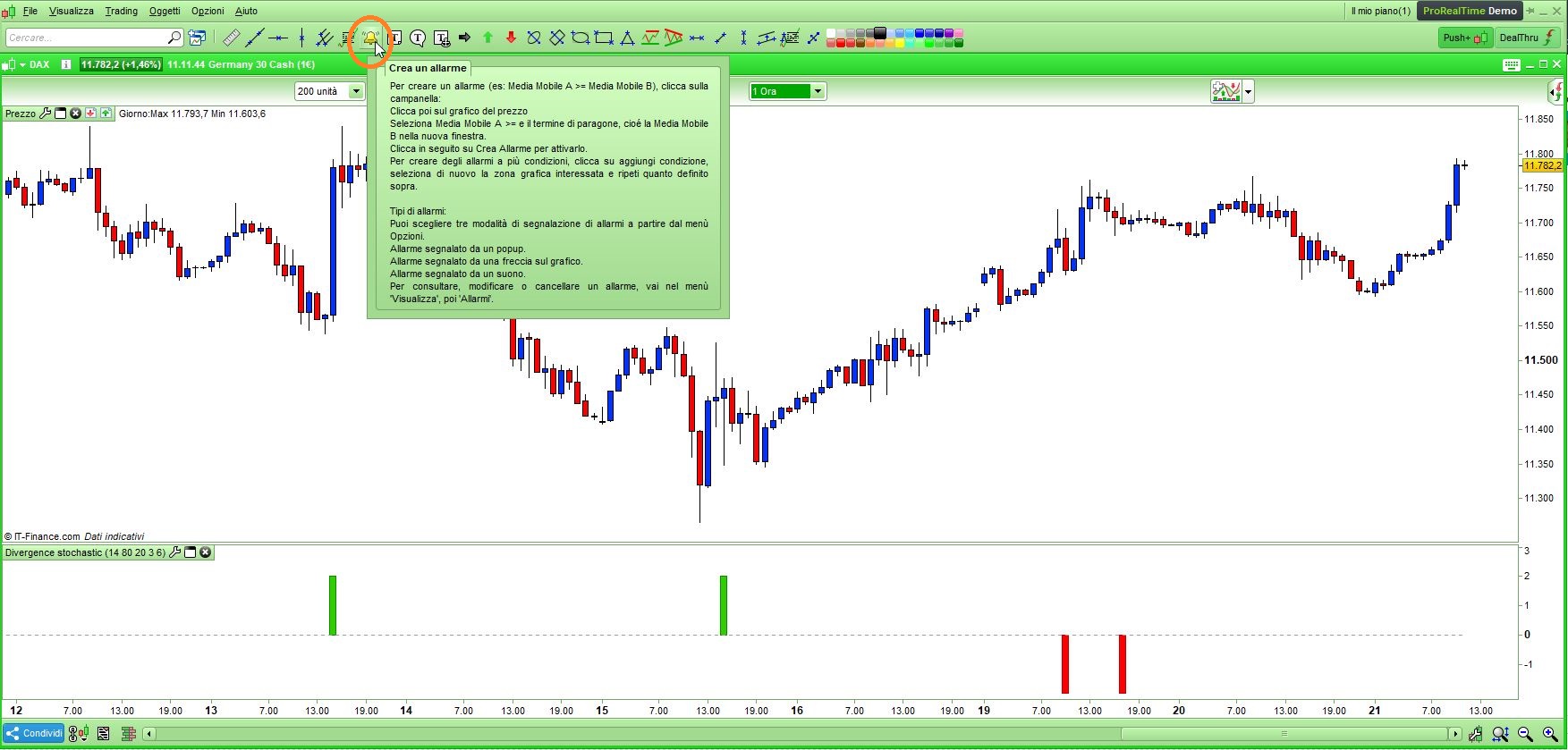
    • Pic1:  click the bell icon on the toolbar
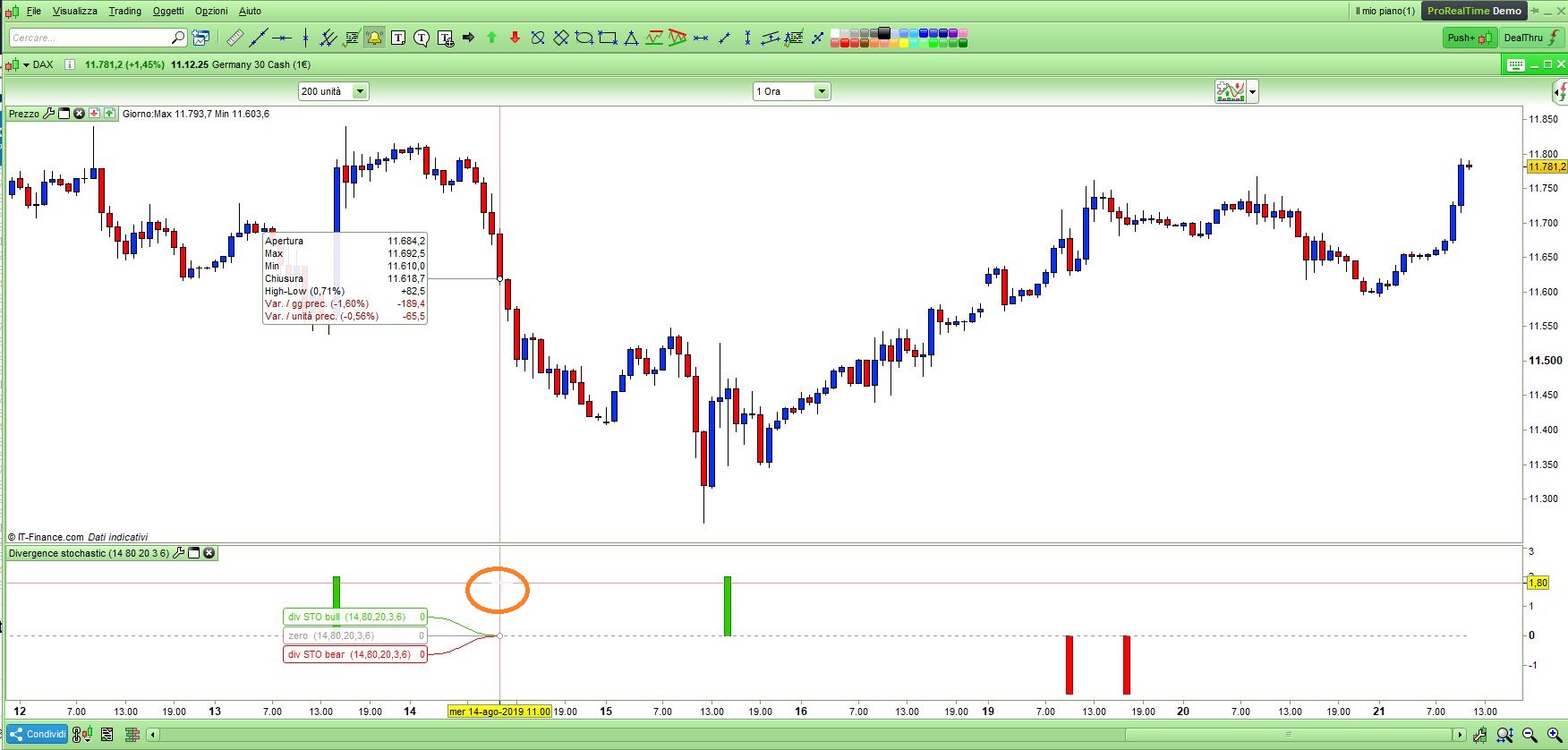
    • Pic2:  click somewhere in the indicator window
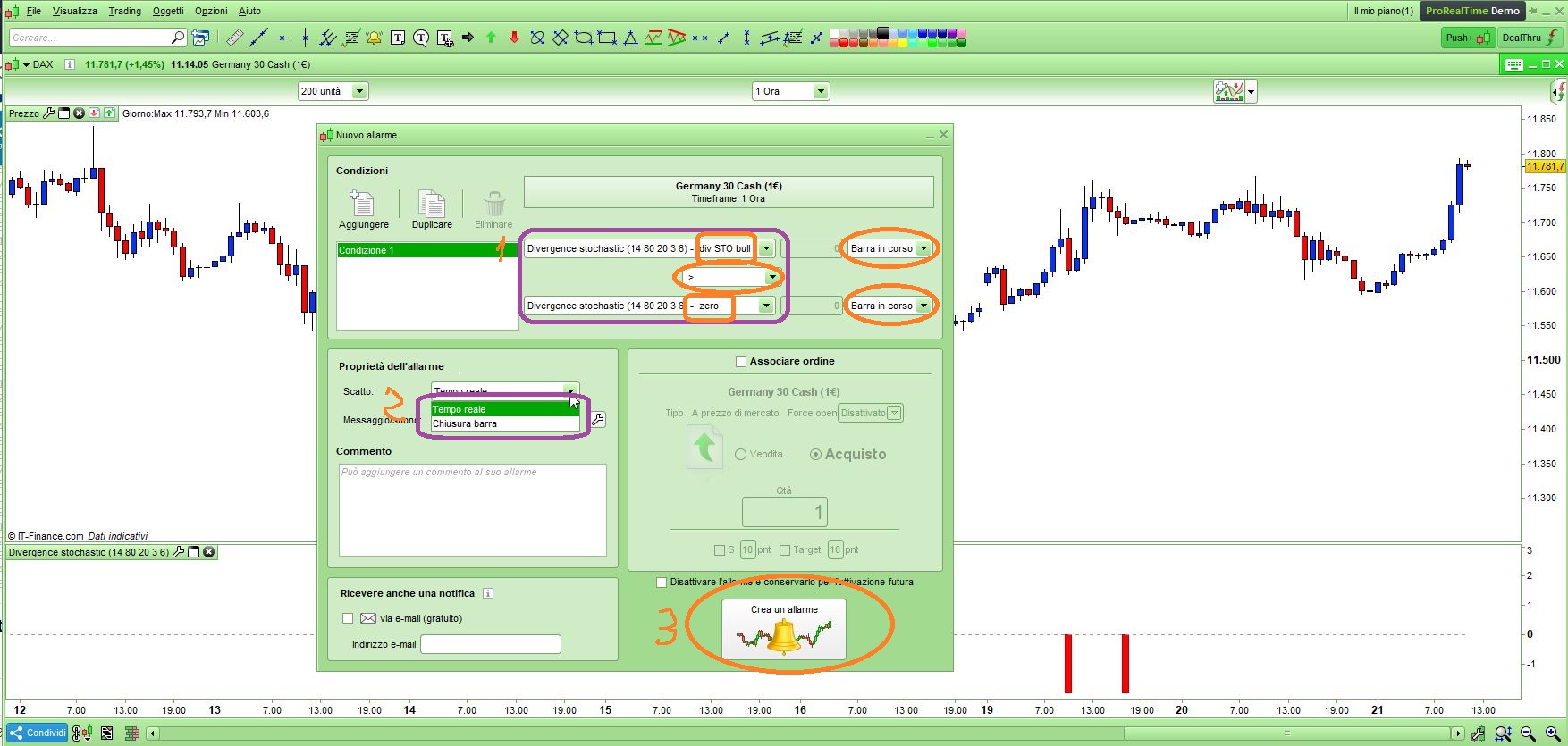
    • Pic3:  select the first condition and
      1 – select “div STO bull”, then relational operator “>”, then “zero” (for the second condition select “div STO bear”, then “<“, then “zero”), you may also select the bar/candle to which you want the alarm to be applied (current one is default)
      2 – select when you want the alarm to pop up/beep, whether LIVE or when a candle CLOSES
      3 – create alarm
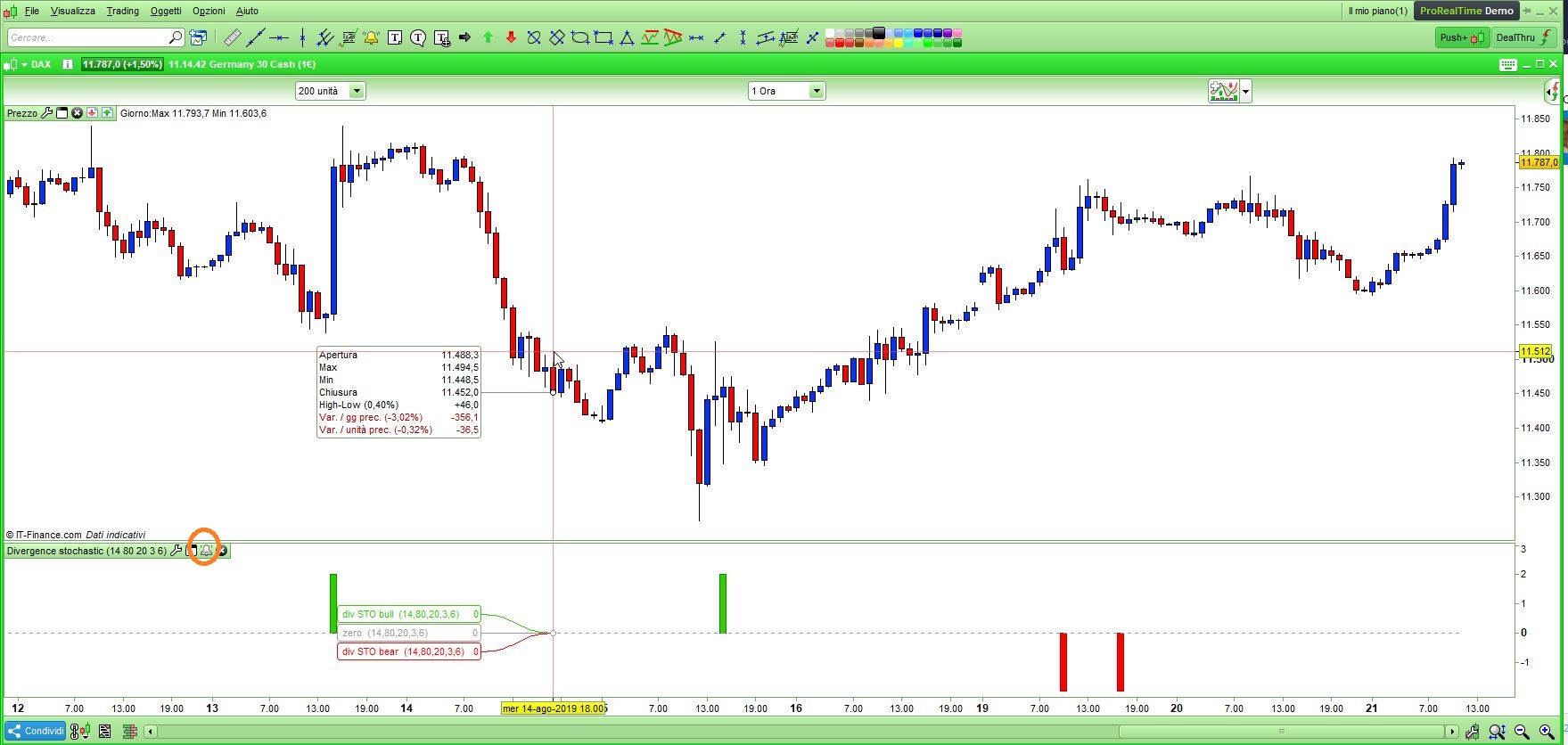
    • Pic4:  a bell icon will be added to your indicator’s toolbar to let you know you have an alarm set on it.
    #105175 quote
    GraHal
    Participant
    Master

    Below should help you re setting up Alerts

    https://www.prorealtime.com/en/help-manual/create-market-alerts

    robertogozzi thanked this post
Viewing 2 posts - 16 through 17 (of 17 total)
  • You must be logged in to reply to this topic.

Stochastic Vs Price Divergence indicator help


ProBuilder: Indicators & Custom Tools

New Reply
Author
author-avatar
Fea @fea Participant
Summary

This topic contains 16 replies,
has 4 voices, and was last updated by GraHal

6 years, 5 months ago.

Topic Details
Forum: ProBuilder: Indicators & Custom Tools
Language: English
Started: 03/28/2018
Status: Active
Attachments: 13 files
Logo Logo
Loading...