Stochastic Vs Price Divergence indicator help

Viewing 2 posts - 16 through 17 (of 17 total)
  • Author
    Posts
  • #105170 quote
    robertogozzirobertogozzi
    Moderator
    Legend

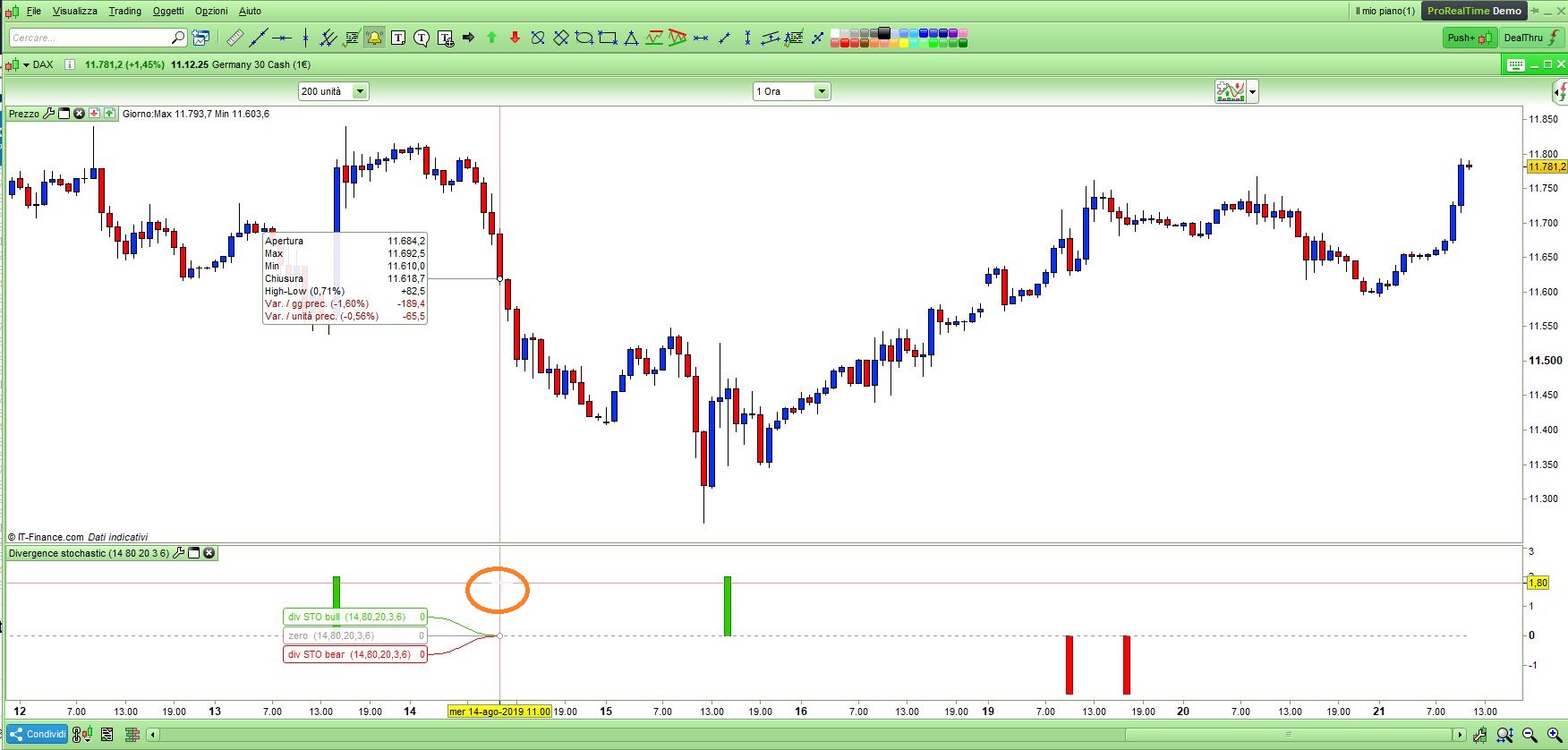
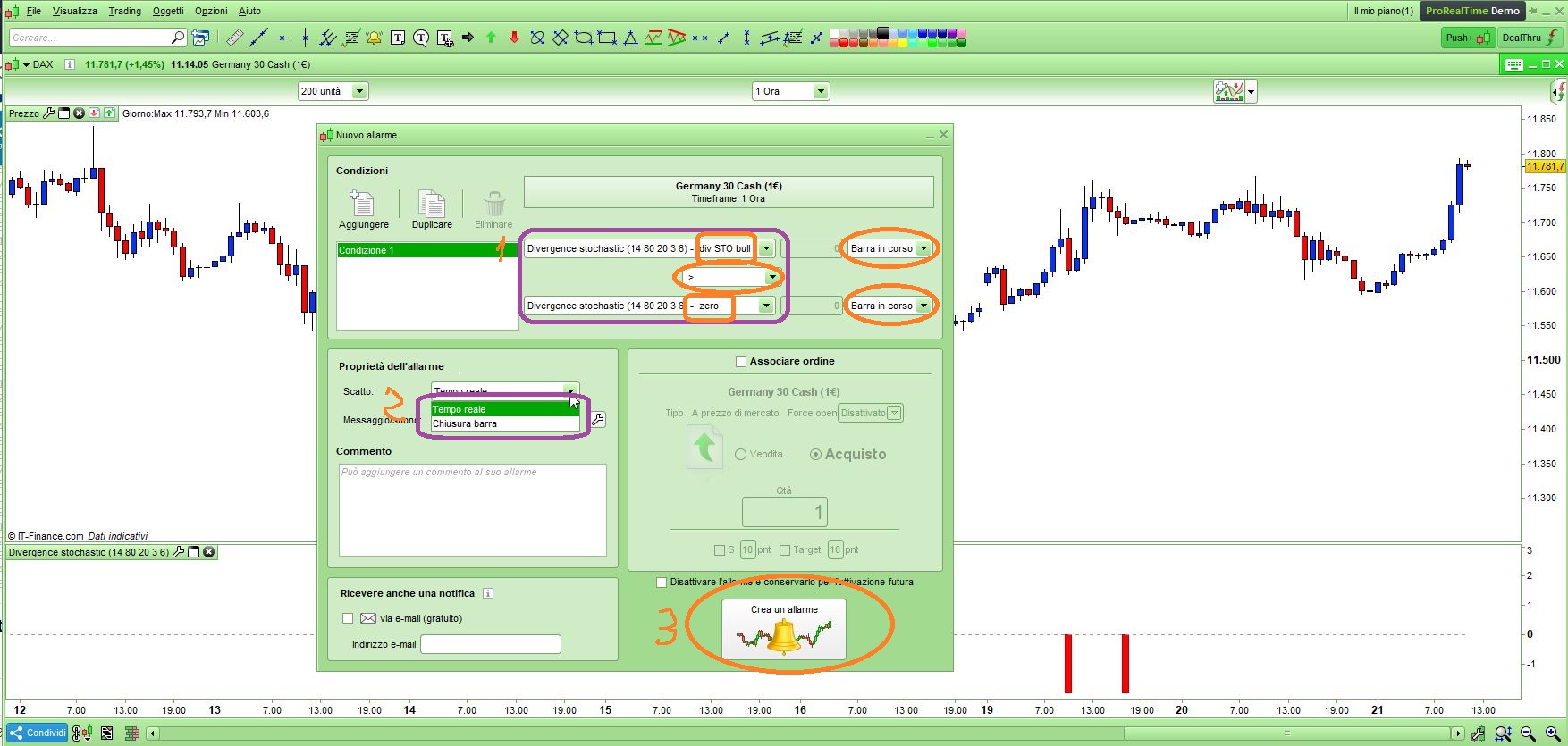
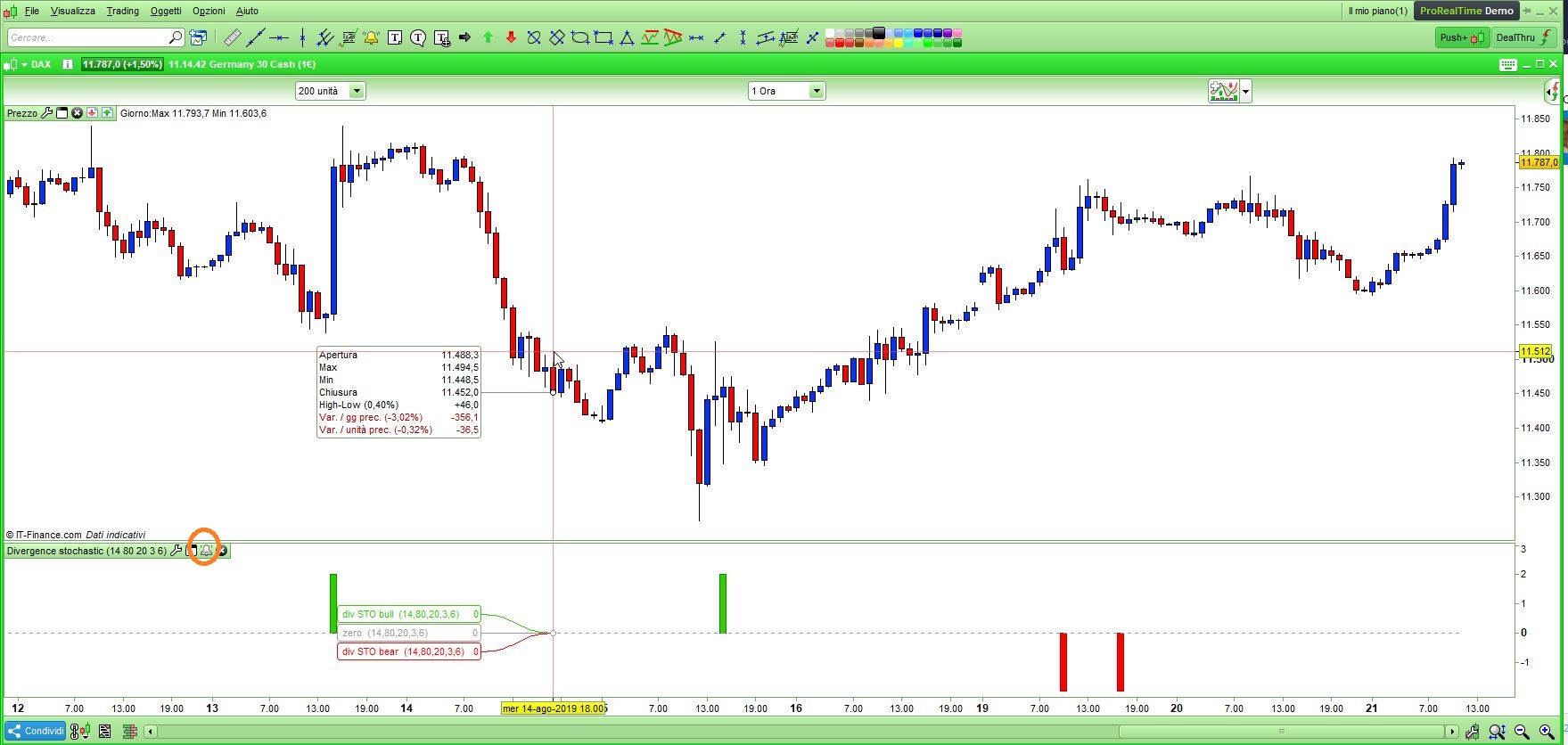
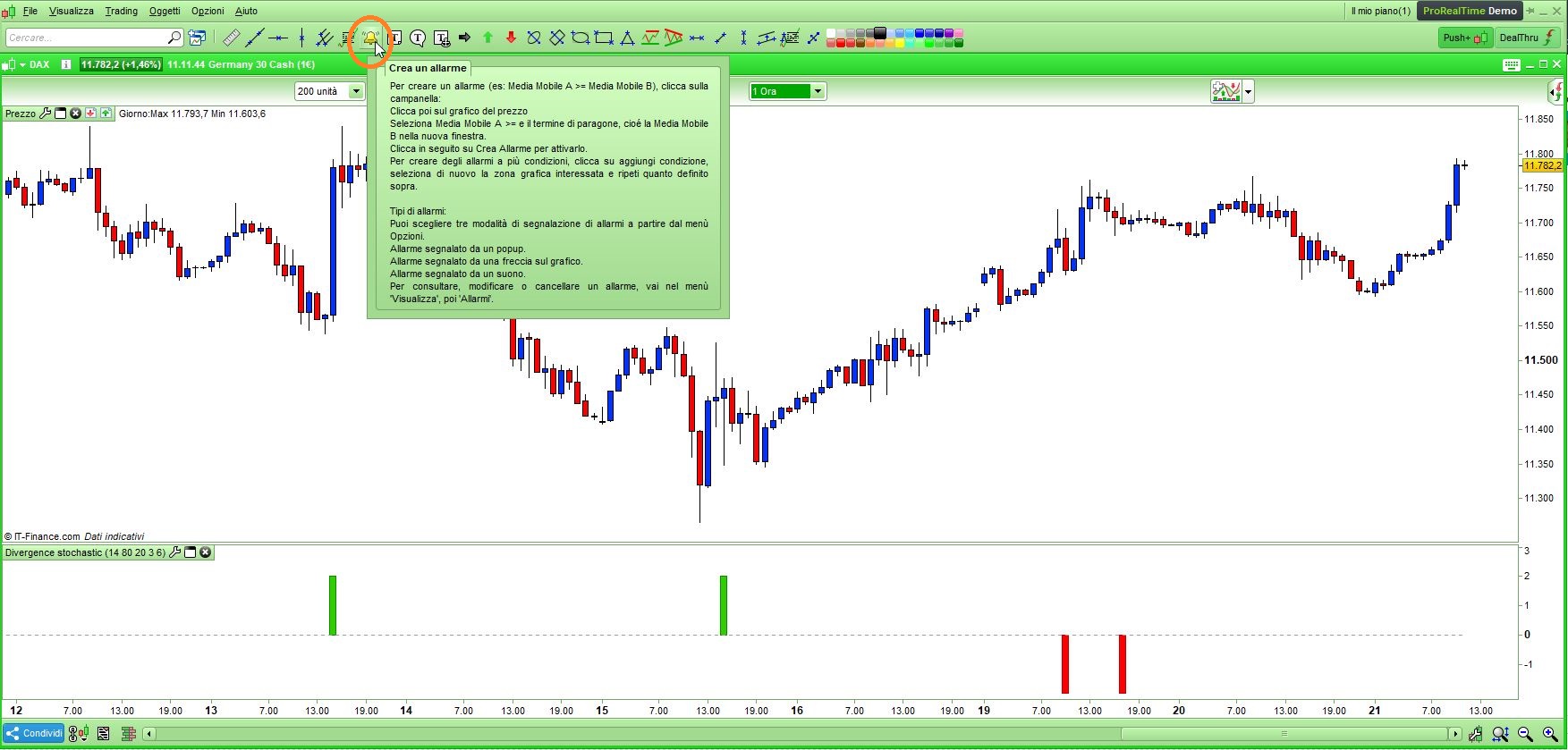
    Look at the attached pics:

    • Pic1:  click the bell icon on the toolbar
    • Pic2:  click somewhere in the indicator window
    • Pic3:  select the first condition and
      1 – select “div STO bull”, then relational operator “>”, then “zero” (for the second condition select “div STO bear”, then “<“, then “zero”), you may also select the bar/candle to which you want the alarm to be applied (current one is default)
      2 – select when you want the alarm to pop up/beep, whether LIVE or when a candle CLOSES
      3 – create alarm
    • Pic4:  a bell icon will be added to your indicator’s toolbar to let you know you have an alarm set on it.
    Alarm1.jpg Alarm1.jpg Alarm2.jpg Alarm2.jpg Alarm3.jpg Alarm3.jpg Alarm4.jpg Alarm4.jpg
    #105175 quote
    GraHalGraHal
    Participant
    Master

    Below should help you re setting up Alerts

    https://www.prorealtime.com/en/help-manual/create-market-alerts

    robertogozzi thanked this post
Viewing 2 posts - 16 through 17 (of 17 total)
  • You must be logged in to reply to this topic.
ProRealAI ProRealAI New

Stuck on this ProBuilder code?

Describe what this topic is trying to build, in plain English, and ProRealAI writes the ProRealTime™ indicator, screener or system for you.

Available in 7 languages
Try ProRealAI

Stochastic Vs Price Divergence indicator help

ProBuilder: Indicators & Custom Tools

New Reply
Author
author-avatar
Fea @fea Participant
Summary

This topic contains 16 replies,
has 4 voices, and was last updated by GraHalGraHal

7 years ago.

Topic Details
Forum: ProBuilder: Indicators & Custom Tools
Language: English
Started: 03/28/2018
Status: Active
Attachments: 13 files
ProRealCode ProRealCode
Loading...