Stochastic Crossover Screener

Viewing 9 posts - 1 through 9 (of 9 total)
  • Author
    Posts
  • #67479 quote
    rhuw
    Participant
    New

    Hi Everyone.

    I just wanted to see if anyone had any code for the stochastic indicator? I’m ideally looking for a screener to look for a crossover above the 80 line or below the 20 line.

    Thanks,

    Rob

    #67480 quote
    robertogozzi
    Moderator
    Master

    This should work, le me know

    // Constant definitions
    
    // OverBought/OverSold tresholds
    ONCE StocOB = 80                                              //80 - 20
    ONCE StocOS = 100 - StocOB
    
    // Stochastic parameters
    ONCE Stoc1  = 5                                               //5
    ONCE Stoc2  = 3                                               //3
    ONCE Stoc3  = 3                                               //3  (average for the D line)
    
    StocK       = Stochastic[Stoc1,Stoc2](close)                  //K line
    StocD       = Average[Stoc3](StocK)                           //D line
    
    CrossOB     = StocK CROSSES UNDER StocD AND StocK > StocOB    //Crossing occurred while K line is still OB
    CrossOS     = StocK CROSSES OVER  StocD AND StocK < StocOS    //Crossing occurred while K line is still OS
    
    SCREENER[CrossOB OR (CrossOS * 2)]                            //1=crossing while OB,   2=crossing while OS

    Roberto

    rhuw thanked this post
    #67481 quote
    robertogozzi
    Moderator
    Master

    Lines 15-16 may make the screener return different occurrences if you require line K not to be OS/OB (still line D will), by replacing them with the following two:

    CrossOB     = StocK CROSSES UNDER StocD AND StocD > StocOB    //Crossing occurred while D line is still OB
    CrossOS     = StocK CROSSES OVER  StocD AND StocD < StocOS    //Crossing occurred while D line is still OS

    You may change all constants tu best suit your needs.

    rhuw thanked this post
    #67482 quote
    robertogozzi
    Moderator
    Master

    Lines 17-18 shold be replaced by the following to show correct results:

    Result = CrossOB OR (CrossOS * 2)
    SCREENER[Result](Result AS "Cross")  //1=crossing while OB, 2=crossing while OS
    #67485 quote
    rhuw
    Participant
    New

    Hi Roberto,

    Thank you so much for your help and advice.

    I am however very sorry, I’m slightly confused and have zero coding knowledge.

    Do I just copy and paste your first reply onto Pro real time?#

    Thanks,

    Rob

    #67489 quote
    robertogozzi
    Moderator
    Master

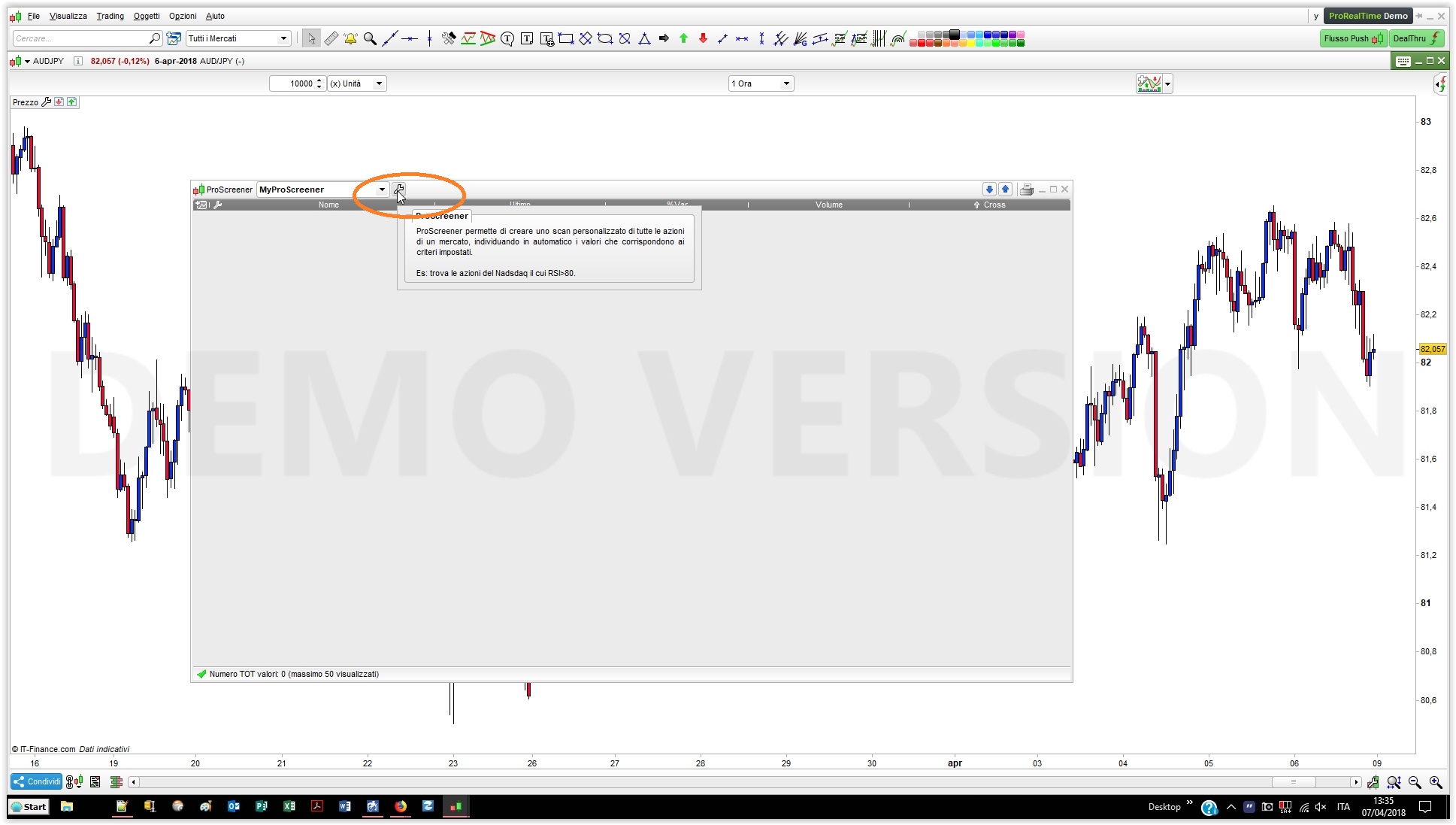
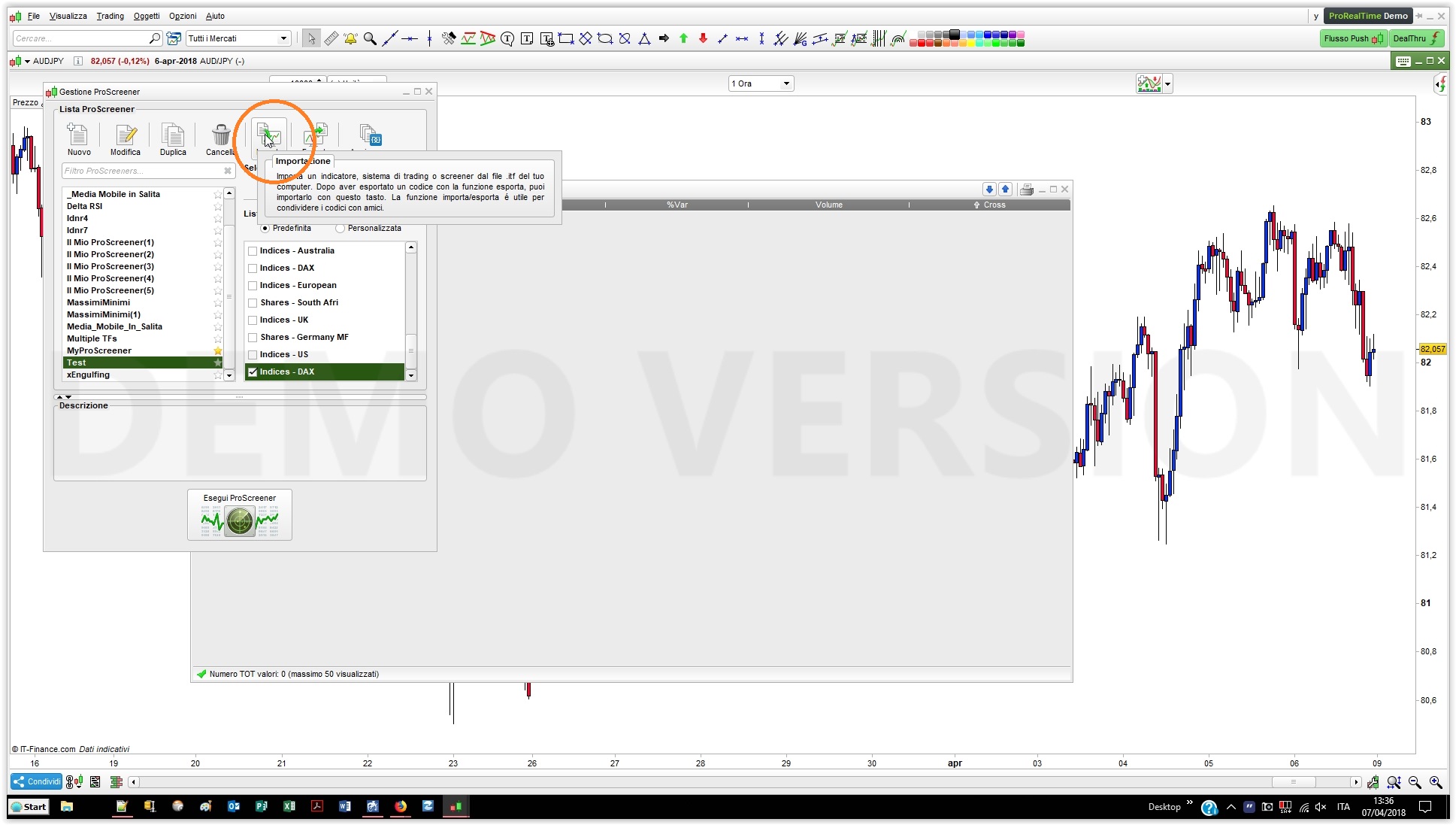
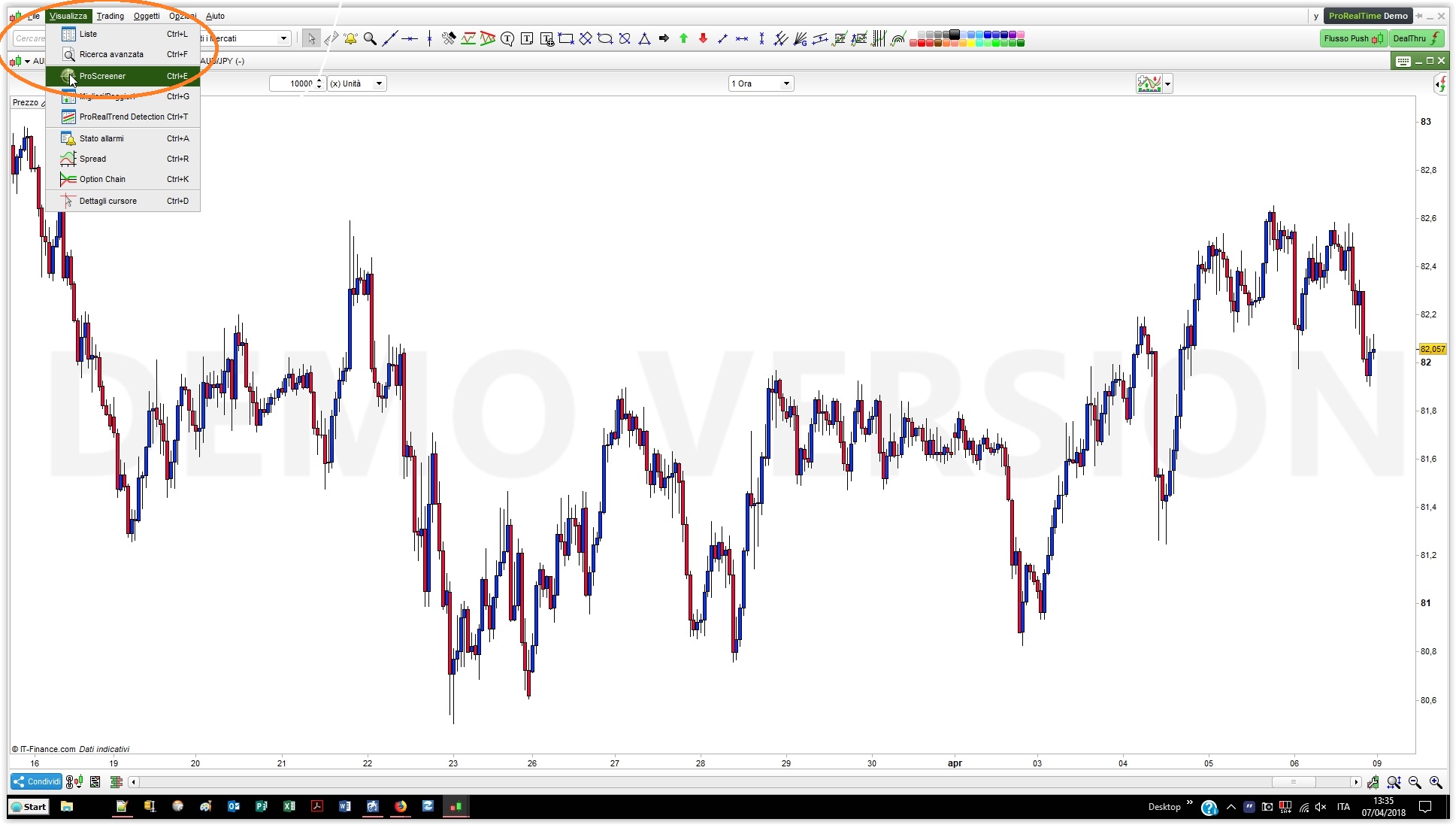
    You can Copy & Paste the following code to ProScreen or you may either import the attached file into ProScreener.

    // Constant definitions
     
    // OverBought/OverSold tresholds
    ONCE StocOB = 80                                              //80 - 20
    ONCE StocOS = 100 - StocOB
     
    // Stochastic parameters
    ONCE Stoc1  = 5                                               //5
    ONCE Stoc2  = 3                                               //3
    ONCE Stoc3  = 3                                               //3  (average for the D line)
     
    StocK       = Stochastic[Stoc1,Stoc2](close)                  //K line
    StocD       = Average[Stoc3](StocK)                           //D line
     
    CrossOB     = StocK CROSSES UNDER StocD AND StocK > StocOB    //Crossing occurred while K line is still OB
    CrossOS     = StocK CROSSES OVER  StocD AND StocK < StocOS    //Crossing occurred while K line is still OS
     
    Result = CrossOB OR (CrossOS * 2)
    SCREENER[Result](Result AS "Cross")  //1=crossing while OB, 2=crossing while OS

    This is a link to help import code, of cource you’ll have import the screener to ProScreener, not ProOrder (for automated Strategies)  or ProBuilder (for Indicators/Oscillators) https://www.prorealcode.com/import-export-prorealtime-code-platform/

    I also attach 3 screenshots to help you import the .ITF file.

    The last step step, not shown, is to select the file to import from the same folder where you saved it, usually the DOWNLOAD folder on Windows.

    MyProScreener.itf Screener1.jpg Screener1.jpg Screener2.jpg Screener2.jpg Screener3.jpg Screener3.jpg
    #67527 quote
    rhuw
    Participant
    New

    Thank you so much for your help.

    On a totally different note.

    Whats your favorite scanner/strategy? 🙂

    #67531 quote
    robertogozzi
    Moderator
    Master

    I regularly use a similar stochastic crossover, engulfing pattern detection and stochastic divergences.

    #68194 quote
    rhuw
    Participant
    New

    Thanks again for your help Roberto.

Viewing 9 posts - 1 through 9 (of 9 total)
  • You must be logged in to reply to this topic.

Stochastic Crossover Screener


ProScreener: Market Scanners & Detection

New Reply
Author
author-avatar
rhuw @rhuw Participant
Summary

This topic contains 8 replies,
has 2 voices, and was last updated by rhuw

7 years, 11 months ago.

Topic Details
Forum: ProScreener: Market Scanners & Detection
Language: English
Started: 04/07/2018
Status: Active
Attachments: 4 files
Logo Logo
Loading...