Screener Symbols

Viewing 8 posts - 1 through 8 (of 8 total)
  • Author
    Posts
  • #125208 quote
    deletedaccount14122020
    Participant
    New

    Hello,

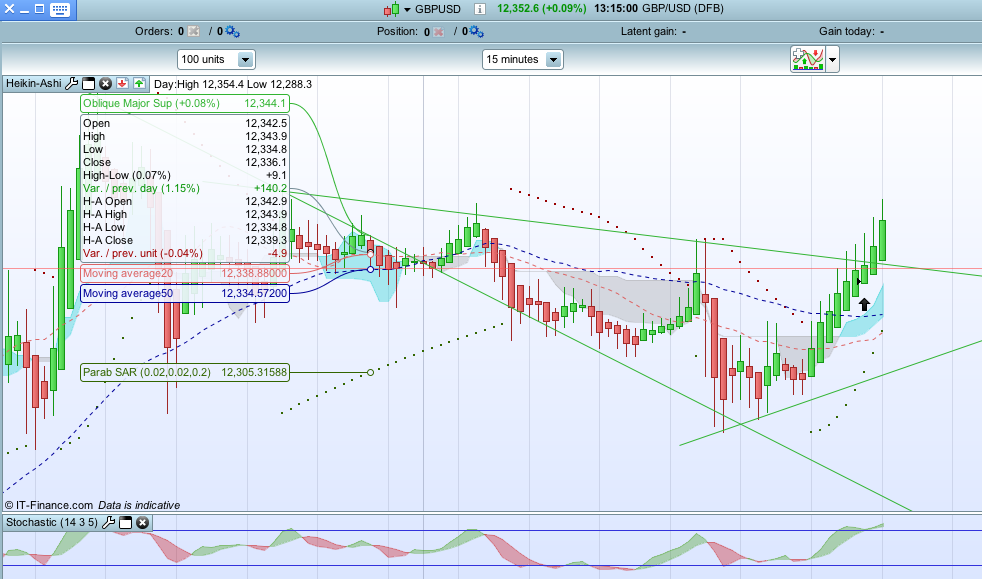
    When the conditions of a Screener are met is it possible to add some code which would show a symbol on the chart confirming the event.

    Any sort of symbol would be good. This is similar to the arrows which show on the chart when an Alert is triggered.

    Any advice would be appreciated

    Screen-Shot-2020-04-08-at-13.14.53.png Screen-Shot-2020-04-08-at-13.14.53.png
    #125220 quote
    robertogozzi
    Moderator
    Master

    No, it’s not possible.

    Screeners can only highlight new instruments in a list and beep.

    #125225 quote
    deletedaccount14122020
    Participant
    New

    OK, many thanks for clarifying that.

    #125278 quote
    GraHal
    Participant
    Master

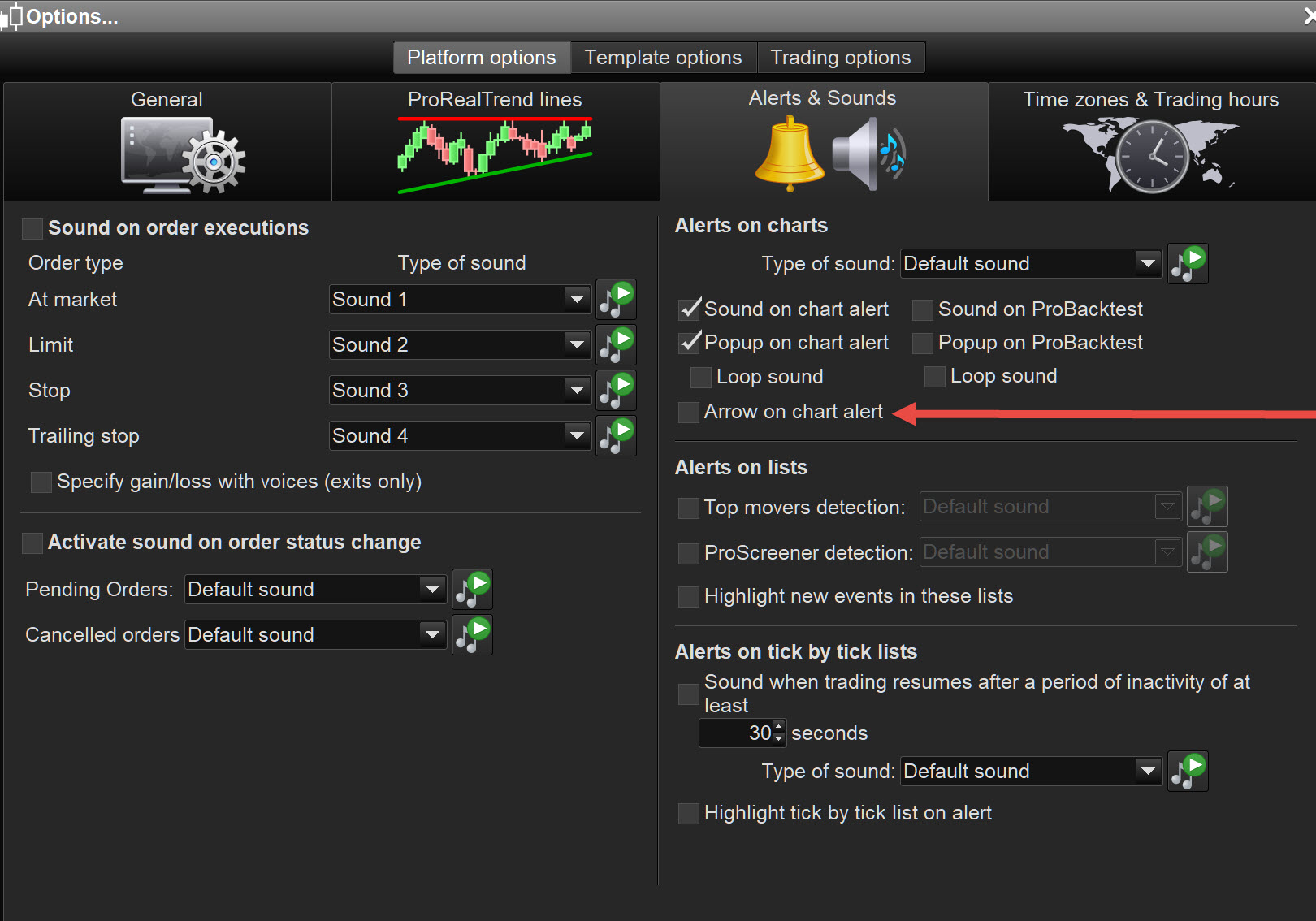
    You could set up the same conditions on a Chart / Indicators and then use the symbol you can set up when an Alert is triggered (see red arrowhead on attached).

    robertogozzi thanked this post
    Richard-2.jpg Richard-2.jpg
    #125302 quote
    deletedaccount14122020
    Participant
    New

    Many thanks for the Chart/Indicator suggestion which never occurred to me.

    I’ll give this a go and submit my feedback

    #125307 quote
    deletedaccount14122020
    Participant
    New

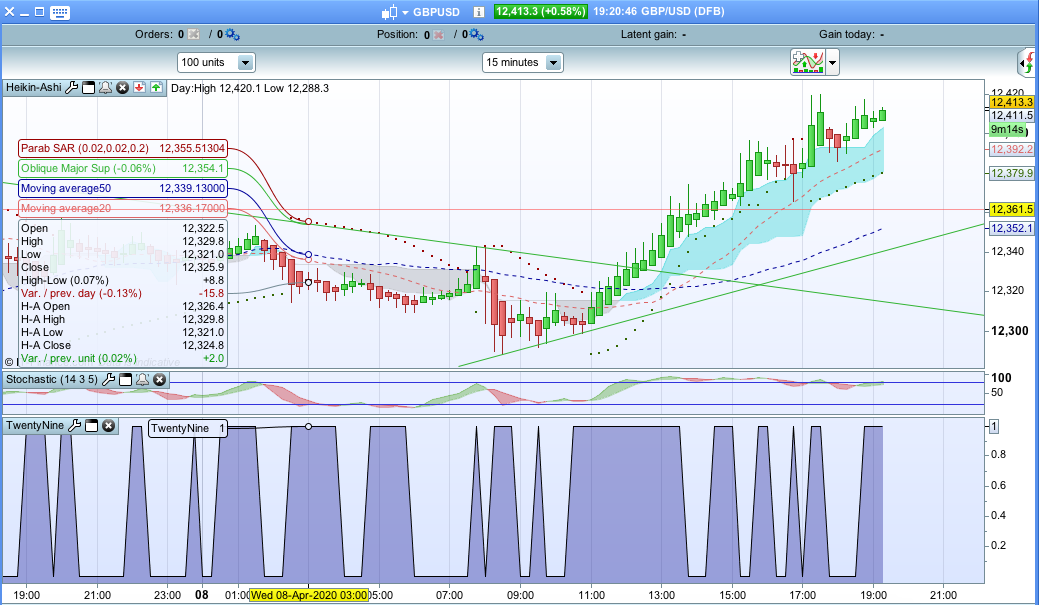
    I’ve set up the Screener as an Indicator which works correctly showing 1 = TRUE and 0 = FALSE but I’m not sure how I can set this up to show as a symbol on the main chart.

    Any advice appreciated

    //TRADE ENTRY INDICATOR
    
    //HEIKEN ASHI CALCULATION
    xClose = (Open+High+Low+Close)/4 //Heikin Ashi Close price
    
    if(barindex>2) then
    xOpen = (xOpen[1] + xClose[1])/2 //Heikin Ashi Open price
    endif
    
    indicator1 = SAR[0.02,0.02,0.2] //Parabolic SAR
    
    sto = Stochastic[14,3](close) //Stochastic %K
    signal = average[5](sto) //Stochastic %D
    
    c3 = indicator1 < close //Parabolic SAR below Close
    c4 = indicator1 > close //Parabolic SAR above Close
    
    c5 = sto > signal //%K above %D
    c6 = sto < signal //%K below %D
    
    c7 = xClose>xOpen //Green Haiken Ashi candle
    c8 = xClose<xOpen //Red Haiken Ashi candle
    
    TradeEntry = (c3 AND c5 AND c7) OR (c4 AND c6 AND c8)
    Return TradeEntry
    Screen-Shot-2020-04-08-at-19.20.37.png Screen-Shot-2020-04-08-at-19.20.37.png
    #125317 quote
    robertogozzi
    Moderator
    Master

    For clarity of messages on ProRealCode’s forums, please use the “insert code PRT” button to separate the text of the code part! Thank you! 🙂

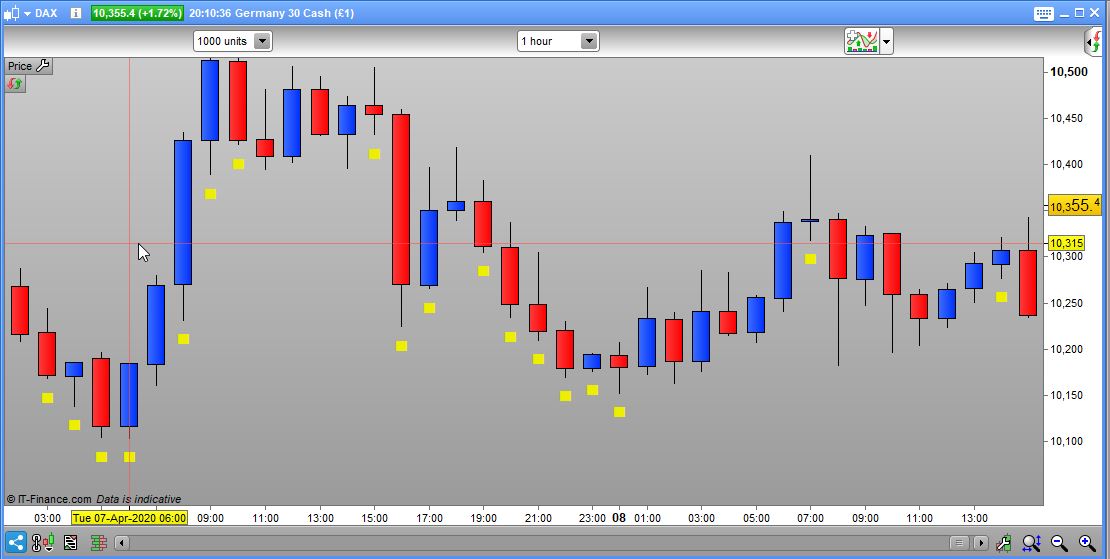
    Try this, if it’s what you want:

    //TRADE ENTRY INDICATOR
    
    //HEIKEN ASHI CALCULATION
    xClose = (Open+High+Low+Close)/4 //Heikin Ashi Close price
    
    if(barindex>2) then
       xOpen = (xOpen[1] + xClose[1])/2 //Heikin Ashi Open price
    endif
    
    indicator1 = SAR[0.02,0.02,0.2] //Parabolic SAR
    
    sto = Stochastic[14,3](close) //Stochastic %K
    signal = average[5](sto) //Stochastic %D
    
    c3 = indicator1 < close //Parabolic SAR below Close
    c4 = indicator1 > close //Parabolic SAR above Close
    
    c5 = sto > signal //%K above %D
    c6 = sto < signal //%K below %D
    
    c7 = xClose>xOpen //Green Haiken Ashi candle
    c8 = xClose<xOpen //Red Haiken Ashi candle
    TradeEntry = (c3 AND c5 AND c7) OR (c4 AND c6 AND c8)
    IF TradeEntry THEN
       DRAWTEXT("█",barindex,low - 20*pipsize) coloured(238,238,0,255)
    ENDIF
    Return
    x-6.jpg x-6.jpg
    #125323 quote
    deletedaccount14122020
    Participant
    New

    Many thanks. Now I understand the code I can format it to my requirements

Viewing 8 posts - 1 through 8 (of 8 total)
  • You must be logged in to reply to this topic.

Screener Symbols


ProScreener: Market Scanners & Detection

New Reply
Summary

This topic contains 7 replies,
has 3 voices, and was last updated by deletedaccount14122020
5 years, 11 months ago.

Topic Details
Forum: ProScreener: Market Scanners & Detection
Language: English
Started: 04/08/2020
Status: Active
Attachments: 4 files
Logo Logo
Loading...