Screener does not work no matter what

Viewing 3 posts - 1 through 3 (of 3 total)

  • Author
    Posts
  • #202763 quote
    nils_k
    Participant
    New

    Dear Members of the forum,

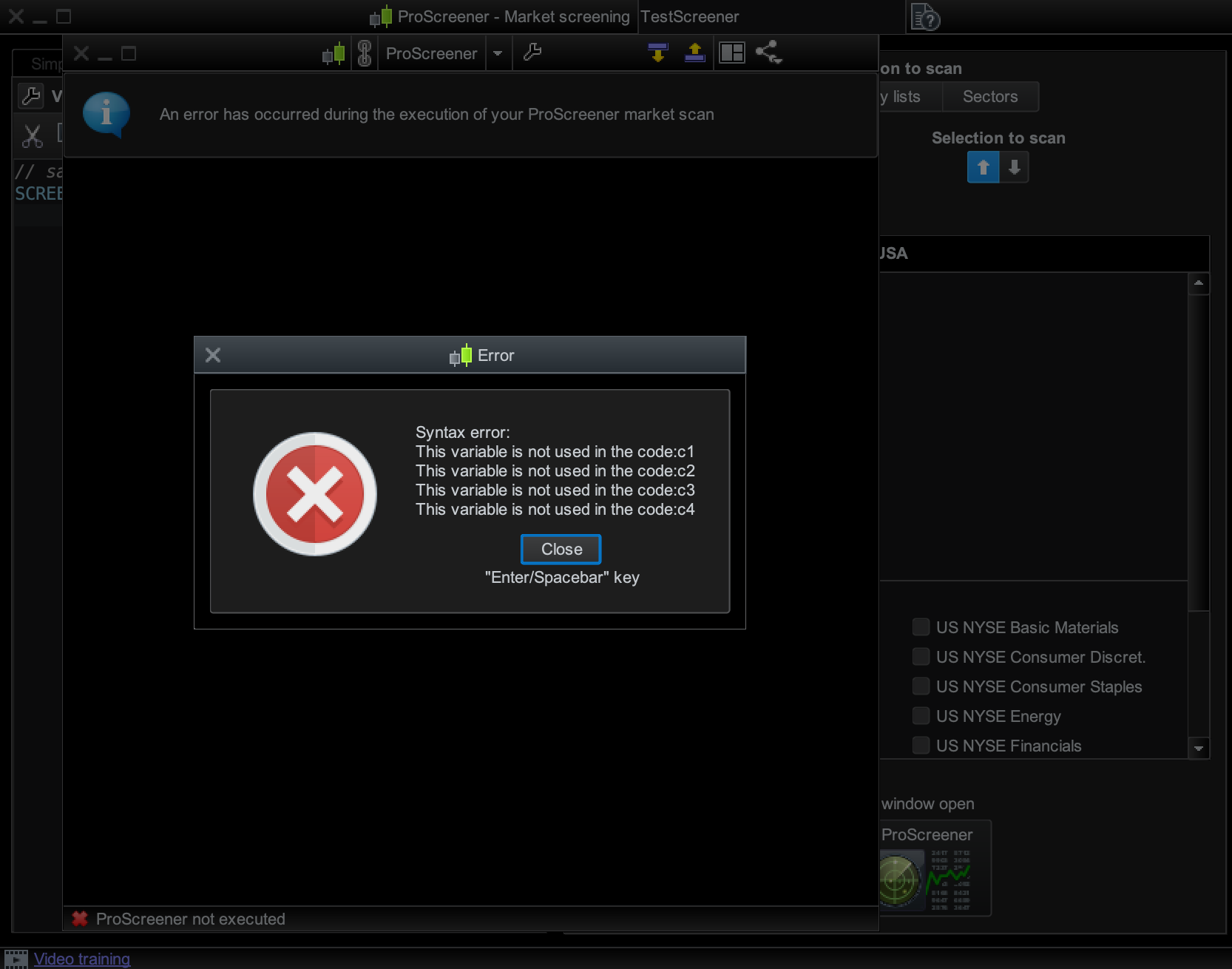
    I have a weird problem with my ProScreener. All the default scans work fine (High Volatility High Volume, Bearish Engulfing, etc). As soon as I try to execute my own screener, I get an error message that is always the same.

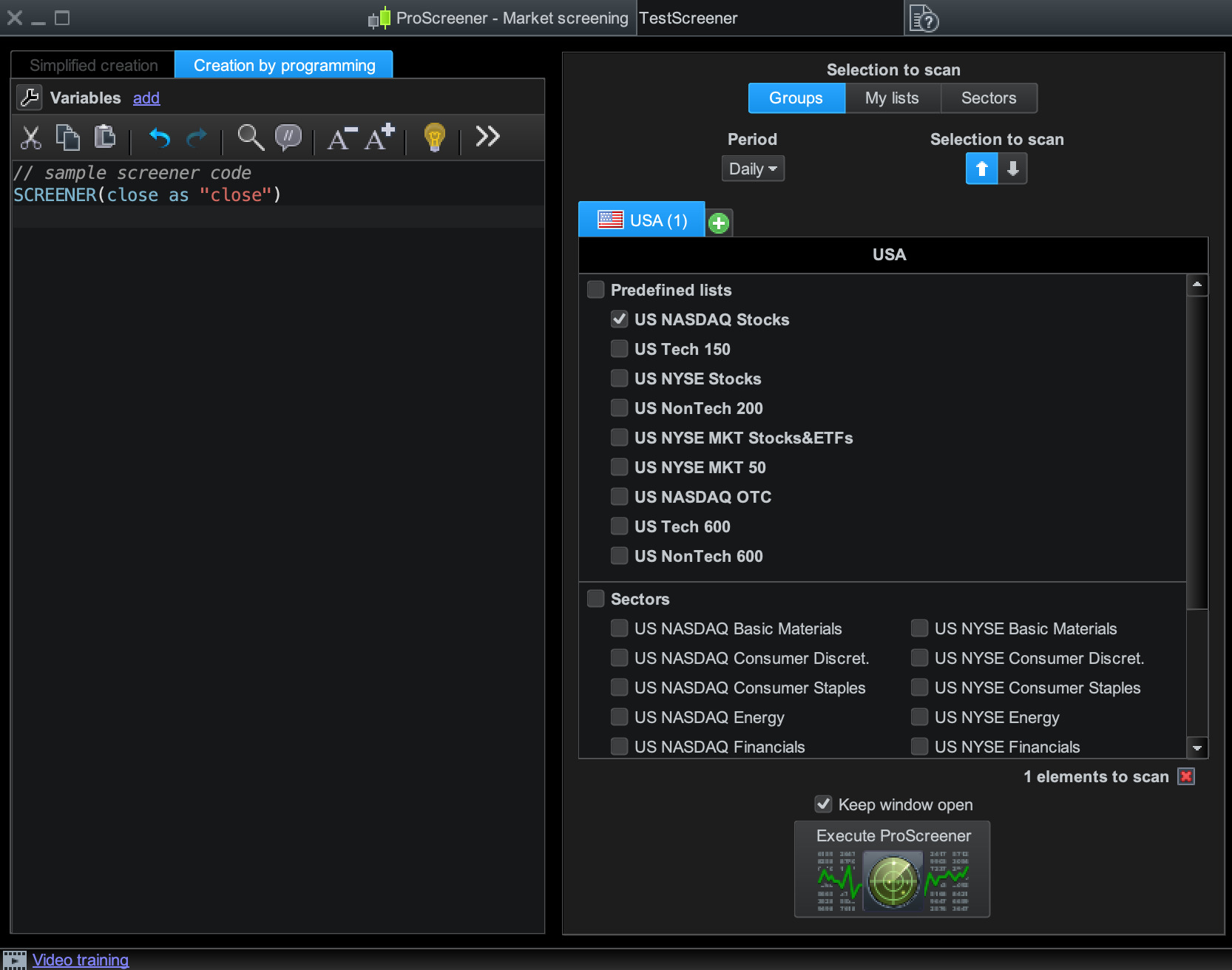
    To make sure the problem is not with my code, I used the sample screener code (screenshot 1), but as soon as I try to execute it, I get this error message (screenshot 2).

    Any suggestions what I should do? I already tried to reinstall ProRealTime, but it also didn’t work.

    Screenshot-2022-10-18-at-12.15.58.jpg Screenshot-2022-10-18-at-12.15.58.jpg Screenshot-2022-10-18-at-12.20.39.png Screenshot-2022-10-18-at-12.20.39.png
    #202773 quote
    Nicolas
    Keymaster
    Master

    Weird error indeed 🙂 Try to create another custom code with a different name, it should work.

    nils_k thanked this post
    #202780 quote
    JS
    Participant
    Veteran

    The error message you get has to do with your (screener) code.

    In your code you use conditions (c1, c2, c3, c4) but you do not use these conditions as criteria in your screener.

    For example:

    C1 = Close > Close[1]

    C2 = 1

    Screener(c1)

    When you run this screener you get the same error message because you do not use the variable c2 in your screener.

Viewing 3 posts - 1 through 3 (of 3 total)
  • You must be logged in to reply to this topic.

Screener does not work no matter what


ProScreener: Market Scanners & Detection

New Reply
Author
author-avatar
nils_k @nils_k Participant
Summary

This topic contains 2 replies,
has 3 voices, and was last updated by JS

3 years, 5 months ago.

Topic Details
Forum: ProScreener: Market Scanners & Detection
Language: English
Started: 10/18/2022
Status: Active
Attachments: 2 files
Logo Logo
Loading...