LOParticipant
Junior
Hi,
Simple question I suppose, but I couldn’t find a answer.
This is my ROC 66 screener, I just want every asset sorted from high to low on ROC 66 value.
c1 = (close > 0)
criteria = ROC[66](close)
SCREENER[c1] (criteria AS “ROC”)
My question, how do I reverse this? If I would like the bottom 100 assets with the lowest ROC rank?
LOParticipant
Junior
No answer yet, anyone know how to screen for the bottom 100 in ROC rank?
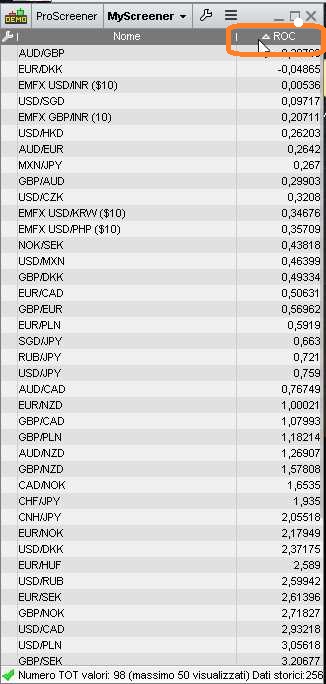
That is showing the most negative number on top of the screener.
Simply click the highlighted column.
Bear in mind that demo accounts can display 50 results (100 on real accounts).
LOParticipant
Junior
Hi,
I’m not sure this is the case. When I click the column I only reverses the original sorting, I do not get another screening.
I’m looking to screen for the assets with the worst ROC rank of all the screened assets, the ones with the lowest numbers. And sorted from lowest numbers to higher numbers.
How do I code a asset screener that shows the lowest numbers and not the highest numbers? Invert screener in some way?
Your screener does not make any selection, so you can only reverse the list.
You need to change conditions, to get different results.