Saving full output of backtesting into Excel

Viewing 2 posts - 1 through 2 (of 2 total)
  • Author
    Posts
  • #191803 quote
    alfredocuaresma
    Participant
    New

    Hello everyone,

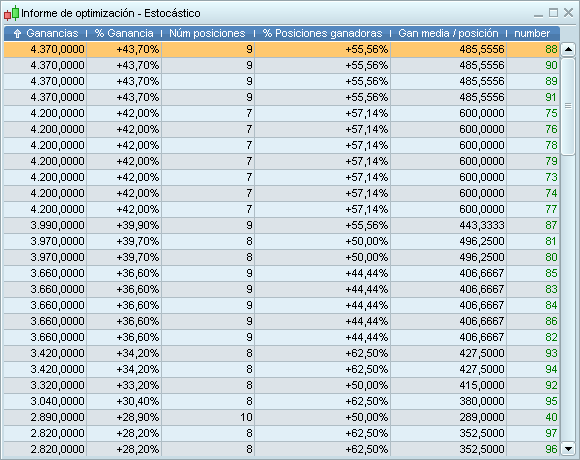
    When we backtest 10,000 combinations, the results window only shows the top 100. This can be misleading because we haven’t a complete vision of the profitability generated by the system with the variables used, we only have the vision of the 100 best combinations, a bias. We can copy the first 100 results (combinations) from the “Results” window of a backtest into Excel. But how can we copy the 10,000?

    Thank you.

    trading-systems-3_c1440665609c.png trading-systems-3_c1440665609c.png
    #191811 quote
    JS
    Participant
    Senior

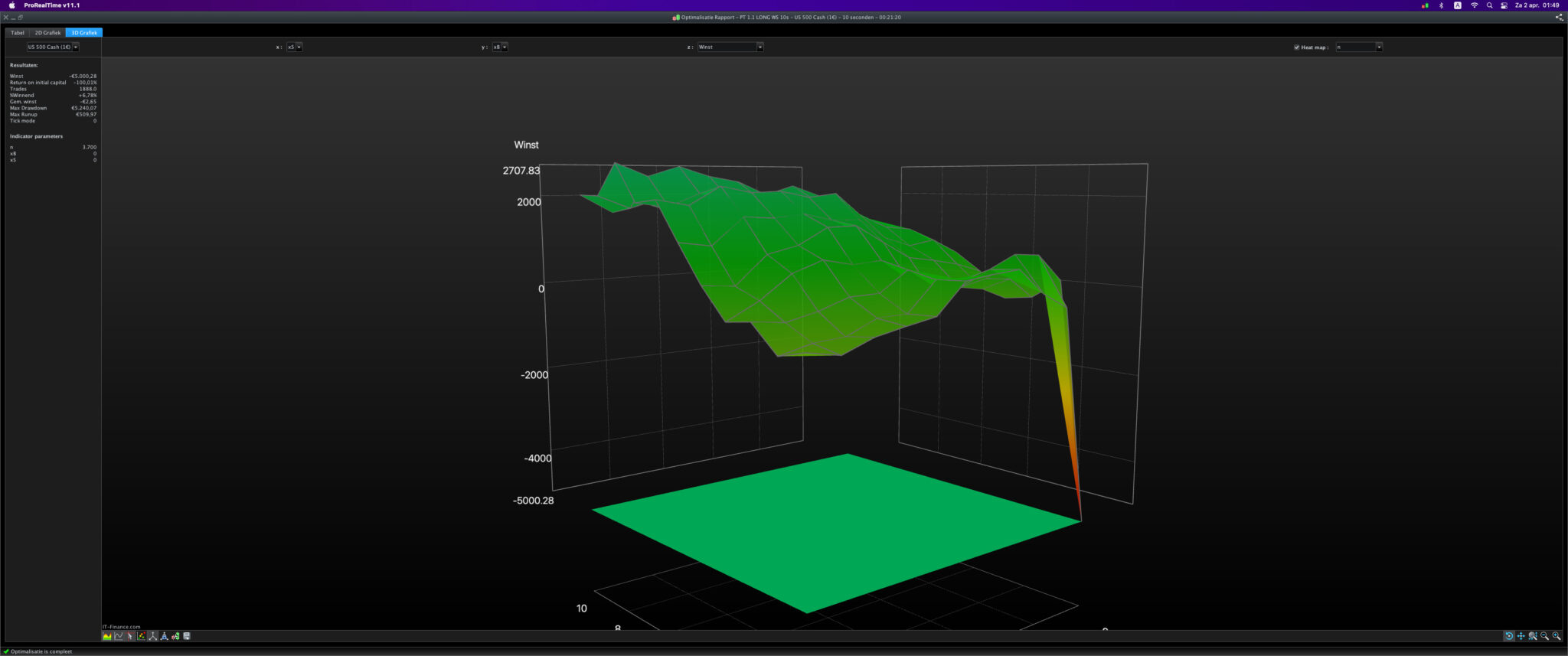
    You can use the 3D graph, which shows all optimization results.

    In the 3D graph, parameters from the back test are shown on the X and Y axis. The Z-axis shows things like profit, drawdown of runup.

    The flatter the curve, the more robust the system.

    Nicolas thanked this post
    Schermafbeelding-2022-04-02-om-01.49.45-1.jpg Schermafbeelding-2022-04-02-om-01.49.45-1.jpg
Viewing 2 posts - 1 through 2 (of 2 total)
  • You must be logged in to reply to this topic.

Saving full output of backtesting into Excel


ProOrder: Automated Strategies & Backtesting

New Reply
Author
Summary

This topic contains 1 reply,
has 2 voices, and was last updated by JS

3 years, 10 months ago.

Topic Details
Forum: ProOrder: Automated Strategies & Backtesting
Language: English
Started: 04/15/2022
Status: Active
Attachments: 2 files
Logo Logo
Loading...