ROC MA

Viewing 5 posts - 1 through 5 (of 5 total)

  • Author
    Posts
  • #90245 quote
    robert123
    Participant
    Master
    #90247 quote
    robert123
    Participant
    Master
    //x=0  ///default 12
    
    CHANGE=ROC[x](close)
    If change > 0 then
    Price=low[0]
    elsif change < 0 then
    price=high[0]
    endif
    
    
    return average[4](price)
    
    #90253 quote
    Nicolas
    Keymaster
    Master

    Thanks Robert, I think that you want to share with us that code you made? If so, how would you use it and how does it looks?

    #90259 quote
    Vonasi
    Moderator
    Master

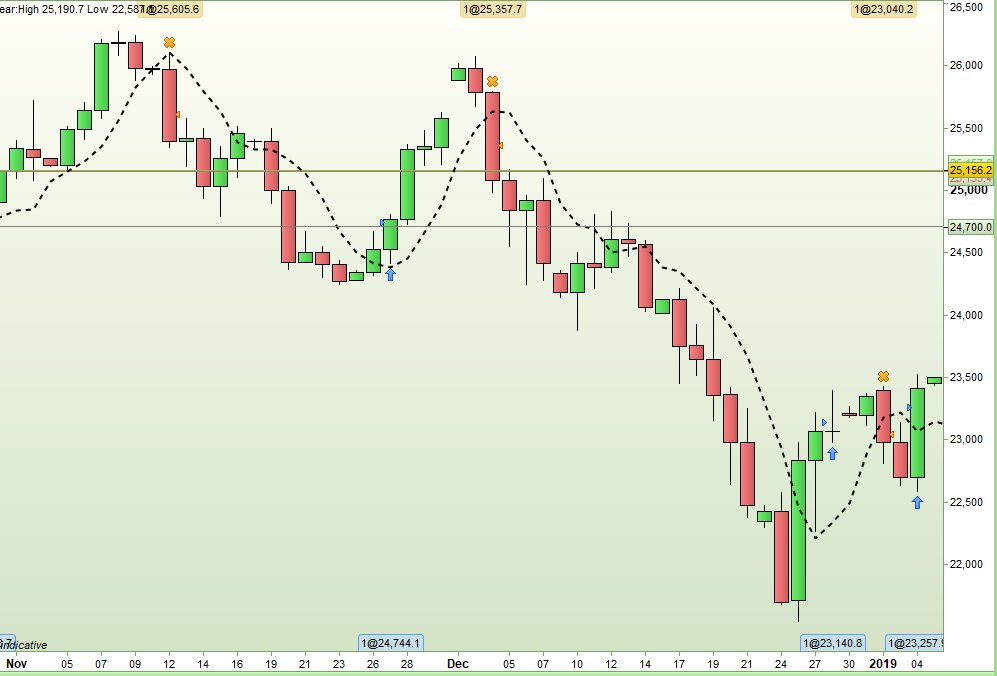
    It is quite interesting to adapt the idea to other indicators. Here is a similar code but for the RSI[2]:

    x = 2  
     
    CHANGE = rsi[x](close)
    If change >= 50 then
    Price = low
    elsif change < 50 then
    price = high
    endif
     
    return average[4](price)

    [attachment file=90260]

    Screenshot_1.png Screenshot_1.png
    #90303 quote
    robert123
    Participant
    Master

    Thanks Vonasi for uploading an image, I didn’t have time yesterday.

    It works well on all time frames. If the lower are messy look towards the higher….

    RR

Viewing 5 posts - 1 through 5 (of 5 total)

  • You must be logged in to reply to this topic.

ROC MA


ProBuilder: Indicators & Custom Tools

New Reply
Author
author-avatar
robert123 @robert123 Participant
Summary

This topic contains 4 replies,
has 3 voices, and was last updated by robert123
7 years ago.

Topic Details
Forum: ProBuilder: Indicators & Custom Tools
Language: English
Started: 02/01/2019
Status: Active
Attachments: 2 files
Logo Logo
Loading...