Rectangles superposés

Viewing 5 posts - 1 through 5 (of 5 total)
  • Author
    Posts
  • #253376 quote
    Bernard13
    Participant
    Average

    Bonjour,
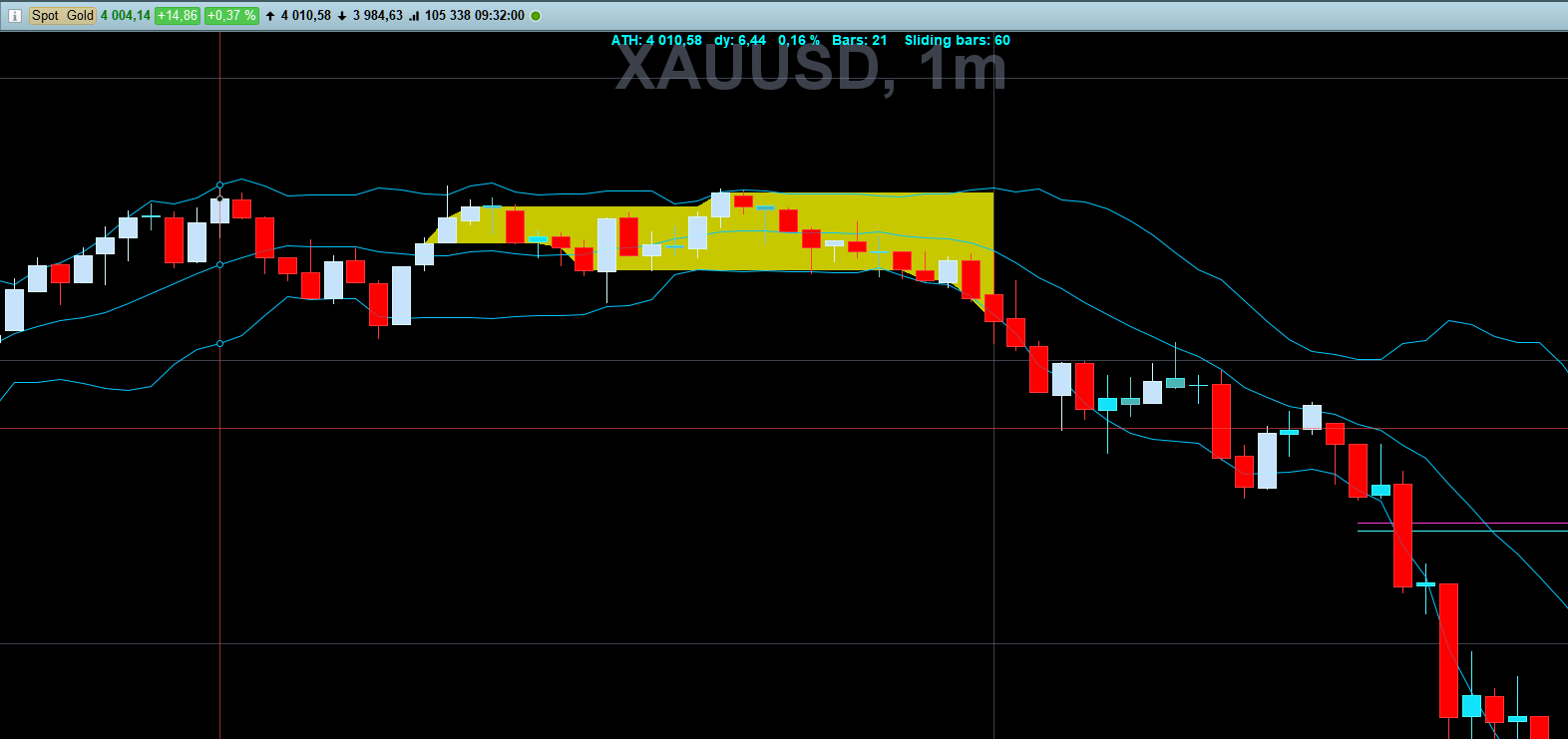
    Je ne sais pas comment m’y prendre pour transformer mon code ci-dessous afin d’obtenir sur le graph que les derniers rectangles des Ranges Bollinger sur l’historique et éviter ainsi les superpositions. Merci d’avance.

    // Bollinger Range
    
    //DEFPARAM DrawOnLastBarOnly= True // Force the graph to the right.   => Uniquement le dernier rectangle dessiné.
    DEFPARAM DrawOnLastBarOnly= False // No force the graph to the right. => Tous les rectangles mais tous repeints.
    
    Src= Close
    deltaRangeBB= 5 // Range de 5 points sur le Spot Gold: XAUUSD
    
    BBup= BollingerUp[20](close)
    BBdn= BollingerDown[20](close)
    RangeBB= BBup - BBdn // En points
    LenRange= LenRange + 1 // longueur du range
    
    IF RangeBB >= deltaRangeBB THEN
    lenRange= 1
    xRange= BarIndex
    ELSE // Range en court
    HH= Highest[LenRange](Src)
    LL= Lowest[LenRange](Src)
    DrawRectangle(xRange, LL, Barindex, HH) Coloured("Yellow", 50) BorderColor("Yellow", 0)
    ENDIF
    
    RETURN
    
    #253390 quote
    Iván González
    Moderator
    Master
    //DEFPARAM DrawOnLastBarOnly = False
    
    deltaRangeBB = 15
    period = 20
    
    BBup = BollingerUp[period](close)
    BBdn = BollingerDown[period](close)
    RangeBB = BBup - BBdn
    
    ONCE isInRange = 0
    ONCE xStartRange = 0
    ONCE HH = 0
    ONCE LL = 0
    
    IF RangeBB >= deltaRangeBB THEN
    
    IF isInRange = 1 THEN
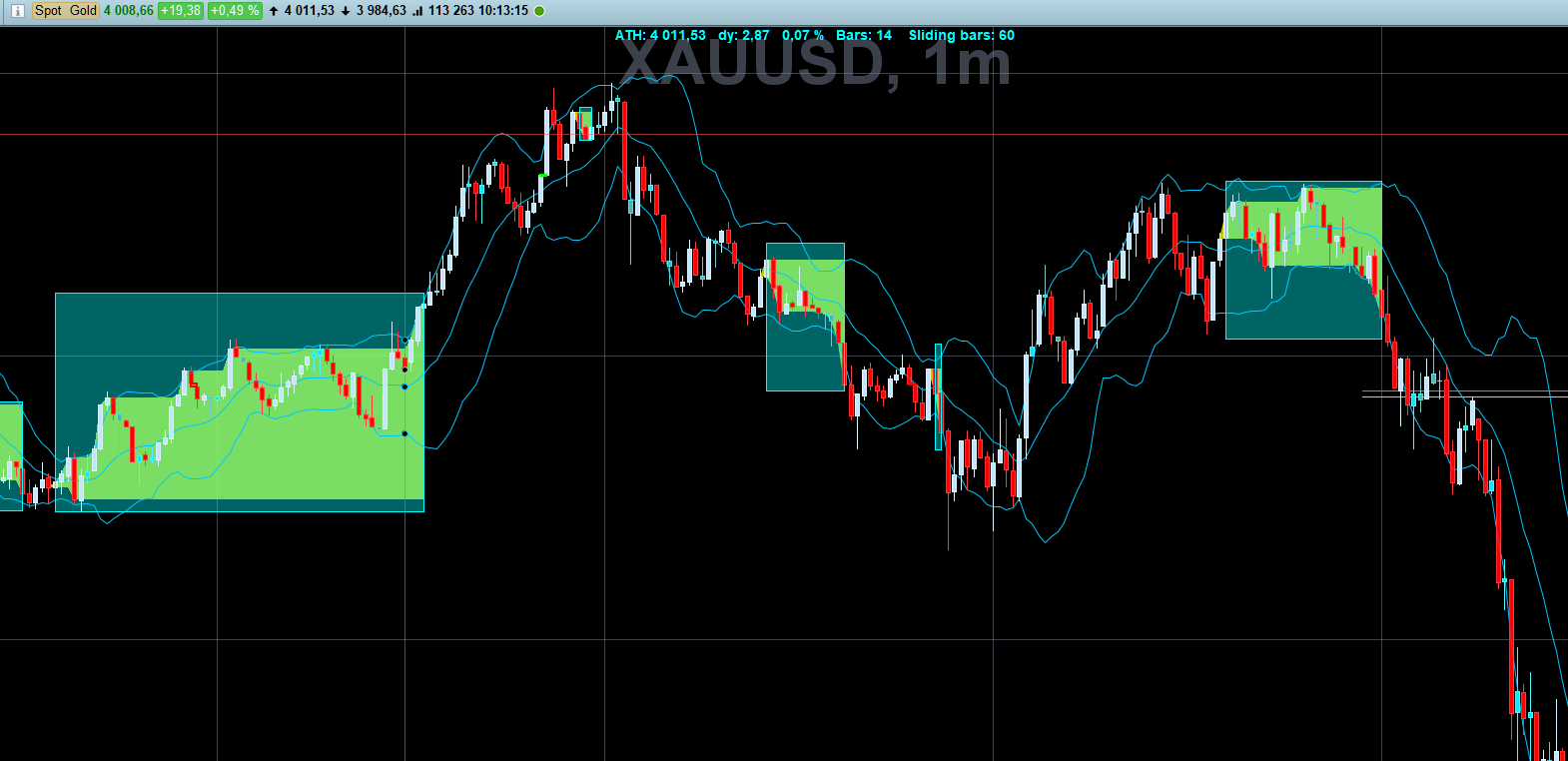
    DrawRectangle(xStartRange, LL, BarIndex - 1, HH) COLOURED("Blue", 50) BorderColor("Blue", 0)
    ENDIF
     
    isInRange = 0
    
    ELSE
    
    IF isInRange = 0 THEN
    isInRange = 1
    xStartRange = BarIndex
    HH = high
    LL = low
    ELSE
    HH = MAX(HH, high)
    LL = MIN(LL, low)
    ENDIF
    ENDIF
    
    IF isInRange = 1 AND islastbarupdate THEN
    DrawRectangle(xStartRange, LL, BarIndex, HH) COLOURED("Blue", 50) BorderColor("Blue")
    ENDIF
    
    RETURN
    Bernard13 thanked this post
    #253391 quote
    Bernard13
    Participant
    Average

    Bonjour,
    Finalement, j’ai trouvé la solution sans passer par les DEFPARAM, ou un LookBack et des tableaux.
    C’est en forgeant, qu’on devient forgeron !
    Bon codage à Toutes et à Tous. 🙂

    // Bollinger Range

    //DEFPARAM DrawOnLastBarOnly= True // Force the graph to the right. => Uniquement le dernier rectangle dessiné.
    //DEFPARAM DrawOnLastBarOnly= False // No force the graph to the right. => Tous les rectangles mais tous repeint.

    src= Close
    //deltaRangeBB= 5 // Range de 5 points sur le Spot Gold: XAUUSD

    BBup= BollingerUp[pBB](src)
    BBdn= BollingerDown[pBB](src)
    RangeBB= BBup – BBdn // En points

    LenRange= LenRange + 1 // longueur du range

    IF RangeBB >= deltaRangeBB THEN // Extinction du Range
    lenRange= 1
    HH= Highest[LenRange](Src)
    LL= HH //Lowest[LenRange](Src) // Evite les bavures à 0 de ColorBetween
    a= 0
    ELSE // Range en court
    HH= Highest[LenRange](Src)
    LL= Lowest[LenRange](Src)
    a= 200
    ENDIF

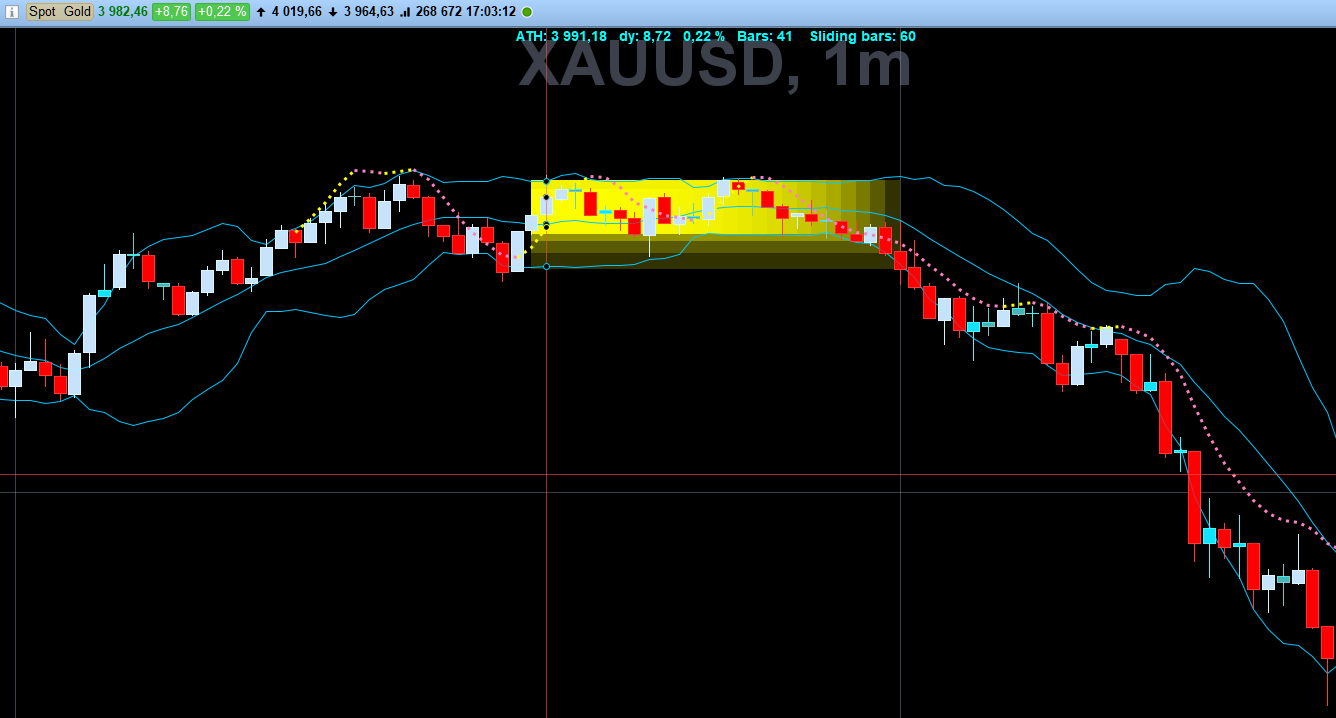
    ColorBetween(HH,LL,”Yellow”,a)

    RETURN

    Iván González thanked this post
    #253393 quote
    Bernard13
    Participant
    Average

    Merci Ivan,
    Ce matin, nos publications se sont presque télescopées ! …
    Je vais expérimenter ta solution.

    Merci encore pour l’immense travail que tu fournis en publications et traductions sur ce site.

    #253394 quote
    Bernard13
    Participant
    Average

    Rebonjour Ivan,
    Voici la superposition des 2 solutions: Rectangles / ColorBetween
    Bons Trades.

    Iván González thanked this post
Viewing 5 posts - 1 through 5 (of 5 total)

  • You must be logged in to reply to this topic.

Rectangles superposés


ProBuilder : Indicateurs & Outils Personnalisés

New Reply
Author
author-avatar
Bernard13 @bernard13 Participant
Summary

This topic contains 4 replies,
has 2 voices, and was last updated by Bernard13
2 months, 4 weeks ago.

Topic Details
Forum: ProBuilder : Indicateurs & Outils Personnalisés
Language: French
Started: 11/06/2025
Status: Active
Attachments: 3 files
Logo Logo
Loading...