hello colleagues,
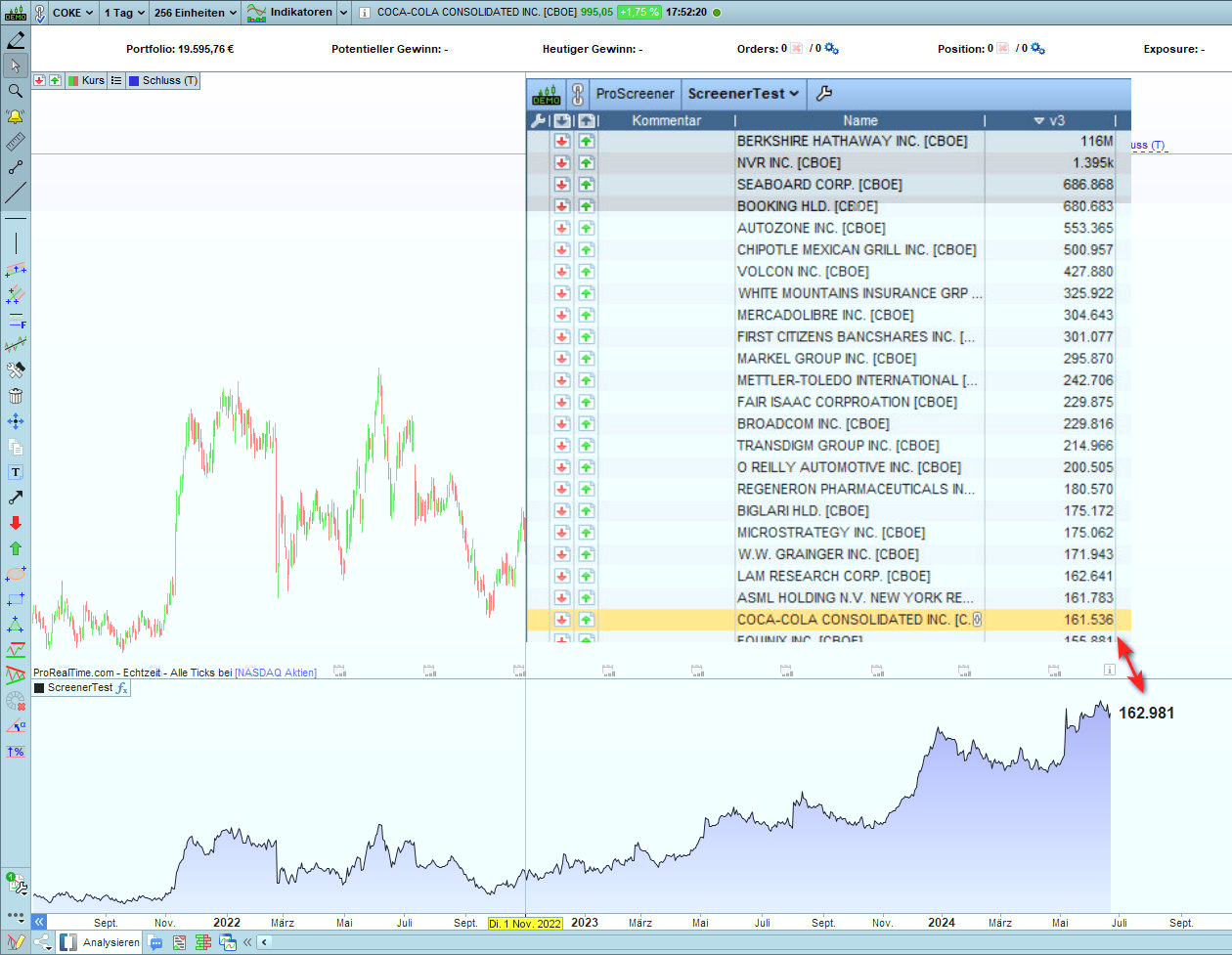
to show the facts, i add the last 200 close values in both the builder and the screener.
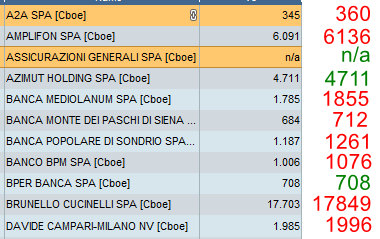
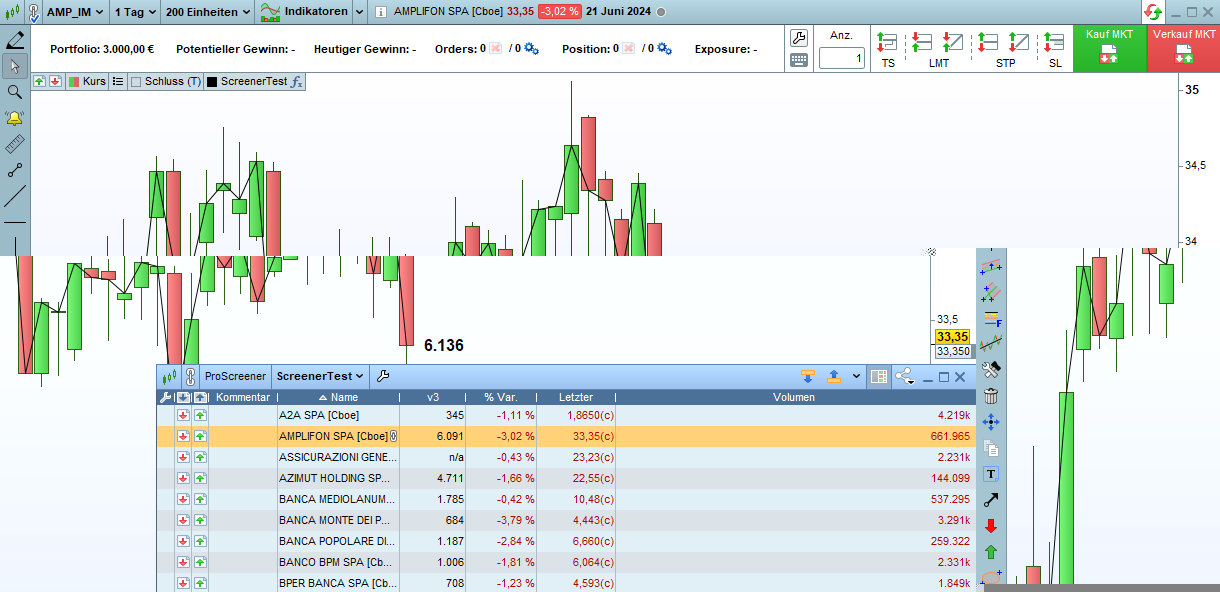
Unfortunately, I get different results and have no idea why.
I’d like to discuss this with you. Maybe some of you knows a work around.
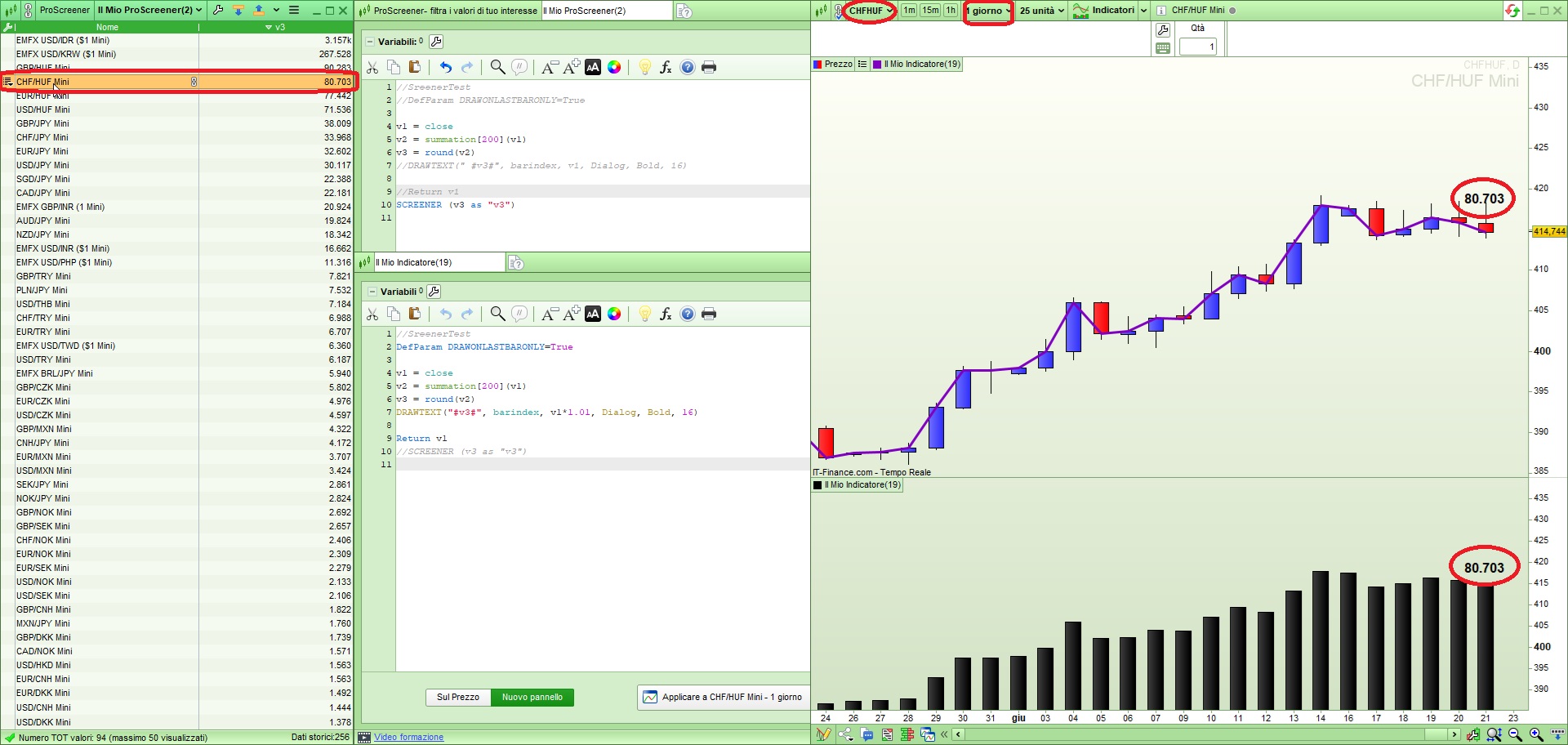
As in the attachments, the code for both surroundings just with // or without //:
//SreenerTest
//DefParam DRAWONLASTBARONLY=True
v1 = close
v2 = summation[200](v1)
v3 = round(v2)
//DRAWTEXT(” #v3#”, barindex, v1, Dialog, Bold, 16)
//Return v1
SCREENER (v3 as “v3”)
Additional information: For this test, the same data (Cboe) was used on both the screener and the builder side.
I have tested it on both FX pairs and some assets and it works like a charm (see attached pic).
It may be due to a different updating timing live. Since today it is Saturday and the markets are closed, this is not an issue. Try to run it today.
Thank you for your prompt reply.
It looks like we are one step ahead, you are absolutely right that FX pairs match.
But could you please also test “Italy 40 [Cobe]”, as almost none of my values currently match.
JSParticipant
Senior
Hi,
I tested your indicator/screener on the Italian stock market and there are no differences between the indicator and the screener (not even in demo) …
It may be that you are using a version (EOD version) that has less historical data than necessary… (try lowering 200 to, say, 100 or 50 and see if the same differences occur) …
Thank you for your test / suggestions and the hope that this should work for me too.
I have tested your suggestions, but unfortunately without a solution to my problem. Regardless of how many historical data I use 50 or 200 the difference remains. However, if I only use 50, the difference is smaller, as expected. I ran the test both in paper mode and in real money mode, with the same difference.
JSParticipant
Senior
Hi,
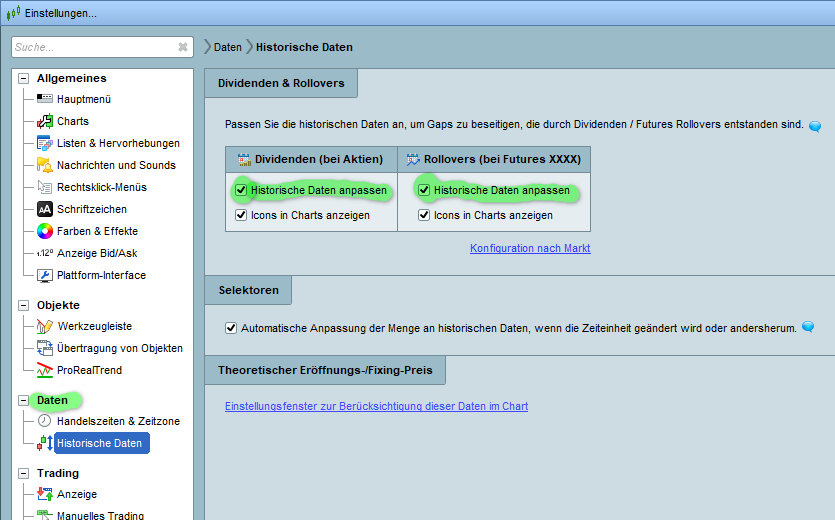
The difference lies in the use of different data…
Screeners always works with “real” data, i.e. data that has been adjusted after dividend…
The indicator is currently using data that has NOT been adjusted after dividend…
Solution: activate the option “adjust data after dividend” …
Wow, that’s the solution!!!
I am very grateful for your support!