Prorealtime
Forums › ProRealTime English forum › ProRealTime platform support › Prorealtime
- This topic has 11 replies, 3 voices, and was last updated 23 hours ago by
dj2045.
-
-
01/14/2026 at 12:09 PM #255284
I am an IG client and I have been using the software. In the past few days it has decided
not to work. I have cleared everything and have tried to reinstall the software but, with no success.
What is the culprit here? I have not reorganised my current setup so I cannot understand what has gone wrong?
Thanks.
01/14/2026 at 12:27 PM #255285it has decided not to work
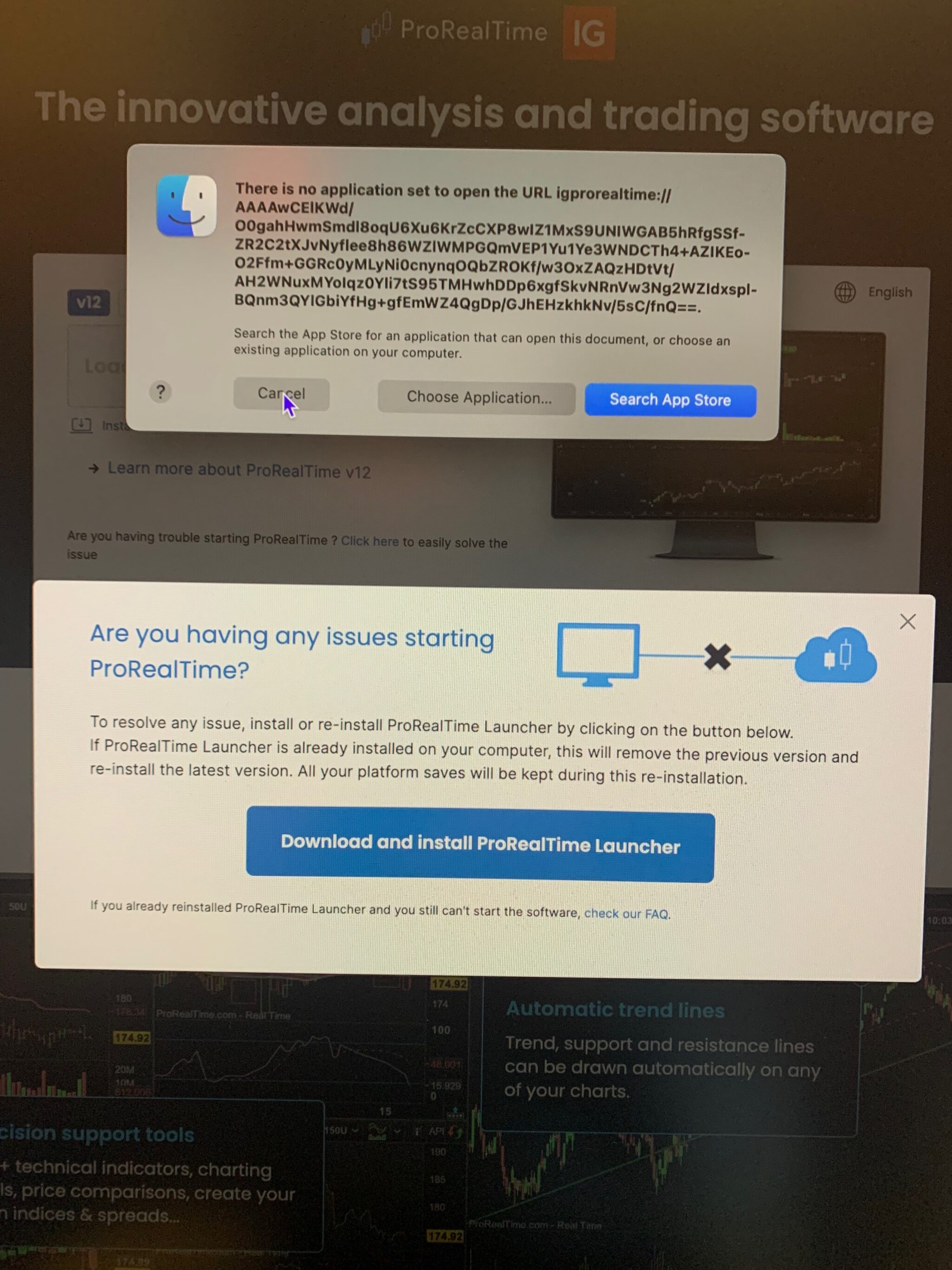
Please describe what ‘not to work’ is exactly?
Screenshots of any error messages will also help?
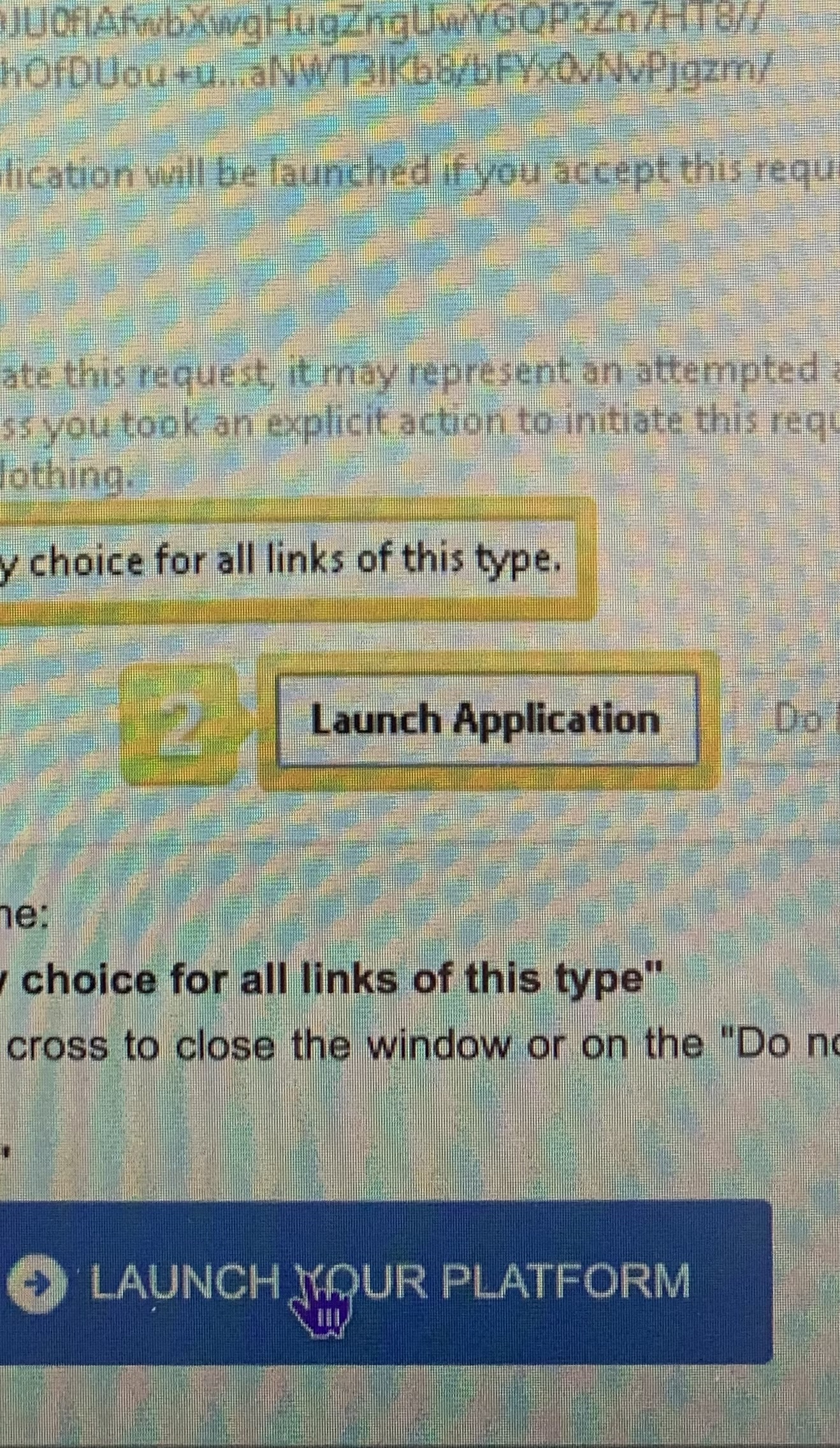
01/14/2026 at 2:14 PM #25528601/14/2026 at 3:40 PM #255287First, I see a message from the finder saying that there is no application to open Prorealtime thenwhen the prorealtime box appears I follow all the instructions to the end but nothing happens at the endand the software doesn’t open.Thanks for the support, I was unable to load the pictures due to file restriction.01/14/2026 at 4:46 PM #255288I have been using the software.
When did you last use PRT succesfully?
01/14/2026 at 5:11 PM #25529001/14/2026 at 5:56 PM #255291I was unable to load the pictures due to file restriction
Was the filesize over the limit of 2.93MB.
Try a smaller pic / filesize as a ss will help loads to fault find your problem.
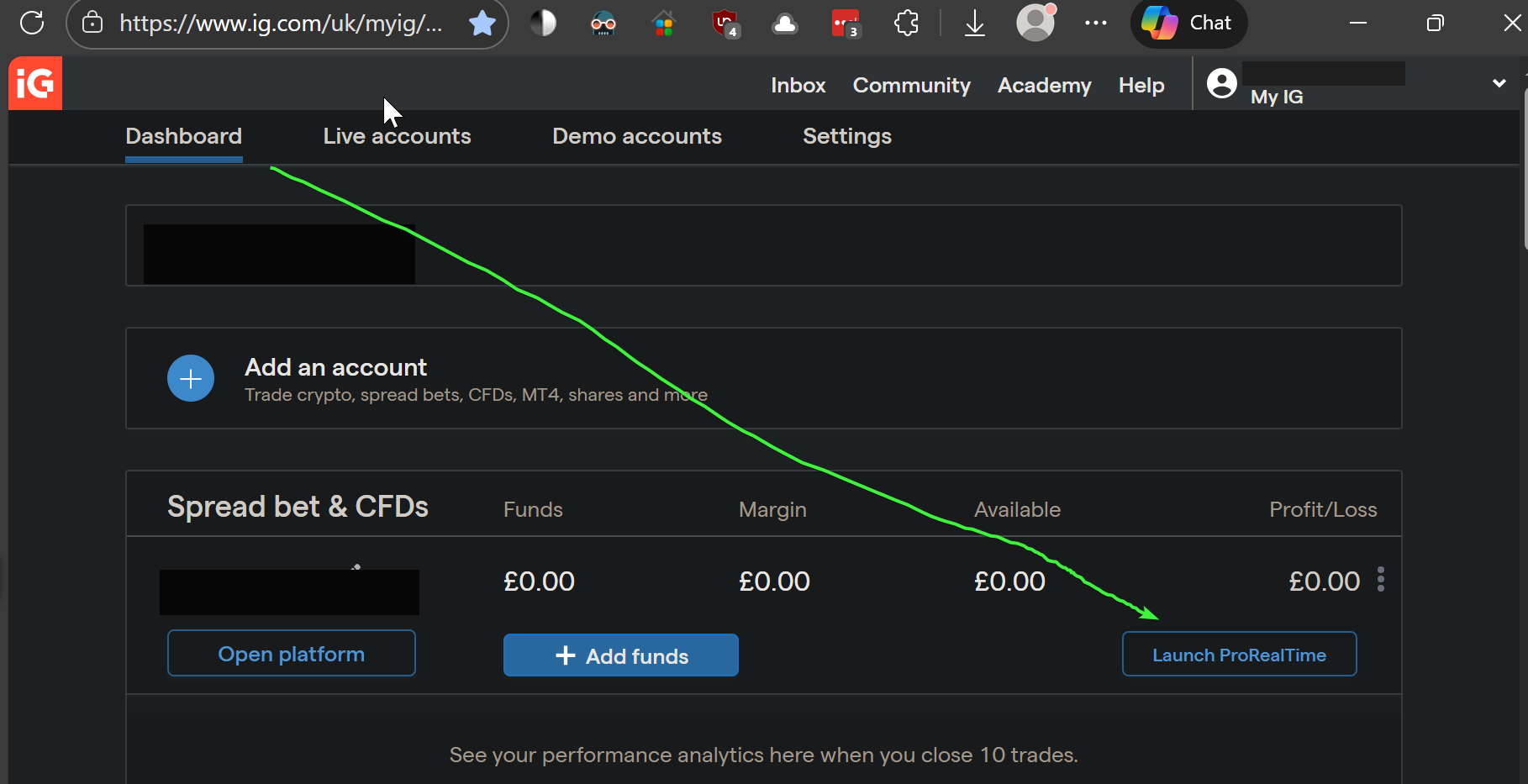
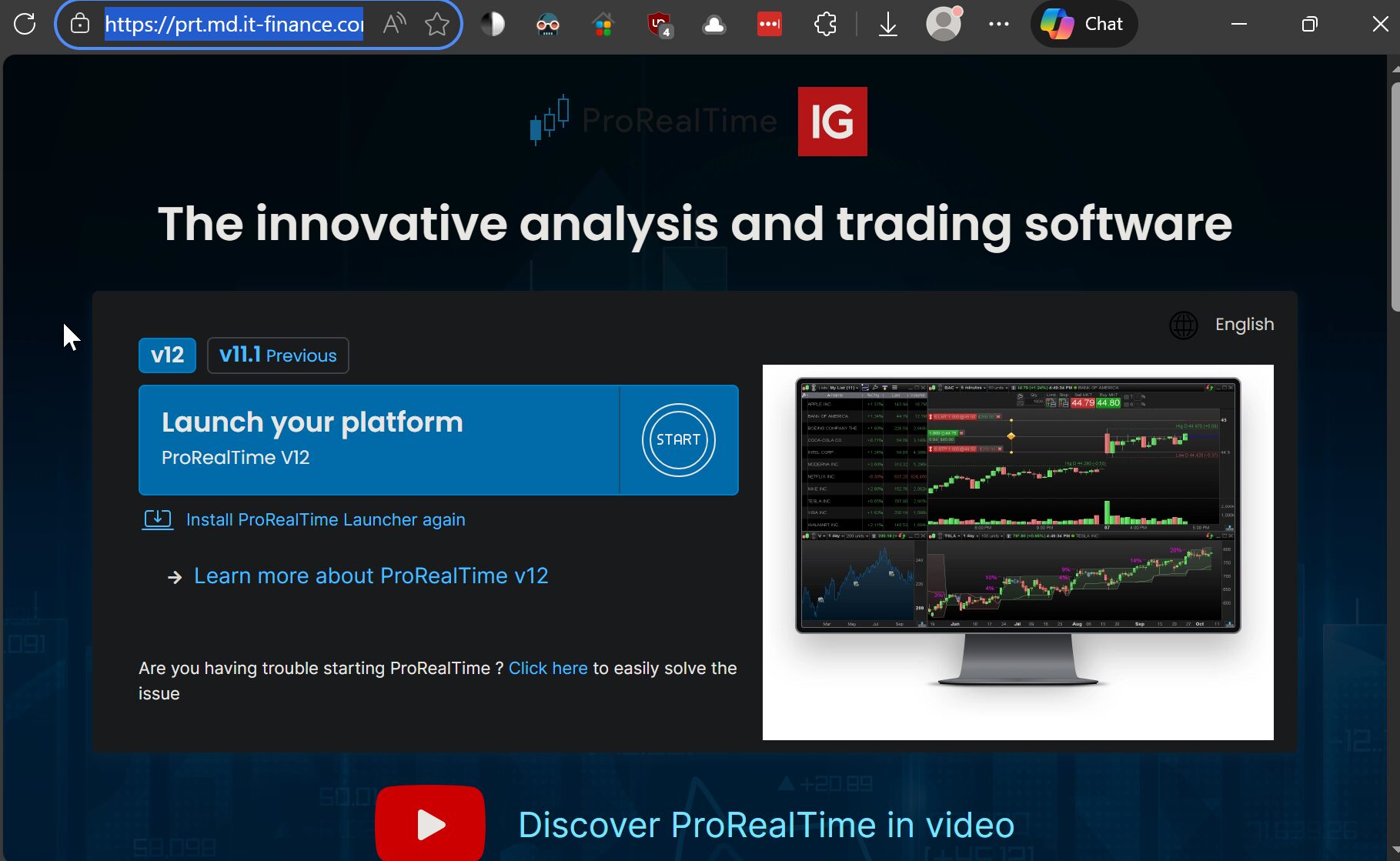
01/14/2026 at 7:47 PM #25529501/14/2026 at 8:09 PM #255301Mmm I login to PRT by first opening my IG Dashboard as 1st image attached and clicking on Launch ProRealTime (see green arrowhead)
Then I click on Launch Your Platform as shown on the 2nd image.
Please can you try as above?
01/15/2026 at 4:10 PM #25532801/15/2026 at 6:03 PM #25533201/15/2026 at 6:50 PM #255336 -
AuthorPosts