ProBackTest Error “Please check dates”

Viewing 2 posts - 1 through 2 (of 2 total)
  • Author
    Posts
  • #210310 quote
    VictorVinnieVictorVinnie
    Participant
    New

    Hi everyone,

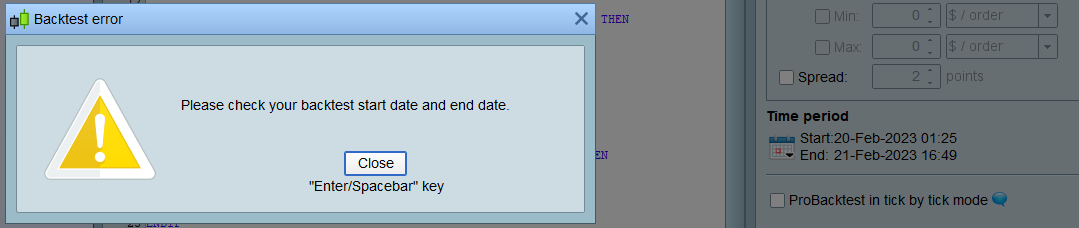
    It´s maybe something stupid but when trying to ProbackTest my strategy I get “Please check your ProBackTest start date and end date” no matter which combination of dates I happen to choose.

    Any help welcome


    Regards,

    ProBackTest-Error.png ProBackTest-Error.png
    #210317 quote
    PeterStPeterSt
    Participant
    Master

    Normally that message appears when an insufficient amount of data is loaded in the chart. So check for the first date/time the chart shows.
    Control it with the “units” in the title bar.


    PS: Tick that box “ProBacktest in Tick by tick mode” or else the backtest results may be wrong.

    Nicolas thanked this post
Viewing 2 posts - 1 through 2 (of 2 total)
  • You must be logged in to reply to this topic.

ProRealAI ProRealAI New

Stuck on this ProBuilder code?

Describe what this topic is trying to build, in plain English, and ProRealAI writes the ProRealTime™ indicator, screener or system for you.

Available in 7 languages
Try ProRealAI

ProBackTest Error “Please check dates”


ProOrder: Automated Strategies & Backtesting

New Reply
Author
Summary

This topic contains 1 reply,
has 2 voices, and was last updated by PeterStPeterSt

3 years, 7 months ago.

Topic Details
Forum: ProOrder: Automated Strategies & Backtesting
Language: English
Started: 02/23/2023
Status: Active
Attachments: 1 files
ProRealCode ProRealCode
Loading...