ProBackTest Error “Please check dates”

Viewing 2 posts - 1 through 2 (of 2 total)
  • Author
    Posts
  • #210310 quote
    VictorVinnie
    Participant
    New

    Hi everyone,

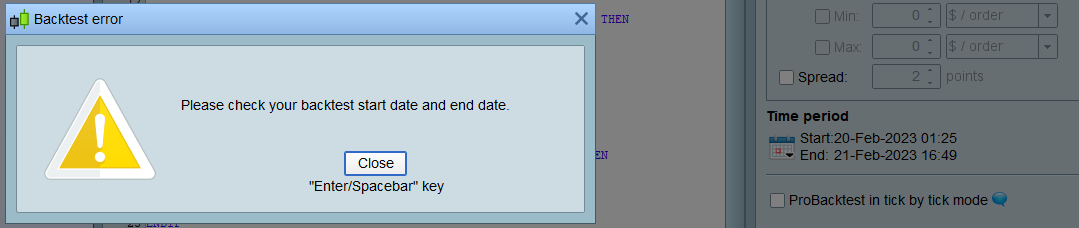
    It´s maybe something stupid but when trying to ProbackTest my strategy I get “Please check your ProBackTest start date and end date” no matter which combination of dates I happen to choose.

    Any help welcome


    Regards,

    ProBackTest-Error.png ProBackTest-Error.png
    #210317 quote
    PeterSt
    Participant
    Master

    Normally that message appears when an insufficient amount of data is loaded in the chart. So check for the first date/time the chart shows.
    Control it with the “units” in the title bar.


    PS: Tick that box “ProBacktest in Tick by tick mode” or else the backtest results may be wrong.

    Nicolas thanked this post
Viewing 2 posts - 1 through 2 (of 2 total)
  • You must be logged in to reply to this topic.

ProBackTest Error “Please check dates”


ProOrder: Automated Strategies & Backtesting

New Reply
Author
Summary

This topic contains 1 reply,
has 2 voices, and was last updated by PeterSt

2 years, 12 months ago.

Topic Details
Forum: ProOrder: Automated Strategies & Backtesting
Language: English
Started: 02/23/2023
Status: Active
Attachments: 1 files
Logo Logo
Loading...