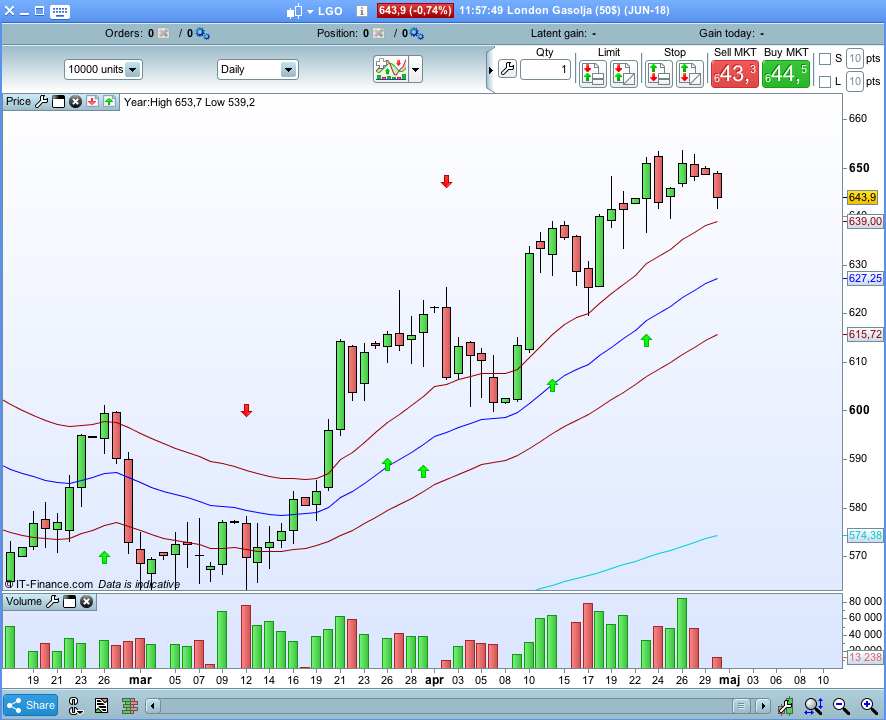
Hi everyone has PRT got a ‘Outside reversal Bar’ indicator?
Thank you.
Could you please give us more info about this candlestick pattern please? In order to be sure about how to code it effectively. Thank you.
 LBT
LBTParticipant
New
It’s like this.
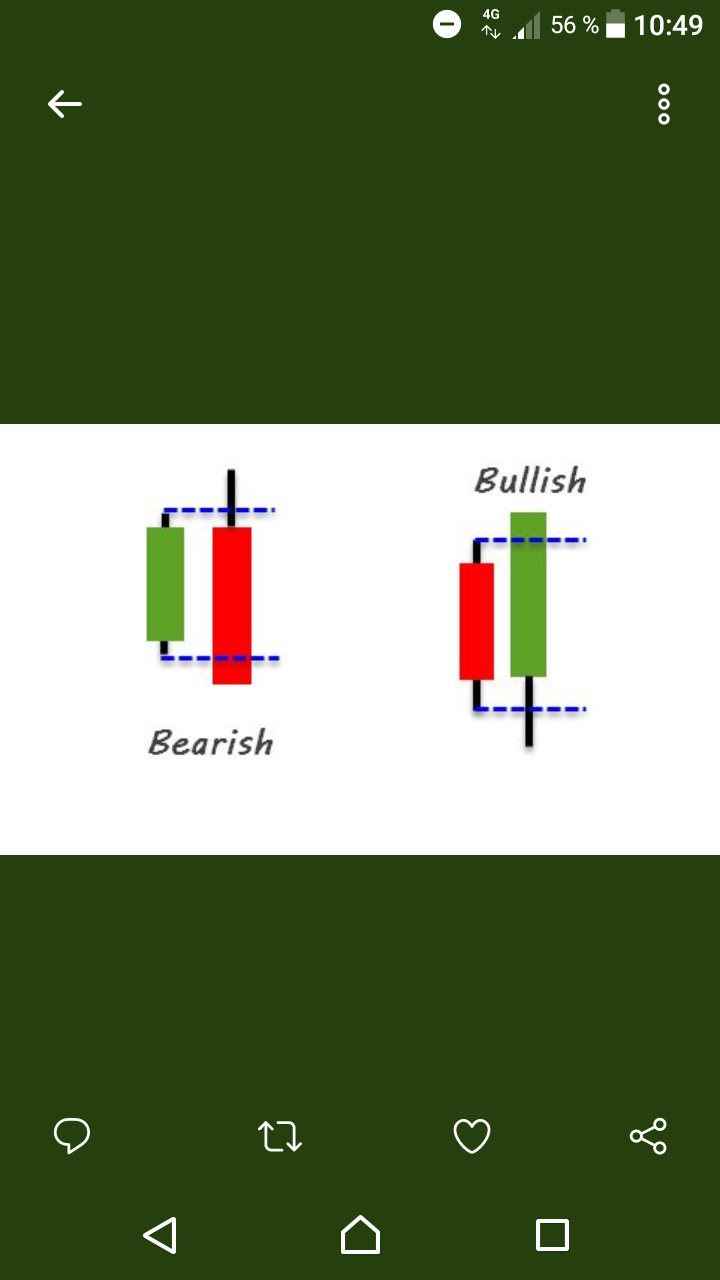
The present candlesticks (after closing) range is higher & lower than the previous candlesticks range and closes above the prevoius bars high (bullish) or below the previous bars low (bearish)
The body of the candlestick does NOT need to engulf the prevoius body.
In short, the last candlesticks range engulfs the previous candlesticks range and closes above or below the high/low och the previous candlestick, no matter what colour the previous candlestick is (regardless of the pic below).
Here you go. A very simple indicator drawing an arrow up/below an outsidebar. You can adapt the size of the signal candle.
@Nicolas: Maybe you move this whole thread to the pro builder forum where it belongs.
Little mistake in the indicator I posted. here is the corrected version.
@Despair maybe another trigger we can add to the 1min min scalping strategy along with all the other candlestick pattern triggers. If effective that is.
@despair Hi, you say on Sept 27 2017, 11:33AM you posted an updated version of outsidebar indicator (I confirmed first version included mistakes) but I cant find it in your post. Could you please post it again. tx
Hi, could you please attach the updated indicator for outside bar ? thx in advance.
This post is so old that I don’t remember which file was the right one. The attached indicator seems to be the most recent one I have. Give it a try.
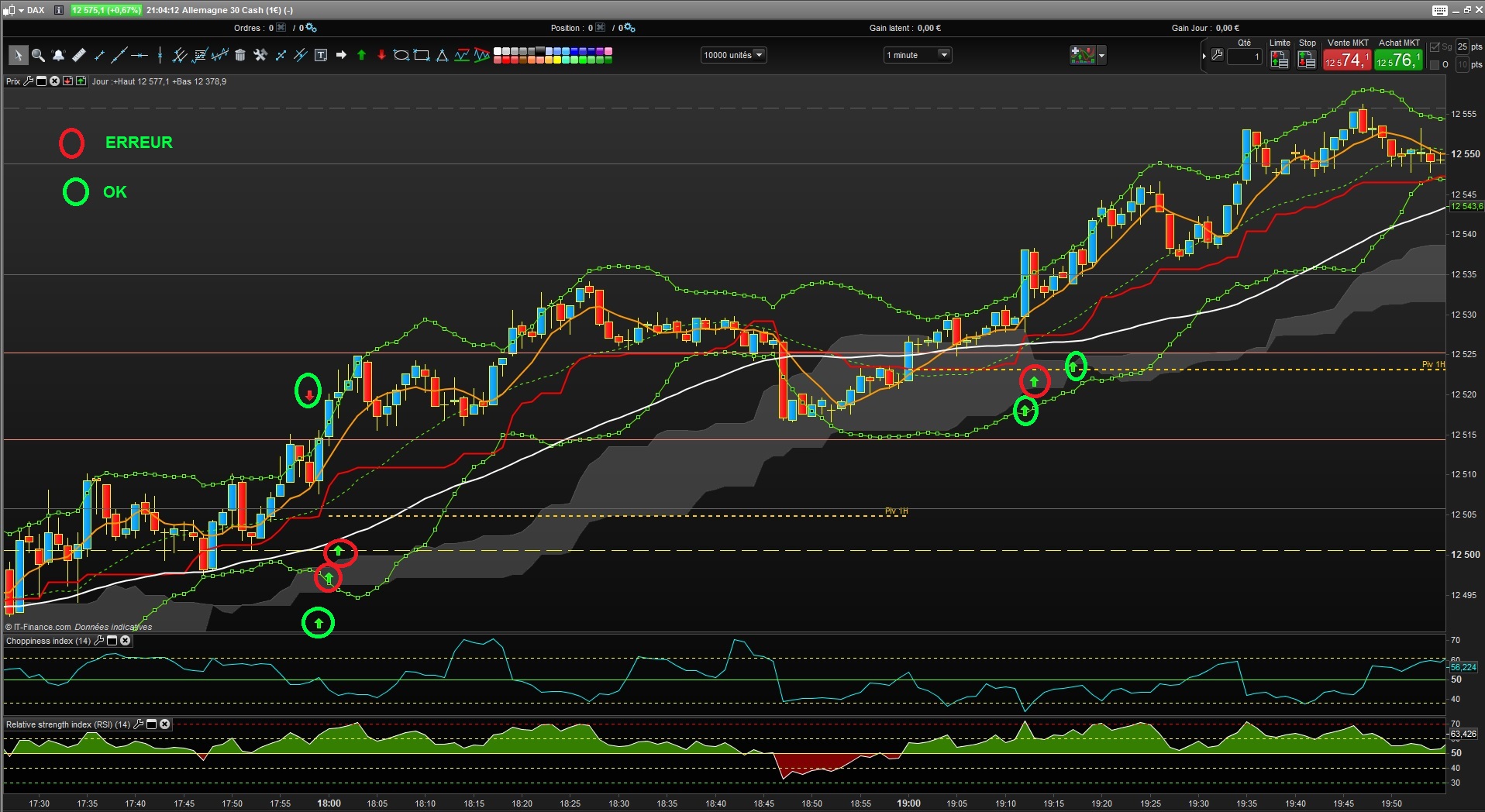
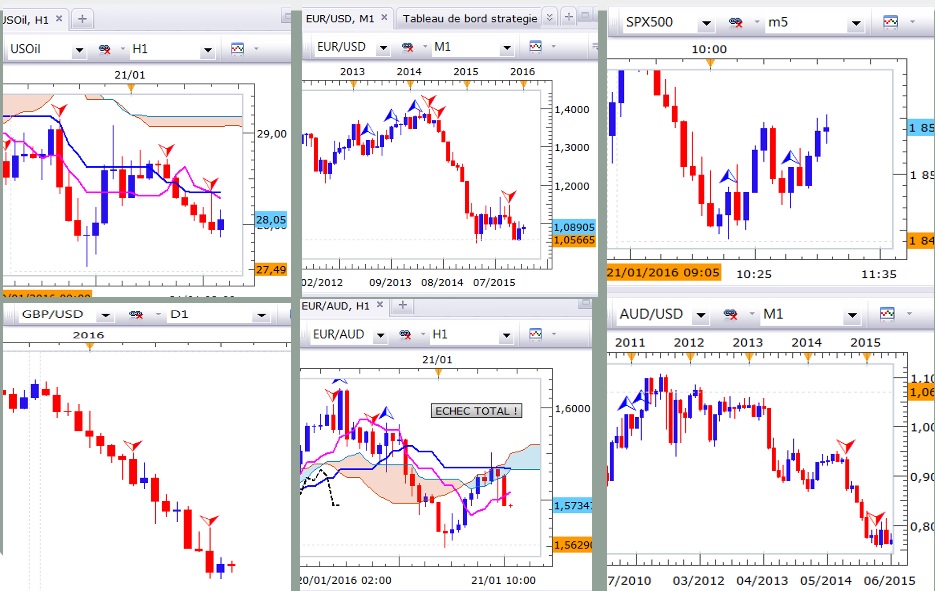
@Despair Hi and thanks, Nope, it is not the updated version. I understand you attached the version 1_1 on Sept 27, 2017 (attached) but right after you noticed the code included mistakes (See snapshot attached with circles where it is ok and where it is wrong), you updated it on same day and wanted to attache it but apparently the attachement was not attached. The code you just attached on April 26, 18 seems to be better in that it displays correct bearish and bullish outiside bars (See attachement named Outside bar 2_2) but it is “polluted” with areas and vertical gren/red bars. Are they here on purpose ? Hard to say but it seems they dont bring added value. I attach the result of a correct code developped for FXCM platform. Well, if you take out those areas/vertical red/green bars, it seems you the right code in your files ! 🙂 Id be more than happy if you could attach it once these areas/bars are out. Tx in advance. Best
Try this one. It at least gives arrows.
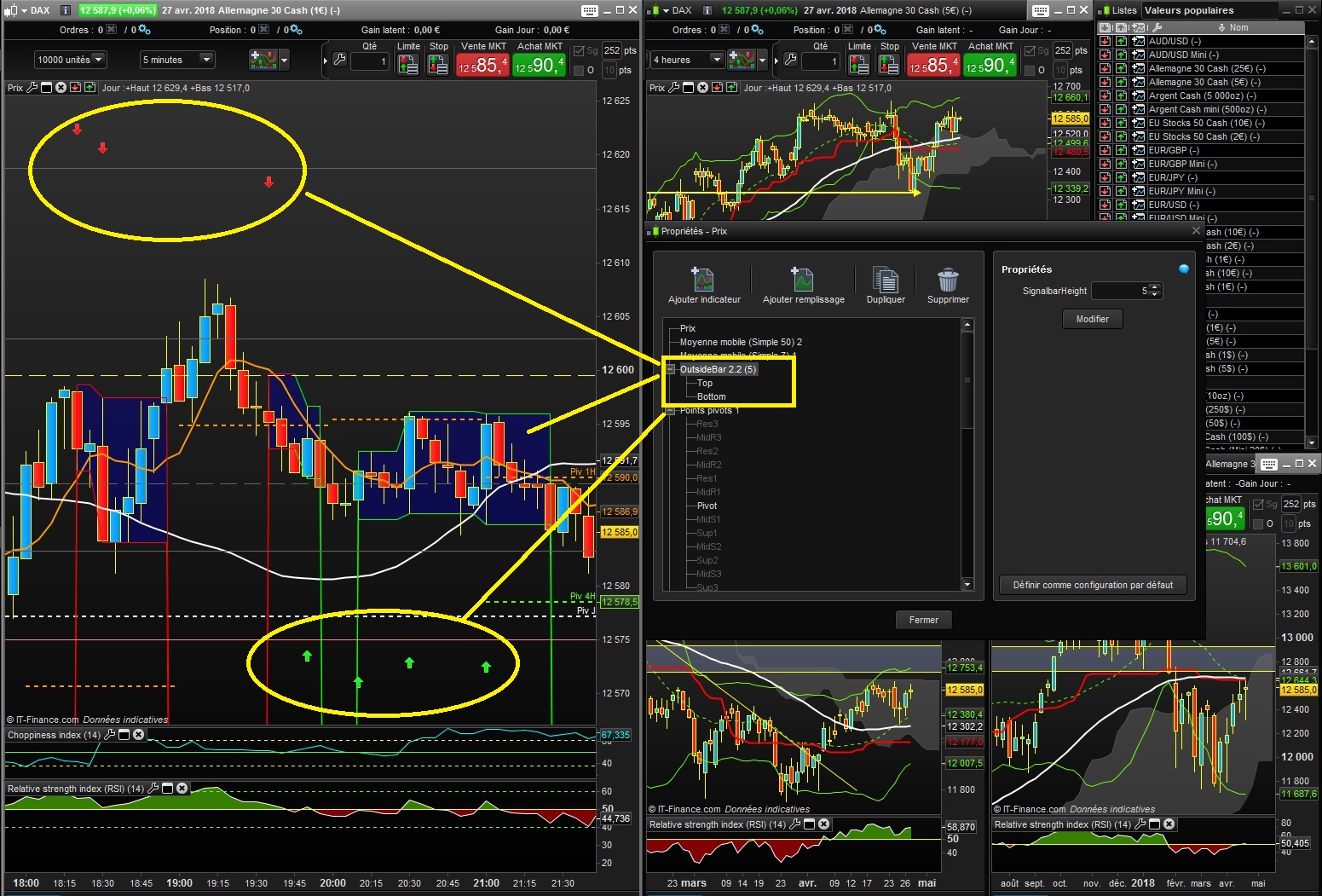
Polluted by vertical lines. LOL Sadly there is no easy way in PRT to hide this vertical lines of the new indicator. I remember i added the horizontal lines on request of a forum member. However I have only this two versions. The one attached to this post and the 2.2 version. I hope one of them works for you. Otherwise you maybe can adapt it so it fits your needs.
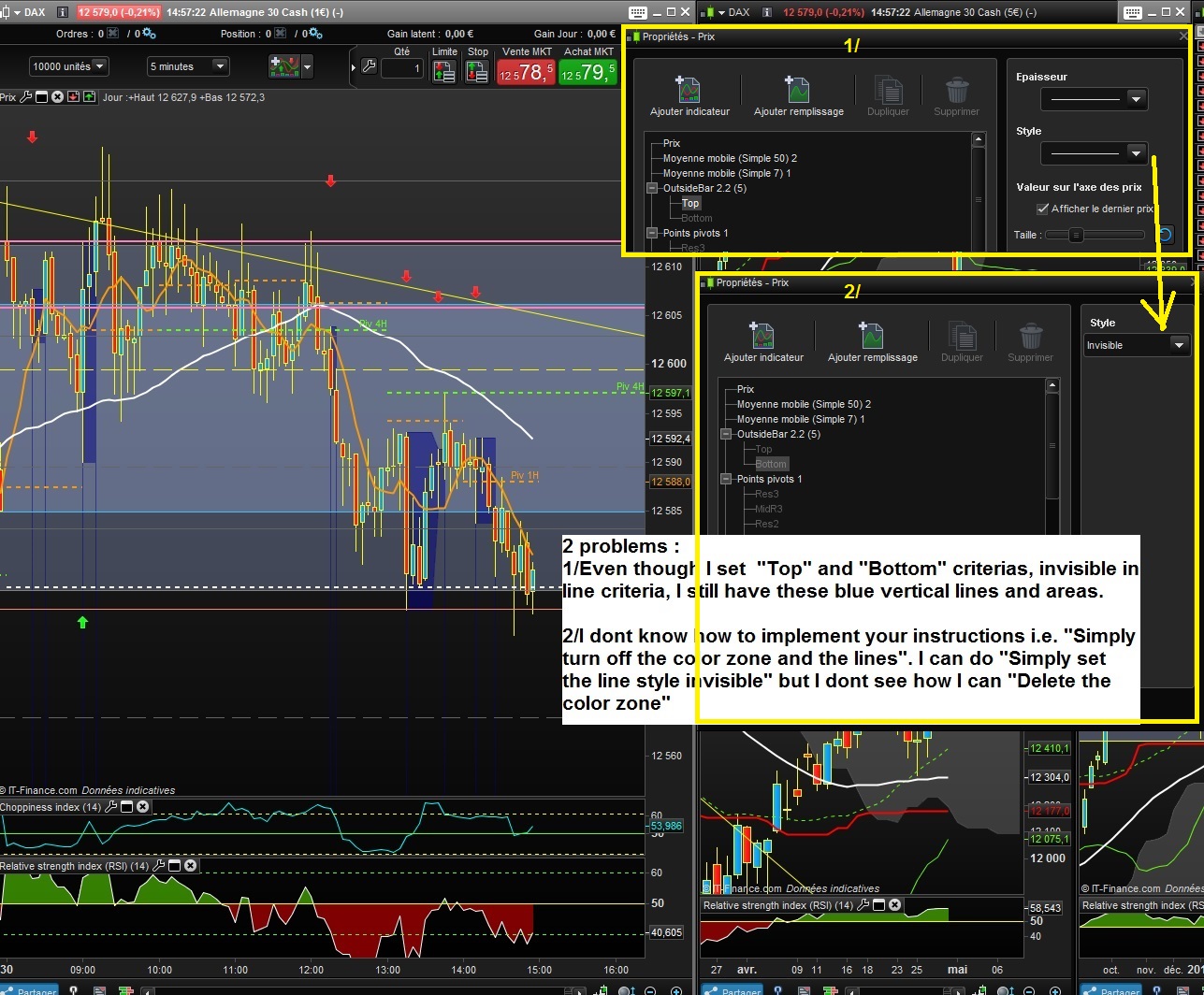
Ok Tx. In fact, “outsidebar.itf” includes mistakes. It doesnt signal outside bars only. “OutsideBar-2_2.itf” gives correct OB but includes these weird vertical lines and blue areas. I keep the -2-2 version and got to kinda of erasing these vertyical lines by making lines “invisible” (In fact they become drak blue). Thanks anyway for your help. Question 1 : If I wanted to update/improve your code (removing these blue lines, area), how could I do ? Get myself into PRT builder to adapt it (Is this what you meant by adapting to my needs) ? or ask the PRT community ? Tx. Best
So the outsider.itf was the old file. Like I wrote above, I have only left this two version.s I assume I corrected the bug and then added the lines and didn’t save a version in-between.
Adapting the indicator to your needs is very easy. Just click on “modify” and there you go.
I just had a look at the indicator because I wanted to help you but there is no change need in the code. Simply turn off the color zone and the lines and only the arrows remain. Look at the picture attached. This is version 2.2 I send you above.
Simply set the line style invisible and delete the color zone.
Sorry for my short reply yesterday. I didn’t feel like starting PRT on a sunday. 😉
Tx. Dont worry, I would have been the same on a sunday:). Strange, there is instructions you mention that I dont get to implement on my side. Please see the attached snapshot that explains details. If you can help/guide, Id be more than happy. Best (I know I would have to dive into PRT probuilder to start working on codes but it seems to be a big thing at this stage:) ).