 Leo
LeoParticipant
Veteran
Hi all,
I just got an idea. We made a very simple strategy like :
Close above SMA20 in a downward SMA20 curve, Price above SMA200 in a upward curve ( more or less “mean reversal” strategy)
ConditionLong00001= close>average[20](close) and average[20](Close[1])>average[20](Close) and lowest[5](low) > average[200](Close) and average[200](Close[1])<average[200](Close)
Then this condition we put it in multiple time Frames…
In means that when that condition in many other Chart, we entry the markets…
I am not at home already but here is more or less my psehudo code.
Strategy to be run in 5 min chart
ConditionLong00001= close>average[20](close) and average[20](Close[1])>average[20](Close) and lowest[5](low) > average[200](Close) and average[200](Close[1])<average[200](Close)

timeframe(10 minutes,updateonclose)
ConditionLong00002= close>average[20](close) and average[20](Close[1])>average[20](Close) and lowest[5](low) > average[200](Close) and average[200](Close[1])<average[200](Close)

timeframe(15 minutes,updateonclose)
ConditionLong00003= close>average[20](close) and average[20](Close[1])>average[20](Close) and lowest[5](low) > average[200](Close) and average[200](Close[1])<average[200](Close)

timeframe(20 minutes,updateonclose)
ConditionLong00004= close>average[20](close) and average[20](Close[1])>average[20](Close) and lowest[5](low) > average[200](Close) and average[200](Close[1])<average[200](Close)

timeframe(30 minutes,updateonclose)
ConditionLong00005= close>average[20](close) and average[20](Close[1])>average[20](Close) and lowest[5](low) > average[200](Close) and average[200](Close[1])<average[200](Close)

timeframe(45 minutes,updateonclose)
ConditionLong00006= close>average[20](close) and average[20](Close[1])>average[20](Close) and lowest[5](low) > average[200](Close) and average[200](Close[1])<average[200](Close)

timeframe(60 minutes,updateonclose)
ConditionLong00007= close>average[20](close) and average[20](Close[1])>average[20](Close) and lowest[5](low) > average[200](Close) and average[200](Close[1])<average[200](Close)

timeframe(120 minutes,updateonclose)
ConditionLong00008= close>average[20](close) and average[20](Close[1])>average[20](Close) and lowest[5](low) > average[200](Close) and average[200](Close[1])<average[200](Close)

timeframe(240 minutes,updateonclose)
ConditionLong00009= close>average[20](close) and average[20](Close[1])>average[20](Close) and lowest[5](low) > average[200](Close) and average[200](Close[1])<average[200](Close)

timeframe(default)

ConditionLong = ConditionLong00001 + ConditionLong00002 + ConditionLong00003 + ConditionLong00004  + ConditionLong00005  + ConditionLong00006  + ConditionLong00007  + ConditionLong00008  + ConditionLong00009

If ConditionLong  > 2 then
buy at market
endif
LeoParticipant
Veteran
Please let me know your thoughs or share possibles new ideas for testing
thanks
Hahaha looks good, I like the thinking behind it all.
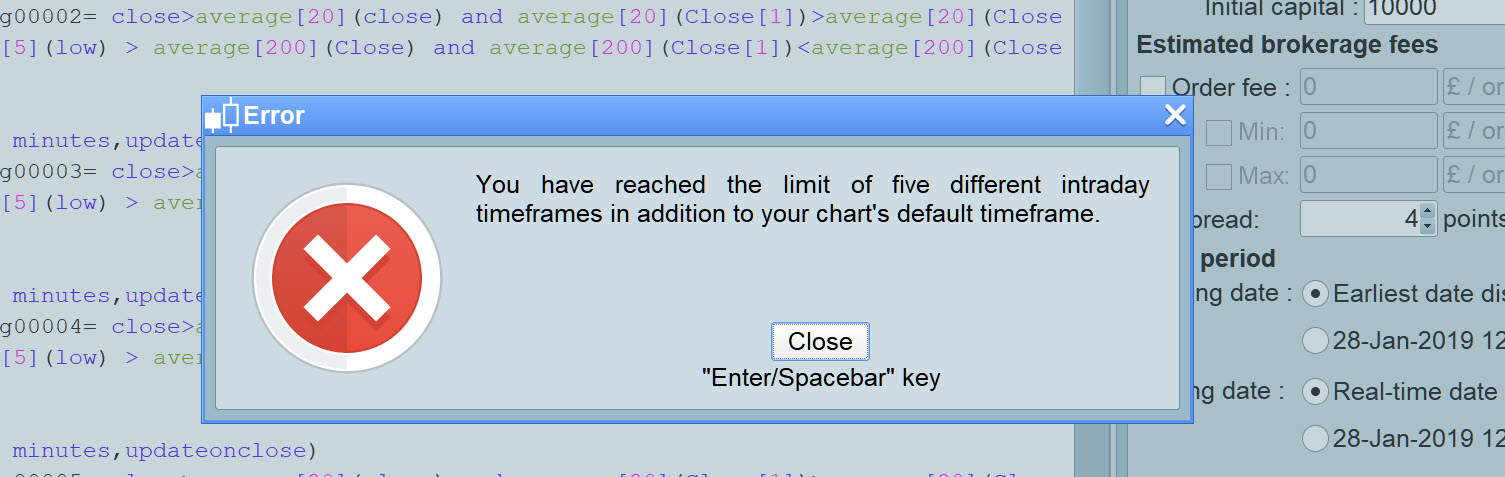
I was excited to try but it shows up a limit nobody has mentioned as I recall?
See attached
Ill tweak / cut it down and report back.
I didn’t know there’s a limit. Good to know!
LeoParticipant
Veteran
Haha. We are beyond the limits!
And where is the limit then?
Just remove a TIMEFRAME at a time until no erros is reported, let us know!
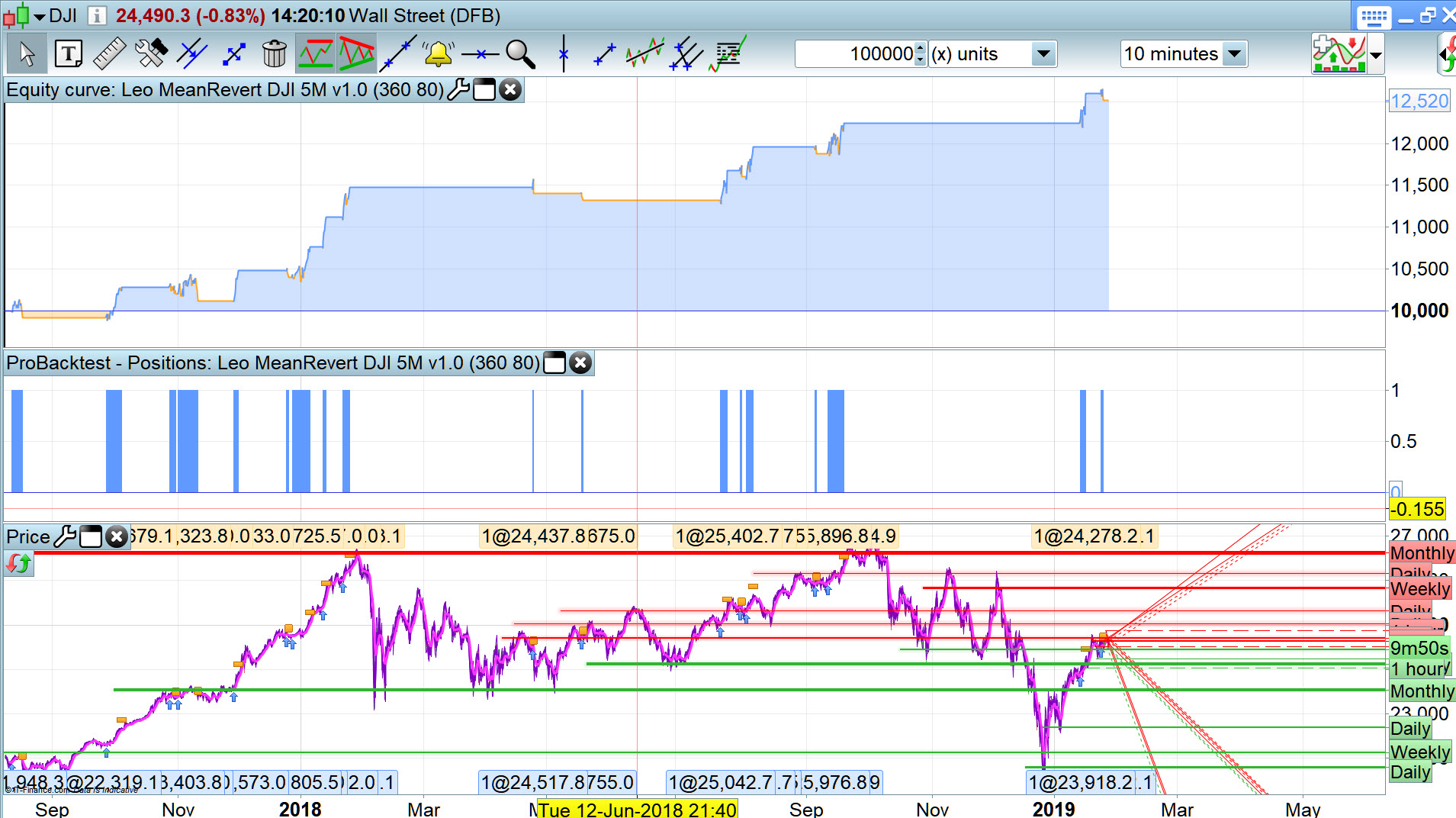
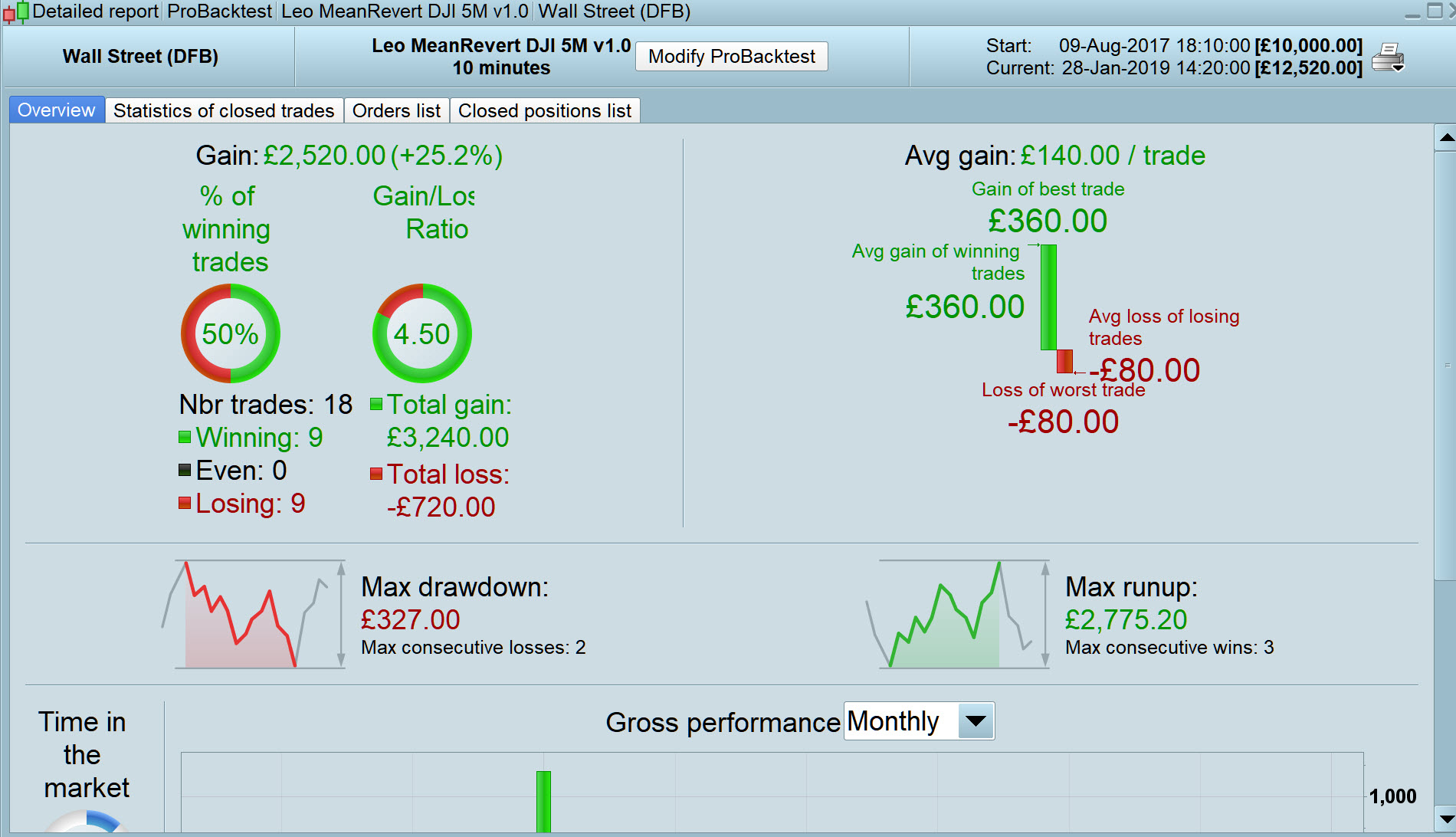
I’ve got attached so far which I’d be more happy with if it works like that in Forward Test! 🙂
Spread = 4
Five! It says it in the error message!
Just remove a TIMEFRAME at a time until no erros is reported, let us know!
Ha I dd that but forgot to keep a note, but anyway the Limit is 5 TF’s (+ default) as it says so on the error message??
AhAhAh…. fa kin soo pa!
I need to contact my optician!
fa kin soo pa!
I didn’t know you could speak Chinese!
The limit is 5 TF’s (+ default one), but…
- writing them with AND without UPDATEONCLOSE counts as 1
- writing multiple times the same TF in the strategy counts AS 1
This works finely:
TIMEFRAME(default)
c01 = average[200]
TIMEFRAME(128 hours)                  //TF 1
c02 = average[200]
TIMEFRAME(128 hours,updateonclose)
c03 = average[200]
TIMEFRAME(32 hours)                   //TF 2
c04 = average[200]
TIMEFRAME(32 hours,updateonclose)
c05 = average[200]
c06 = average[200]
TIMEFRAME(128 hours,updateonclose)             //TF 1
c07 = average[200]
c08 = average[200]
c09 = average[200]
TIMEFRAME(120 minutes)                //TF 3
c10 = average[200]
TIMEFRAME(60 minutes,updateonclose)   //TF 4
c11 = average[200]
TIMEFRAME(60 minutes)
c12 = average[200]
TIMEFRAME(2 minutes,updateonclose)   //TF 5
c13 = average[200]
TIMEFRAME(2 minutes)
c14 = average[200]
c15 = average[200]
buy AT -close limit
TIMEFRAME(default)
x=c01 +c02 +c03 +c04 +c05 +c06 +c07 +c08 +c09 +c10 +c11 +c12 +c13 +c14 +c15
IF x THEN
ENDIF
LeoParticipant
Veteran
Then what will be clever?
Small periods as default and longer periods as UpdateOnClose
Or the other way around?
Sorry , there’s must have been a misunderstanding. The limit is till 5 TF’s, what I meant was that you can write the TIMEFRAME keyword 10 or more times, with/without UPDATEONCLOSE and it will be valid, but if you write 6 different TF’s, no matter whether using default or updateonclose, you are beyond limits.
The limit is the number of DIFFERENT TF’s you want to use, not how many times you use the TIMEFRAME keyword, thus an answer to your last post is not a way to overcome the limit.