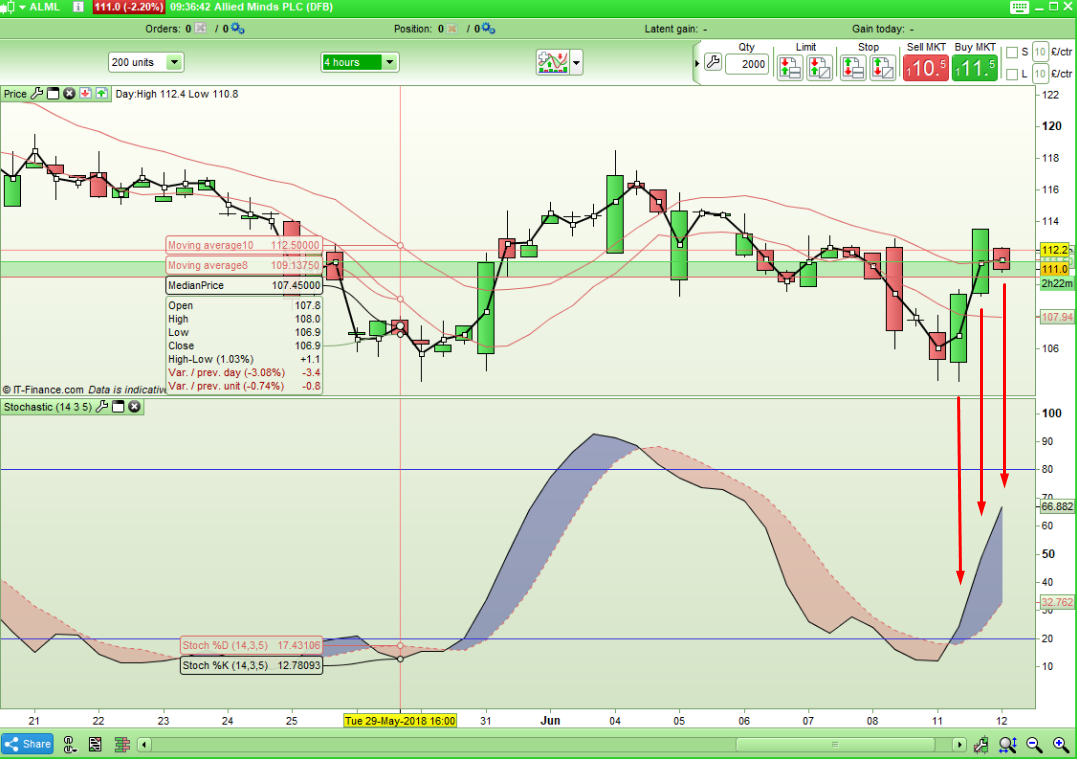
Robertogozzi. Aside from the fact that the criteria for the screener is now totally different – going back to your original code I do not understand how the latest candle can meet the criteria. There are three candles in a row with no change in the relationship between the two lines.
Maybe I’m missing something as I say I don’t really do screeners – but it seems to me this is not doing what it says in the code. Please educate me as to how this meets the screener criteria?
[attachment file=72983]
Hi there. I’d like some help with getting the code/s for setting up stochastic crossover across 3 timeframes so I can get a signal/alert whenever my chosen timeframes are in the same direction.
Thanks.
KR.
MrMagic
Vonasi, that’s what my code is scanning for. Simply the same directions on all TFs.
The relationship is among 3 different TFs, not among candles within the same TF.
Aaah! My mistake because I misread your code. The OP had requested crossovers on all three time frames so that is what I read when I glanced at your code but now I see that you have > > and < < rather than > < !
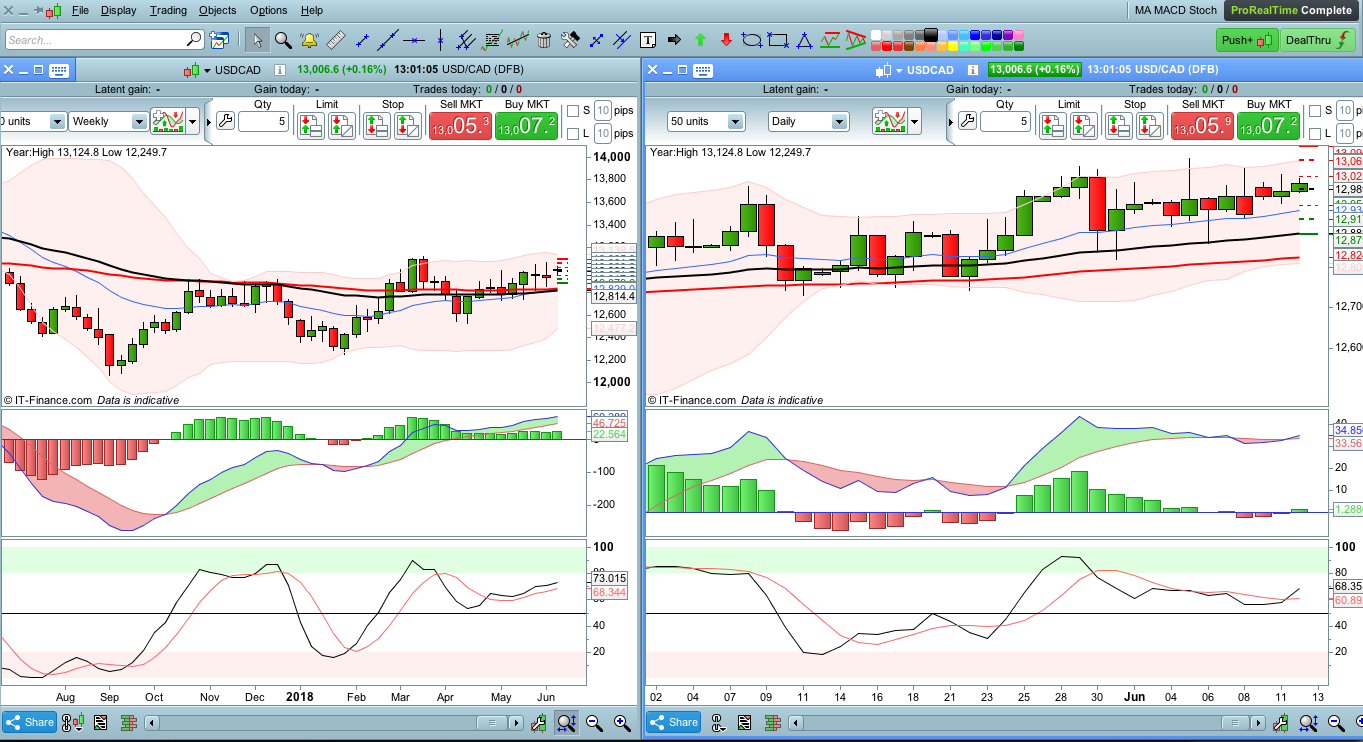
Thanks for that robertogozzi. It’s given a list of securites that fit the criteria though it’s still listing those with ongoing crossovers (for example, USDCAD is still forming a bullish crossover on the Daily chart and it’s included this. However, I’m satified with the results; at least it narrows my choice to a few securities. Thanks.
As you can see in my attached photo, though stoch is up on d daily chart, it won’t be complete till the end of today, but it’s already picked this up.
It’s correct, since ProScreener scans charts LIVE, so during the week or the day, whenever a spike or slide affects prices, the NAME listed onscreen may appear/disappear many times.
Since ProScreener detects those securities/pairs meeting the desired conditions LIVE, it may happen that, when the two lines are close to each other, in one candle that name may be listed, while not in the next one. In such case you may miss a scan.
Moreover, you may want to know, despite the 4-hour TF might not meet the conditions anymore, that it MET the conditions one or more bars ago.
So I coded this modified version to accomodate for a validity period (number of candles). In my example I wrote 3 (line 1), you can increase it or reduce it to 1, in which case it behaves as the previous version:
ONCE LookBack = 3                                  //3 bars to keep alert visible

TIMEFRAME(weekly)
StocK1  = Stochastic[14,3](close)                  //14, 3
StocD1  = Average[5](StocK1)                       //5
WeekDN  = StocK1 < StocD1 AND StocK1 < StocK1[1]   //K < D (southbound)
WeekUP  = StocK1 > StocD1 AND StocK1 > StocK1[1]   //K > D (northbound)

TIMEFRAME(daily)
StocK2  = Stochastic[14,3](close)                  //14, 3
StocD2  = Average[5](StocK2)                       //5
DailyDN = StocK2 < StocD2 AND StocK2 < StocK2[1]   //K < D (southbound)
DailyUP = StocK2 > StocD2 AND StocK2 > StocK2[1]   //K > D (northbound)

TIMEFRAME(4 hours)
StocK3  = Stochastic[14,3](close)                  //14, 3
StocD3  = Average[5](StocK3)                       //5
HourDN  = StocK3 < StocD3 AND StocK3 < StocK3[1]   //K < D (southbound)
HourUP  = StocK3 > StocD3 AND StocK3 > StocK3[1]   //K > D (northbound)

Dn = summation[LookBack](WeekDN AND DailyDN AND HourDN)
Up = summation[LookBack](WeekUP AND DailyUP AND HourUP)

ReturnValue = 0
IF Dn THEN
   ReturnValue = -1
ELSIF Up THEN
   ReturnValue = 1
ENDIF

SCREENER[ReturnValue] (ReturnValue AS "1=Up / -1=Dn")
It’s correct, since ProScreener scans charts LIVE, so during the week or the day, whenever a spike or slide affects prices, the NAME listed onscreen may appear/disappear many times.
So in reality if you are a trader who checks the screener once a day then you are better to set your screener up to look at yesterdays results rather than today’s.
We posted something simultaneously, ma latter post deals a bit with that.
But a screener is not an indicator, it spares you hours to manually scan instruments to find those meeting your requirements.
If you want to scan a 4-hour chart but want to look at it once a day, well… an indicator is by far what suits you best.
My solution to keep a scan active for 2-3 bars is intended to be of help when you cannot be onscreen every 4 hours. But my solutions has two drawbacks:
- it increases the number of items listed (I think ProScreener allows a max. 100 items)
- some items in the list used to meet all conditions some bars ago, not now!
Hello robertogozzi, thanks for your help thus far. The screener has been of use. Can you advise please on how to modify the screener to monthly and weekly. I changed the contents as below but it keeps telling me that Line 1, character 11 syntax is wrong but I ‘ve tried ‘month’ and also ‘monthly’. What have I missed out?
Cheers.
TIMEFRAME(monthly)
StocK1  = Stochastic[14,3](close)                  //14, 3
StocD1  = Average[5](StocK1)                       //5
MonthDN  = StocK1 < StocD1 AND StocK1 < StocK1[1]   //K < D (southbound)
MonthUP  = StocK1 > StocD1 AND StocK1 > StocK1[1]   //K > D (northbound)

TIMEFRAME(weekly)
StocK2  = Stochastic[14,3](close)          //14, 3
StocD2  = Average[5](StocK2)               //5
WeeklyDN = StocK2 < StocD2 AND StocK2 < StocK2[1]   //K < D (southbound)
WeeklyUP = StocK2 > StocD2 AND StocK2 > StocK2[1]   //K > D (northbound)


Dn = MonthDN and WeekDN
Up = MonthUP and WeekUP

ReturnValue = 0
IF Dn THEN
   ReturnValue = -1
ELSIF Up THEN
   ReturnValue = 1
ENDIF

SCREENER[ReturnValue] (ReturnValue AS "1=Up / -1=Dn")
Monthly is not a timeframe supported with ProScreener.
Didn’t know that. Thanks for that.