Multi timeframe – MTF indicators for ProRealTime

Viewing 15 posts - 121 through 135 (of 165 total)
  • Author
    Posts
  • #229709 quote
    nevtek
    Participant
    New

    Hi

    perhaps not enough history/units are loaded on your 5 min charts ?

    No, selecting different amount of units make no difference.

    Also tried different timezones (as there was a wintertime/summertime switch this weekend in US). Same problem.

    Can someone else try this example code?

    #229710 quote
    druby
    Participant
    New

    hi..  Brushed up against this problem on another post, way back, problem not solved, and the solution was a work around, using hours.

    However, daily and 24hours might not be the same, depending on the start reference. Not looked into that and verified if it is or isn’t.

    #jerome888 brings up a good point with the historical units.

    5min x 12 per hr x 24hr = 1440 mins        1440mins/ 5min = 288 units per day         2days = 576 units

    The reason for 2days is worst case scenario,  from before the last bar on a day, back to the days open, then back another day to previous days open.

    The default loaded historical units is about 500 at  25units setting, so not enough.

    Further…

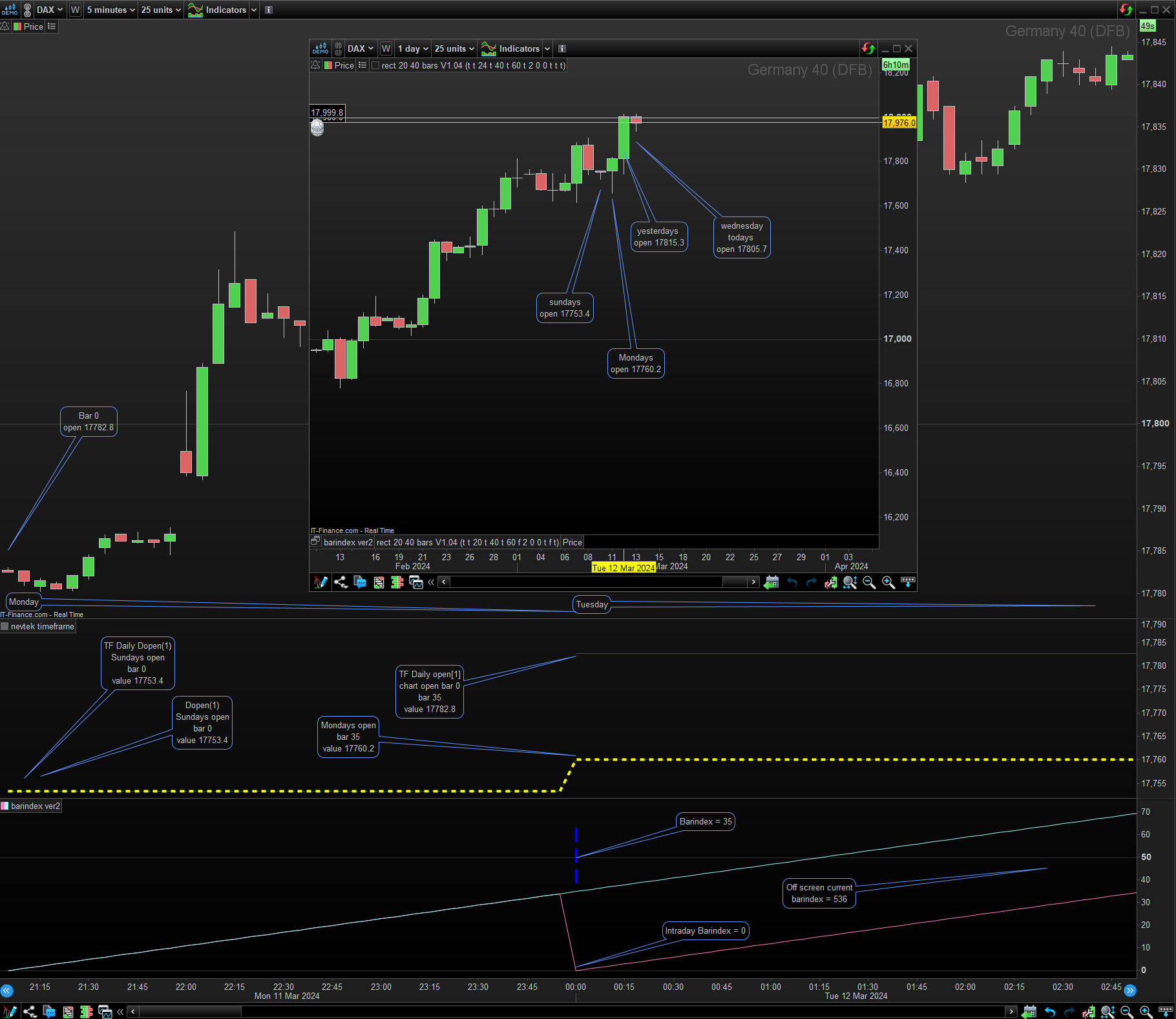
    By comparing values from the test code below on 5min chart and daily candles on daily chart , you can see that:-

    • The TF..(Daily)  open[1] doesn’t give a value until a new day starts and the value it gives is the open at barindex = 0 or bar zero of the chart TF and not required value. This appears to happen even if you increase the units. Its not until the following day it reads right. This means you need enough bars to include the days open and days close before correct value resolved.
    • Replacing the TF..(Daily) open[1]  with Dopen[1], gives the correct value at bar zero, even with default historical bars loaded and the bar of the previous day isn’t available in the chart.
    • Removing the daily timeframe and its code and just using Dopen[1] in the chart/default timeframes give required results.

    Since open[1] version doesn’t render  a value, straight away, it could  be undefined.  An undefined variable may cause calculation error. That what i’m  thinking  at the moment.

    Further to your problem your psesudo code works without problem on its own, and previous experience leads to the conclusion that there is a conflict between other parts of your code which using TF Daily brings out and hours may not.

    I’m unable to re-create error to investigate further, if you can post the full code, and screenshot of error message it could help toward solving problem if work around unsuitable. That’s not to say it can be solved!

    Regards druby


    TIMEFRAME(daily)
    b = open[1]
    c = Dopen(1)
    
    TIMEFRAME(default)
    d = Dopen(1)
     
    return b coloured("red"), c coloured("green")style(dottedline,1),c coloured("yellow")style(dottedline,4)
    
    PeterSt thanked this post
    #229713 quote
    nevtek
    Participant
    New

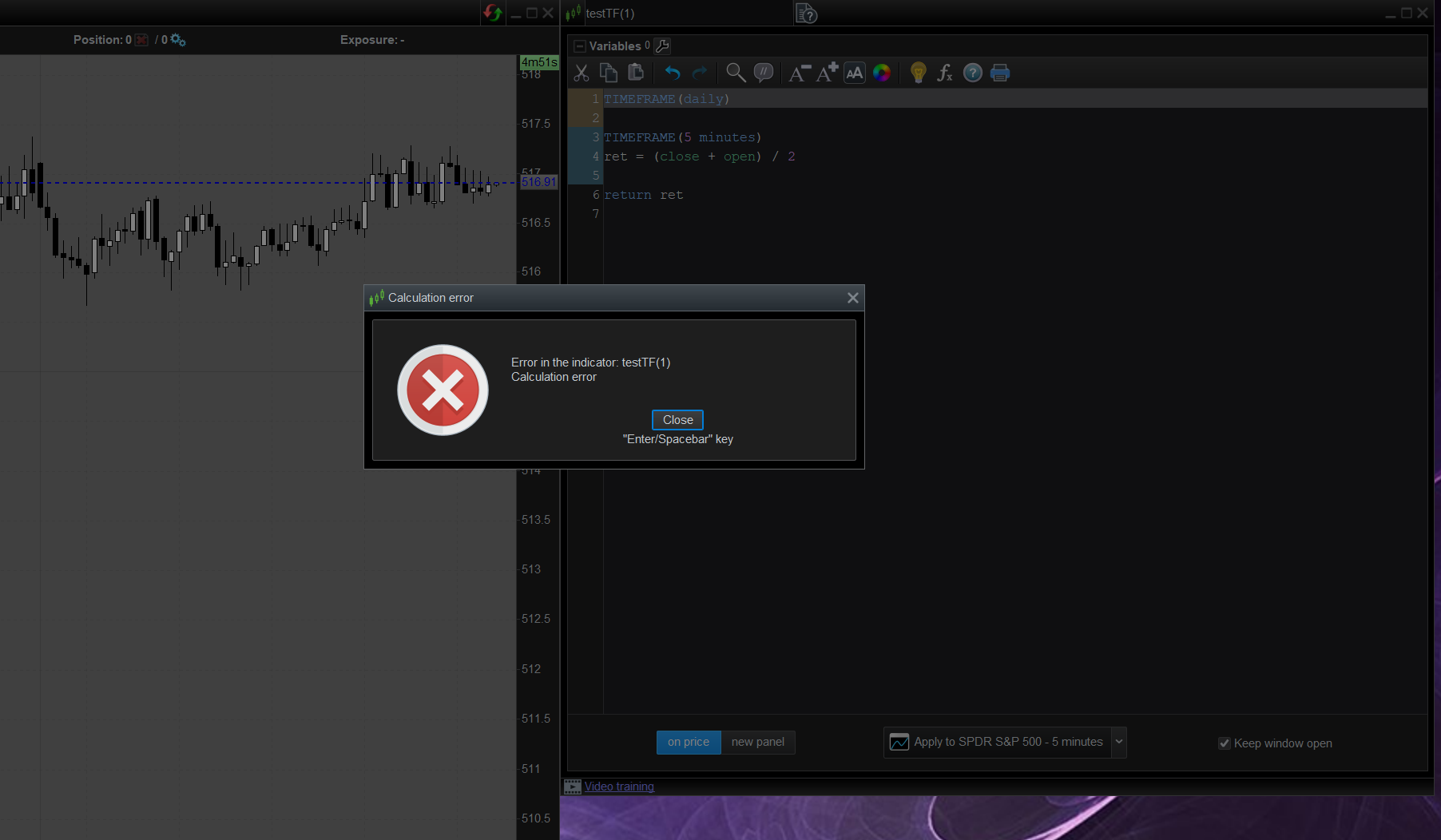
    I stripped the code even more.  It doesn’t matter what you put in the ‘TIMEFRAME(daily)’ part. As soon as you put this line of code there, it crashes.
    Even with no code inside, it crashes. See screenshot.

    The thing is, it works for a second. I can see the calculated line at the chart. But then it disappears and I get the error popup

    #229717 quote
    nevtek
    Participant
    New

    The thing is, it works for a second. I can see the calculated line at the chart. But then it disappears and I get the error popup

    Found out this happens with a quote update. So problem only occurs  when the market is open

    #229751 quote
    Nicolas
    Keymaster
    Master

    @nevtek

    I have no issue running your code. Could you please give me instrument and timeframe used, and PRT version? Thank you.

    #229766 quote
    nevtek
    Participant
    New

    @nevtek

    I have no issue running your code. Could you please give me instrument and timeframe used, and PRT version? Thank you.

    Today it’s working again…

    I will keep an eye on it.

    Thanks anyway

    #229827 quote
    Nicolas
    Keymaster
    Master

    A patch for this specific issue had been deployed yesterday.

    nevtek thanked this post
    #232255 quote
    bearbull
    Participant
    Average

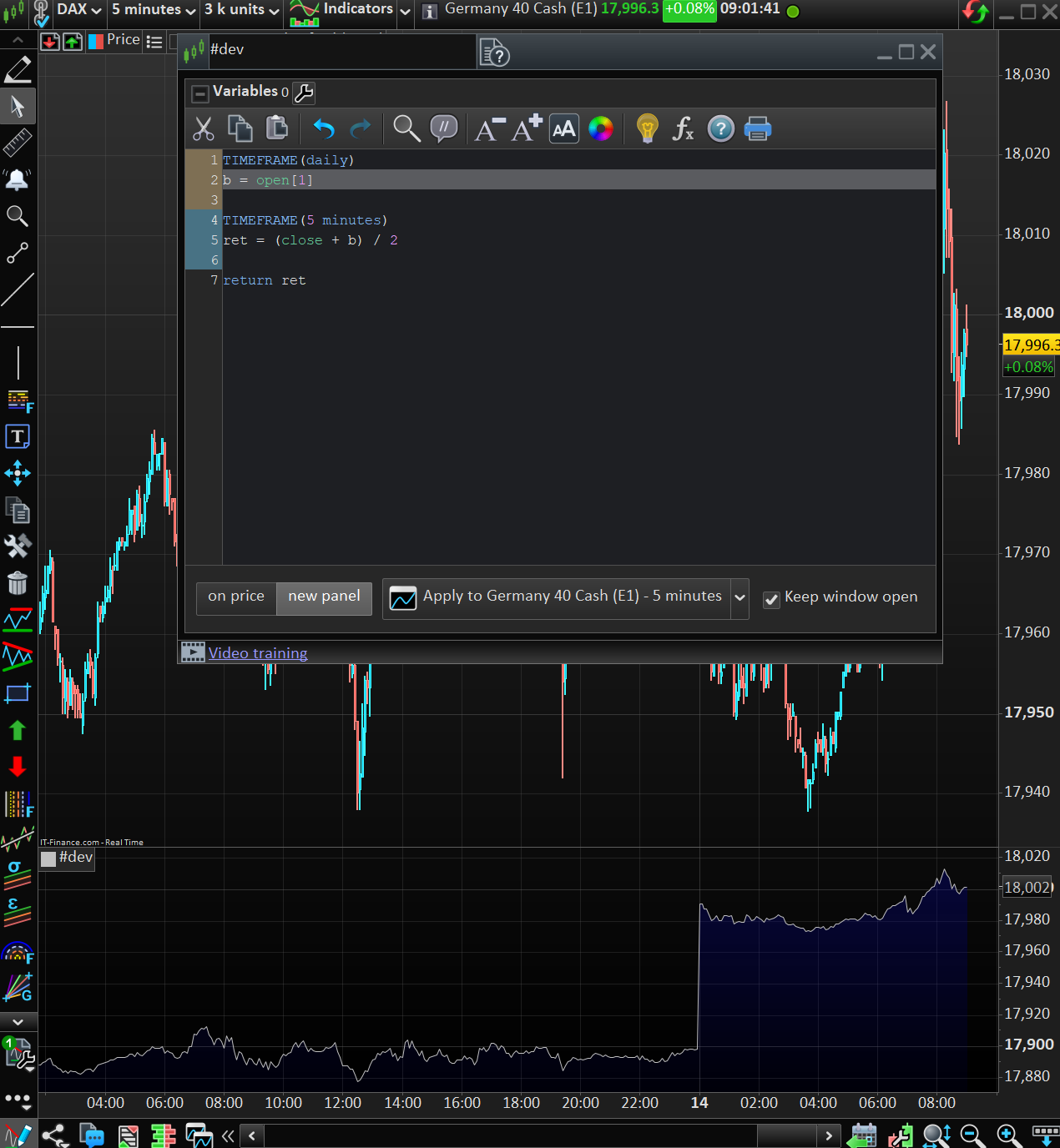
    Is it possible to use a 1 hour time frame moving average in a say 15m time frame?

    So in effect rather than having (or referring back to) a 1 hour time frame  window with just the 1 hour moving average on it, can the 1 hour moving average be imported to a 15m time frame for reference purposes?


    thanks Mike

    #232260 quote
    GraHal
    Participant
    Master

    Yes – multiply the 15 min TF MA period by 4, so average[4] becomes average[16].

    #232264 quote
    bearbull
    Participant
    Average

    Problem is its nothing like the 1 hour moving average when viewed on the 1 hour time frame? I simply want to emulate or have the position of the 1 hour moving average on my 15 minute time frame so i can see if its moving up or down, this would save me time bringing up the 1 hour time frame chart to check the moving average position.

    Maybe one cannot embed the 1 hour moving average into a 15m chart.

    GraHal I understand your calculation and you would of thought it would be that simple………………but they look totally different.

    thanks anyway Mike

    GraHal thanked this post
    #232268 quote
    JS
    Participant
    Senior

    Hi Mike,

    If I understand what you mean, you can do that in two ways:

    1. Open a chart with a 15-minute time frame (in this case)
    2. Import the “Average” indicator
    3. Go to the “Settings” of this indicator and select a period of “60 minutes”.

    You can also create your own indicator with a different time frame and import it into the graph:

    TimeFrame(1 hour, UpdateOnClose)

    xAvg=Average[10](Close)

    Return xAvg as “Average” Coloured(“Red”)

    #232278 quote
    bearbull
    Participant
    Average
    Unfortunately, I do not have the option to edit the time frame of the indicator. The settings are limited I might try and create it as you suggested, its the 13 period Hull MA indicator.
    #232279 quote
    JS
    Participant
    Senior
    Try this one: TimeFrame(1 Hour, UpdateOnClose) xHullMA=HullAverage[13](close) Return xHullMA as “HullMA” Coloured(“Red”)

    With “UpdateOnClose”, the “update” of the indicator is hourly…

    Without “UpdateOnClose”, the indicator’s “update” is every 15 minutes (default timeframe)

    #234921 quote
    xpe74
    Participant
    New
    Hello, i’m new in programming, new PRT user. I tried to setup a code last week by using MTF option.  Inside my code, i have a set of numerous conditions, created on a specific asset, all grouped under timeframe 60 minutes , then if conditions are all met, PRT can generate order under timeframe 1 minute. I’m testing this in probacktest but pbt is retuning an error message meaning 60 is not a multile of 1…… can anyone help on this (pretty sure that topic was already raised) . Thanks and best regards
    #234922 quote
    Nicolas
    Keymaster
    Master
    Indeed, you have to launch the strategy on the 1-minute timeframe to gather data from this timeframe. You always have to launch the strategy on the minimal timeframe used in your code.
Viewing 15 posts - 121 through 135 (of 165 total)
  • You must be logged in to reply to this topic.

Multi timeframe – MTF indicators for ProRealTime


ProBuilder support

New Reply
Author
author-avatar
Nicolas @nicolas Keymaster
Summary

This topic contains 164 replies,
has 53 voices, and was last updated by PeterSt

8 months, 2 weeks ago.

Topic Details
Forum: ProBuilder support
Language: English
Started: 05/27/2020
Status: Active
Attachments: 49 files
Logo Logo
Loading...