Hi All,
I am new to the site and new to coding with PRT. I have coded a MTF momentum pull back strategy which shows no errors
when i code it in PRT but when i backtest it, the strategy executes no trades at all. I think something may be wrong with
the syntax or structure of my MTF coding, hoping someone can give me some guidance.
Also if you have any suggestions to improve this code or strategy , please let me know.
Here is a summary of the strategy and code:
1. Weekly Time Frame – Price above 5MA + Price Higher Than Last 4 Bars + MACD>0 (Stock Rising on weekly time frame)
2. Daily Time Frame – Price above 5MA + Price Higher Than Last 4 Bars + MACD>0 (Stock Rising on daily time frame)
3. Hourly Time Frame – MACD <0 + MACD Higher Than Last 4 Bars (Trade should execute on 1hr time frame. Buy on rising but negative MACD (dips))
4. Trade Execution – Execute trade on the 1 hour chart if weekly and daily conditions are met. If weekly and daily condition are not met, do not trade.
// Definition of code parameters
DEFPARAM CumulateOrders = False // Cumulating positions activated

//Start - The following code is related to the weekly timeframe
timeframe (weekly, updateonclose)
indicator1 = Average[5](close)
indicator2 = MACD[12,26,9](close)
c1 = (close > indicator1)
c2 = (close > close[4])
c3 = (indicator2 > 0)
c4 = c1 AND c2 AND c3

//Start - The following code is related to the daily timeframe
timeframe (daily, updateonclose)
indicator3 = Average[5](close)
c5 = (close > indicator3)
c6 = (close > close[3])
c7 = c5 AND c6

//Start - The following code is related to the 1hr timeframe
timeframe (1 hour, default)
c8 = (indicator2 < 0)
c9 = (indicator2 > indicator2 [4])
c10 = c8 and c9

// Conditions to enter long positions
IF c4 AND c7 AND c10 THEN
BUY 0.5 PERPOINT AT MARKET
ENDIF

// Conditions to exit long positions
timeframe (daily)
c11 = (close < indicator3)
IF c11 THEN
SELL AT MARKET
ENDIF

// Stops and targets
SET STOP %LOSS 5
#mtf #multitimeframe #multi time frame
I would move all conditions to the default TF.
I would call the default TF just DEFAULT without 1h, so you can run it from another TF, just in case.
I would remove line 32.
// Definition of code parameters
DEFPARAM CumulateOrders = False // Cumulating positions activated

//Start - The following code is related to the weekly timeframe
timeframe (weekly, updateonclose)
indicator1 = Average[5](close)
indicator2 = MACD[12,26,9](close)

//Start - The following code is related to the daily timeframe
timeframe (daily, updateonclose)
indicator3 = Average[5](close)

//Start - The following code is related to the 1hr timeframe
timeframe (default)
c1 = (close > indicator1)
c2 = (close > close[4])
c3 = (indicator2 > 0)
c4 = c1 AND c2 AND c3
c5 = (close > indicator3)
c6 = (close > close[3])
c7 = c5 AND c6
c8 = (indicator2 < 0)
c9 = (indicator2 > indicator2 [4])
c10 = c8 and c9

// Conditions to enter long positions
IF c4 AND c7 AND c10 THEN
BUY 0.5 PERPOINT AT MARKET
ENDIF

// Conditions to exit long positions
c11 = (close < indicator3)
IF c11 THEN
SELL AT MARKET
ENDIF

// Stops and targets
SET STOP %LOSS 5
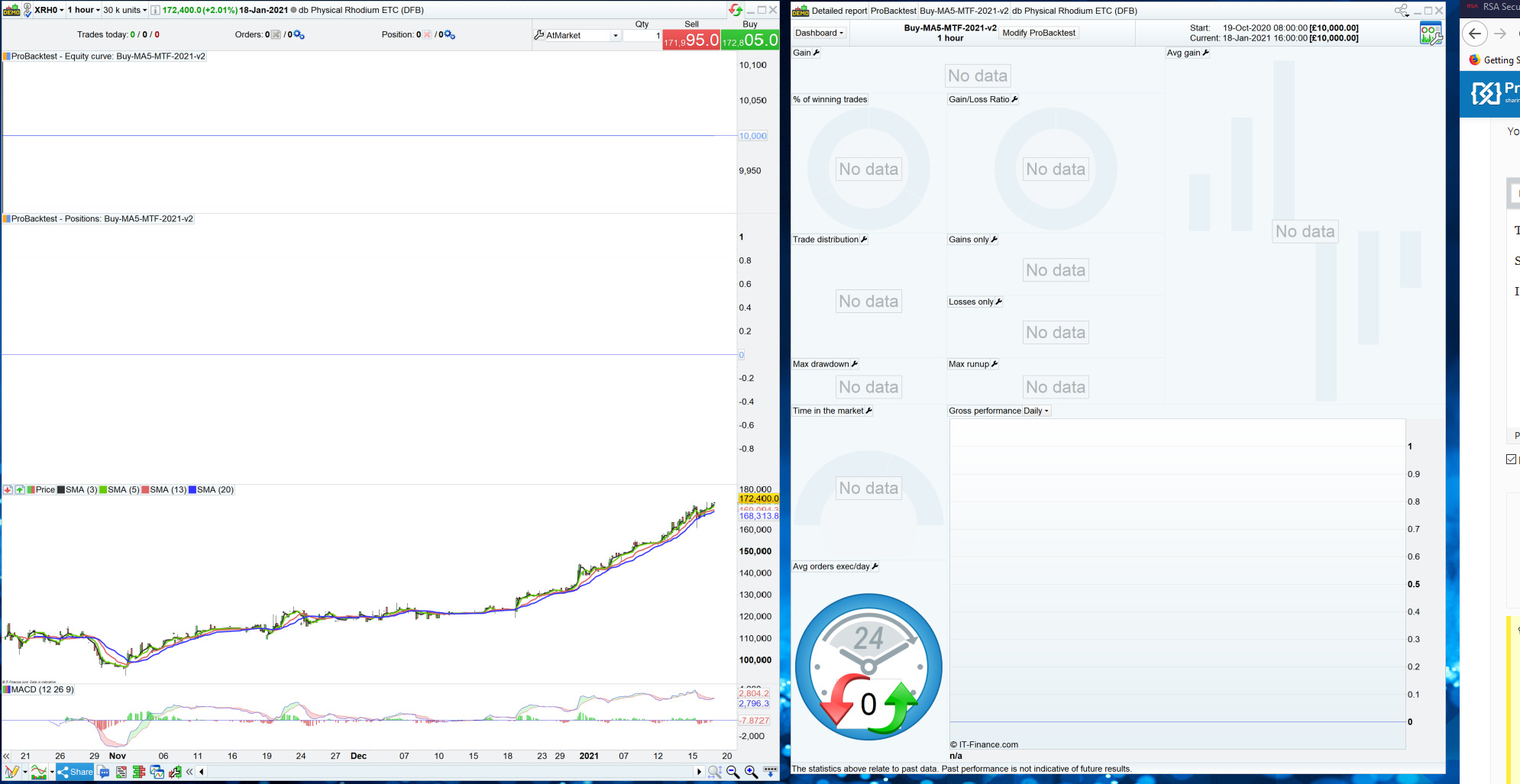
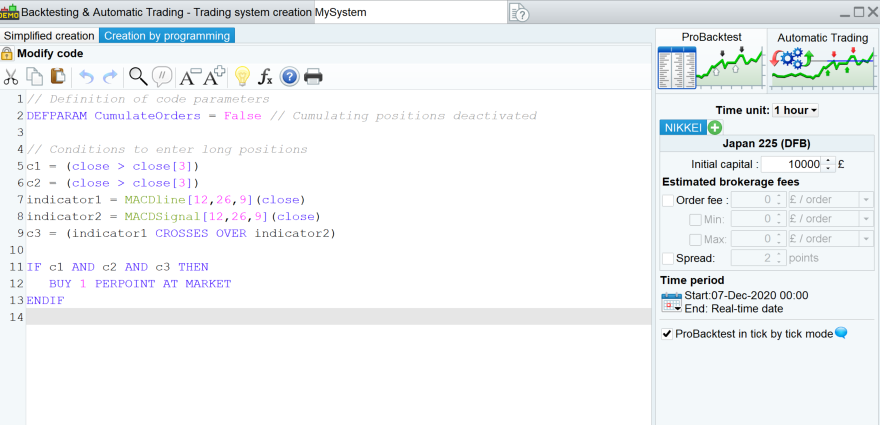
Thanks for taking a look Roberto and for the structure updates around the code, unfortunately, it still doesn’t work, backtest just shows “No Data”. No trades are executed.
Strangely, there are no errors anywhere that i can see, my original code also returned no errors. I have tried on different time frames and different stocks and the same thing.
I have provided a screen shot of what i see as an example.
To add to this, i have just noticed something strange.
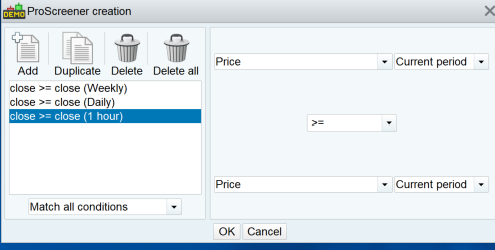
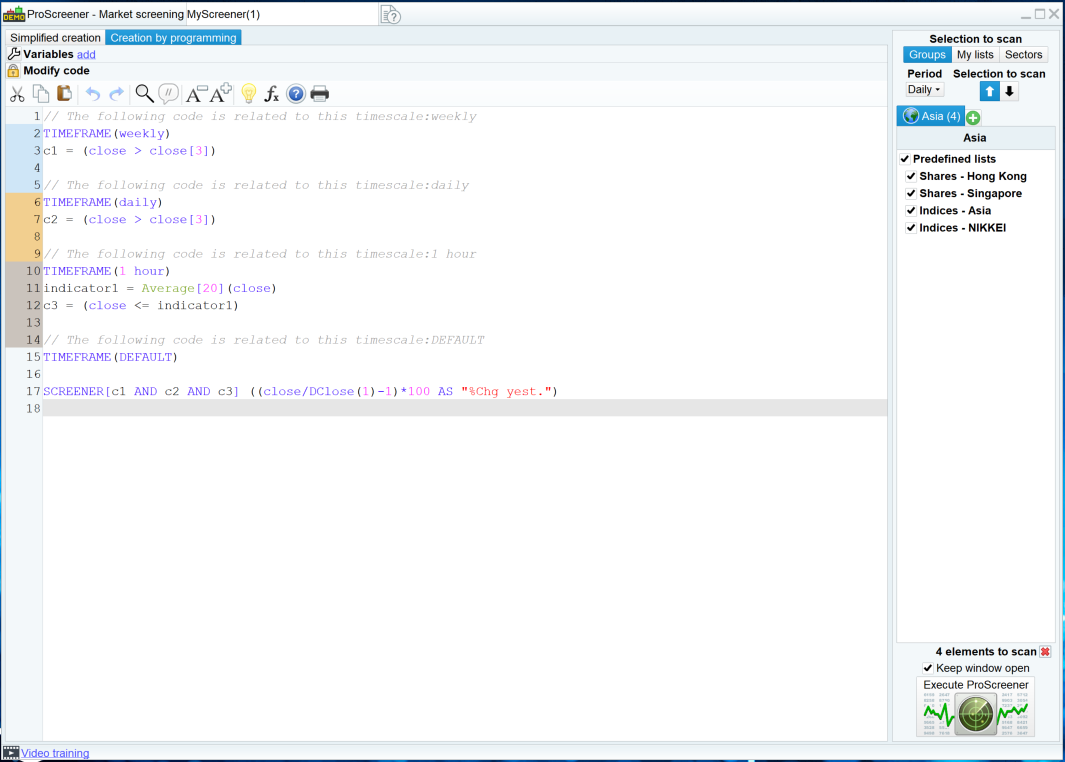
If i create a MTF scanner with the assisted mode, PRT creates the correct code with the different timeframe parameters and the scanner works.
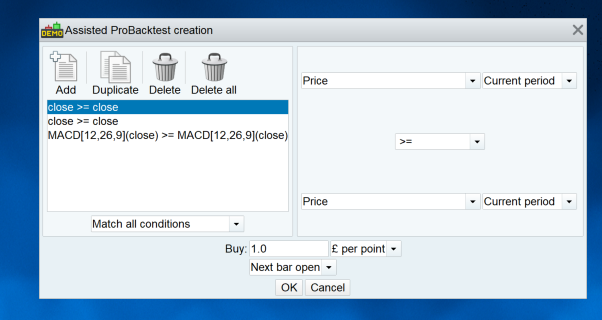
If i then try the same thing with the backtest / auto trading, PRT DOES NOT not create any code at all related to the different timeframes. There are no timeframe references.
This suggests that MTF is available and works on the scanner but not on backtesting / autotrading.
I am doing all this in my IG PRT Demo Account, v11.1 of PRT being used, if that makes any difference.
Anyone seen anything like this ? I will test my real account later.
Screenshots attached.