Modifica Indicatore Divergenze RSI

Viewing 5 posts - 1 through 5 (of 5 total)

  • Author
    Posts
  • #238348 quote
    RubbinRubbin02
    Participant
    New

    Buongiorno, vorrei apportare delle modifiche al mio indicatore di divergenze RSI.

    Vorrei fosse possibile cambiare i vari colori che lo compongono e che si possa decidere se mostrare o meno a grafico le divergenze regular e hidden.

    Soprattutto vorrei fosse possibile inserire un’allarme in modo tale da ricevere una notifica quando viene rilevata una divergenza.

    Grazie in anticipo allego il codice dell’indicatore:

    len=14 //RSI Length
    src=close
    lbr=5 //pivot lookback Right
    lbl=5 //pivot lookback Left
    rangeUpper=60 //Max lookback range
    rangeLower=5 //Min lookback range
    plotBull=1
    plotHiddenBull=1
    plotBear=1
    plotHiddenBear=1
    //———————————————-//
    //—–RSI Calculation————————–//
    //———————————————-//
    osc=rsi[len](src)
    midlevel=50
    obLevel=70
    osLevel=30
    colorbetween(obLevel,osLevel,33,150,243,50)
    //———————————————-//
    //—–Pivots High and Low———————-//
    //———————————————-//
    //—Pivots low
    if osc > osc[lbr] and lowest[lbr](osc) > osc[lbr] and osc[lbr] < lowest[lbl](osc)[lbr+1] then
    $ply[z+1] = osc[lbr]
    $plx[z+1] = barindex[lbr]
    $pricel[z+1] = low[lbr]
    drawpoint(barindex[lbr],osc[lbr],2)coloured(“red”,80)
    z = z + 1
    endif
    //—Pivots high
    if osc < osc[lbr] and highest[lbr](osc)<osc[lbr] and osc[lbr]>highest[lbl](osc)[lbr+1] then
    $phy[t+1]=osc[lbr]
    $phx[t+1]=barindex[lbr]
    $priceH[t+1]=high[lbr]
    drawpoint(barindex[lbr],osc[lbr],2)coloured(“blue”,80)
    t=t+1
    endif
    //—Pivot detection
    if z<>z[1] then
    plFound=1
    elsif t<>t[1] then
    phFound=1
    else
    plFound=0
    phFound=0
    endif
    barsPL=barssince(plFound[1])
    inrangePL=rangelower<=barsPL and barsPL<=rangeupper
    barsPH=barssince(pHFound[1])
    inrangePH=rangelower<=barsPH and barsPH<=rangeupper
    //———————————————-//
    //—–Regular Bullish————————–//
    //———————————————-//
    oscHL=osc[lbr]>$ply[max(0,z1)] and inrangePL
    priceLL=low[lbr]<$pricel[max(0,z1)]
    bullCondAlert=priceLL and oscHL and plFound
    bullCond=plotBull and bullCondalert
    if plFound  and bullCond then
    drawsegment($plx[max(0,z1)],$ply[max(0,z1)],$plx[z],$ply[z])coloured(“green”)style(line,2)
    endif
    //———————————————-//
    //—–Hidden Bullish—————————//
    //———————————————-//
    oscLL=osc[lbr]<$ply[max(0,z1)] and inrangePL
    priceHL=low[lbr]>$pricel[max(0,z1)]
    hiddenBullCondAlert=priceHL and oscLL and plFound
    hiddenBullCond=hiddenBullCondAlert and plotHiddenBull
    if plFound and hiddenBullCond then
    drawsegment($plx[max(0,z1)],$ply[max(0,z1)],$plx[z],$ply[z])coloured(“green”,80)style(line,2)
    endif
    //———————————————-//
    //—–Regular Bearish————————–//
    //———————————————-//
    oscLH=osc[lbr]<$phy[max(0,t1)] and inrangePH
    priceHH=high[lbr]>$priceH[max(0,t1)]
    bearCondAlert=priceHH and oscLH and pHFound
    bearCond=plotBear and bearCondalert
    if pHFound  and bearCond then
    drawsegment($phx[max(0,t1)],$phy[max(0,t1)],$phx[t],$phy[t])coloured(“red”)style(line,2)
    endif
    //———————————————-//
    //—–Hidden Bearish—————————//
    //———————————————-//
    oscHH=osc[lbr]>$phy[max(0,t1)] and inrangePH
    priceLH=high[lbr]<$priceh[max(0,t1)]
    hiddenBearCondAlert=priceLH and oscHH and phFound
    hiddenBearCond=hiddenBearCondAlert and plotHiddenBear
    if pHFound and hiddenBearCond then
    drawsegment($phx[max(0,t1)],$phy[max(0,t1)],$phx[t],$phy[t])coloured(“red”,80)style(line,2)
    endif
    //———————————————-//
    return osc as “RSI”coloured(“blue”)style(line,2), midlevel as “MidLevel”coloured(“grey”)style(dottedline,1),obLevel as “obLevel”coloured(“grey”)style(dottedline,1),osLevel as “osLevel”coloured(“grey”)style(dottedline,1)
    #238363 quote
    Iván González
    Moderator
    Master

    Ciao. Nelle prime righe di codice hai tutte le variabili per configurare l'indicatore. All'interno di queste variabili hai:

    plotBull=1
    plotHiddenBull=1
    plotBear=1
    plotHiddenBear=1

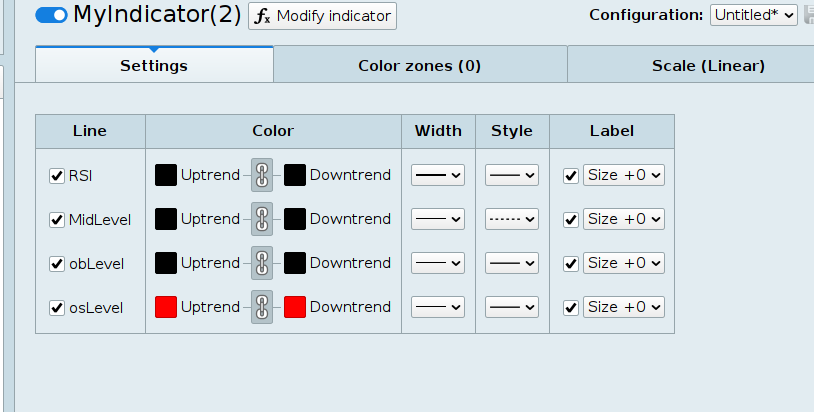
    Un valore pari a 1 fa sì che le linee vengano visualizzate, mentre la modifica del valore su 0 le farà nascondere. Nell'ultima riga del codice invece vengono configurate tutte le linee (colore e stile). E' sufficiente cancellare le specifiche e poi sarà possibile modificarle dalla finestra di configurazione.

     restituisce osc come "RSI", midlevel come "MidLevel", obLevel come "obLevel", osLevel come "osLevel"
    RubbinRubbin02 thanked this post
    #238368 quote
    RubbinRubbin02
    Participant
    New

    Ok grazie mille, mentre invece per gli allarmi come faccio? Se trascino un allarme sull’indicatore non me lo fa settare in base alla presenza o meno di una divergenza

    #238390 quote
    Iván González
    Moderator
    Master

    Mi viene in mente di creare un nuovo indicatore proprio come il precedente ma invece di disegnare l'RSI e le divergenze, disegna semplicemente i segnali di divergenza. Vedi schermata.

    //----------------------------------------------//
    //PRC_RSI Divergence Indicator
    //version = 0
    //24.09.24
    //Iván González @ www.prorealcode.com
    //Sharing ProRealTime knowledge
    //----------------------------------------------//
    //-----Inputs-----------------------------------//
    //----------------------------------------------//
    len=14 //RSI Length
    src=close
    lbr=5 //pivot lookback Right
    lbl=5 //pivot lookback Left
    rangeUpper=60 //Max lookback range
    rangeLower=5 //Min lookback range
    plotBull=1
    plotHiddenBull=1
    plotBear=1
    plotHiddenBear=1
    //----------------------------------------------//
    //-----RSI Calculation--------------------------//
    //----------------------------------------------//
    osc=rsi[len](src)
    midlevel=50
    obLevel=70
    osLevel=30
    //----------------------------------------------//
    //-----Pivots High and Low----------------------//
    //----------------------------------------------//
    //---Pivots low
    if osc > osc[lbr] and lowest[lbr](osc) > osc[lbr] and osc[lbr] < lowest[lbl](osc)[lbr+1] then
    $ply[z+1] = osc[lbr]
    $plx[z+1] = barindex[lbr]
    $pricel[z+1] = low[lbr]
    z = z + 1
    endif
    //---Pivots high
    if osc < osc[lbr] and highest[lbr](osc)<osc[lbr] and osc[lbr]>highest[lbl](osc)[lbr+1] then
    $phy[t+1]=osc[lbr]
    $phx[t+1]=barindex[lbr]
    $priceH[t+1]=high[lbr]
    t=t+1
    endif
    //---Pivot detection
    if z<>z[1] then
    plFound=1
    elsif t<>t[1] then
    phFound=1
    else
    plFound=0
    phFound=0
    endif
    
    barsPL=barssince(plFound[1])
    inrangePL=rangelower<=barsPL and barsPL<=rangeupper
    barsPH=barssince(pHFound[1])
    inrangePH=rangelower<=barsPH and barsPH<=rangeupper
    
    //----------------------------------------------//
    //-----Regular Bullish--------------------------//
    //----------------------------------------------//
    oscHL=osc[lbr]>$ply[max(0,z-1)] and inrangePL
    priceLL=low[lbr]<$pricel[max(0,z-1)]
    bullCondAlert=priceLL and oscHL and plFound
    bullCond=plotBull and bullCondalert
    
    if plFound  and bullCond then
    RegularBullishFound=1
    else
    RegularBullishFound=0
    endif
    //----------------------------------------------//
    //-----Hidden Bullish---------------------------//
    //----------------------------------------------//
    oscLL=osc[lbr]<$ply[max(0,z-1)] and inrangePL
    priceHL=low[lbr]>$pricel[max(0,z-1)]
    hiddenBullCondAlert=priceHL and oscLL and plFound
    hiddenBullCond=hiddenBullCondAlert and plotHiddenBull
    
    if plFound and hiddenBullCond then
    hiddenBullishFound=1
    else
    hiddenBullishFound=0
    endif
    //----------------------------------------------//
    //-----Regular Bearish--------------------------//
    //----------------------------------------------//
    oscLH=osc[lbr]<$phy[max(0,t-1)] and inrangePH
    priceHH=high[lbr]>$priceH[max(0,t-1)]
    bearCondAlert=priceHH and oscLH and pHFound
    bearCond=plotBear and bearCondalert
    
    if pHFound  and bearCond then
    RegularBearishFound=1
    else
    RegularBearishFound=0
    endif
    //----------------------------------------------//
    //-----Hidden Bearish---------------------------//
    //----------------------------------------------//
    oscHH=osc[lbr]>$phy[max(0,t-1)] and inrangePH
    priceLH=high[lbr]<$priceh[max(0,t-1)]
    hiddenBearCondAlert=priceLH and oscHH and phFound
    hiddenBearCond=hiddenBearCondAlert and plotHiddenBear
    
    if pHFound and hiddenBearCond then
    hiddenBearishFound=1
    else
    hiddenBearishFound=0
    endif
    //----------------------------------------------//
    return RegularBullishFound as "RegularBullishFound" coloured("green"),hiddenBullishFound coloured("blue"),RegularBearishFound coloured("red"),hiddenBearishFound coloured("orange")
    
    #238397 quote
    RubbinRubbin02
    Participant
    New

    Grazie mille!

    C’è solo un problema, per via della natura della logica delle divergenze queste vengono confermate solo alcune candele dopo essere effettivamente rilevate quindi ricevo il segnale in ritardo per dare il tempo al codice di identificare massimi e minimi relativi.

    Questo è un problema, vorrei ricevere il segnale nello stesso momento in cui viene rilevato senza aspettare la conferma, si può fare?

    Ti invio uno screen del problema dove comparo il codice di prima che plotta le divergenze sull’RSI e l’ultima versione che mi hai mandato tu dell’indicatore che segna soltanto i segnali di divergenza così puoi vedere bene quello che intendo

    Grazie ancora e buona giornata

Viewing 5 posts - 1 through 5 (of 5 total)
  • You must be logged in to reply to this topic.

Modifica Indicatore Divergenze RSI


ProBuilder: Indicatori & Strumenti Personalizzati

New Reply
Author
Summary

This topic contains 4 replies,
has 2 voices, and was last updated by RubbinRubbin02
1 year, 4 months ago.

Topic Details
Forum: ProBuilder: Indicatori & Strumenti Personalizzati
Language: Italian
Started: 10/01/2024
Status: Active
Attachments: 2 files
Logo Logo
Loading...