Hi,
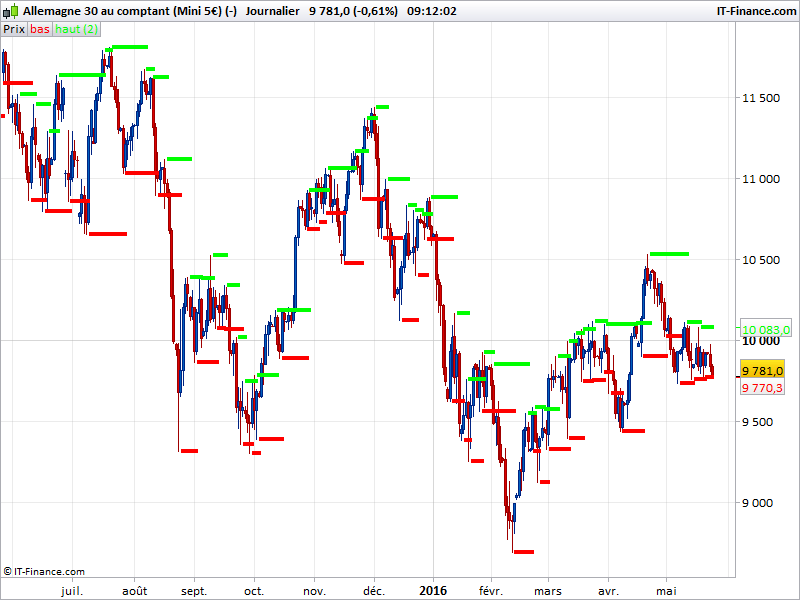
The Custom indicator that I would want to create will be called “Master Candle”, similiar to Bill Williams Fractals indicator: http://www.prorealcode.com/prorealtime-indicators/bill-williams-fractals/
Criteria for the Master Candle:
1. Scan through all the candles in the chart to look for “Master Candle” (history & current which is forming)
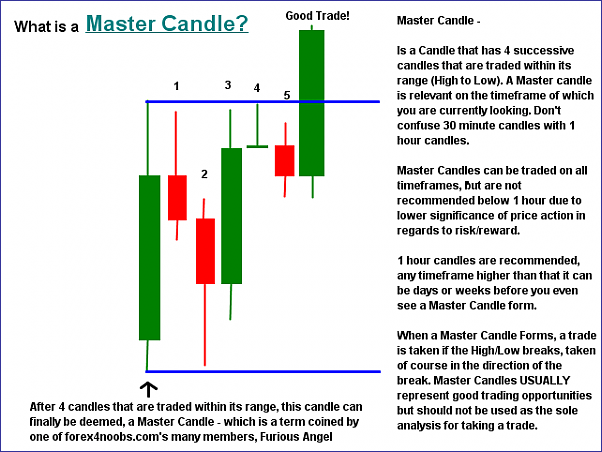
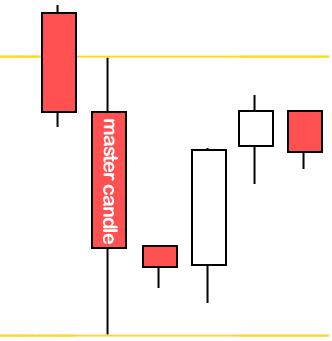
2. “Master Candle”‘s criteria will “contain” at least 4 candles or more without breaking the “High” & “Low” in order to be valid “Master Candle”
3. Candles that “contain” within can be set by user, default will be 4 candles
4. All valid “Master Bar” will be appeared in history so that can do backtest & Automatic Trading later
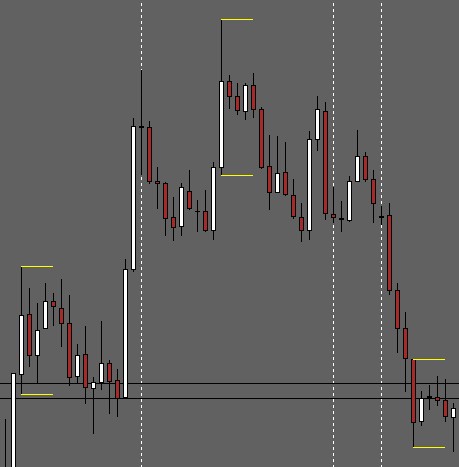
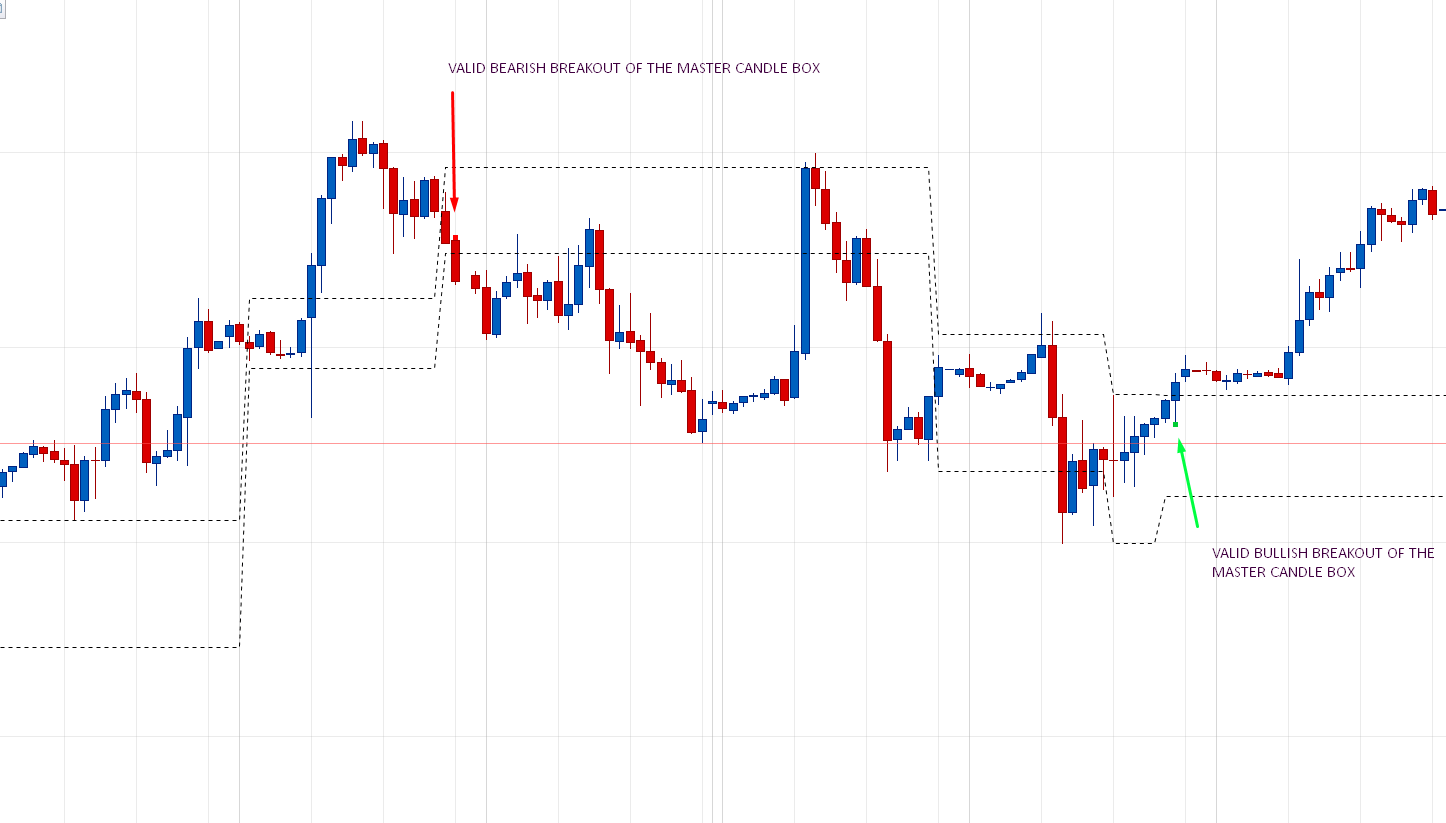
I’ve attached the picture for your reference so that you can visual on this indicator that I’m referring.
Not sure is anyone here is able to help.
Master candle is only the biggest one of a series of 5 consecutive ones? Is this ok? No need to check previous candlesticks of the master candle?
Hi Nicolas,
You are right, Master Candle is the Biggest one of series of 5 consecutive or more.
I would like to check previous candlesticks also as I would like to do backtest for Master Candle breakout for automated trading strategies later.
Hope this indicator is not complex to code.
Hi Nicolas,
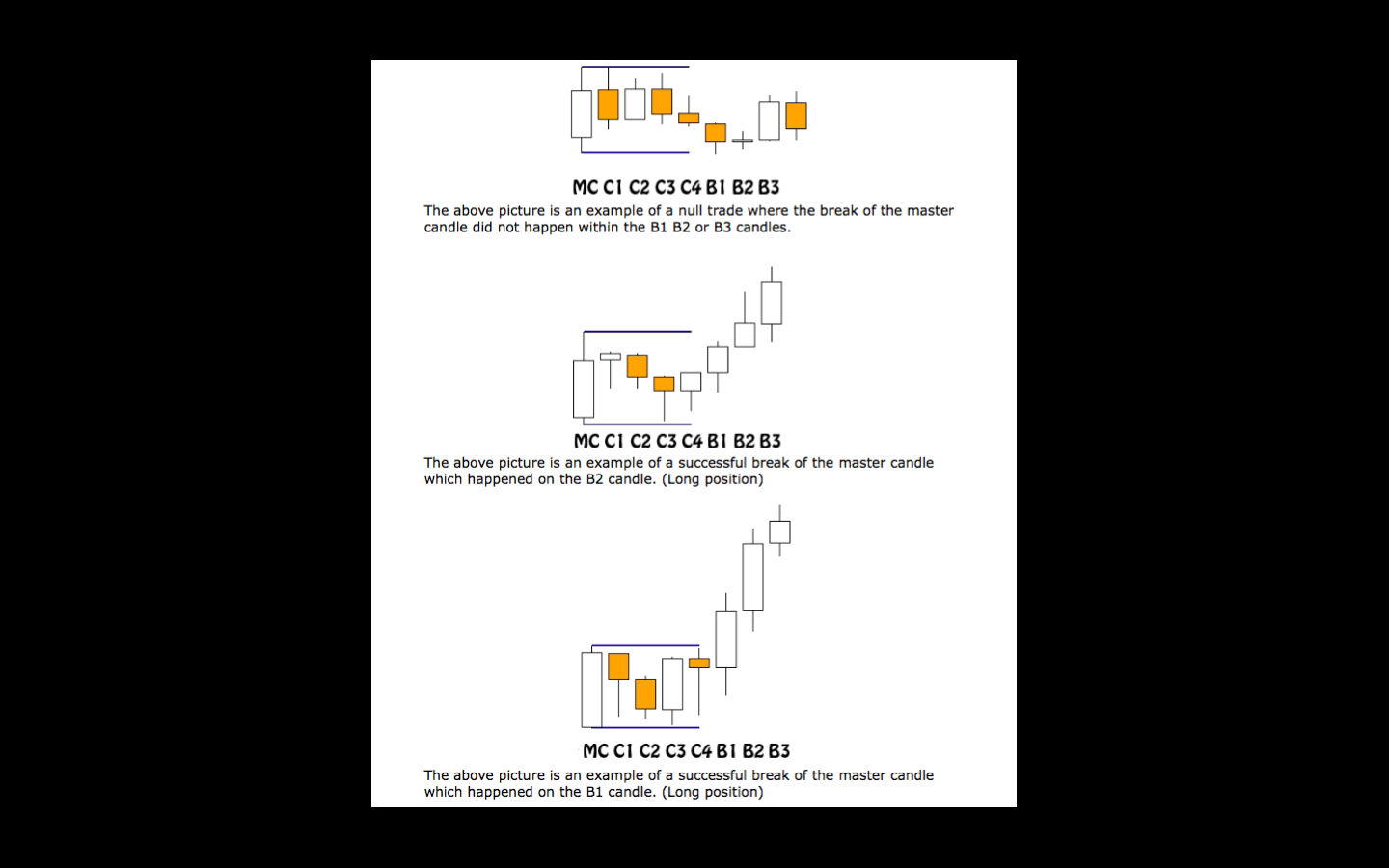
After a master candle has been confirmed by 4 inside bars, how can I restrict a breakout entry of the master candle range to only the 3 bars following the 4 inside bars?
Many thanks,
Robin.
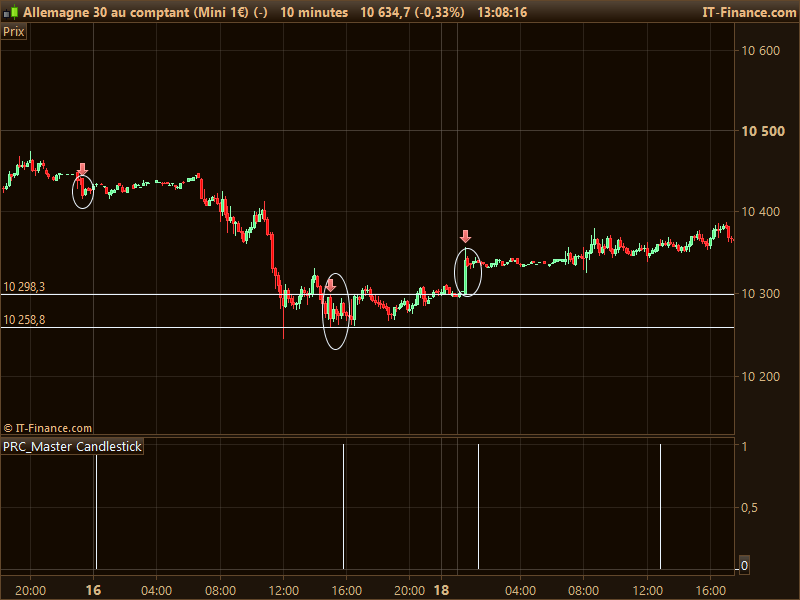
Please find attached the Master Candlestick indicator. It will give you a value=1 when a master candlestick has been detected in the past.
“candlescount = 4” is the parameter to set how much candlesticks must be contained between the range of the first one.
//PRC_Master Candlestick | indicator
//23.09.2016
//Nicolas @ www.prorealcode.com
//Sharing ProRealTime knowledge

//"Master Candle"'s criteria will "contain" at least 4 candles or more without breaking the "High" & "Low" in order to be valid "Master Candle"

candlescount = 4

count = 0
for i = candlescount+1 downto 1 do
 if i = candlescount+1 then
  hh = high[i]
  ll = low[i]
 elsif i<candlescount+1 and high[i]<hh and low[i]>ll then
  count=count+1
 endif
next

if count=candlescount then
 result = 1
else
 result = 0
endif

RETURN result
I’d like to know where did you find explanation about this pattern? For a better comprehension of its utility.. Thanks.
I’ve emailed you the pdf 🙂
Hi Nicolas,
I have attached the PDF file for the info on the Master Candle for your reference. Thanks for the indicator but it’s not the one that I’m looking for.
The indicator supposed to draw a upper & lower support & resistance line on the “Master candle” itself & spot all other “Master Candle” on the chart just like the picture of the Fractals Bill Williams indicator.
I’m thought of modified the below code to become “Master Candle” but too bad my programming is very lousy that why I’ve post this thread to get help.
/////////// FRACTALS BILL WILLIAMS
//Variable:

//cp = 2 (default)

if high[cp] >= highest[2*cp+1](high) then
 LH = 1
else
 LH=0
endif

if low[cp] <= lowest[2*cp+1](low)  then
 LL= -1
else
 LL=0
endif

if LH=1 then
 hil = high[cp]
endif

if LL  = -1 then
 LOL=low[cp]
endif


return lol coloured(255,0,0) as "Low Fractal",hil coloured(0,255,0) as "High Fractal"

/////////////end
Not possible to draw in the past with version 10.2 so the lines or dots created by a pattern discovered would only begin at the 5th candles after the Master Candle. Just like your fractals indicator example. With version 10.3 we could make it though.
The code I made correctly identify the pattern so it would be easy to store also the high and low of the Master Candle for breakout testing purpose.
Hi Nicolas,
Did you get the chance to review the pdf? For a master candle to be confirmed, the breakout has to come in one of the 3 bars after the 5 bars that make a master candle (including the master candle itself). Do you need a second loop (after the code you wrote to confirm the MC)? I’m not sure how you add a second loop to an existing one. Could be a really useful piece of code to apply to other systems as well.
Many thanks 🙂
Hi Robin, don’t need another loop, just count how many bars has passed since the given signal. Do you want an help to code this?
Hi Nicolas,
If you could help, that would be great. I tried using bar index and trade index and it wouldn’t let me use them in a indicator. I also tried using summation, but the results I got just fired within a number of bars after a MC formed, regardless of whether a breakout of the MC had happened.
Thanks 🙂
Ok I modified the code a bit, to be more visual on charts. You’ll find ITF file and screen example attached.
Signals of valid breakout are made with dots of different colors. The last master candlestick box is drawn by lines also. All variables are returned, so you can play with them with screener or probacktest at will.
Thanks Nicolas, that’s a really nice piece of code 🙂
Hello,
Thanks for the code Nicolas, it is very interesting.
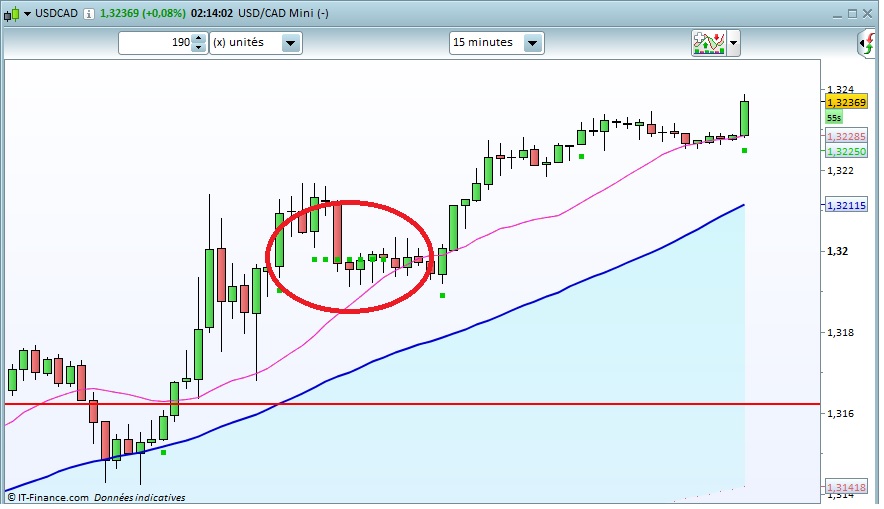
I noticed nevertheless that there is a small issue with the piece of code regarding the bullish / bearish signals. Sometimes it plots several successive signals. I guess only the first breakout should be plotted. Any idea to fix this?
cf. screenshot attached.
PS.: one other small question, I have not understand why the statement “if barindex-patternbar<=3 then” in the code?
Many thanks in advance.
I dig into my code and found my comment about it: valid breakout signals after 3 candlesticks when the pattern were found.
About the dots remaining on chart, it’s the last signals variables buffers, there are not reset to 0 if the first condition of the pattern candlecount is not met.