LIN Forward

Viewing 7 posts - 1 through 7 (of 7 total)
  • Author
    Posts
  • #74148 quote
    JohnScher
    Participant
    Veteran

    Hello

    To describe my problem briefly, I have shortened to the essential from PopGun-Indicator i coded – see at the bottom

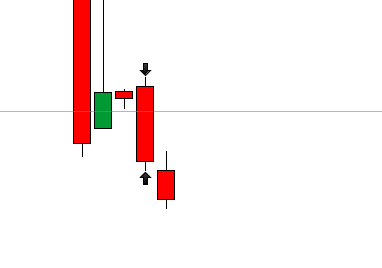
    The LIN generated by this code turns backward and ends with the current candle. (screenshot1)

    r= 0
    b=0
    g=0
    
    Support = 0,3*pipsize
    Lin = 3
    DRAWSEGMENT(barindex,LOW-SUPPORT,barindex-LIN, LOW-SUPPORT )coloured(r,g,b)


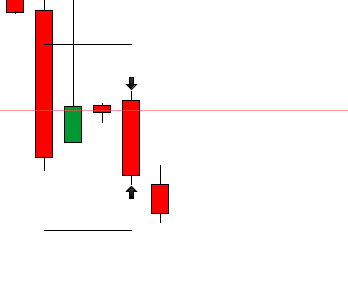
    I change the code from “barindex-lin” into “barindex+lin” and the lin turns forward.(screenshot2)

    r= 0 
    b=0 
    g=0 
    Support = 0,3*pipsize 
    Lin = 3 
    
    DRAWSEGMENT(barindex,LOW-SUPPORT,barindex+LIN, LOW-SUPPORT )coloured(r,g,b)

    So far so good.


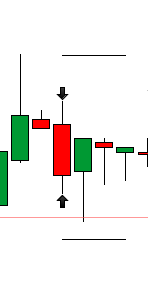
    But: The Lin forward will not displayed before until 3 new candles have been created. (screenshot3, same picture like screenshot1 but the Lin is missing)

    How can i program that the lin is already drawn on the current candle before the 3 new candles created.


    Kind regards

    JohnScher

    Translated with http://www.DeepL.com/Translator


    // PopGun Indikator
    // Coded by JohnScher
     
    PIP = 0.3*pipsize
    LIN = 3
    Support = (High-Low)*0.5
    Resistance = (High-Low)*0.5
    
    r=0
    g=0
    b=0
     
    //indicator PopGun
    PG = High[2]>High[1] and Low[2]<Low[1] and High>High[1] and Low<Low[1]


    IF PG Then
    DRAWARROWUP(barindex,LOW-PIP)coloured(r,g,b)
    DRAWSEGMENT(barindex,LOW-SUPPORT,barindex-LIN, LOW-SUPPORT )coloured(r,g,b)
    DRAWARROWDOWN(barindex,HIGH+PIP)coloured(r,g,b)
    DRAWSEGMENT(barindex,High+Resistance,barindex-LIN, High+Resistance )coloured(r,g,b)
    ENDIF
    
    return
    
    Screenshot_2-6.png Screenshot_2-6.png Screenshot_3-8.png Screenshot_3-8.png Screenshot_4-4.png Screenshot_4-4.png
    #74213 quote
    JohnScher
    Participant
    Veteran

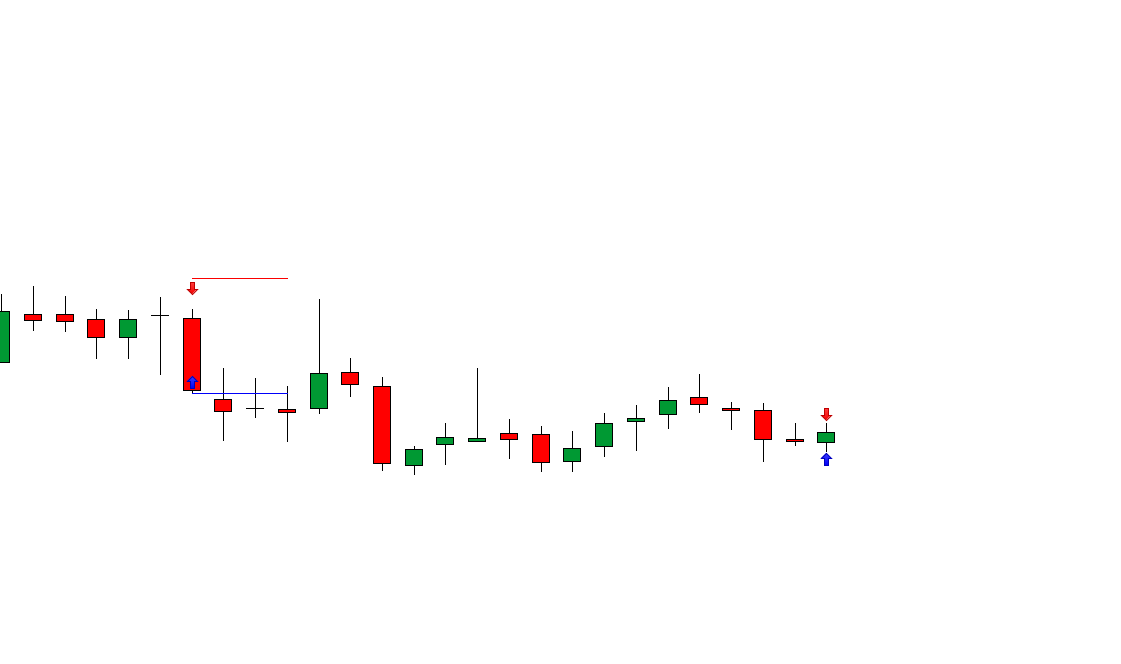
    Here again the problem in a picture.
    You can see that the previous PG is displayed with Lin over 3 candles, but for the current PG the Lin is not displayed with 3 candles.
    How can I solve the problem that the line 3 candles will be displayed forward when the PG is created?

    Screenshot_8-3.png Screenshot_8-3.png
    #74216 quote
    robertogozzi
    Moderator
    Master

    You cannot draw in the future, go back to -LIN, there’s no workaround!

    JohnScher thanked this post
    #74220 quote
    JohnScher
    Participant
    Veteran

    Can i put a trendline in it instead the “Lin”?

    #74229 quote
    robertogozzi
    Moderator
    Master

    LIN is just the offset to draw a segment across bars (from the past through the current one at most).

    Instead of a segment you can draw lines or whatever else, but still not in the future!

    To draw lines you can read pdf documentation and use the search box for examples.

    #74252 quote
    Nicolas
    Keymaster
    Master

    As Roberto said, you can use DRAWHLINE, it will plot a thin line, in the future but also in the past …

    JohnScher thanked this post
    #74899 quote
    JohnScher
    Participant
    Veteran

    Yes i used the Drawhline function, it works very well, ty

Viewing 7 posts - 1 through 7 (of 7 total)
  • You must be logged in to reply to this topic.

LIN Forward


ProOrder: Automated Strategies & Backtesting

New Reply
Author
author-avatar
JohnScher @johnscher Participant
Summary

This topic contains 6 replies,
has 3 voices, and was last updated by JohnScher
7 years, 8 months ago.

Topic Details
Forum: ProOrder: Automated Strategies & Backtesting
Language: English
Started: 06/23/2018
Status: Active
Attachments: 4 files
Logo Logo
Loading...