Hello Everyone,
I am actually writing a simple code to show x500 ou x000 level.
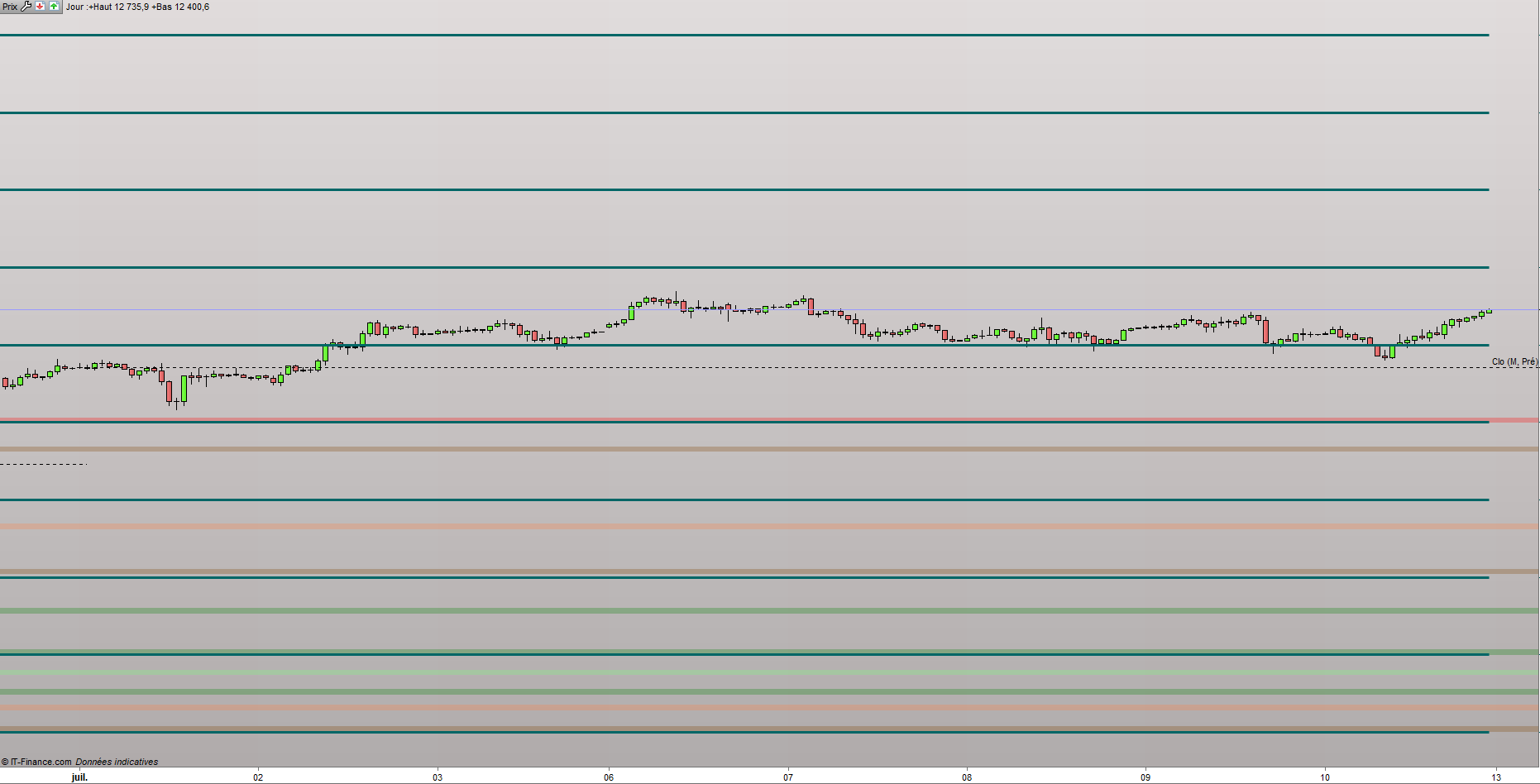
The first problem I encountered is that when I press “space” for adapting the window I have every single level ( 10000 to 14500, here on the DAX ). It’s not really good to watch.
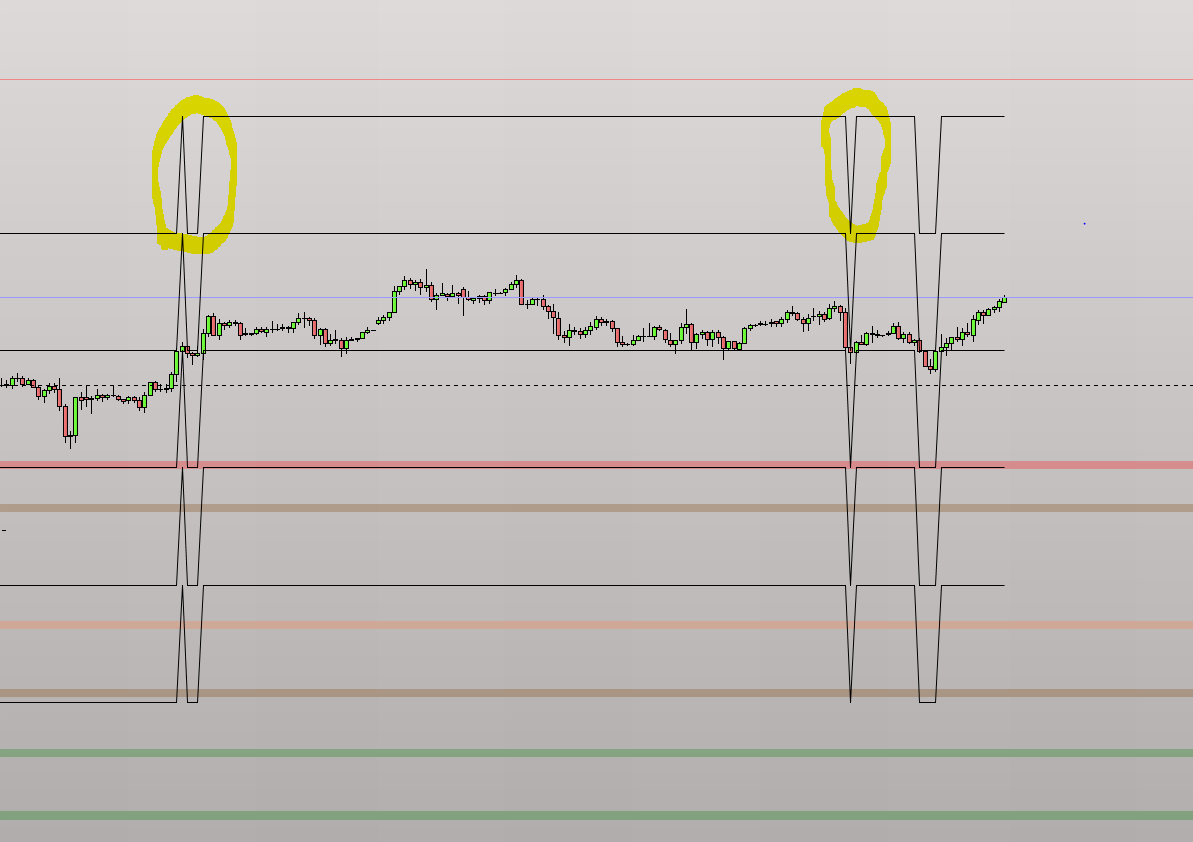
So I have tried another way but it’s even uglier. I don’t want to see those “transition” circled in yellow in pics number 1.
Maybe you have an idea to make it more watchable.
///// - LEVEL - x500 and x000
L1 = 10000
L2 = 10500
L3 = 11000
L4 = 11500
L5 = 12000
L6 = 12500
L7 = 13000
L8 = 13500
L9 = 14000
L10 = 14500
AP = close
IF AP > L1 then
S1 = L1
S2 = 9500
S3 = 9000
R1 = L2
R2s = L3
IF AP > L2 then
S1 = L2
S2 = L1
S3 = 9500
R1 = L3
R2s = L4
IF AP > L3 then
S1 = L3
S2 = L2
S3 = L1
R1 = L4
R2s = L5
IF AP > L4 then
S1 = L4
S2 = L3
S3 = L2
R1 = L5
R2s = L6
IF AP > L5 then
S1 = L5
S2 = L4
S3 = L3
R1 = L6
R2s = L7
IF AP > L6 then
S1 = L6
S2 = L5
S3 = L4
R1 = L7
R2s = L8
IF AP > L7 then
S1 = L7
S2 = L6
S3 = L5
R1 = L8
R2s = L9
IF AP > L8 then
S1 = L8
S2 = L7
S3 = L6
R1 = L9
R2s = L10
ENDIF
endif
endif
endif
endif
endif
endif
endif
Return S1 as "S1", S2 as "S2", S3 as "S3", R1 as "R1",R2s as "R2"
Thanks a lot,
Gauvel
You should use graphical instruction like DRAWHLINE, DRAWSEGMENT, etc..
In order to plot round numbers levels, you can try this snippet: https://www.prorealcode.com/topic/tracer-une-ligne-horizontal-a-chaque-centaine/#post-91468
Perfect ! Thanks a lot Nicolas