


Kerzenhöhe anzeigen

Viewing 3 posts - 1 through 3 (of 3 total)

  • Author
    Posts
  • #85403 quote
    MariusMarius
    Participant
    Average

    Hallo,

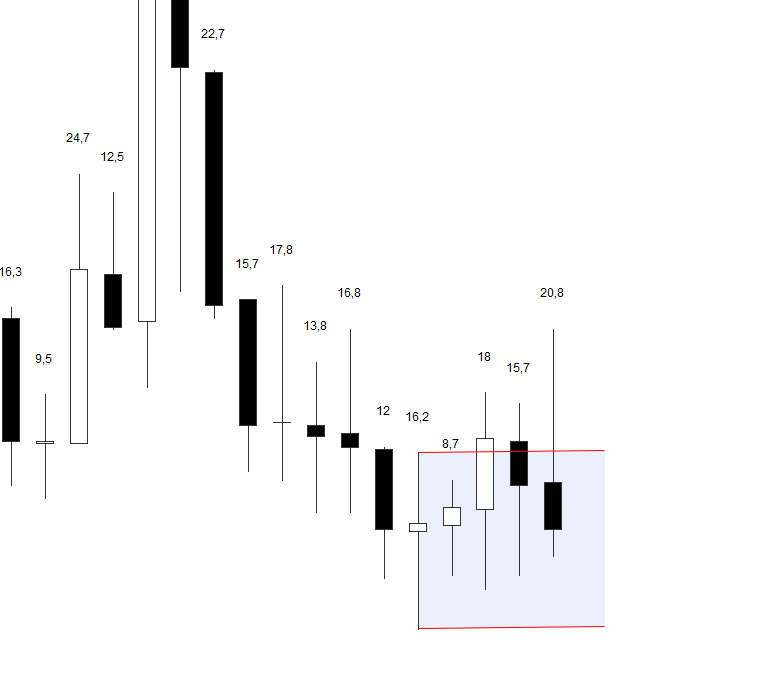
    ich nutze einen kleinen Indikator, der mir die Höhe der Kerzen zeigt.

    In der aktuellen Version zeigt er mir aber eine Nachkommastelle. Wie muss der Code aussehen, damit z.B. 8,6 auf 9 oder 15,4 auf 15 ab/aufgerundet wird?


    CandleHight=high-low
    drawtext(“#CandleHight#”,barindex,1.0003*high,Dialog,Standard,12)
    Return

    Unbenannt.png Unbenannt.png
    #85406 quote
    MariusMarius
    Participant
    Average

    Danke, hat sich schon erledigt-

    Wer es nutzen will:


    CandleHight=round(high-low)
    drawtext(“#CandleHight#”,barindex,1.0003*high,Dialog,Standard,12)
    Return

    #85420 quote
    NicolasNicolas
    Keymaster
    Legend

    Die Round wird immer auf die nächst höhere Zahl gerundet. Wenn Sie auf eine niedrigere Zahl runden möchten, können Sie diesen Code-Ausschnitt verwenden:
    (Danke an Roberto).

    https://www.prorealcode.com/topic/round-downup/#post-41415

    https://www.prorealcode.com/topic/limitations-de-prorealtime/#post-34925

Viewing 3 posts - 1 through 3 (of 3 total)
  • You must be logged in to reply to this topic.

ProRealAI ProRealAI New

Stuck on this ProBuilder code?

Describe what this topic is trying to build, in plain English, and ProRealAI writes the ProRealTime™ indicator, screener or system for you.

Available in 7 languages
Try ProRealAI

Kerzenhöhe anzeigen


ProBuilder: Indikatoren & Custom Tools

New Reply
Author
author-avatar
Marius @marius Participant
Summary

This topic contains 2 replies,
has 2 voices, and was last updated by NicolasNicolas

7 years, 10 months ago.

Topic Details
Forum: ProBuilder: Indikatoren & Custom Tools
Language: German
Started: 11/21/2018
Status: Active
Attachments: 1 files
ProRealCode ProRealCode
Loading...

