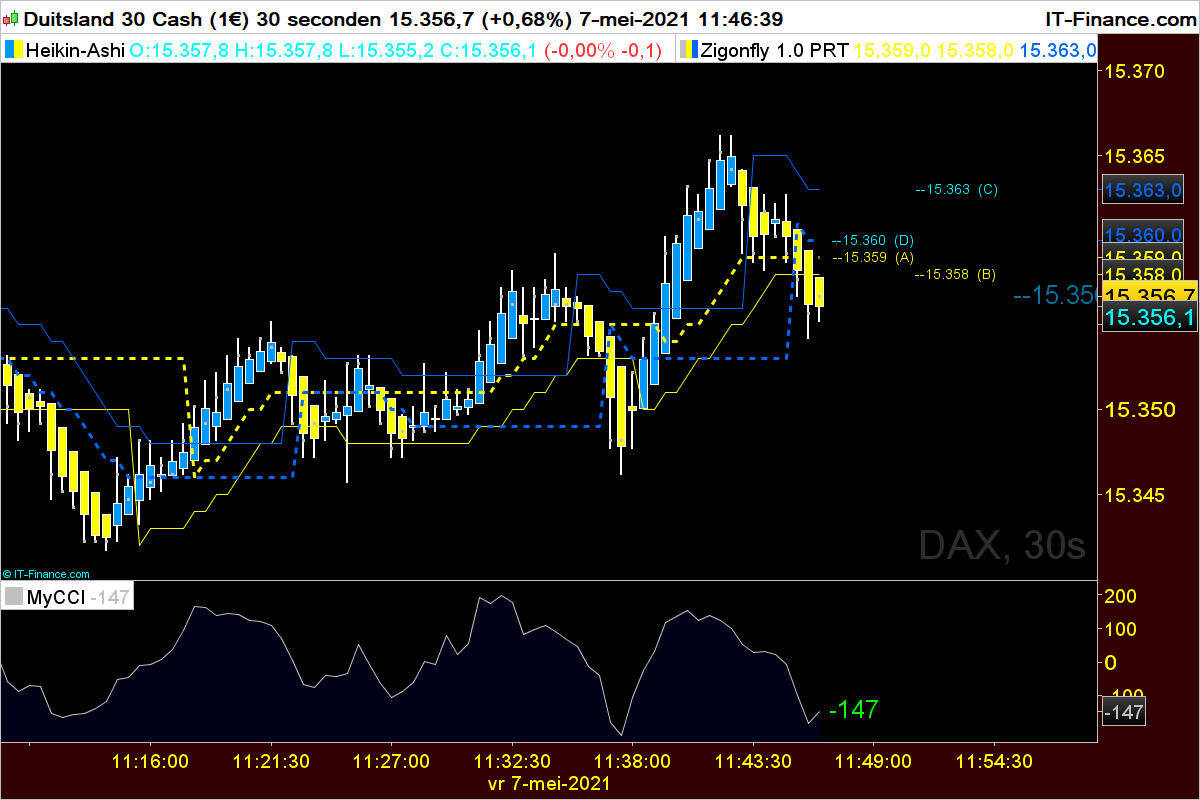
You can access CLOSED candles. When you see a new price on the chart it’s because it’s CLOSE, which may change until the candle is closed, but you cannot access the previous value retained on the same forming candle.
Each candle is a single unit, be it 1 Day, 1 hour or 1 second. You cannot access its multiple values whenever you see it changing on the chart.
The solution is to use MTF (Multi Time Frame) support that allows to use several TF’s.
You could use, say 1h TF as your setup TF, then use a lower TF to access the 1h candle while it’s being built:
Timeframe(1h,UpdateOnClose)
CloseA = close
Timeframe(default)
CloseB = close
Return CloseA AS "Closed",CloseB AS "Forming Now",CloseB[1] AS "Forming Now previous"
Hi Zigo,
What if the next value on your chart is -137 (i.e. CCI increased 1 up but is still <0). How do I colour the number in green to indicate that it increased up?
Tnx Zigo,
But what if the next value on your chart is -137 (i.e. CCI increased 1 up but is still <0). How do I colour the number in green to indicate that it increased up?
ZigoParticipant
Master
Change line 4 and line 8
4 if mycci < mycci[1] then
8 elsif mycci> mycci[1] then
ZigoParticipant
Master
“Aanpassing”
//Zigo 6/05/2021
Defparam DRAWONLASTBARONLY =true
Timeframe(1h,UpdateOnClose)
CloseA = mycci
Timeframe(default)
CloseB = mycci
mycci=round(CCI[14](typicalPrice))
if mycci <mycci[1] then
r=255
g=0
bl=0
elsif mycci > mycci[1] then
r=0
g=255
bl=0
endif
DRAWTEXT(” #mycci#”, barindex, mycci, dialog,standard, 25)coloured(r,g,bl,255)
Return mycci
@Zigo
Always use the ‘Insert PRT Code’ button when putting code in your posts to make it easier for others to read.
Thank you 🙂