Hello Gents,
I am relatively new here. I have a fairly simple and general question.
If my Indicator returns a value (for example 100), is it possible to show that value directly on the chart (above or below the last bar)?
If possible, what is the syntax that I can use to achieve this?
Thank you in advance.
Regards
Data RETURNed are plotted every bar and this cannot be changed.
You can plot data using a DRAW…. (see graphic instructions at https://www.prorealcode.com/documentation/category/graphical/), with which you can use DEFPARAM DRAWONLASTBARONLY=TRUE to plot only on the last candle only.
Thanks Robert.
So how would I show the value of my indicator directly above or below the current bar?
For example a simple VWAP indicator returning 5000. How would I put that 5000 number directly above the current bar?
Add this line as first line:
DEFPARAM DRAWONLASTBARONLY =true
then add this one before RETURN (I assume your data is retained by variable VWAP, but it can be anything else):
DrawText(“Vwap #Vwap#”,barindex,high+range*2)
remove any data after RETURN.
Thank you Rob. It worked. The # did the trick 🙂
How do I increase the font of the text?
You can add Font, Style and Size, as best described at https://www.prorealcode.com/documentation/drawtext/.
Excellent thank you.
I have the chart on 15 mins intraday and the vwap value resets every 15mins when a new bar forms (which is what i want it to do).
Now how would I leave a copy of the value on the previous bar as soon as the new bar forms? is there a trick to do this?
for example, how would I define the last second of a bar? for example 14 mins and 59 seconds (on a 15 min bar)?
To plot the last two values, since it always plots on the last bar, deleting what’s been plotted before, you have to save the previous bar’s value of the indicator.
The first line after DEFPARAM must be:
Vwap1 = Vwap //save the previos value before VWAP is recalculated
then use two separate DRAWTEXT lines:
DrawText(“Vwap1 #Vwap1#”,barindex-1,high+range*3)
DrawText(“Vwap #Vwap#” ,barindex, high+range*2)
As to your last question, this is an indicator to be added under your 1-second price chart:
Timeframe(15 minute,default)
Minute15 = OpenMinute + 14
Timeframe(1 second,default)
x = 0
IF (OpenMinute = Minute15) AND (CurrentSecond = 59) THEN
x = 1
ENDIF
return x AS "Next one is the Last Second"
Thank you Robert. Much appreciated.
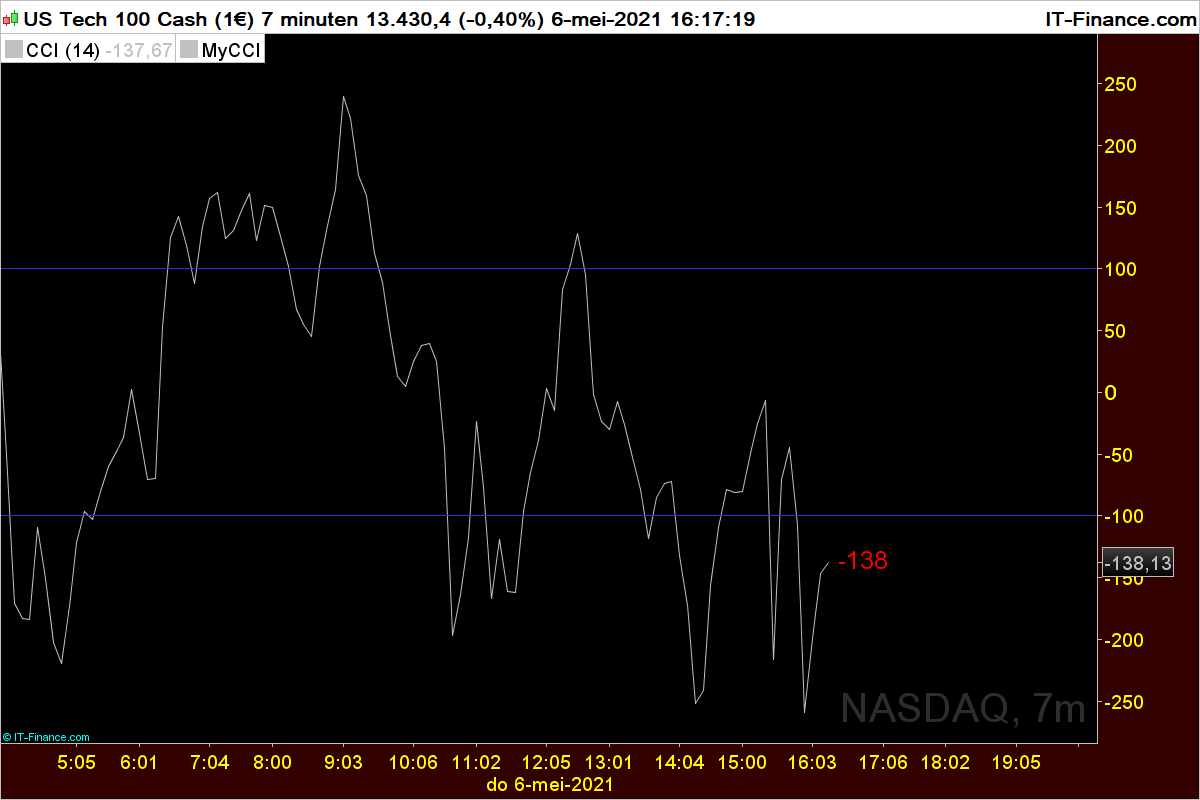
Assume my indicator is calculating difference between two numbers (say a-b=c). Now is c is being continually calculated and is dynamically changing on the chart.
Now let’s say c happens to be < 0 (say for argument sake = -100). Now as long as c is decreasing is value (eg -105, -107, -109 etc…) I keep on colouring c in red. But when c increases in value say switches from -105 to -103 (notice c is till <0 but increased in value), how do I then show it in green?
There you go (not tested):
Once b = 0 //Blue
Once t = 255 //Transparency
MyCCI = Cci[14](TypicalPrice)
If MyCCI < MyCCI[1] then
r = 255 //Red
g = 0 //Green
ElsIf MyCCI >= MyCCI[1] then
r = 0 //Red
g = 255 //Green
Endif
Return MyCCI coloured(r,g,b,t) as “Cci”
Tnx but your code is looking at a value 1 bar ago i.e. mycci[1]. The two values I need to compare are both occurring in the current bar (1 variable dynamically changing in the current bar so it need to compare it to itself ( i.e. its currentvalue – its previous value) …so I need something else other than [1] syntax
ZigoParticipant
Master
//Zigo 6/05/2021
Defparam DRAWONLASTBARONLY =true
mycci=round(CCI[14](typicalPrice))
if mycci <0 then
r=255
g=0
bl=0
elsif mycci > 0 then
r=0
g=255
bl=0
endif
DRAWTEXT(" #mycci#", barindex, mycci, dialog,standard, 18)coloured(r,g,bl,255)
return