






HyperTrend translate from Tradingview

Viewing 15 posts - 1 through 15 (of 31 total)
  • Author
    Posts
  • #218824 quote
    LucasBest
    Participant
    Average

    Hello,

    i tried to translate the code of this Tradingview script but i don’t understand why it does not work… Maybe it’s because i don’t know tradingview language ? 🙂

    https://www.tradingview.com/script/Bcufg8oX-HyperTrend-LuxAlgo/

    // This work is licensed under a Attribution-NonCommercial-ShareAlike 4.0 International (CC BY-NC-SA 4.0) https://creativecommons.org/licenses/by-nc-sa/4.0/
    // © LuxAlgo
    //@version=5
    indicator(“HyperTrend [LuxAlgo]”, “LuxAlgo – HyperTrend”, overlay = true)
    //——————————————————————————
    //Settings
    //—————————————————————————–{
    mult = input.float(5, ‘Multiplicative Factor’, minval = 0)
    slope = input.float(14, ‘Slope’, minval = 0)
    width = input.float(80, ‘Width %’, minval = 0, maxval = 100) / 100
    //Style
    bullCss = input.color(color.teal, ‘Average Color’, inline = ‘avg’, group = ‘Style’)
    bearCss = input.color(color.red, ”              , inline = ‘avg’, group = ‘Style’)
    area = input.string(‘Gradient’, ‘Area’, options = [‘Gradient’, ‘Solid’], group = ‘Style’)
    upperCss = input.color(color.new(color.red, 70), ‘Upper Area’, group = ‘Style’)
    lowerCss = input.color(color.new(color.teal, 70)   , ‘Lower Area’, group = ‘Style’)
    //—————————————————————————–}
    //Calculation
    //—————————————————————————–{
    var float upper = na
    var float lower = na
    var float avg   = close
    var hold = 0.
    var os = 1.
    atr = nz(ta.atr(200)) * mult
    avg:=math.abs(close-avg)>atr?
      math.avg(close, avg)
      : avg + os * (hold / mult / slope)
    os := math.sign(avg – avg[1])
    hold := os != os[1] ? atr : hold
    upper := avg + width * hold
    lower := avg – width * hold
    //—————————————————————————–}
    //Plots
    //—————————————————————————–{
    css = os == 1 ? bullCss : bearCss
    plot_upper = plot(upper, ‘Upper’, na)
    plot_avg = plot(avg, ‘Average’, os != os[1] ? na : css)
    plot_lower = plot(lower, ‘Lower’, na)
    var color upper_topcol = na
    var color upper_btmcol = na
    var color lower_topcol = na
    var color lower_btmcol = na
    //Fill
    if area == ‘Gradient’
        upper_topcol := upperCss
        upper_btmcol := color.new(chart.bg_color, 100)
        lower_topcol := color.new(chart.bg_color, 100)
        lower_btmcol := lowerCss
    else
        upper_topcol := upperCss
        upper_btmcol := upperCss
        lower_topcol := lowerCss
        lower_btmcol := lowerCss
    //Upper Area
    fill(plot_upper, plot_avg
      , top_color = os != os[1] ? na : upper_topcol
      , bottom_color = os != os[1] ? na : upper_btmcol
      , top_value = upper
      , bottom_value = avg)
    //Lower Area
    fill(plot_avg, plot_lower
      , top_color = os != os[1] ? na : lower_topcol
      , bottom_color = os != os[1] ? na : lower_btmcol
      , top_value = avg
      , bottom_value = lower)
    //—————————————————————————–}
    ////////////////////////////////////////////////////////////////
    ////////////////////////////////////////////////////////////////
    So here’s my prorealcode version

    once avg = close
    once hold = 0
    once os = 1
    once rR = 220
    once gR = 20
    once bR = 60
    once rV = 60
    once gV = 179
    once bV = 113

    atr = AverageTrueRange[200] * mult

    If abs(close – avg) > atr then
    avg = (close+avg)/2
    else
    avg = avg + os * (hold / mult / slope)
    endif

    os = sgn(avg – avg[1])

    If os <> os[1] then
    hold = atr
    else
    hold = hold[1]
    endif

    upper = avg + width*hold
    lower = avg – width*hold

    If os = 1 then
    r = rV
    g = gV
    b = bV
    else
    r = rR
    g = gR
    b = bR
    endif

    DRAWSEGMENT(barindex-1,avg[1],barindex,avg) COLOURED(r,g,b,255)
    DRAWSEGMENT(barindex-1,upper[1],barindex,upper) COLOURED(rR,gR,bR,100)
    DRAWSEGMENT(barindex-1,lower[1],barindex,lower) COLOURED(rV,gV,bV,100)

    Return

    Any help on how to find my mistake(s) would be appreciate

    Thanks

    #218825 quote
    Nicolas
    Keymaster
    Master

    In any case, when querying about a code translation, please add at list a description and pictures of the code to be converted. Thank you!!

    #218828 quote
    LucasBest
    Participant
    Average

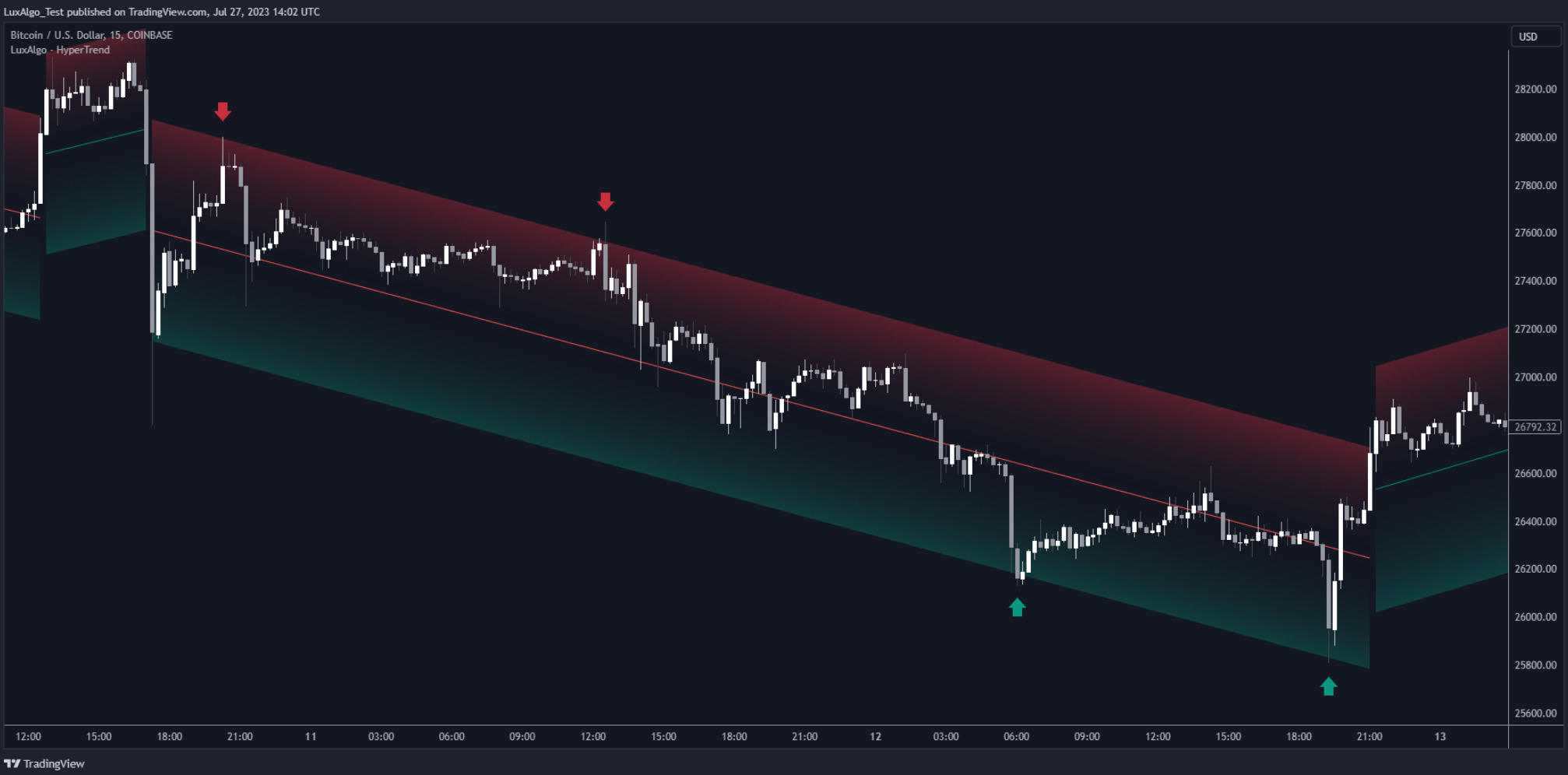
    Here’s the description and a picture of the beast 🙂

    The HyperTrend indicator aims to provide a real-time estimate of an underlying linear trend in the price. Support and resistance extremities are constructed from this estimate which can provide trade opportunities within the overall trend.

    Most tools that return lines on a chart are either subject to backpainting or repainting. We aimed to provide a reliable real-time method to estimate linear trends in the price, enhancing traders’ decision making processes when it comes to trading trends in price, hence the term ‘HyperTrend’.

    Capture-decran-2023-08-09-135835.jpg Capture-decran-2023-08-09-135835.jpg
    #218915 quote
    JS
    Participant
    Veteran

    Hi,


    I tried to convert the indicator to PRT but I get stuck on this section:


    avg := math.abs(close – avg) > atr ?

    math.avg(close, avg)

    : avg + os * (hold / mult / slope)


    Maybe someone else can convert this section…?

    #218920 quote
    LucasBest
    Participant
    Average

    From what i understood with this :

    https://fr.tradingview.com/pine-script-reference/v5/#fun_ta.valuewhen

    the section should be converted like this :

    If abs(close – avg) > atr then
    avg = (close+avg)/2
    else
    avg = avg + os * (hold / mult / slope)
    endif

    But i am not sure about the 2 “/”, because hold/mult/slope = (hold*slope)/mult

    So avg would be equel to : avg = avg + (os*hold*slope)  / mult

    Unless the 2 “/” mean anything else… ?

    #218921 quote
    JS
    Participant
    Veteran

    That was also my first thoughts, but the result/graph is wrong…

    Math.avg(close, avg) I think is about average of series (arrays)…

    I tried it like this and then something is plotted (currently without colors and fillings) but I can’t reproduce the original band…

    // Indicator settings
    mult=5 //Multiplicative Factor (Min.Value=0)
    slope=14 //Slope (Min.Value=0)
    width=80/100 //Width % (Min.Value=0 Max.Value=100)
    Once upper=Undefined
    Once lower=Undefined
    Once avg=Close
    Once hold=0
    Once os=1
    
    // Calculation
    If BarIndex>1 then
    atr=AverageTrueRange[200](close)*mult
    AvgClose=Average[BarIndex](Close)
    Avg=Average[BarIndex](AvgClose)
    if abs(AvgClose-avg)>atr then
    avg=(AvgClose+avg)/2
    else
    avg=avg+os*(hold/mult/slope)
    EndIf
    EndIf
    
    If (avg-avg[1])>0 then
    os=1
    elsIf (avg-avg[1])<0 then
    os=-1
    Else
    os=0
    EndIf
    
    If os <> os[1] then
    hold=atr
    else
    hold=hold
    EndIf
    
    upper = avg + width * hold
    lower = avg - width * hold
    
    // Plotting
    Return avg as "avg",upper as "Upper", avg as "Average", lower as "Lower"
    
    Scherm­afbeelding-2023-08-11-om-00.45.14.png Scherm­afbeelding-2023-08-11-om-00.45.14.png
    #218926 quote
    LucasBest
    Participant
    Average
    once avg = close
    once hold = 0
    once os = 1
    once rR = 220
    once gR = 20
    once bR = 60
    once rV = 60
    once gV = 179
    once bV = 113
    
    if barindex > 200 then
    atr = AverageTrueRange[200] * mult
    
    
    If abs(close - avg) > atr then
    avgN = (close+avg)/2
    avg = avgN
    else
    avgN = avg + (os*hold*slope)/mult
    avg = avgN
    endif
    
    os = sgn(avg - avg[1])
    
    If os <> os[1] then
    hold = atr
    else
    hold = hold[1]
    endif
    
    upper = avg + width*hold/100
    lower = avg - width*hold/100
    
    If os = 1 then
    r = rV
    g = gV
    b = bV
    else
    r = rR
    g = gR
    b = bR
    endif
    
    DRAWSEGMENT(barindex-1,avg[1],barindex,avg) COLOURED(r,g,b,255)
    DRAWSEGMENT(barindex-1,upper[1],barindex,upper) COLOURED(rR,gR,bR,100)
    DRAWSEGMENT(barindex-1,lower[1],barindex,lower) COLOURED(rV,gV,bV,100)
    endif
    
    Return
    
    I have something too… Need something more but it is close
    #219114 quote
    LucasBest
    Participant
    Average
    once avg = close
    once hold = 0
    once os = 1
    once rR = 220
    once gR = 20
    once bR = 60
    once rV = 60
    once gV = 179
    once bV = 113
    
    if barindex > 200 then
    atr = AverageTrueRange[200] * mult
    
    
    If abs(close - avg) > atr then
    avg = (close+avg)/2
    //avg = avgN
    else
    avg = avg + os*(hold/mult/slope)
    //avg = avgN
    endif
    
    os = sgn(avg - avg[1])
    
    If os <> os[1] then
    hold = atr
    else
    hold = hold[1]
    endif
    
    upper = avg + width*hold/100
    lower = avg - width*hold/100
    
    If os = 1 then
    r = rV
    g = gV
    b = bV
    else
    r = rR
    g = gR
    b = bR
    endif
    
    DRAWSEGMENT(barindex-1,avg[1],barindex,avg) COLOURED(r,g,b,255)
    DRAWSEGMENT(barindex-1,upper[1],barindex,upper) COLOURED(rR,gR,bR,100)
    DRAWSEGMENT(barindex-1,lower[1],barindex,lower) COLOURED(rV,gV,bV,100)
    endif
    
    Return
    It is working now
    #219115 quote
    LucasBest
    Participant
    Average
    And with colorbetween…
    once avg = close
    once hold = 0
    once os = 1
    once rR = 220
    once gR = 20
    once bR = 60
    once rV = 60
    once gV = 179
    once bV = 113
    
    if barindex > 200 then
    atr = AverageTrueRange[200] * mult
    
    
    If abs(close - avg) > atr then
    avg = (close+avg)/2
    //avg = avgN
    else
    avg = avg + os*(hold/mult/slope)
    //avg = avgN
    endif
    
    os = sgn(avg - avg[1])
    
    If os <> os[1] then
    hold = atr
    else
    hold = hold[1]
    endif
    
    upper = avg + width*hold/100
    lower = avg - width*hold/100
    
    If os = 1 then
    r = rV
    g = gV
    b = bV
    else
    r = rR
    g = gR
    b = bR
    endif
    
    DRAWSEGMENT(barindex-1,avg[1],barindex,avg) COLOURED(r,g,b,255)style(line,3)
    DRAWSEGMENT(barindex-1,upper[1],barindex,upper) COLOURED(rR,gR,bR,100)style(line,1)
    DRAWSEGMENT(barindex-1,lower[1],barindex,lower) COLOURED(rV,gV,bV,100)style(line,1)
    ColorBetween(avg,upper,rR,gR,bR,30)
    ColorBetween(avg,lower,rV,gV,bV,30)
    
    endif
    
    Return
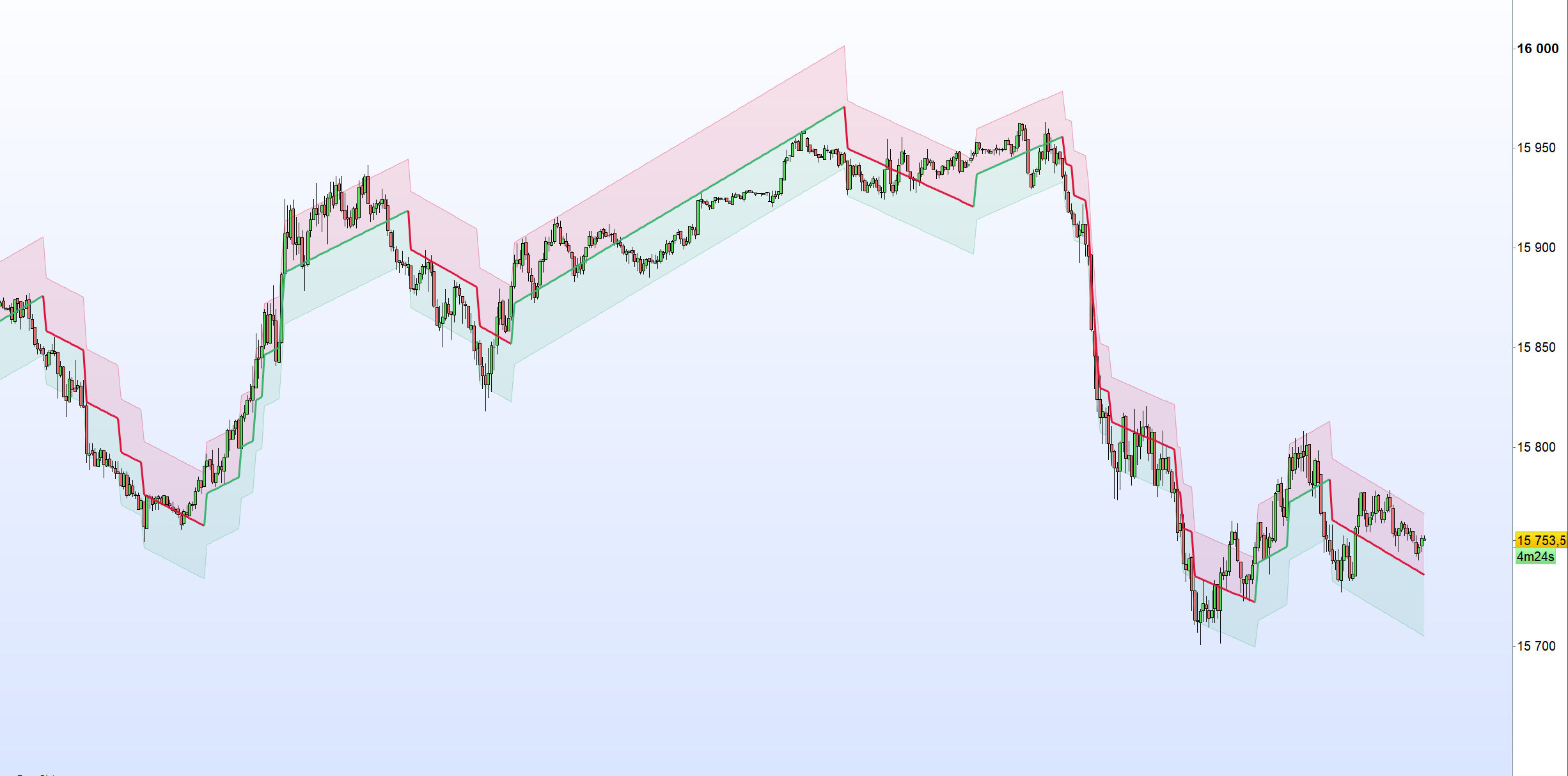
    Picture is DAX today, 5 min timeframe, with 3 as mult, 14 for slope and 85 for width
    jacquesgermain thanked this post
    Capture-decran-2023-08-15-190048.png Capture-decran-2023-08-15-190048.png
    #219117 quote
    LucasBest
    Participant
    Average
    I don’t know how to post it in the Library though… Or maybe i don’t have the rights to do it ?
    HyperTrend.itf
    #219121 quote
    JS
    Participant
    Veteran

    Good work @LucasBest

    Yes, you can place it in the library and before the final placement it will first be reviewed…

    Required for placement:

    Description of the indicator

    Code

    Screenshot

    Itf.file

    #219122 quote
    JC_Bywan
    Moderator
    Master
    Hello, this is how to submit to library: https://www.prorealcode.com/share-prorealtime-code/
    #219123 quote
    LucasBest
    Participant
    Average
    Good work @LucasBest Yes, you can place it in the library and before the final placement it will first be reviewed… Required for placement: Description of the indicator Code Screenshot Itf.file
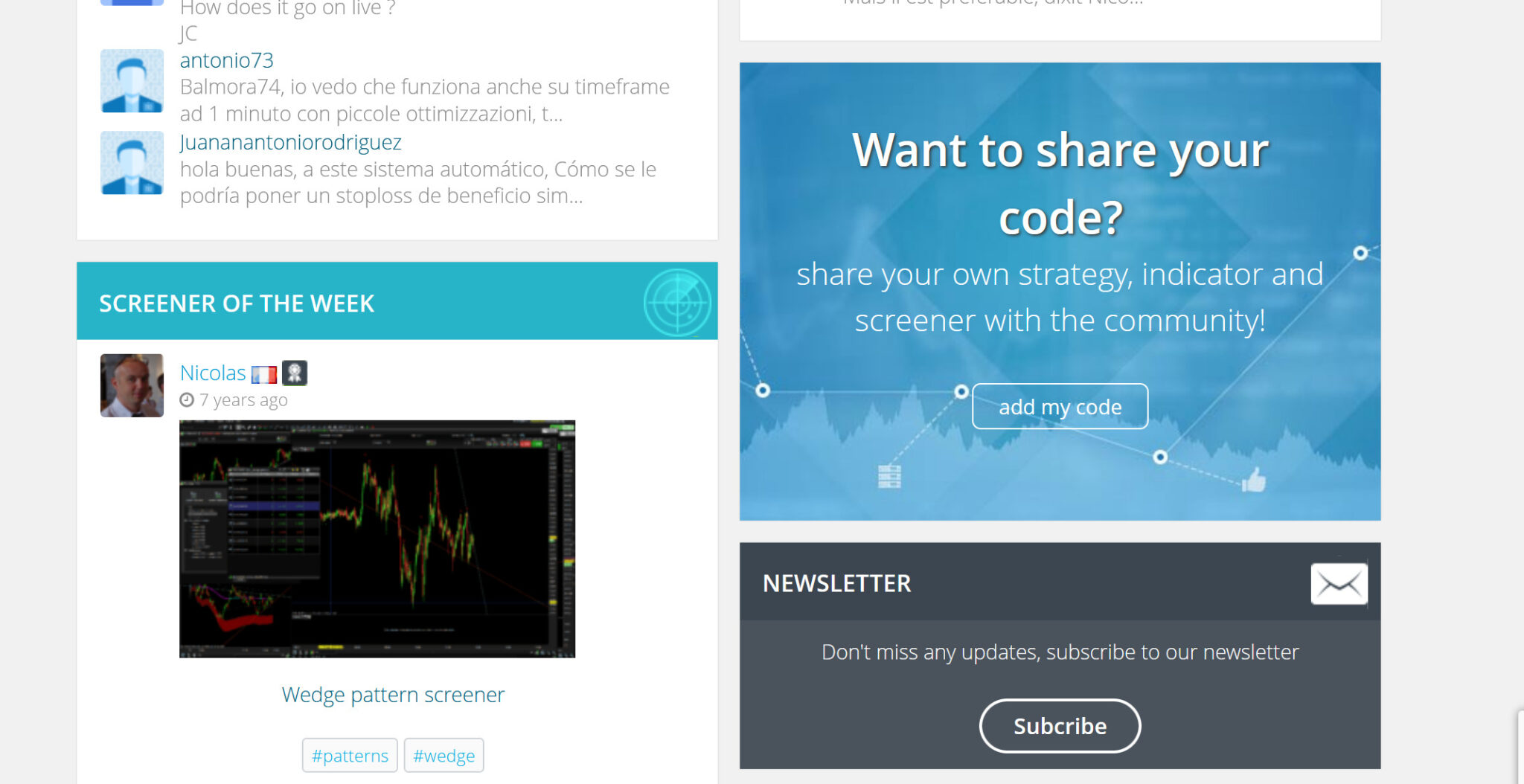
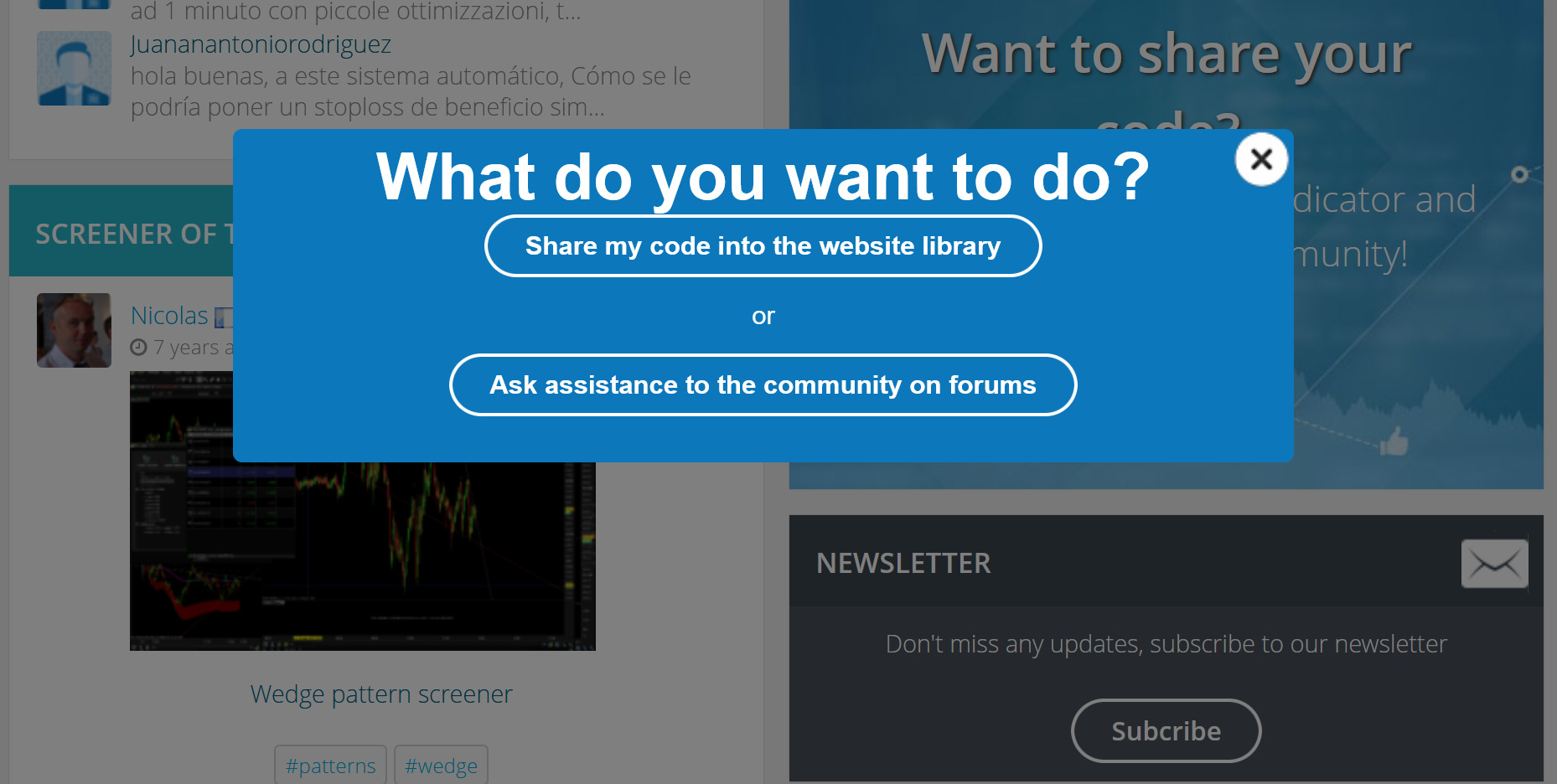
    Thank you but it seems that i can’t post on the library… When i click on “add my code”, i have the popup with the “Share my code into the website library”, but then when i click on it, it make me return to the home page… Maybe i have to delete cookies or something else ?! There is a bug.
    Capture-decran-2023-08-15-195101.jpg Capture-decran-2023-08-15-195101.jpg Capture-decran-2023-08-15-195127.jpg Capture-decran-2023-08-15-195127.jpg Capture-decran-2023-08-15-195158.jpg Capture-decran-2023-08-15-195158.jpg
    #219127 quote
    LucasBest
    Participant
    Average
    Hello, this is how to submit to library: https://www.prorealcode.com/share-prorealtime-code/
    I have same issue as previously reported… Anyway, Can anyone post it for me ? Thanks You have the description here below : The HyperTrend indicator aims to provide a real-time estimate of an underlying linear trend in the price. Support and resistance extremities are constructed from this estimate which can provide trade opportunities within the overall trend. Most tools that return lines on a chart are either subject to backpainting or repainting. We aimed to provide a reliable real-time method to estimate linear trends in the price, enhancing traders’ decision making processes when it comes to trading trends in price, hence the term ‘HyperTrend’. Users can use the HyperTrend to easily determine the trend direction in the price, with an average sloping upward indicating an uptrend, and an average sloping downward indicating a downtrend. The channels upper extremity can act as a resistance, while the lower extremity can act as a support. Contact with candle wicks can signal timely reversals/retracements Using a higher “Multiplicative Factor” value will return less frequent new channels, and is suitable to analyze longer-term trends. The slope settings on the other end allow us to control the slope of the returned channels, with higher values returning flatter results (similar to our previously posted predictive ranges).
    #219139 quote
    Nicolas
    Keymaster
    Master
    Thank you very much for helping me with the code conversions, it helps the community a lot! Bravo for your work 🙂 For your information, here is the (non-exhaustive) list of conversions in progress: https://docs.google.com/spreadsheets/d/1x-GJwezHPpQwqy1qBj6ygf2nx160f1aLgtQWflMO1_U/edit?usp=sharing I will correct the Library code sharing problem.
Viewing 15 posts - 1 through 15 (of 31 total)
  • You must be logged in to reply to this topic.

HyperTrend translate from Tradingview


ProBuilder: Indicators & Custom Tools

New Reply
Author
author-avatar
LucasBest @lucasbest Participant
Summary

This topic contains 30 replies,
has 8 voices, and was last updated by PeterSt

2 years, 6 months ago.

Topic Details
Forum: ProBuilder: Indicators & Custom Tools
Language: English
Started: 08/09/2023
Status: Active
Attachments: 15 files
Logo Logo
Loading...
