How to define the bar Index correctly?

Viewing 9 posts - 1 through 9 (of 9 total)
  • Author
    Posts
  • #31296 quote
    Bard
    Participant
    Master

    Hi,
    I have code:

    IF LONGONMARKET AND (BarIndex - TRADEINDEX) = 3 THEN
    SELL 10 share AT MARKET

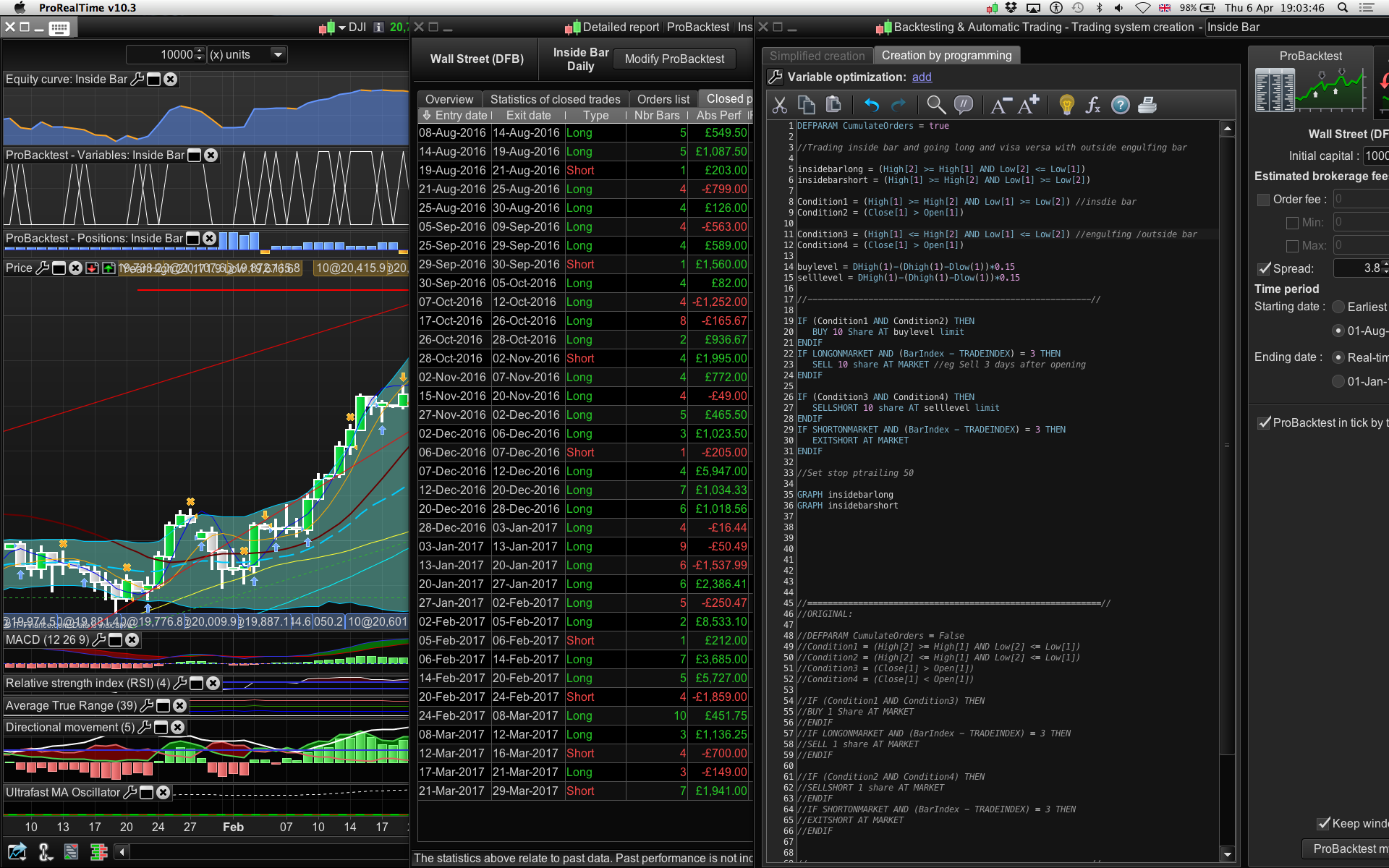
    Because I haven’t defined the bar index I’m seeing trades exited as long as 10 days later so I’m wondering how do I incorporate the barindex part into this code?
    (pls see screenshot)

    if I remove

    AND (BarIndex - TRADEINDEX) = 3

    it is half as profitable so I’m not sure what that line is doing to add to the profitability?
    I’m hoping this isn’t going to be a D’oh moment…

    Thanks in advance.

    tradeindex.png tradeindex.png
    #31306 quote
    GraHal
    Participant
    Master

    Bar Index is the number of bars the System has been running and Trade Index is the Bar Index of the last trade.

    So last Trade at bar #100 and it is now bar #103 so your Long will exit (3 bars after entry).

    Note: I haven’t looked at screen shot or code in screen shot so if above is not what you need to know then just say?

    If Longonmarket (10 shares?) and you want to exit then it is normal to say ‘Sell at Market’ (not sell 10 shares at market).

    Nicolas and Bard thanked this post
    #32071 quote
    Bard
    Participant
    Master

    Cheers for the explanation Grahal,
    If you have a moment to look at the screenshot you’ll see there are trades that have been held for 10 days instead of 3 days — (eg at the bottom of the detailed report table on the 24th Feb 2017). So I can’t figure how to make it exit after 3 days, hence I was wondering if I need some other bit of code to tell the system to start counting?

    #32072 quote
    GraHal
    Participant
    Master

    Hi Bard

    If you put the code up as code (not an image) then I could run it and check it out better.

    But in the meantime Line  23 needs to read

    Sell at Market (not sell 10 shares at market)

    Whenever I’ve mistakenly put Sell * shares as an Exit I get an error message that it is not allowed? But I could check this out if I could run the code.

    Also Line 22 should read (bar index – tradeindex = 3) … all within brackets (you have = 3 outside the brackets).

    Apart from the above errors then as far as I can see the Trade should exit after 3 bars, but running your code on my Platform is the easiest way for me to get involved?

    GraHal

    Bard thanked this post
    Bard.jpg Bard.jpg
    #32095 quote
    Nicolas
    Keymaster
    Master

    Whenever I’ve mistakenly put Sell * shares as an Exit I get an error message that it is not allowed?

    Yes, because by doing this, you ask ProOrder to close partial position, but it’s not possible as you know it.

    #32128 quote
    Bard
    Participant
    Master

    Thanks Grahal and Nicolas, right, an incorrect bracket placement issue.

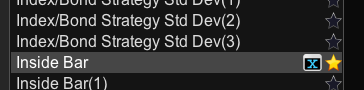
    Do you know what an “X” means next to a trading system in the Indicators and Trading systems window? Pls see screen? A few have appeared next to systems and I have never seen x’s before today?

    Also is there a way of colouring the line of one of the two indicators (so you don’t have to use a cursor / mouse over on the Graph to see which is which?

    GRAPH insidebarlong
    GRAPH insidebarshort

    Cheers
    Bard

    Screen-Shot-2017-04-15-at-22.26.17.png Screen-Shot-2017-04-15-at-22.26.17.png
    #32133 quote
    Elsborgtrading
    Participant
    Veteran

    I think the X means that is the current one open in the window

    Cheers Kasper

    #32134 quote
    Elsborgtrading
    Participant
    Veteran

    I am on the phone so I don’t if the coding section will work but you can colour the graph by

    graph xxx coloured (134,231,150) as “xxx”

    Bard thanked this post
    #32187 quote
    Bard
    Participant
    Master

    Thanks for the graphing colour help, Elsborgtrading,
    re: the Stars next to my trading system names, the thing is, I have 3 stars now yet only one open auto system?

    Cheers
    Bard

Viewing 9 posts - 1 through 9 (of 9 total)

  • You must be logged in to reply to this topic.

How to define the bar Index correctly?


ProOrder: Automated Strategies & Backtesting

New Reply
Author
author-avatar
Bard @brad Participant
Summary

This topic contains 8 replies,
has 4 voices, and was last updated by Bard

8 years, 10 months ago.

Topic Details
Forum: ProOrder: Automated Strategies & Backtesting
Language: English
Started: 04/06/2017
Status: Active
Attachments: 3 files
Logo Logo
Loading...