how to activate walk forward opt ?

Forums ProRealTime English forum ProOrder support how to activate walk forward opt ?

Viewing 8 posts - 1 through 8 (of 8 total)

  • #115140

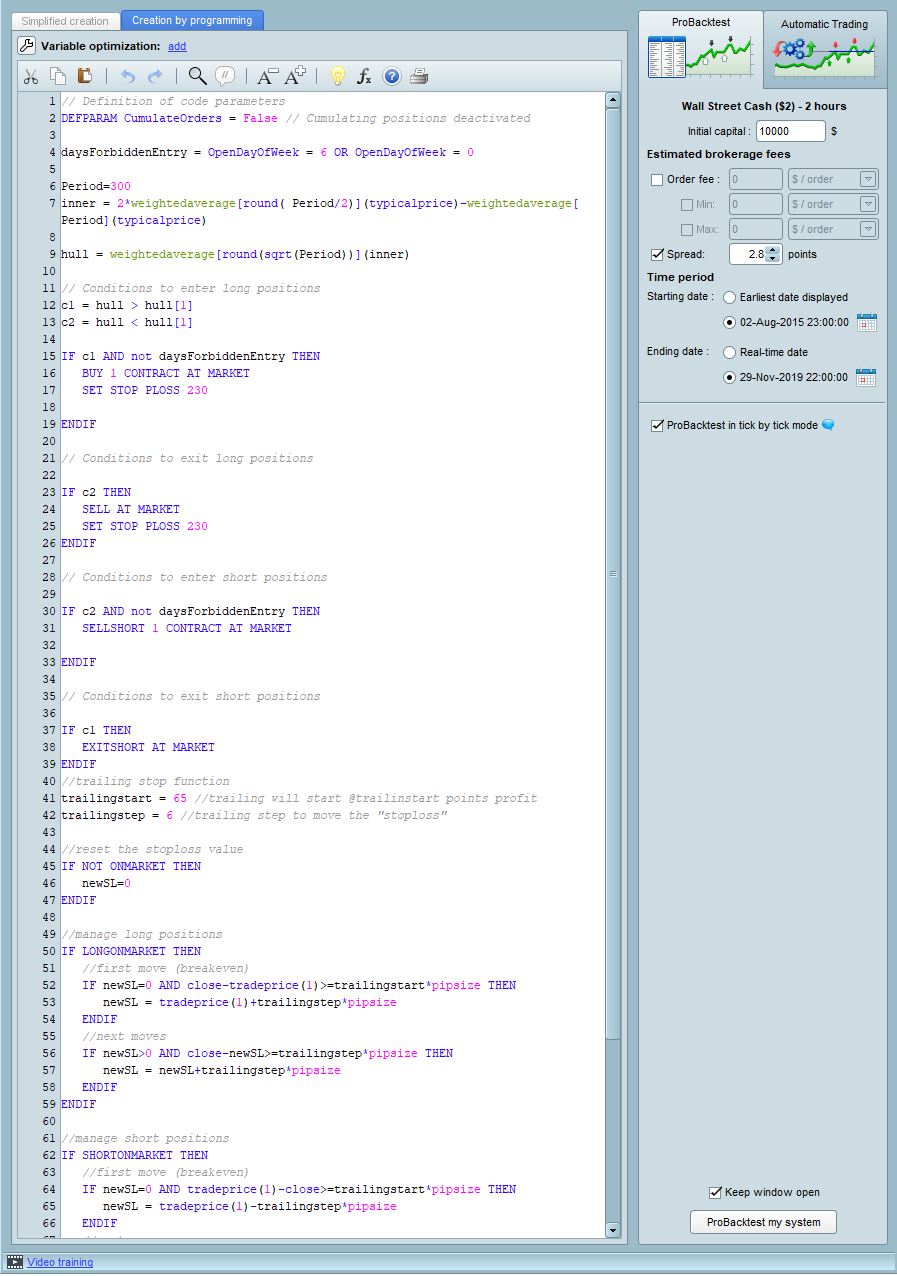
    I’m trying to activate walk forward optimization but it doesn’t give me the Protection, Orders, Number options – that part of the window is blank. Do I have to add this in the code?

    #115143

    Post a screen shot and we will then know we are talking about the same thing.

    #115144

    screenshot

    #115147

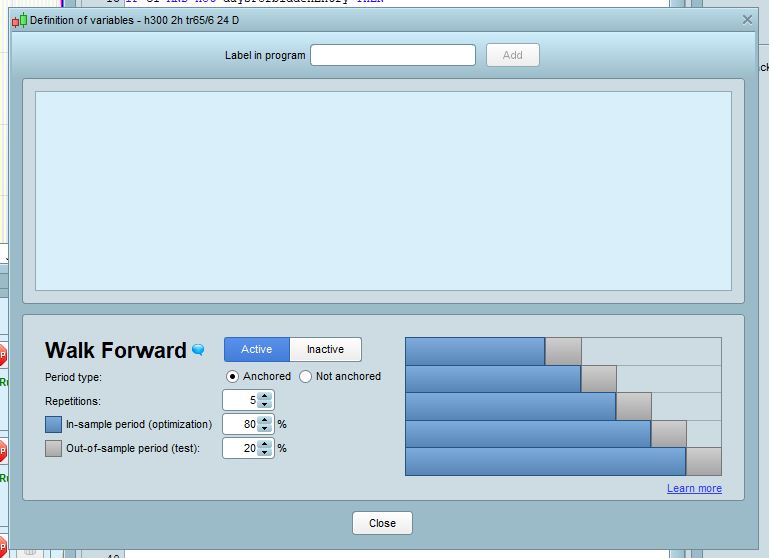
    That part of the window is blank because you haven’t set any variables to optimize. What do you want to optimize? How the system would now what to optimize if you don’t add any variable? 🙂

    You should look at this video first: How to optimize a trading system with ProBacktest – ProRealTime


    1 user thanked author for this post.
    #115148

    Thanks Nicolas, I was starting from this page: https://www.prorealcode.com/blog/learning/strategy-optimisation-walk-analysis/

    but it isn’t so clear about specifying the variables. I’ll check out the video!

    #115151

    Ok, so how do I get Variable Optimization in the right side panel? My modification window looks like this:

    #115156

    The video has been made with a version prior to 10.3, the variable optimization window is now located at the top of the code window (not in the right panel), at the same place where walk forward is!

    #115158

    J’y suis (enfin!) Je suis toujours à la maternelle. Merci encore!

    (yes, I know, it’s an English forum…)

Viewing 8 posts - 1 through 8 (of 8 total)
Create your free account now and post your request to benefit from the help of the community
Register or Login