Horizontal LInes based on VWAP

Viewing 2 posts - 1 through 2 (of 2 total)

  • Author
    Posts
  • #173678 quote
    ashehzi
    Participant
    Average

    Hi all,

    Hope you’re well.

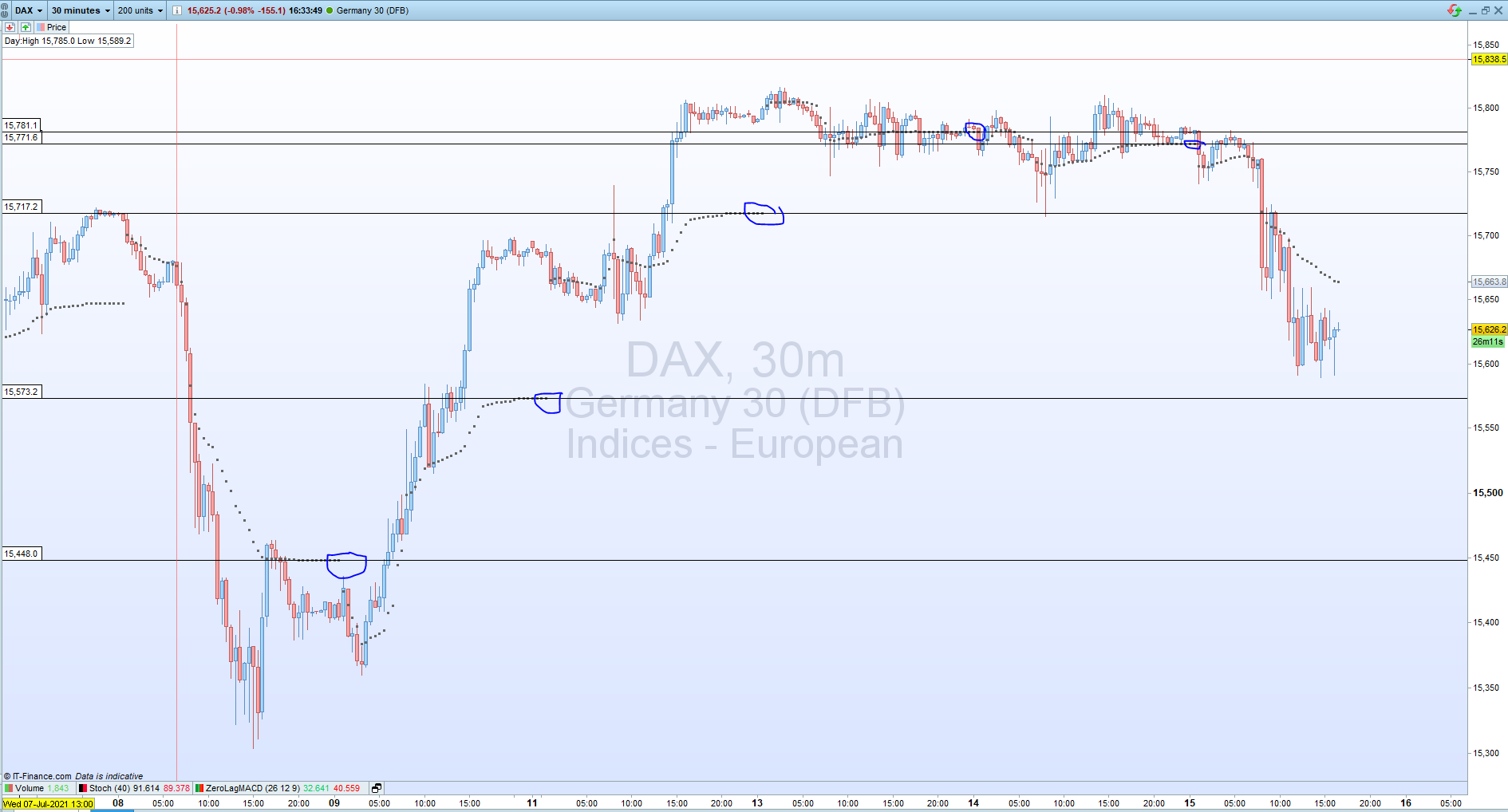
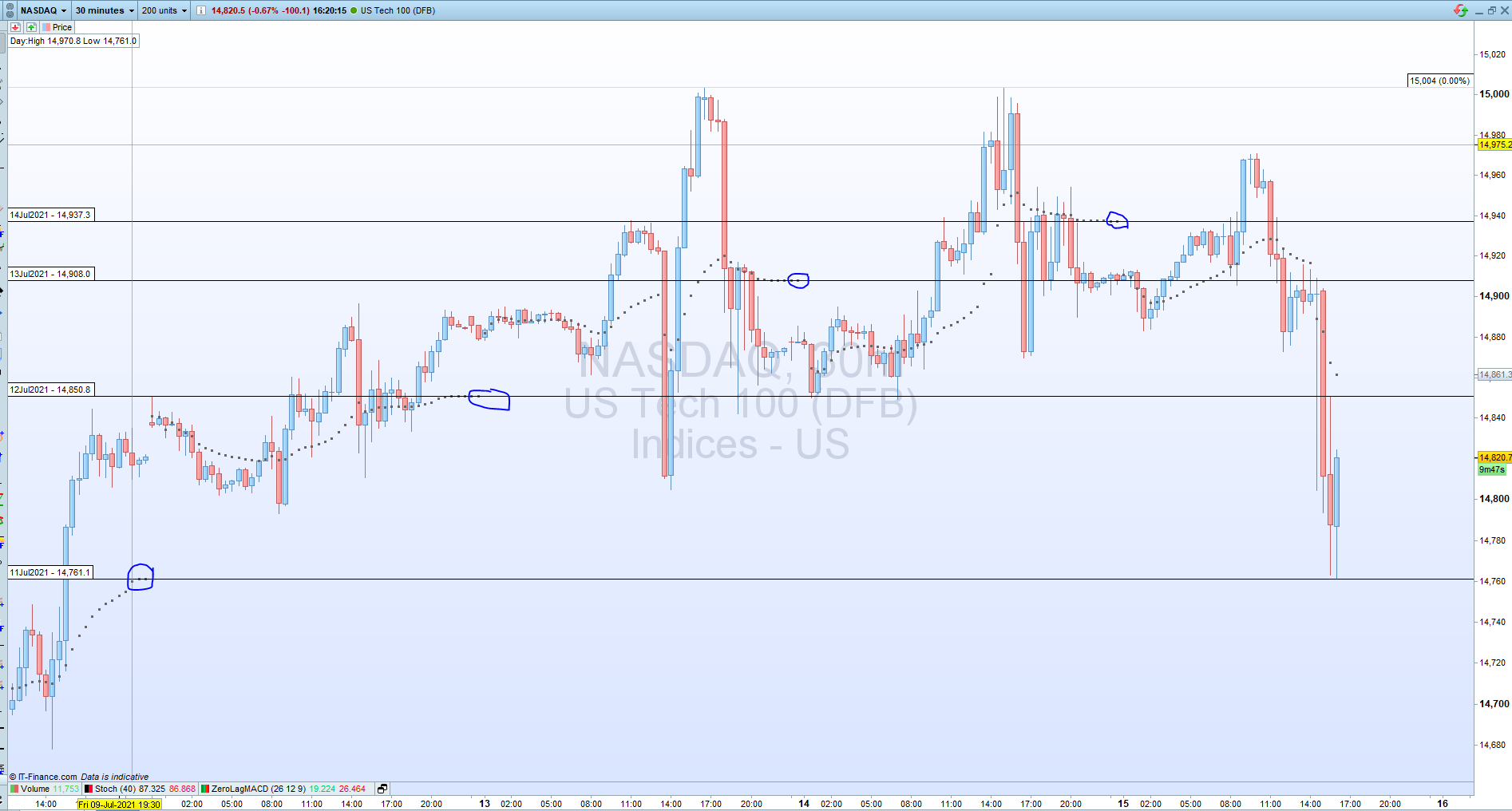
    I’ve been working on this idea for over a year but because I don’t like drawing lines manually, I end up forgetting and losing the concept. I’ve attached two pictures here for your understanding. I think I asked earlier but I didn’t get any acceptable/real response. I am using IG and I am on PRT11 like many others.

    The idea is to draw a horizontal line based on VWAP at 00:00 or 23:00 hours local time(00:00 new daily candle start while 23:00 is US Open – based on GMT+01 my time). I can use VWAP indicator but there is no function where I can call VWAP within my indicator. A pseudo code in my mind is:

    if (time =2300) then

    myvwap = get vwap

    drawLine (myvwap)

    endif

    I hope you got my point. More in pics. Thanks.

    HorizontalLinesForVWAPforLast4Days-NAS.png HorizontalLinesForVWAPforLast4Days-NAS.png HorizontalLinesForVWAPforLast4Days-DAX.png HorizontalLinesForVWAPforLast4Days-DAX.png
    #173782 quote
    druby
    Participant
    New
    // VWAP equation         VWAP =  sum of(volume x price)/ cumulative Volume
    
    // Basic operation - The VWAP for each bar is calculated. Some values are accumulated for on going calculations.
    //                 - If the chosen time period setting (close of 1st bar in required period )is met, lines are drawn .
    //                 - variables holding cumulation values are reset ready for start of new period.
    
    //-----------------------Calculate VWAP------------------------------
    
    price=(high+low+close)/3           // calulation the average price/bar better h,l,c
    
    VP=volume*price                    // VP is the volume multiplied by the price current bar
    
    cumVP=cumVP+VP                     // variable to hold cumulative VP's.   VP for current bar
    
    cumVolume=cumVolume+volume         // variable to hold cumulative volume's. volume is volume per bar.
    
    VWAP=cumVP/cumVolume               // calculate VWAP
    
    
    //---------------------At specified time draw lines-------------------------------
    
    
    if currenthour =0   and currentminute = 30 and currentsecond = 0 then  // hrs 0-23, mins 0-59, secs 0-59
    
    DRAWHLINE(VWAP) coloured(0,150,150,100)               // Draw horizontal lines @VWAP value at chosen time
    DRAWVLINE(barindex) coloured(0,150,150,50)            // Draw vertical lines at beginning of period
                                                          // coloured (R,G,B,opacity)
    
    cumPrice=0                                        // reset variable for new day/period
    cumVolume=0                                       // "
    cumVP=0                                           // "
    endif
     
    return VWAP as "VWAP Lines"

    Hi ashehzi

    Only been using PRT for about a month, saw your post and thought I would take a break for my own PRT problems and have a crack at yours. Create a new indicator and copy code.

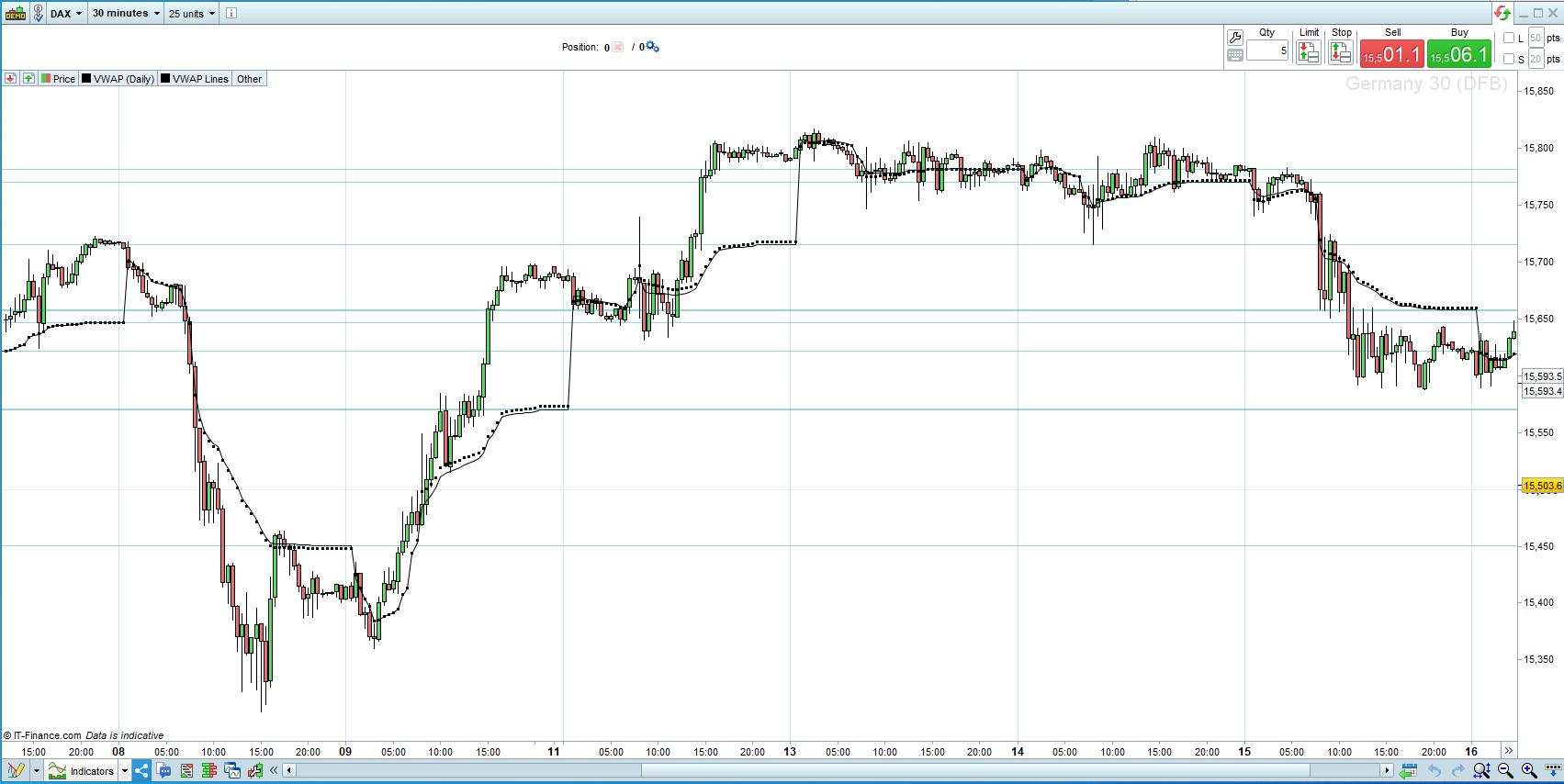
    If I understood your problem, you just wanted some lines drawn from the period end at the vwap value.

    The code I knocked up is just a starting point for something much better alsoI haven’t fully checked its operation fully. I notice’s a couple of issues which I haven’t had time to look into.

    1.  my vwap line doesn’t follow  the stock vwap(daily) points, don’t know why.
    2. Lines probably don’t need to be drawn backward.
    3. The more data in chart the more lines drawn and that, in this version is going to clutter the chart.
    4. Only works properly in 30min timeframe unless time value changed to close of 1st bar of period.
    5. Don’t think reset variable are quite in the right place I think there slightly out of sequence.

    Anyway, hope this is helpful in some way and move you forward.  Will think about it. All the best.

    vwap-lines.png vwap-lines.png
Viewing 2 posts - 1 through 2 (of 2 total)
  • You must be logged in to reply to this topic.

Horizontal LInes based on VWAP


ProBuilder: Indicators & Custom Tools

New Reply
Author
author-avatar
ashehzi @ashehzi Participant
Summary

This topic contains 1 reply,
has 2 voices, and was last updated by druby

4 years, 6 months ago.

Topic Details
Forum: ProBuilder: Indicators & Custom Tools
Language: English
Started: 07/15/2021
Status: Active
Attachments: 3 files
Logo Logo
Loading...