Help with Screener Results

Viewing 4 posts - 1 through 4 (of 4 total)
  • Author
    Posts
  • #139646 quote
    CaptainCaveman
    Participant
    Junior

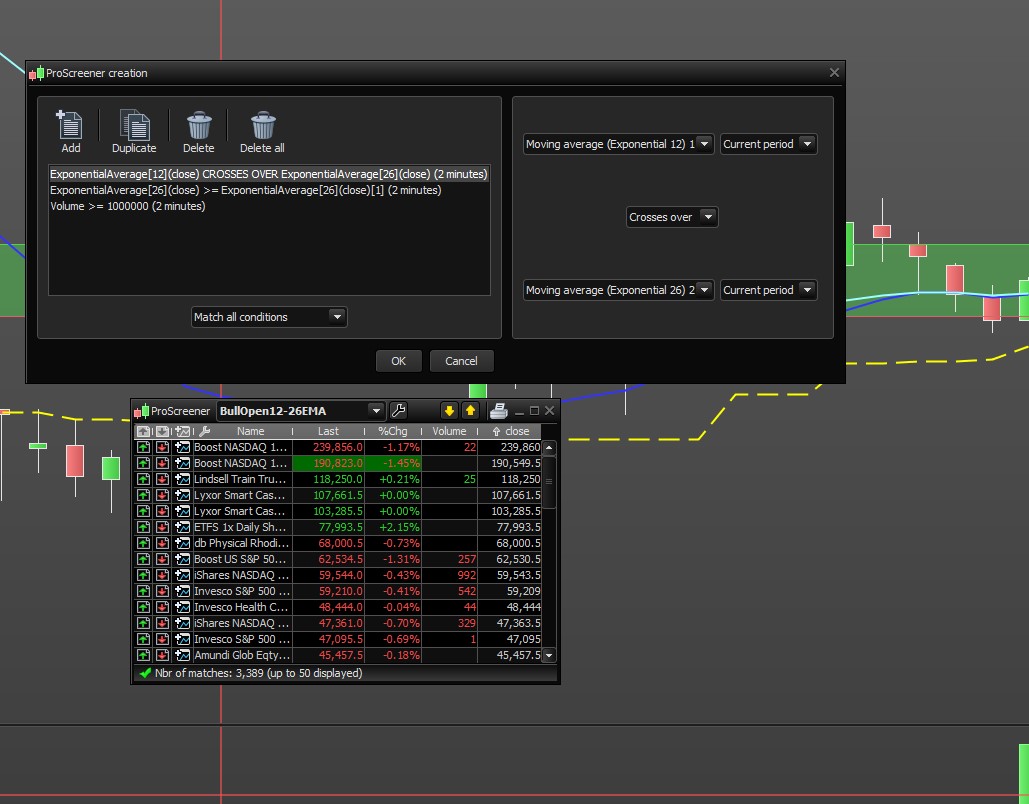
    Hi, I hope someone can help me, I have a screener I run on UK stocks called  BullOpen12-26MA, and I ran this for UK Stocks.
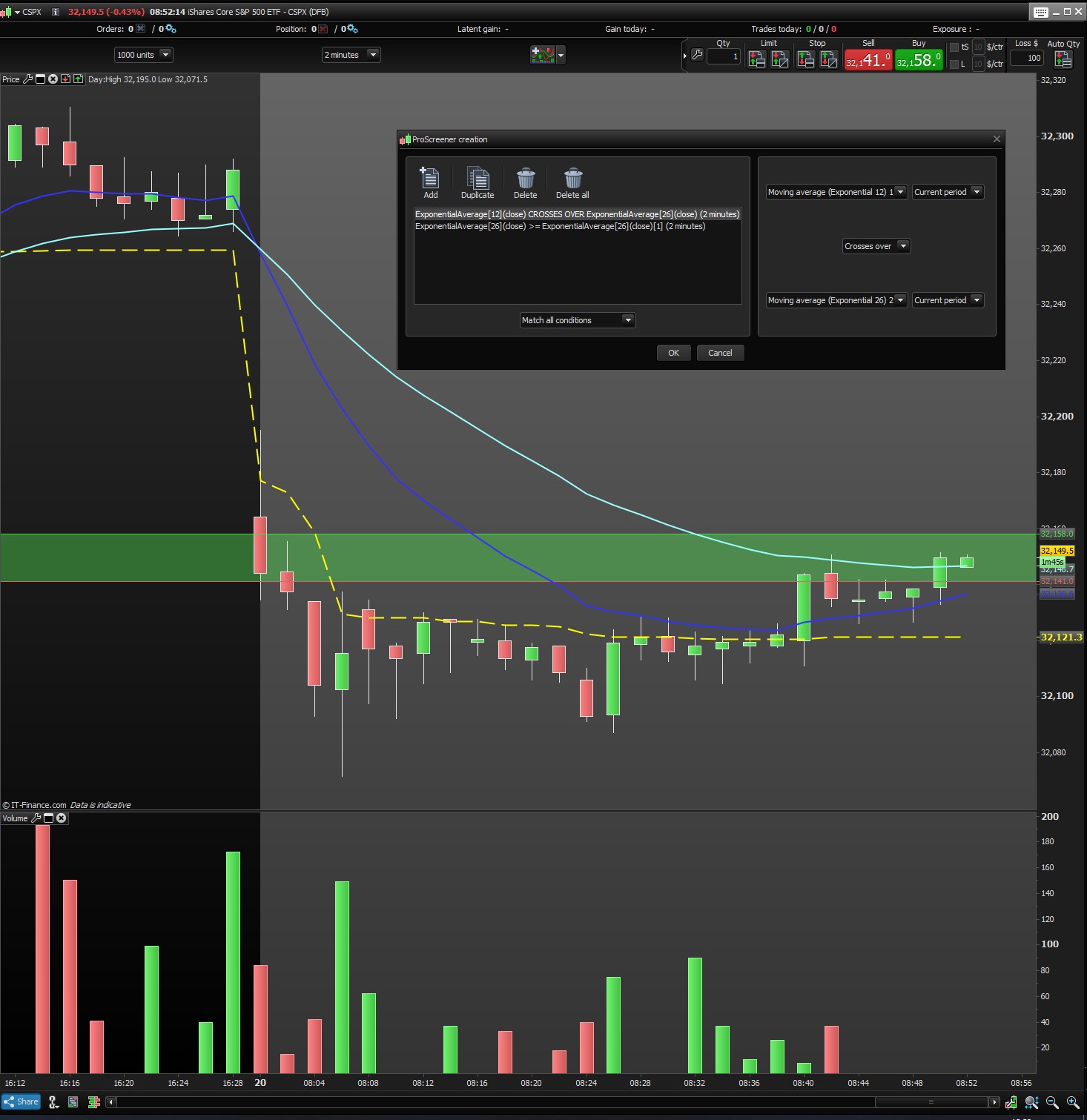
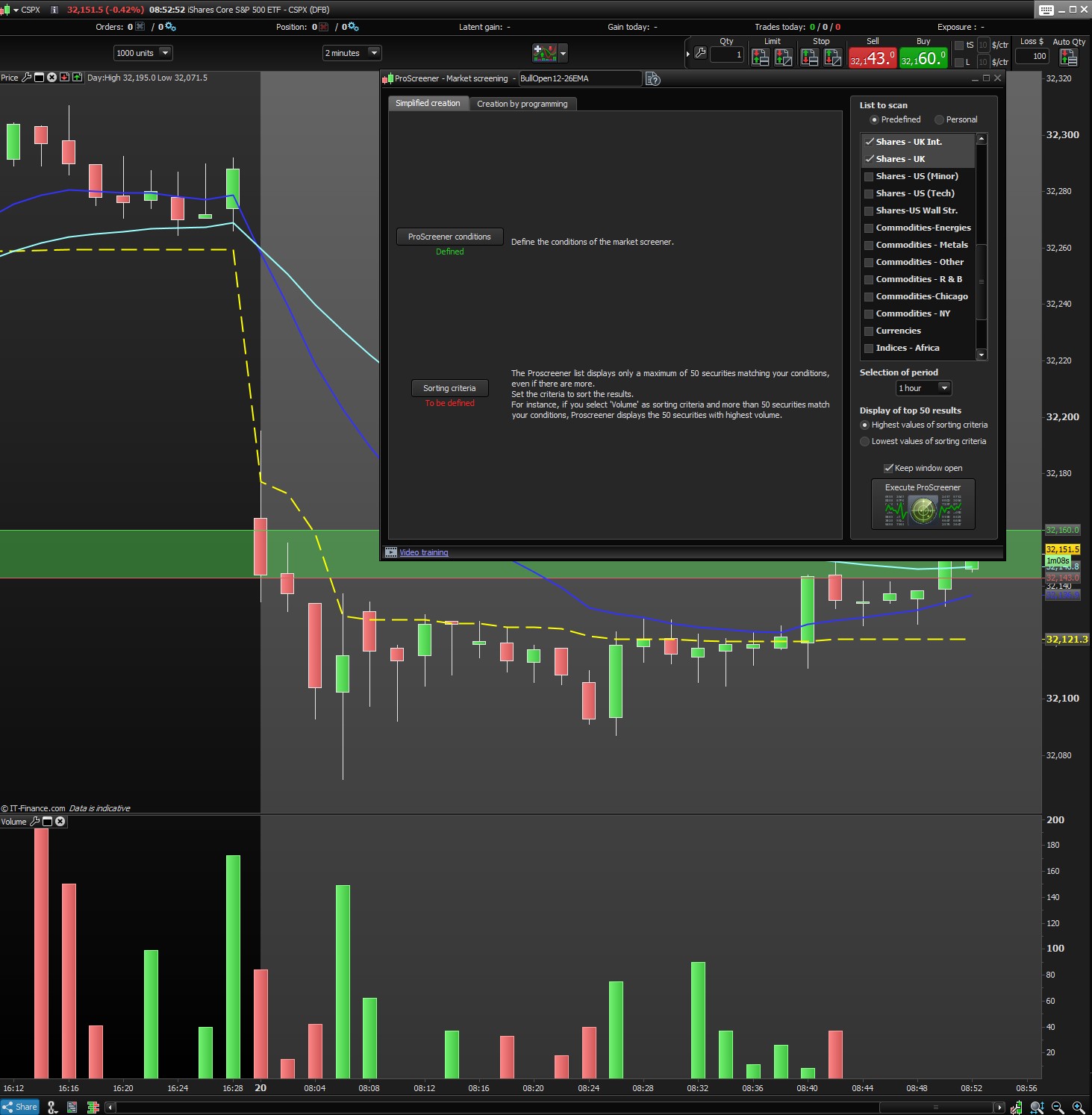
    As you can see on the image [ProScreener2.jpg] the selection of Period is for 1 hour, and the conditions apply to a 2min time frame [ProScreener1.jpg]

    However, the selection still shows stocks where the EMA in downward sloping and the EMA12 CROSSES UNDER EMA26. In fact when I reverse the conditions from , that is change to CROSSES OVER and use <=, I still get the same stock showing in the Proscreener list
    What am I doing wrong here?

    Thanks

    John

    ProScreener1.jpg ProScreener1.jpg ProScreener2.jpg ProScreener2.jpg
    #139649 quote
    CaptainCaveman
    Participant
    Junior

    To follow up. When I add a condition like Volume > 1,000,000 I still get a 3,389 results displayed. I created the conditions by “simplified creation” rather than “creation by programming” tab.

    ProScreener3.jpg ProScreener3.jpg BullOpen12-26EMA.itf
    #139663 quote
    Nicolas
    Keymaster
    Master

    There is no conditions coded in your itf file:

    // sample screener code
    SCREENER(close as "close")

    In assisted creation, you have to choose a sorting criteria in order to finish the process of creation and generate the complete code, otherwise the screener will return the entire stocks list you have selected.

    #139666 quote
    CaptainCaveman
    Participant
    Junior

    ah I see, thank you Nicholas!

Viewing 4 posts - 1 through 4 (of 4 total)
  • You must be logged in to reply to this topic.

Help with Screener Results


ProScreener: Market Scanners & Detection

New Reply
Author
Summary

This topic contains 3 replies,
has 2 voices, and was last updated by CaptainCaveman
5 years, 8 months ago.

Topic Details
Forum: ProScreener: Market Scanners & Detection
Language: English
Started: 07/20/2020
Status: Active
Attachments: 4 files
Logo Logo
Loading...