


help to code a position automation

Viewing 10 posts - 1 through 10 (of 10 total)

  • Author
    Posts
  • #235926 quote
    MG22
    Participant
    New

    Hello, I am looking to automate a daily position taking but I have no coding knowledge.

    The parameters looked like this:

    • Calculate the price variation in % between yesterday’s 09:05 closing and today’s 9:00 opening.

    —> If the variation is greater than 0.5% then take a buy on the market instantly with 1% of the capital (100 pts of SL / 100 pts of TP)

    —> If the variation is less than -0.5% then take a short on the market instantly with 1% of the capital (100 pts of SL / 100 pts of TP)

    I would need the position taking to be done as soon as the 9:00 candle appears, as close as possible to the open to fit with my manual backtests.


    Example:

    Close at 9:05 on 07/25th is at 39856

    Open at 9:00 on 07/26th is at 40082

    = a variation of +0.56%, the bot must long instantly in this case because we are above the 0.5% variation requested to enter a position.


    Thank you in advance for your valuable help.

    #235946 quote
    robertogozzi
    Moderator
    Master

    There you go:

    ONCE myCapital = 10000
    ONCE Open0900  = open
    ONCE Close0905 = Open0900
    ONCE PClimit   = 0.5
    
    IF OpenTime = 090000 THEN
       Open0900 = open
    ENDIF
    
    myVar   = Close0905 - Open0900
    varPC   = 100 - (Open0900 * 100 / Close0905)
    
    Money   = 100 * PipValue
    Equity  = myCapital + StrategyProfit
    temp    = Money * 100 / Equity
    LotSize = 1 / temp
    
    IF (varPC > PClimit) AND Not LongOnMarket THEN
       BUY LotSize CONTRACTS AT MARKET
    ELSIF (varPC < -PClimit) AND Not ShortOnMarket THEN
       SELLSHORT LotSize CONTRACTS AT MARKET
    ENDIF
    SET STOP   pLOSS   100
    SET TARGET pPROFIT 100
    
    IF Time = 090500 THEN
       Close0905 = close
    ENDIF
    
    // --- debugging code
    //graphonprice Open0900  coloured("Blue")
    //graphonprice Close0905 coloured("Fuchsia")
    //graph myVar
    //graph varPC
    //graph LotSize
    //graph temp
    Iván González thanked this post
    #235989 quote
    MG22
    Participant
    New

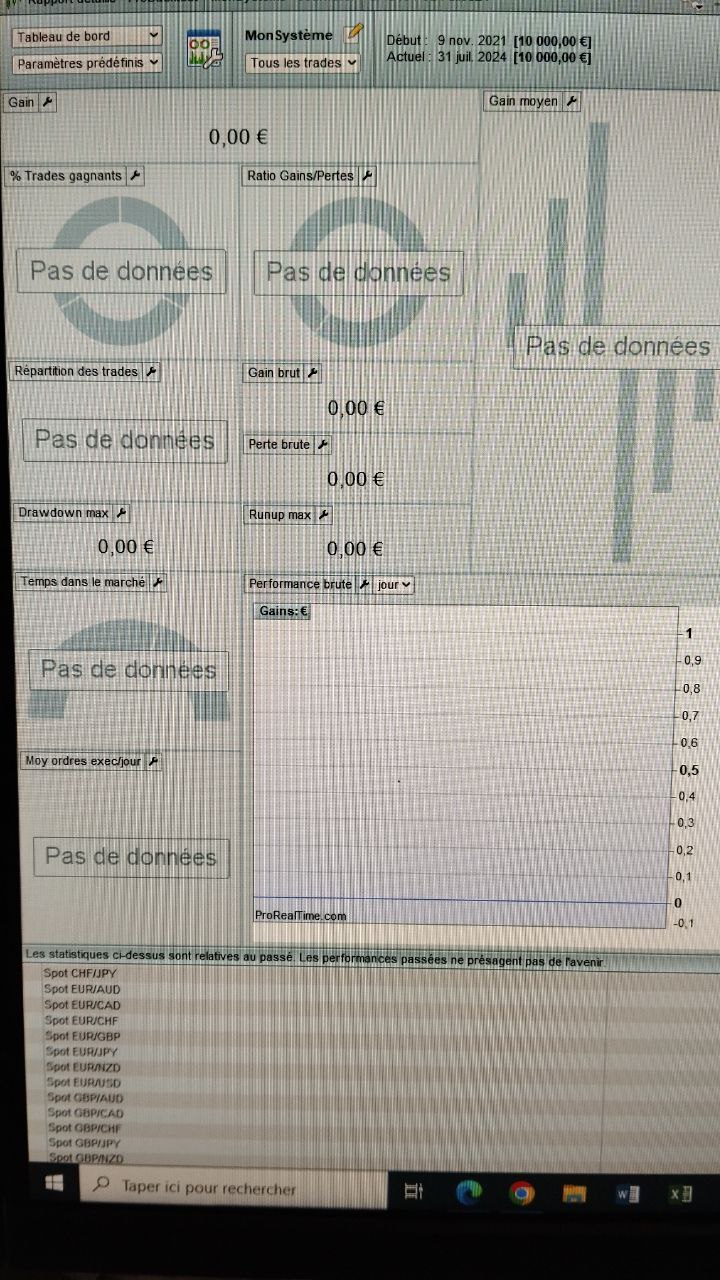
    Thx to ur help dear Roberto, but don’t sure the code work because on ProBacktest not give me datas.

    Hope u can help me to understand why. Best regards

    #236000 quote
    robertogozzi
    Moderator
    Master

    Check that your timeframe is <= 5 minutes, as the candle involved must close on the minute (in your case 00 ans 05) used in the code.

    #236029 quote
    MG22
    Participant
    New

    hi Roberto, i’ve test with 1 minutes timeframe and others and have same thing like above (no datas on many years of graphic) .   That work on your prorealtime ?

    #236033 quote
    robertogozzi
    Moderator
    Master

    It depends on the variable LotSize, I changed it so that it cannot fall below 0.5 lots (if it still doesn’t work try 1, instead of 0.5):

    LotSize = max(0.5,1 / temp)
    #236370 quote
    MG22
    Participant
    New

    Thanks Roberto but I’m sorry I tried everything with my meager knowledge and nothing works. I haven’t data with the code :s

    #236371 quote
    robertogozzi
    Moderator
    Master

    With this line 16, it works on all assets/instruments (using both 1-minute and 5-minute TFs):

    LotSize = max(1,1 / temp)
    #236496 quote
    MG22
    Participant
    New

    Hi Roberto, i’ve send u an email on your personal website, have u receive it ?

    #236497 quote
    robertogozzi
    Moderator
    Master

    Yes, it works like a charm.

Viewing 10 posts - 1 through 10 (of 10 total)
  • You must be logged in to reply to this topic.

help to code a position automation


ProBuilder: Indicators & Custom Tools

New Reply
Author
author-avatar
MG22 @mg22 Participant
Summary

This topic contains 9 replies,
has 2 voices, and was last updated by robertogozzi
1 year, 5 months ago.

Topic Details
Forum: ProBuilder: Indicators & Custom Tools
Language: English
Started: 07/30/2024
Status: Active
Attachments: 1 files
Logo Logo
Loading...
