


help to code a position automation

Viewing 10 posts - 1 through 10 (of 10 total)

  • Author
    Posts
  • #235926 quote
    MG22MG22
    Participant
    New

    Hello, I am looking to automate a daily position taking but I have no coding knowledge.

    The parameters looked like this:

    • Calculate the price variation in % between yesterday’s 09:05 closing and today’s 9:00 opening.

    —> If the variation is greater than 0.5% then take a buy on the market instantly with 1% of the capital (100 pts of SL / 100 pts of TP)

    —> If the variation is less than -0.5% then take a short on the market instantly with 1% of the capital (100 pts of SL / 100 pts of TP)

    I would need the position taking to be done as soon as the 9:00 candle appears, as close as possible to the open to fit with my manual backtests.


    Example:

    Close at 9:05 on 07/25th is at 39856

    Open at 9:00 on 07/26th is at 40082

    = a variation of +0.56%, the bot must long instantly in this case because we are above the 0.5% variation requested to enter a position.


    Thank you in advance for your valuable help.

    #235946 quote
    robertogozzirobertogozzi
    Moderator
    Legend

    There you go:

    ONCE myCapital = 10000
    ONCE Open0900  = open
    ONCE Close0905 = Open0900
    ONCE PClimit   = 0.5
    
    IF OpenTime = 090000 THEN
       Open0900 = open
    ENDIF
    
    myVar   = Close0905 - Open0900
    varPC   = 100 - (Open0900 * 100 / Close0905)
    
    Money   = 100 * PipValue
    Equity  = myCapital + StrategyProfit
    temp    = Money * 100 / Equity
    LotSize = 1 / temp
    
    IF (varPC > PClimit) AND Not LongOnMarket THEN
       BUY LotSize CONTRACTS AT MARKET
    ELSIF (varPC < -PClimit) AND Not ShortOnMarket THEN
       SELLSHORT LotSize CONTRACTS AT MARKET
    ENDIF
    SET STOP   pLOSS   100
    SET TARGET pPROFIT 100
    
    IF Time = 090500 THEN
       Close0905 = close
    ENDIF
    
    // --- debugging code
    //graphonprice Open0900  coloured("Blue")
    //graphonprice Close0905 coloured("Fuchsia")
    //graph myVar
    //graph varPC
    //graph LotSize
    //graph temp
    Iván González thanked this post
    #235989 quote
    MG22MG22
    Participant
    New

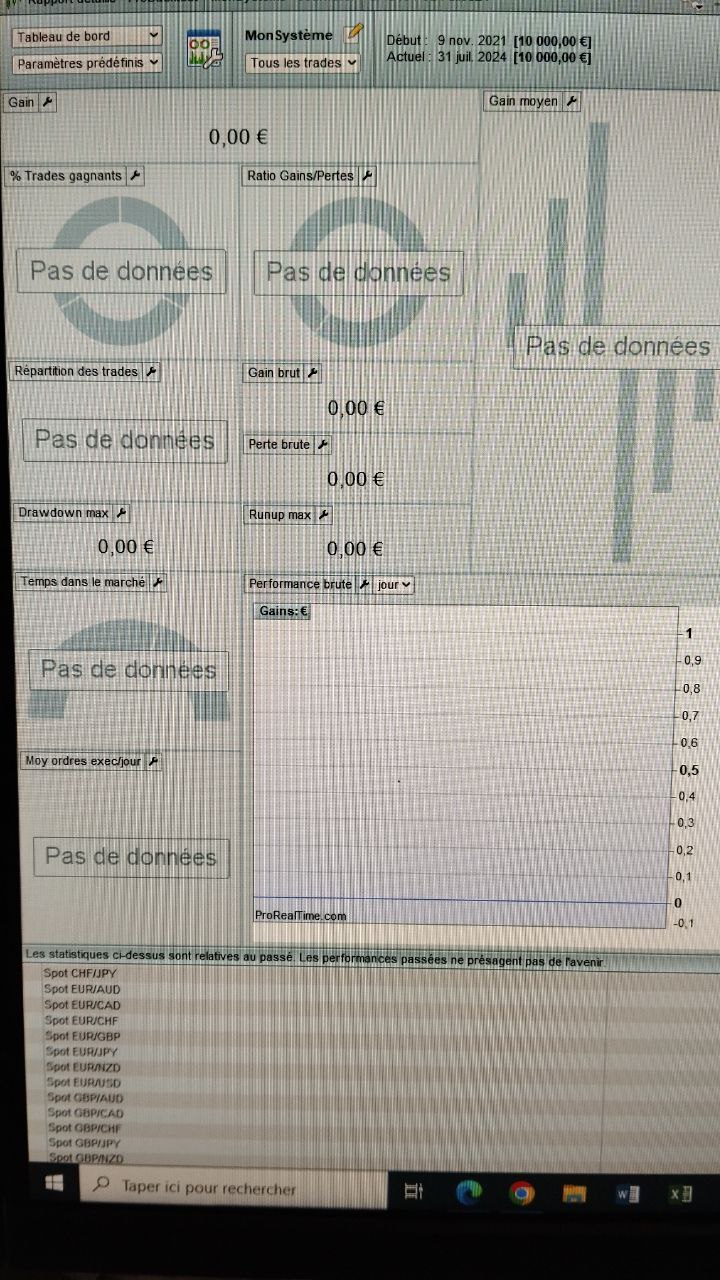
    Thx to ur help dear Roberto, but don’t sure the code work because on ProBacktest not give me datas.

    Hope u can help me to understand why. Best regards

    photo-of-screen.jpg photo-of-screen.jpg
    #236000 quote
    robertogozzirobertogozzi
    Moderator
    Legend

    Check that your timeframe is <= 5 minutes, as the candle involved must close on the minute (in your case 00 ans 05) used in the code.

    #236029 quote
    MG22MG22
    Participant
    New

    hi Roberto, i’ve test with 1 minutes timeframe and others and have same thing like above (no datas on many years of graphic) .   That work on your prorealtime ?

    #236033 quote
    robertogozzirobertogozzi
    Moderator
    Legend

    It depends on the variable LotSize, I changed it so that it cannot fall below 0.5 lots (if it still doesn’t work try 1, instead of 0.5):

    LotSize = max(0.5,1 / temp)
    #236370 quote
    MG22MG22
    Participant
    New

    Thanks Roberto but I’m sorry I tried everything with my meager knowledge and nothing works. I haven’t data with the code :s

    #236371 quote
    robertogozzirobertogozzi
    Moderator
    Legend

    With this line 16, it works on all assets/instruments (using both 1-minute and 5-minute TFs):

    LotSize = max(1,1 / temp)
    #236496 quote
    MG22MG22
    Participant
    New

    Hi Roberto, i’ve send u an email on your personal website, have u receive it ?

    #236497 quote
    robertogozzirobertogozzi
    Moderator
    Legend

    Yes, it works like a charm.

Viewing 10 posts - 1 through 10 (of 10 total)
  • You must be logged in to reply to this topic.

ProRealAI ProRealAI New

Stuck on this ProBuilder code?

Describe what this topic is trying to build, in plain English, and ProRealAI writes the ProRealTime™ indicator, screener or system for you.

Available in 7 languages
Try ProRealAI

help to code a position automation


ProBuilder: Indicators & Custom Tools

New Reply
Author
author-avatar
MG22 @mg22 Participant
Summary

This topic contains 9 replies,
has 2 voices, and was last updated by robertogozzirobertogozzi
2 years, 1 month ago.

Topic Details
Forum: ProBuilder: Indicators & Custom Tools
Language: English
Started: 07/30/2024
Status: Active
Attachments: 1 files
ProRealCode ProRealCode
Loading...

