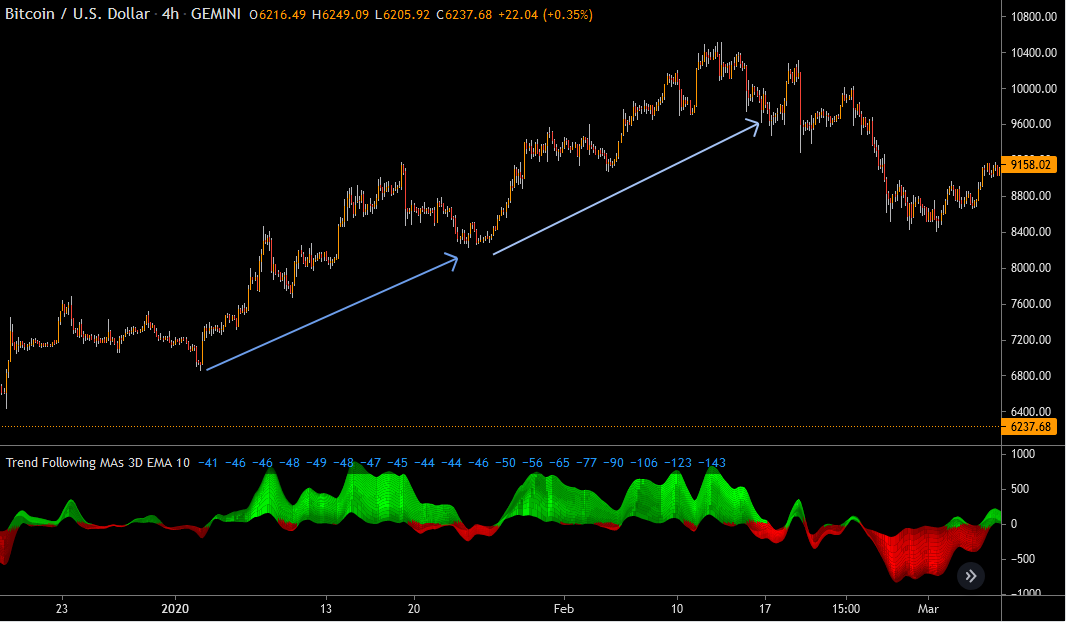
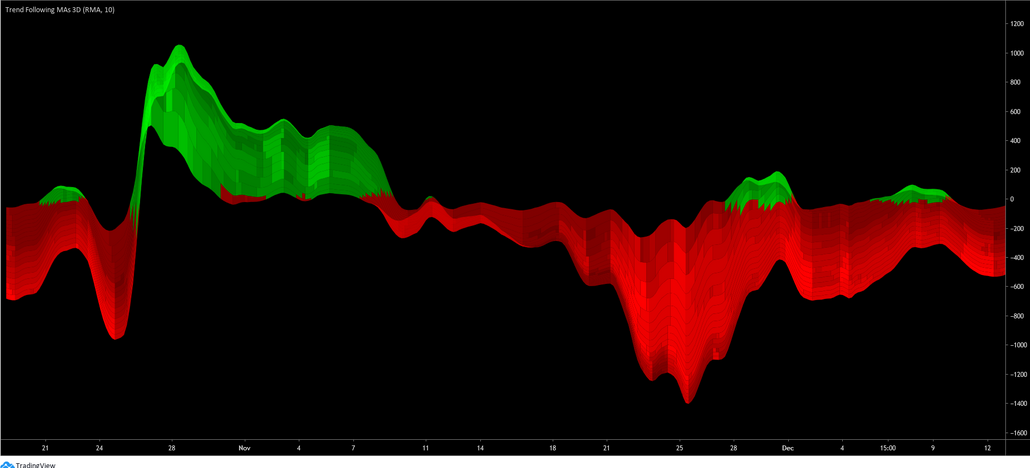
Help converting “Trend Following MAs 3D” Indicator from Trading View

Viewing 6 posts - 1 through 6 (of 6 total)
  • Author
    Posts
  • #166864 quote
    denmar
    Participant
    Veteran

    I would be most grateful if somebody could please convert this indicator.

    It seems much more intuitive than the standard heatmap/spectrogram attempts to display changes occurring across multiple moving averages.

    Thank you

    Denmar

    study("Trend Following MAs 3D", precision=0)
    matype= input('EMA', title = "MA Type", options =['EMA', 'SMA', 'RMA', 'WMA', 'VWMA'])
    ulinreg = input(true, title = "Use Linear Regression")
    linprd = input(10, title = "Linear Regression Period", minval = 2)
    
    getma(len)=>
        _ret = matype == 'EMA' ? ema(close, len) : matype == 'RMA' ? rma(close, len) : matype == 'VWMA' ? vwma(close, len) : matype == 'WMA' ? wma(close, len) : sma(close, len)
        _ret := ulinreg ? linreg(_ret, linprd, 0) : _ret
        _ret
    
    p1 = getma(5) - getma(10)
    p2 = p1 + getma(10) - getma(15)
    p3 = p2 + getma(15) - getma(20)
    p4 = p3 + getma(20) - getma(25)
    p5 = p4 + getma(25) - getma(30)
    p6 = p5 + getma(30) - getma(35)
    p7 = p6 + getma(35) - getma(40)
    p8 = p7 + getma(40) - getma(45)
    p9 = p8 + getma(45) - getma(50)
    p10 = p9 + getma(50) - getma(55)
    p11 = p10 + getma(55) - getma(60)
    p12 = p11 + getma(60) - getma(65)
    p13 = p12 + getma(65) - getma(70)
    p14 = p13 + getma(70) - getma(75)
    p15 = p14 + getma(75) - getma(80)
    p16 = p15 + getma(80) - getma(85)
    p17 = p16 + getma(85) - getma(90)
    p18 = p17 + getma(90) - getma(95)
    p19 = p18 + getma(95) - getma(100)
    
    l1 = plot(p1, color = na)
    l2 = plot(p2, color = na)
    l3 = plot(p3, color = na)
    l4 = plot(p4, color = na)
    l5 = plot(p5, color = na)
    l6 = plot(p6, color = na)
    l7 = plot(p7, color = na)
    l8 = plot(p8, color = na)
    l9 = plot(p9, color = na)
    l10 = plot(p10, color = na)
    l11 = plot(p11, color = na)
    l12 = plot(p12, color = na)
    l13 = plot(p13, color = na)
    l14 = plot(p14, color = na)
    l15 = plot(p15, color = na)
    l16 = plot(p16, color = na)
    l17 = plot(p17, color = na)
    l18 = plot(p18, color = na)
    l19 = plot(p19, color = na)
    
    getwidth(a, b)=>
        t = abs(a - b)
        w = t * 10 / (highest(t, 200) - lowest(t, 200))
        w := max(w, 4)
        m = p1 > 0 ? p1 > nz(p1[1]) ? w > nz(w[1]) ? w + 1 : w - 1 : w > nz(w[1]) ? w - 3 : w - 2 : p1 < nz(p1[1]) ? w > nz(w[1]) ? -(w + 1) : -(w - 1) : w > nz(w[1]) ? -(w - 3) : -(w - 2)
        m
    
    getcolmult(trend)=>
        _ret = trend >= 10.0 ? #00FF00ff : trend >= 9.0 ? #00FF00ef : trend >= 8.0 ? #00FF00df : trend >= 7.0 ? #00FF00cf : trend >= 6.0 ? #00FF00bf :
           trend >= 5.0 ? #00FF00af : trend >= 4.0 ? #00FF009f : trend >= 3.0 ? #00FF008f : trend >= 2.0 ? #00FF007f : trend >= 1.0 ? #00FF006f :  
           trend <= -10.0 ? #FF0000ff : trend <= -9.0 ?  #FF0000ef : trend <= -8.0 ?  #FF0000df : trend <= -7.0 ?  #FF0000cf : trend <= -6.0 ?  #FF0000bf :
           trend <= -5.0 ?  #FF0000af : trend <= -4.0 ?  #FF00009f : trend <= -3.0 ?  #FF00008f : trend <= -2.0 ?  #FF00007f : trend <= -1.0 ?  #FF00006f :
           na
    
    getcol(p1, p2)=>
        m = getwidth(p1, p2)
       
        _ret = getcolmult(m)
        
    fill(l18, l19, color = getcol(p18, p19), transp = 0)
    fill(l17, l18, color = getcol(p17, p18), transp = 0)
    fill(l16, l17, color = getcol(p16, p17), transp = 0)
    fill(l15, l16, color = getcol(p15, p16), transp = 0)
    fill(l14, l15, color = getcol(p14, p15), transp = 0)
    fill(l13, l14, color = getcol(p13, p14), transp = 0)
    fill(l12, l13, color = getcol(p12, p13), transp = 0)
    fill(l11, l12, color = getcol(p11, p12), transp = 0)
    fill(l10, l11, color = getcol(p10, p11), transp = 0)
    fill(l9, l10, color = getcol(p9, p10), transp = 0)
    fill(l8, l9, color = getcol(p8, p9), transp = 0)
    fill(l7, l8, color = getcol(p7, p8), transp = 0)
    fill(l6, l7, color = getcol(p6, p7), transp = 0)
    fill(l5, l6, color = getcol(p5, p6), transp = 0)
    fill(l4, l5, color = getcol(p4, p5), transp = 0)
    fill(l3, l4, color = getcol(p3, p4), transp = 0)
    fill(l2, l3, color = getcol(p2, p3), transp = 0)
    fill(l1, l2, color = getcol(p1, p2), transp = 0)

    f1.png f1.png f2.png f2.png
    #166871 quote
    Nicolas
    Keymaster
    Master

    Added to my list.

    #167693 quote
    denmar
    Participant
    Veteran

    Hi Nicolas,

    If this is proving to difficult I would willingly settle for just the lines without the colouration – just a suggestion.

    Thanks.

    #168157 quote
    denmar
    Participant
    Veteran

    I would really appreciate it if somebody could have a look at the code and please transcribe the logic into english or (preferably) write the code for plotting the first line – I should be able to take it from there. Thanks in advance.

    #168352 quote
    Nicolas
    Keymaster
    Master

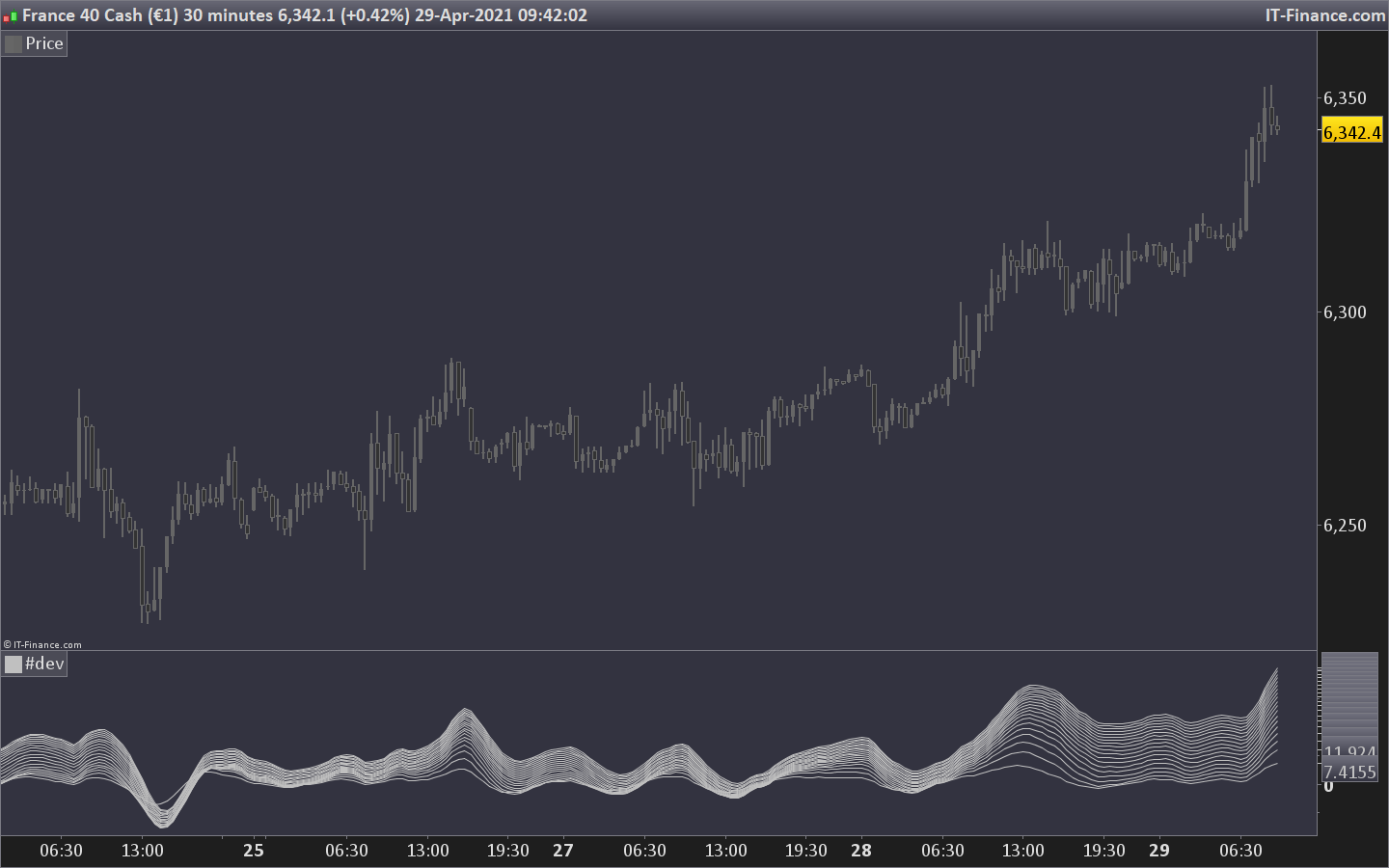
    easy part first, without the dynamic color between the curves:

    matype= 1 //0 = SMA 1 = EMA 2 = WMA 3 = Wilder 4 = Triangular 5 = End point 6 = Time series 7 = Hull (PRT v11 only) 8 = ZeroLag  (PRT v11 only)
    //ulinreg = 1 // Use Linear Regression
    linprd = 10 //Linear Regression Period
    
    p1 = linearregression[linprd](average[5,matype]) - linearregression[linprd](average[10,matype])
    p2 = p1+(linearregression[linprd](average[10,matype]) - linearregression[linprd](average[15,matype]))
    p3 = p2+(linearregression[linprd](average[15,matype]) - linearregression[linprd](average[20,matype]))
    p4 = p3+(linearregression[linprd](average[20,matype]) - linearregression[linprd](average[25,matype]))
    p5 = p4+(linearregression[linprd](average[25,matype]) - linearregression[linprd](average[30,matype]))
    p6 = p5+(linearregression[linprd](average[30,matype]) - linearregression[linprd](average[35,matype]))
    p7 = p6+(linearregression[linprd](average[35,matype]) - linearregression[linprd](average[40,matype]))
    p8 = p7+(linearregression[linprd](average[40,matype]) - linearregression[linprd](average[45,matype]))
    p9 = p8+(linearregression[linprd](average[45,matype]) - linearregression[linprd](average[50,matype]))
    p10 = p9+(linearregression[linprd](average[50,matype]) - linearregression[linprd](average[55,matype]))
    p11 = p10+(linearregression[linprd](average[55,matype]) - linearregression[linprd](average[60,matype]))
    p12 = p11+(linearregression[linprd](average[60,matype]) - linearregression[linprd](average[65,matype]))
    p13 = p12+(linearregression[linprd](average[65,matype]) - linearregression[linprd](average[70,matype]))
    p14 = p13+(linearregression[linprd](average[70,matype]) - linearregression[linprd](average[75,matype]))
    p15 = p14+(linearregression[linprd](average[75,matype]) - linearregression[linprd](average[80,matype]))
    p16 = p15+(linearregression[linprd](average[80,matype]) - linearregression[linprd](average[85,matype]))
    p17 = p16+(linearregression[linprd](average[85,matype]) - linearregression[linprd](average[90,matype]))
    p18 = p17+(linearregression[linprd](average[90,matype]) - linearregression[linprd](average[95,matype]))
    p19 = p18+(linearregression[linprd](average[95,matype]) - linearregression[linprd](average[100,matype]))
    
    return p1,p2,p3,p4,p5,p6,p7,p8,p9,p10,p11,p12,p13,p14,p15,p16,p17,p18,p19

    Note that due to lack of function capability of ProBuilder, I have set of the curve to use linear regression, while it was an option in the original code.

    trend-following-ma-3d.png trend-following-ma-3d.png
    #168361 quote
    denmar
    Participant
    Veteran

    Thank you

Viewing 6 posts - 1 through 6 (of 6 total)
  • You must be logged in to reply to this topic.

Help converting “Trend Following MAs 3D” Indicator from Trading View


ProBuilder: Indicators & Custom Tools

New Reply
Author
author-avatar
denmar @denmar Participant
Summary

This topic contains 5 replies,
has 2 voices, and was last updated by denmar
4 years, 9 months ago.

Topic Details
Forum: ProBuilder: Indicators & Custom Tools
Language: English
Started: 04/12/2021
Status: Active
Attachments: 3 files
Logo Logo
Loading...