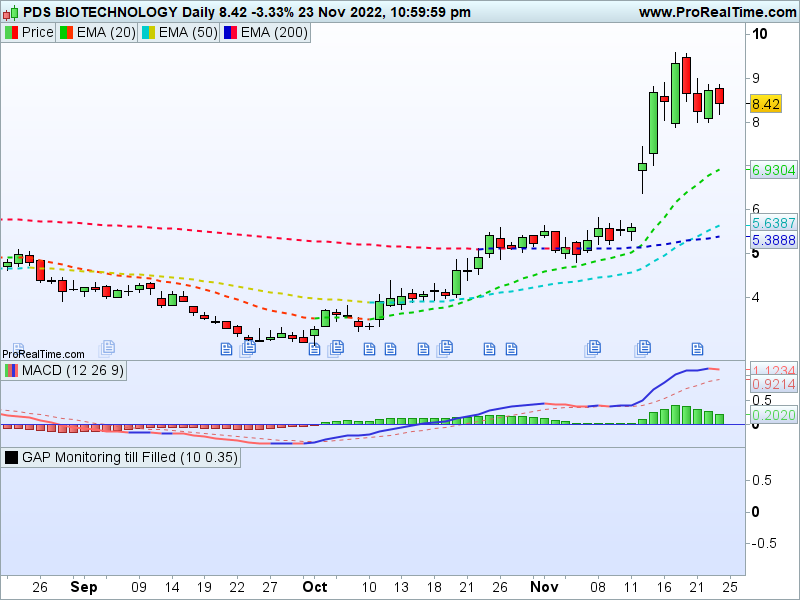
I want to visually highlight a gap until it is filled.
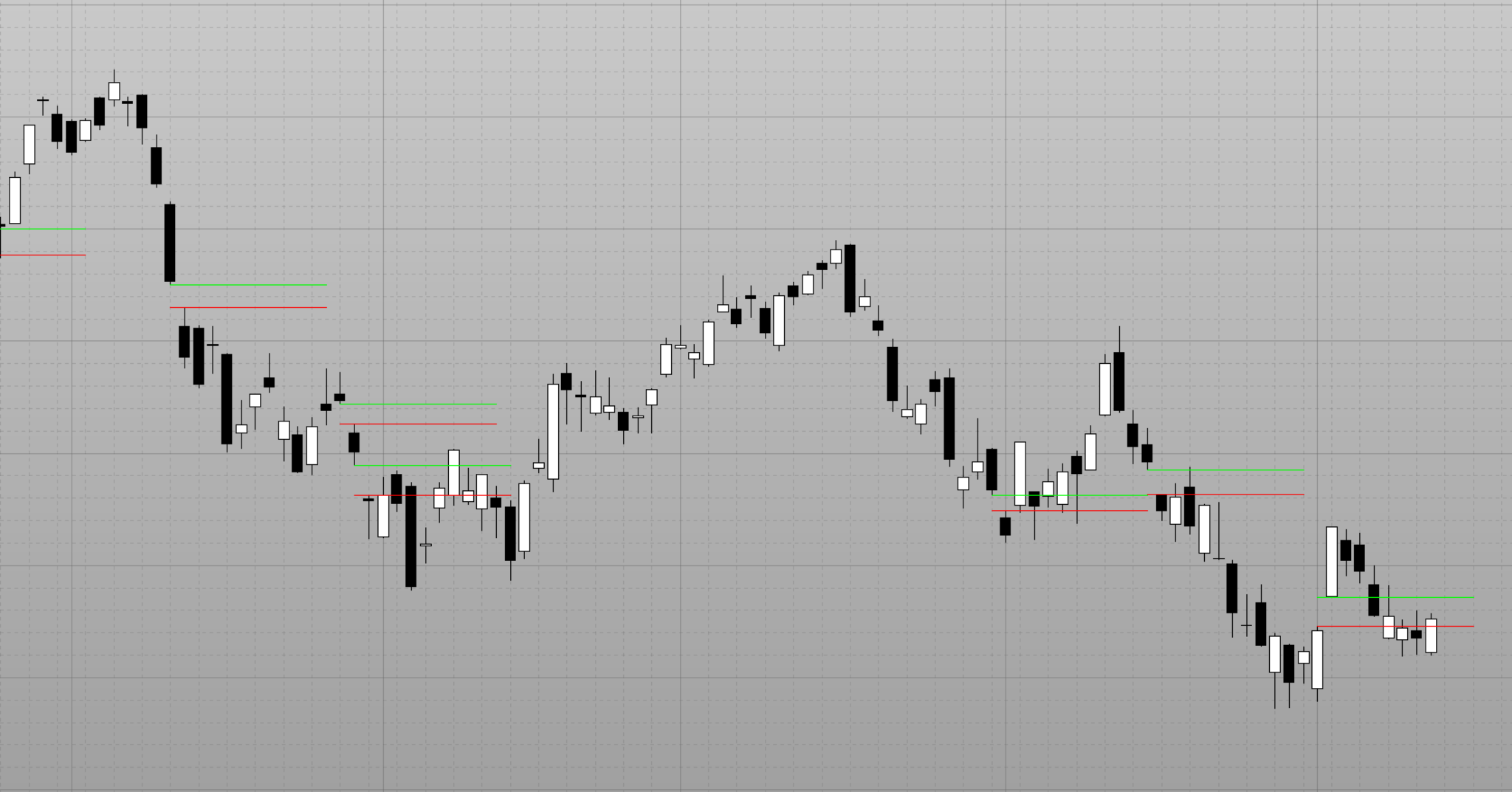
So far, I came up with the following code (see the attached screenshot for the result of this code).
What I want to achieve is that the lines that indicate the gap reach until the candle that fully fills this gap (or else continue to go on until the gap is fully filled). How can this be done?
So far I have hardcoded the length of the line to 10 bars; but that is obviously either too long or too short.
Thank you so much for your help. Greetings!
// Calculate average range
AverageHIGH = AVERAGE[20](HIGH)
AverageLOW = AVERAGE[20](LOW)
AverageRANGE = AverageHIGH - AverageLOW

// Find bullish gaps
IF LOW > HIGH[1] AND (LOW - HIGH[1]) > 0.35 * AverageRANGE THEN
gapfillzoneHIGH = LOW
gapfillzoneLOW = HIGH[1]
a = BARINDEX-1
DRAWSEGMENT(a,gapfillzoneHIGH,BARINDEX+10,gapfillzoneHIGH) COLOURED(0,255,0)
DRAWSEGMENT(a,gapfillzoneLOW,BARINDEX+10,gapfillzoneLOW) COLOURED(255,0,0)
ENDIF

// Find bearish gaps
IF HIGH < LOW[1] AND (LOW[1] - HIGH) > 0.35 * AverageRANGE THEN
gapfillzoneHIGH = HIGH
gapfillzoneLOW = LOW[1]
a = BARINDEX-1
DRAWSEGMENT(a,gapfillzoneLOW,BARINDEX+10,gapfillzoneLOW) COLOURED(0,255,0)
DRAWSEGMENT(a,gapfillzoneHIGH,BARINDEX+10,gapfillzoneHIGH) COLOURED(255,0,0)
ENDIF

RETURN
You need to store gap prices in an array, then check, each bar, if any of them has been filled or not and, when they have, set them to 0 (and maybe shift all array elements one place, but it’s not mandatory) to skip checking them again.
Dear Roberto,
Thank you for your reply. However, I could not find anything about arrays in the ProRealTime programming guides. Have you got any advice where I can learn about how to implement the solution you have layed out in your answer?
Searching this forum for ARRAY will return many links.
A guide can be found here :
https://www.prorealcode.com/topic/array-variables-availability-in-prorealtime/
Dear Roberto,
I searched the whole forum, and I tried many things, but I couldn’t wrap my head around it. The lines created would always point backwards.
I know it might be much to ask, but could you show me how to formulate your approach into code?
Greetings,
Nils
It will take some time to code it. I will make it as soon as possible 🙂
Thank you so much Roberto. I’m looking forward to it 🙂
Greetings Nils
There you go:
// GAP Monitoring till Filled
//
// https://www.prorealcode.com/topic/gap-fill-indicator/
//
DEFPARAM DrawOnLastBarOnly = True
//
//ONCE GapLineSize = 4
//ONCE GapDepth    = 0.35
//
ONCE t155          = 135
ONCE t255          = 255
ONCE Elements      = 10
ONCE UPwards       = 1
ONCE DOWNwards     = -1
//
IF BarIndex = 0 THEN
FOR i = 0 TO Elements
$Gap[i]       = 0
$Gap2[i]      = 0
$Direction[i] = 0
$BarID[i]     = 0
NEXT
ENDIF
//
// Calculate average range
AverageHIGH  = AVERAGE[20](HIGH)
AverageLOW   = AVERAGE[20](LOW)
AverageRANGE = AverageHIGH - AverageLOW
//IF BarIndex <= 9999999 THEN
//
// check whether any previous gap has been filled
//
FOR i = 1 TO Elements
IF $Direction[i] = UPwards THEN                            //bearish gaps
IF high[1] < $Gap[i] AND high >= $Gap[i] THEN
FOR j = i TO Elements - 1
// move next element to the current position (so it's overwritten)
$Gap[j]            = $Gap[j + 1]
$Gap2[j]           = $Gap2[j + 1]
$Direction[j]      = $Direction[j + 1]
$BarID[j]          = $BarID[j + 1]
// clear the next element
$Gap[j + 1]        = 0
$Gap2[j + 1]       = 0
$Direction[j + 1]  = 0
$BarID[j + 1]      = 0
NEXT
$Gap[Elements]        = 0
$Gap2[Elements]       = 0
$Direction[Elements]  = 0
$BarID[Elements]      = 0
ENDIF
ELSIF $Direction[i] = DOWNwards THEN                       //bullish gaps
IF low[1] > $Gap[i] AND low <= $Gap[i] THEN
FOR j = i TO Elements - 1
// move next element to the current position (so it's overwritten)
$Gap[j]            = $Gap[j + 1]
$Gap2[j]           = $Gap2[j + 1]
$Direction[j]      = $Direction[j + 1]
$BarID[j]          = $BarID[j + 1]
// clear the next element
$Gap[j + 1]        = 0
$Gap2[j + 1]       = 0
$Direction[j + 1]  = 0
$BarID[j + 1]      = 0
NEXT
$Gap[Elements]        = 0
$Gap2[Elements]       = 0
$Direction[Elements]  = 0
$BarID[Elements]      = 0
ENDIF
ENDIF
NEXT
//
//                                Detect new Gaps
//
// Find bullish gaps
IF LOW > HIGH[1] AND (LOW - HIGH[1]) > GapDepth * AverageRANGE THEN
gapfillzoneHIGH = LOW
gapfillzoneLOW  = HIGH[1]
a = BARINDEX-1
// make room for one more array element, if needed
IF $Gap[Elements] <> 0 THEN
Elements             = Elements + 1
$Gap[Elements]       = 0
$Gap2[Elements]      = 0
$Direction[Elements] = 0
$BarIDE[Elements]    = 0
ENDIF
// store the new element in the first available slot
FOR i = 1 TO Elements
IF $Gap[i] = 0 THEN
$Gap[i]       = gapfillzoneLOW
$Gap2[i]      = gapfillzoneHIGH
$Direction[i] = DOWNwards
$BarID[i]     = a
break
ENDIF
NEXT
ENDIF
//
// Find bearish gaps
IF HIGH < LOW[1] AND (LOW[1] - HIGH) > GapDepth * AverageRANGE THEN
gapfillzoneHIGH = HIGH
gapfillzoneLOW  = LOW[1]
a = BARINDEX-1
// make room for one more array element, if needed
IF $Gap[Elements] <> 0 THEN
Elements             = Elements + 1
$Gap[Elements]       = 0
$Gap2[Elements]      = 0
$Direction[Elements] = 0
$BarID[Elements]     = 0
ENDIF
// store the new element in the first available slot
FOR i = 1 TO Elements
IF $Gap[i] = 0 THEN
$Gap[i]       = gapfillzoneLOW
$Gap2[i]      = gapfillzoneHIGH
$Direction[i] = UPwards
$BarID[i]     = a
break
ENDIF
NEXT
ENDIF
//
//ENDIF
//
// draw lines
//
FOR i = 1 TO Elements
IF $Gap[i] <> 0 THEN
a = $BarID[i]
x = $Gap[i]      //gapfillzoneLOW
y = $Gap2[i]     //gapfillzoneHIGH
IF $Direction[i] = DOWNwards THEN
DRAWSEGMENT(a,y,a+GapLineSize,y) COLOURED("Green",t155) style(Line,2)
DRAWSEGMENT(a,x,a+GapLineSize,x) COLOURED("Green",t255) style(Line,2)
ELSIF $Direction[i] = UPwards THEN
DRAWSEGMENT(a,x,a+GapLineSize,x) COLOURED("Red",t155)   style(Line,2)
DRAWSEGMENT(a,y,a+GapLineSize,y) COLOURED("Red",t255)   style(Line,2)
ENDIF
ENDIF
NEXT
//
RETURN
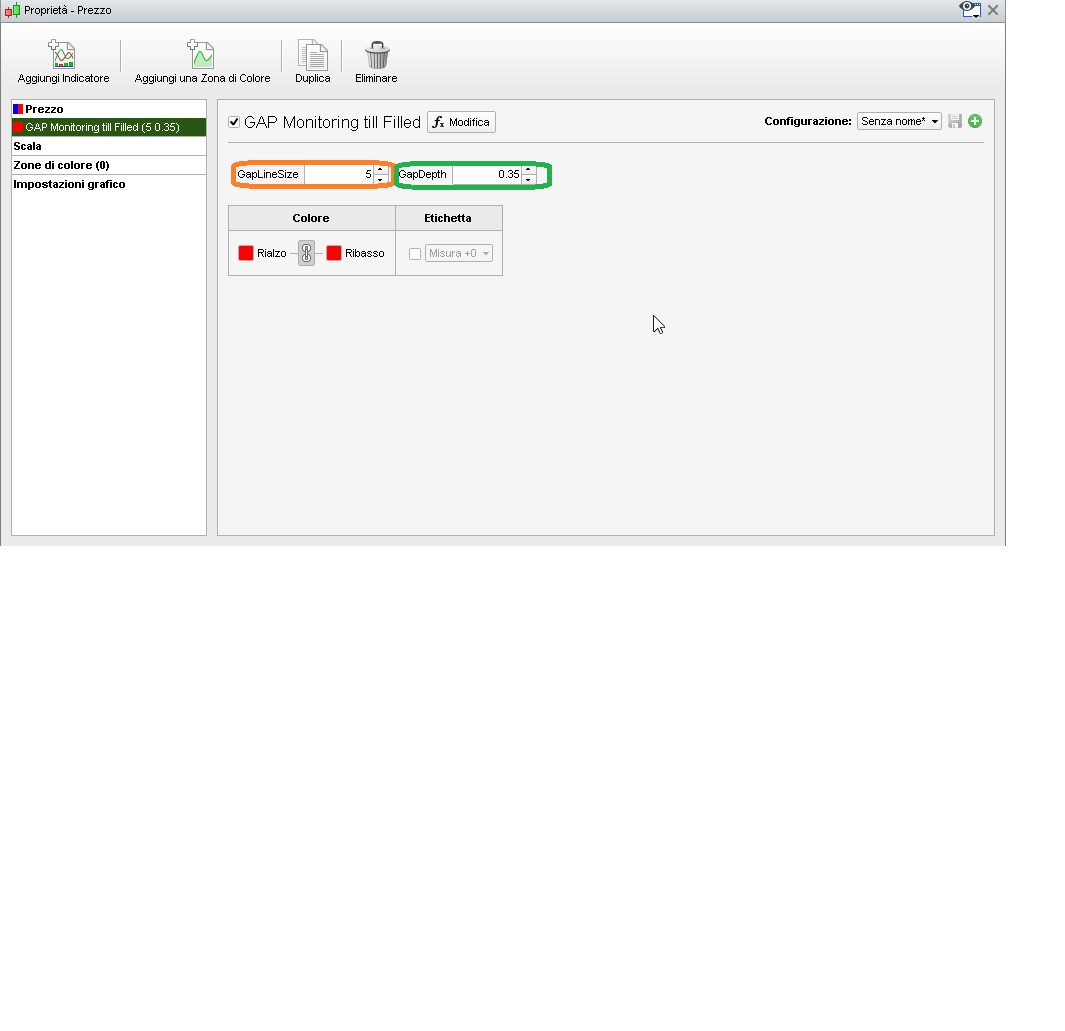
the properties have two settings:
- GapLineSize is the line length (in bars) to be plotted into the future
- GapDepth is the size of the minimum GAP (multiplier of the average range).
Hi,
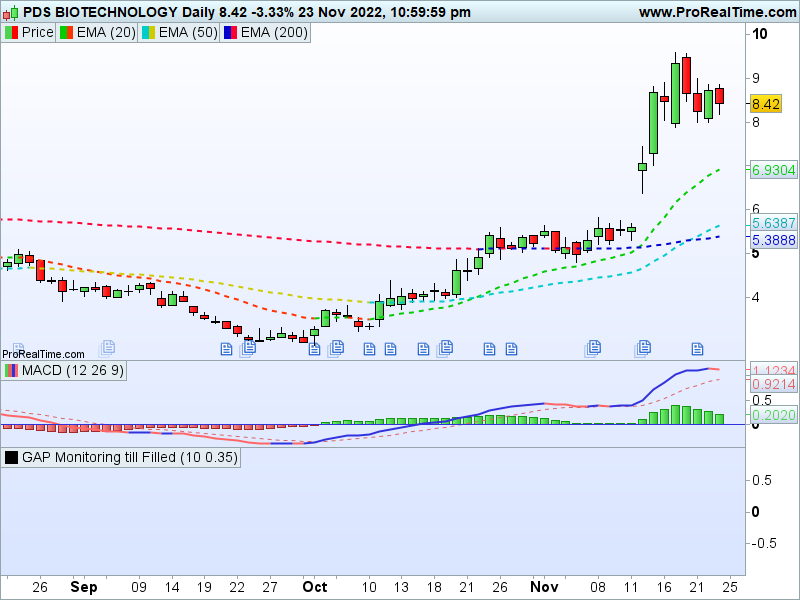
I could not add this to my Price panel.
A new empty panel was added under the Price.
Please help
Not working for me on V12
I get a new panel on the bottom.
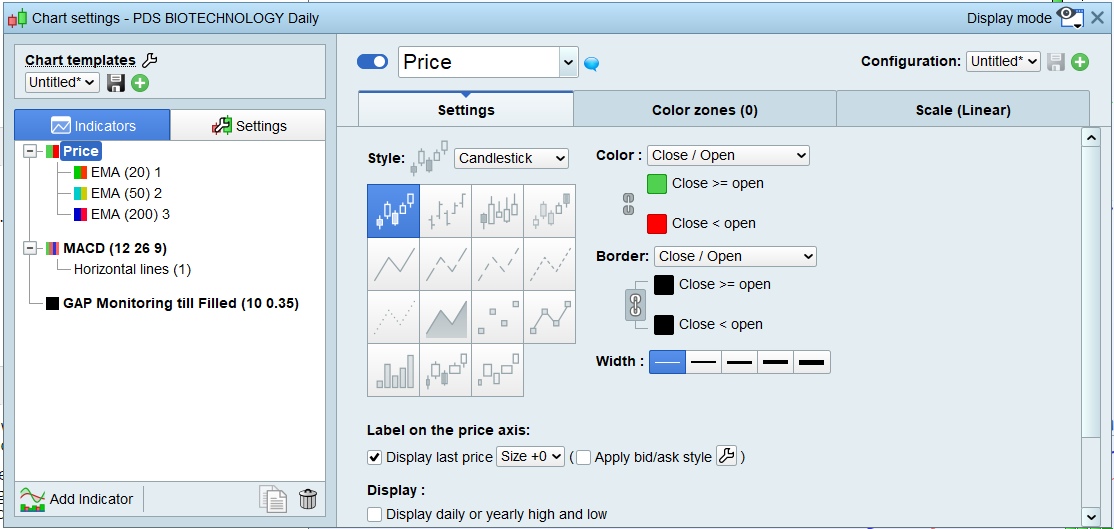
Adding an indicator to the price window works for me both on v11 and on v12. The indicator has to exist in the list first. So when you create it first time around and it isn’t in the list yet, it appears below, you save it, then it’s in the list, and then once it is in the list you can do as the video.
Did you mean you get a panel below each time, having tried several times, or did you mean you only did it once for creation when it is not in the list yet and can’t do as the video? If even when trying again picking it from the list, it doesn’t work, then there might be a problem specific to your platform, and you would need to send a technical report from your platform to PRT (CTRL+M). It works for me on v12, so can’t reproduce the problem and help further as fellow user.
I have downloaded the GAP-Monitoring-till-Filled.itf from robertogozzi message above dated 11/04/2022 at 6:28 PM.
I then imported the itf file and it is in the list.
When I tried to install in the price panel a new panel was created at the bottom.
I don’t have the problem with other indicators
Ok, there might be a problem here indeed, I started from scratch again, imported it rather than create and copy-paste, but it didn’t change. The only real difference I could think of, is that I had added it as “favorite” (the yellow star next to it) to avoid scrolling down the indicators list to find it. So just in case, I tried without adding it as favorite, and indeed it made a difference, I am now having the same issue too, when not favorite it doesn’t get added to price, but when added as favorite first, it does.
Good enough for me to highlight it as a v12 bug to Nicolas. In the meantime, you can try adding it as a favorite in case it helps temporarily in your platform too, until they see if they can replicate the issue, and fix it.
Issue is spotted and reported, thanks for letting us know! 😆