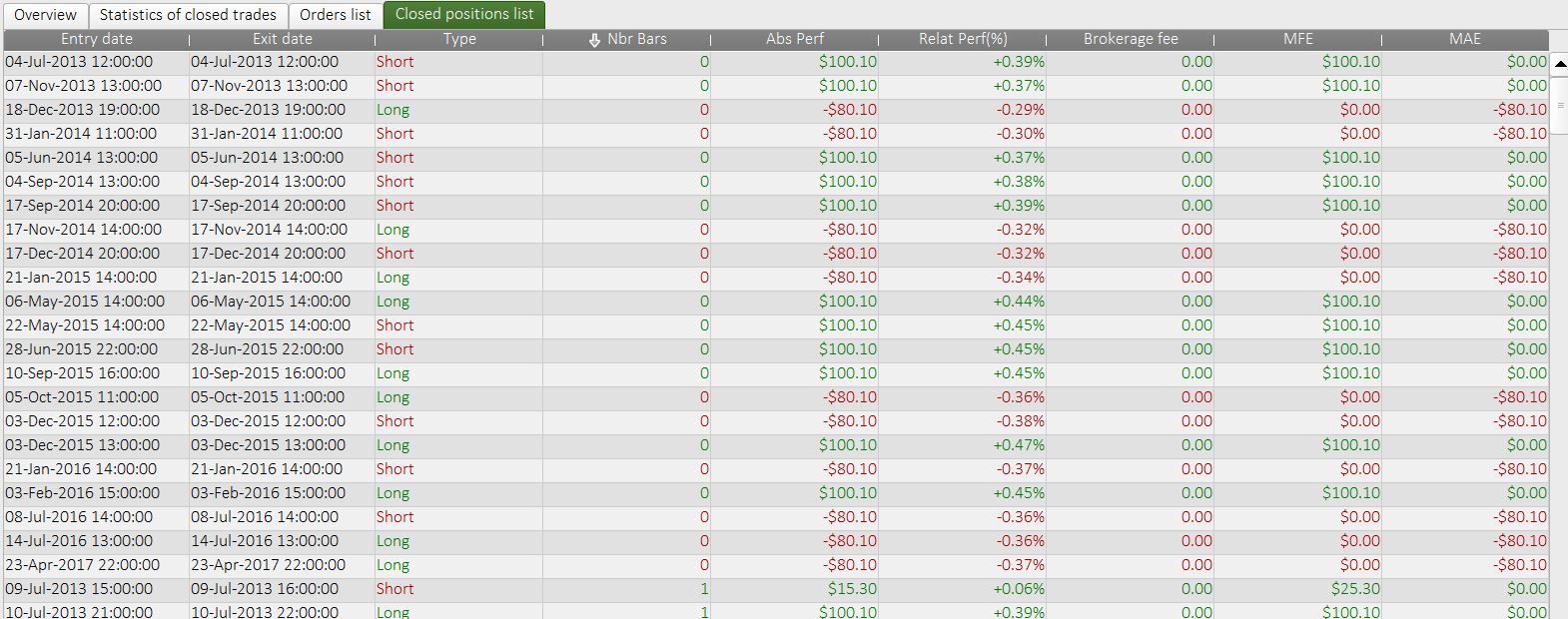
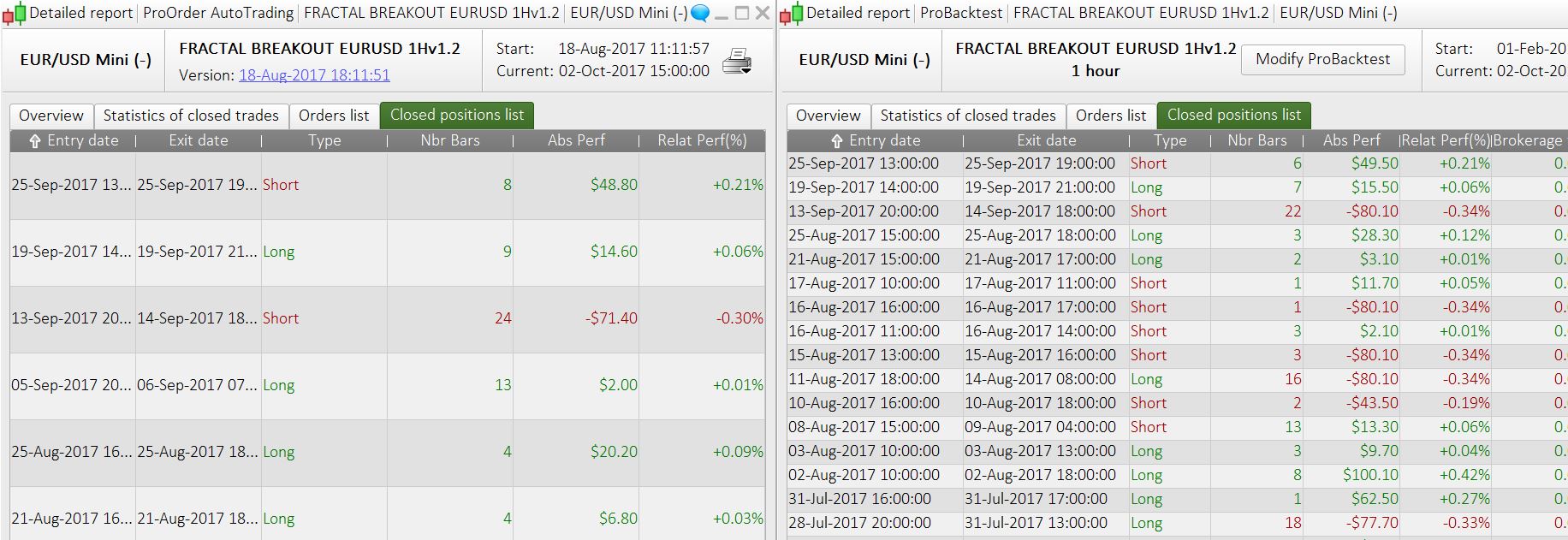
“0 bar” mean that the trade has been opened and closed in the same bar, with tick mode enable, each tick of the bar is tested, so the backtest should be accurate.
Hello,
I have taken the version from CKW and tried to improve, so that the code works also with other currencies (with different optimized parameters). I added:
- a closure of all opened positions before WE (avoiding Sunday gap)
- an additional filter based on Stochastics.
- additional filter for the short side (same as long side already introduced by CKW)
- I replaced the trailing stop by the one developed by Nicolas
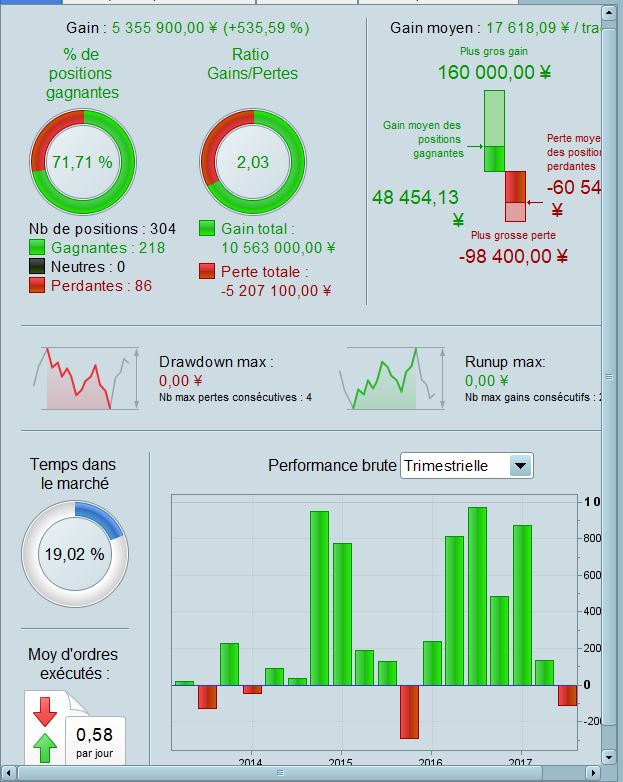
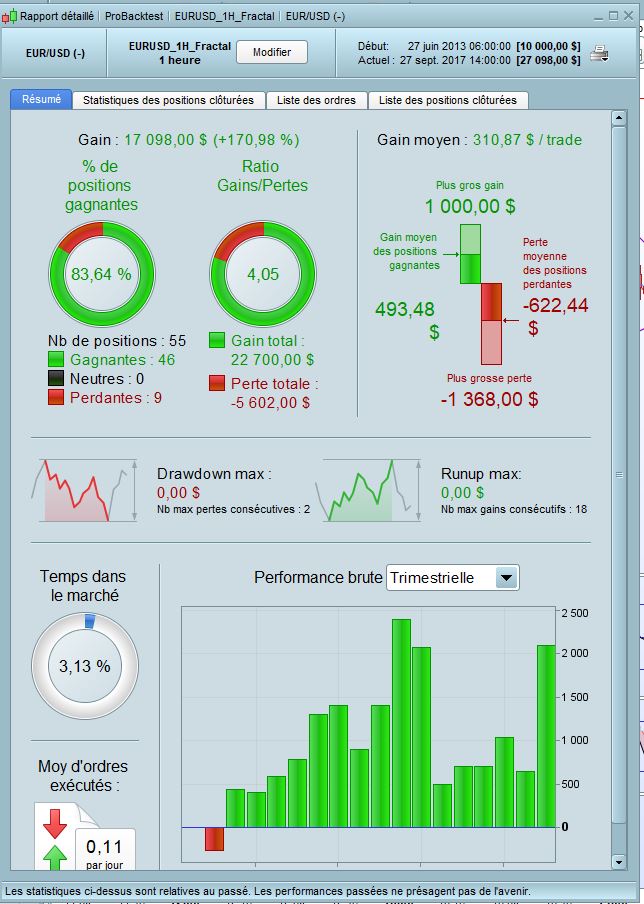
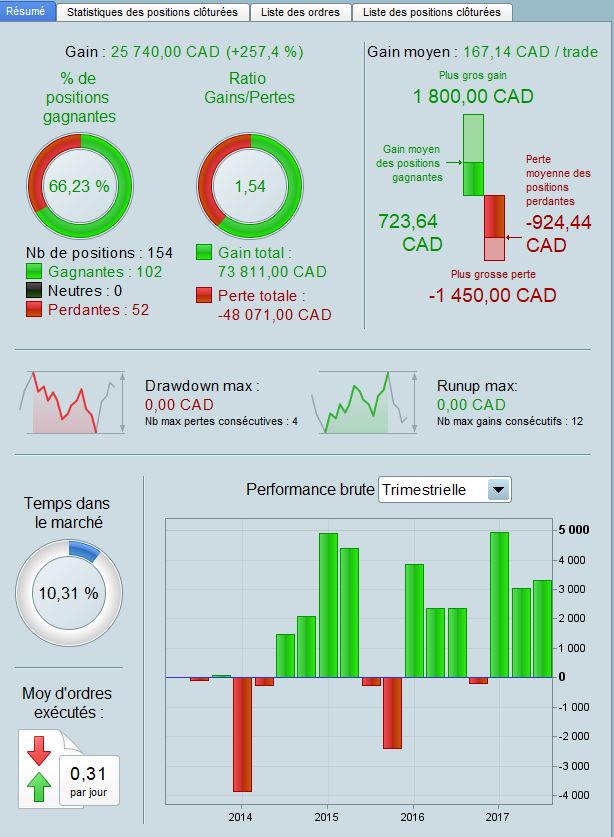
Compared to previous version on EURUSD, backtest takes even less positions (so lower total return), but shows superior Gain/Loss ratio (>4!!). Other currencies works also, even if the KPI are a bit less impressive, although good enough to trade imo. Maybe the code are too optimized, I only have 3 years of 1H historical data. For those who have more, they can maybe run some more robust backtests?
What is your opinion, readers?
Hi Stefou,
Nice work with trying some additional pairs. I my opinion is EURGBP the best addition.
If I could make one suggestion it would be to try changing all targets and “pip based” commands to be ATR based which would avoid fitting values to current market conditions.
 ALE
ALEModerator
Master
Hello
as we could see in the last months , many results are different from backtest.
we should find dome different way to avoid this problem
some idea?
Hi, I think it would be good to try a greater distance for trailing stops and profit targets. You might get a lower win rate but that’s irrelevant because you will be able to ride winners in a much more efficient way. Maybe also try using ATR to determine the distance?
@ALE: Which kind of difference between live and backtest did you discover?
ALEModerator
Master
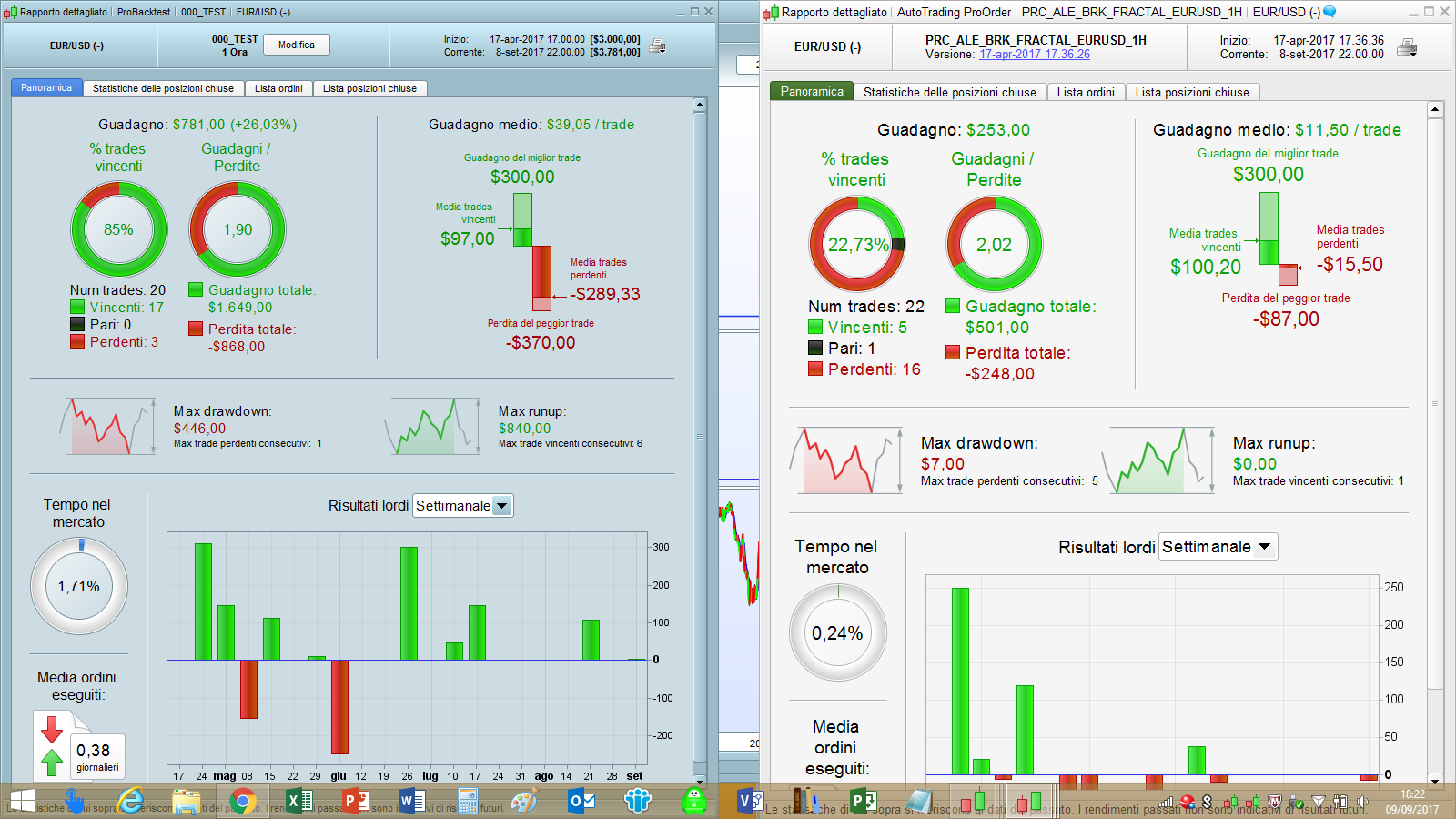
X example this is an immane of last month backtest vs real
Wow, this IS a difference! Did you have a look at single trades? What happens there exactly? It looks like for the live version the trades are stopped out pretty early. Are you sure both versions have the same stop loss?
 CKW
CKWParticipant
Veteran
My edited version don’t have major significant difference. Except trade on 5-Sep triggered in live but not in backtest.
CKWParticipant
Veteran
Hello Stefou,
I like Your “improved version”, both GL for short & buy more than 2.5. That’s great.
I started yours in demo live:)
thanks for your sharing!
Hello CKW you may want to edit the code where we exit all positions before WE . I know use this, to adjust when daylight changes (a copy from the forum):
// quit all positions before we
if (currentmonth = 3 and day >= 15) or (currentmonth = 11 and day < 8) then //daylight-saving corrections
dlc = 1
else
dlc =0
endif
//no pos before WE
If dayofweek = 5 and hour >= 22 -dlc Then
If longonmarket Then
Sell at market
ElsIf shortonmarket Then
Exitshort at market
EndIf
EndIf
I was trying out a strategy idea last week using the universal/standard Bill Williams fractal code found here in the library but I stopped development on the strategy when I noticed that the fractal levels calculated in the strategy code were not the same as those shown by an indicator with identical fractal code applied on the chart. I’ve just applied the same indicator with ALES fractal breakout strategy and noticed the levels also do not match. Anyone else noticed this?
ALEModerator
Master
@ Vonasi
I’ve change level from High/low to close, because I want to consider close level breakout
//BILL WILLIAM FRACTAL INDICATOR
//CP=PERIOD
CP=113
if close[cp] >= highest[2*cp+1](close) then
LH= 1
else
LH=0
endif
if close[cp] <= lowest[2*cp+1](close) then
LL= –1
else
LL=0
endif
if LH=1 then
HIL= close[cp]
endif
if LL = –1 then
LOL=close[cp]
endif
Aaahh – that explains the difference. Any particular logic behind using CLOSE rather than LOW/HIGH? I believe that you ‘d get more false breakouts but then again also get earlier entry. Have you tried it with TYPICALPRICE rather than CLOSE?