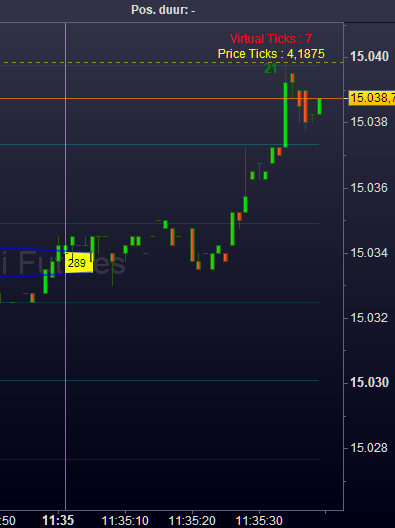
This is a question which I only have because it intrigues me. Without a solution I will survive.
Suppose I have a TimeFrame of 1 minute. I need DefParam DrawOnLastBar = true for various reasons. Now, what would be a sample code which draws a line on each minute mark which line will stay throughout the progress of the chart ?
I am as far as having the vertical line persistent for the last minute, that line disappearing if the new minute begins and the new line is drawn. I won’t even show the hoopla-code I have for it, because what I am doing is all stupid tweaking only to get that.
I must be missing the point completely because something simple like this should be … well, simple.
Thanks !
You can use arrays. This indicator will always plot the last 10 vertical lines, each new bar:
DEFPARAM DrawOnLastBarOnly = true
MaxLines = 10 //plot the last 10 lines
// initializations of the array
IF BarIndex = 0 THEN
FOR i = 1 TO MaxLines
$myLine[i] = 0
NEXT
ENDIF
myDrawingConditions = (summation[3](close > close[1]) = 3) //or whatever conditions you need to set
// each time a new line has to be plotted, the oldest one must be dropped
IF myDrawingConditions THEN
FOR i = 2 TO MaxLines
$myLine[i - 1] = $myLine[i]
NEXT
$myLine[MaxLines] = BarIndex
ENDIF
IF $myLine[MaxLines] <> 0 THEN
FOR i = 1 TO MaxLines
IF $myLine[i] <> 0 THEN
DrawVLine($myLine[i]) coloured("Fuchsia",255) style(DottedLine,2)
ENDIF
NEXT
ENDIF
RETURN
Thanks a lot, Roberto. Works beautifully.
myDrawingConditions = minute <> minute[1]
Although I got the hang now, I would still advise PRT to make something for this so people would understand intuitively. It could be as easy as
DrawSetting = 0 // 0 = DrawOnLastBarOnly = false.
DrawVLine(BarIndex) coloured("Fuchsia",255) style(DottedLine,2,DrawSetting) // DrawSetting is new option on the Style clause.