Good evening,
I am new to ProRealCode and would like to understand where I am wrong.
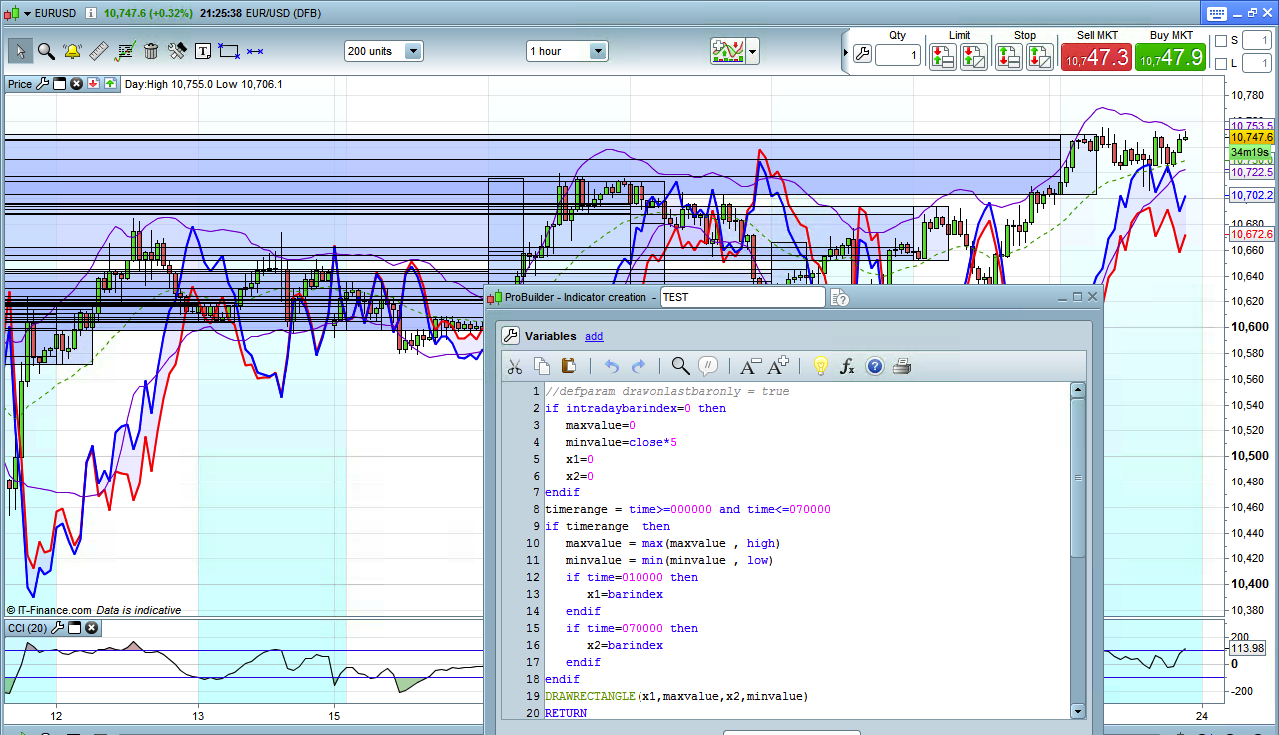
I need to draw a rectangle each day from 00:00 to 07:00 where Y1/Y2 are low/high for the same time frame.
If I uncomment line 1 (defparam drawonlastbaronly=true) it works fine on last day.
Uncommenting this line causes the rectangle to be drawn for all periods and I don’t realise why.
Any help is really appreciated.
Thanks
Giovanni
PS I attach screenshot of the actual wrong visualisation.
//defparam drawonlastbaronly = true
if intradaybarindex=0 then
maxvalue=0
minvalue=close*5
x1=0
x2=0
endif
timerange = time>=000000 and time<=070000
if timerange then
maxvalue = max(maxvalue , high)
minvalue = min(minvalue , low)
if time=010000 then
x1=barindex
endif
if time=070000 then
x2=barindex
endif
endif
DRAWRECTANGLE(x1,maxvalue,x2,minvalue)
RETURN
In fact this is not a problem, because your result give you exactly what you have coded.
If you don’t use the ‘drawonlastbaronly’ function, the code is read and executed while the history is read at the first time. As you may already know, prorealtime only read once the history and drawn things on chart can’t be erased.
So, in order to draw correctly the rectangles in your chart history, you’ll need to begin and end drawing them, once the last schedule (X coordinates = barindex) has already passed.
Another possibility could be to use the ‘drawonlastbaronly’ and make loop through the past data, but it would be memory consuming for the platform.
But if I understand correctly what you want to achieve here, is to draw the current rectangle (the one for the current day) and the ones from previous day also?
Thank you Nicolas,
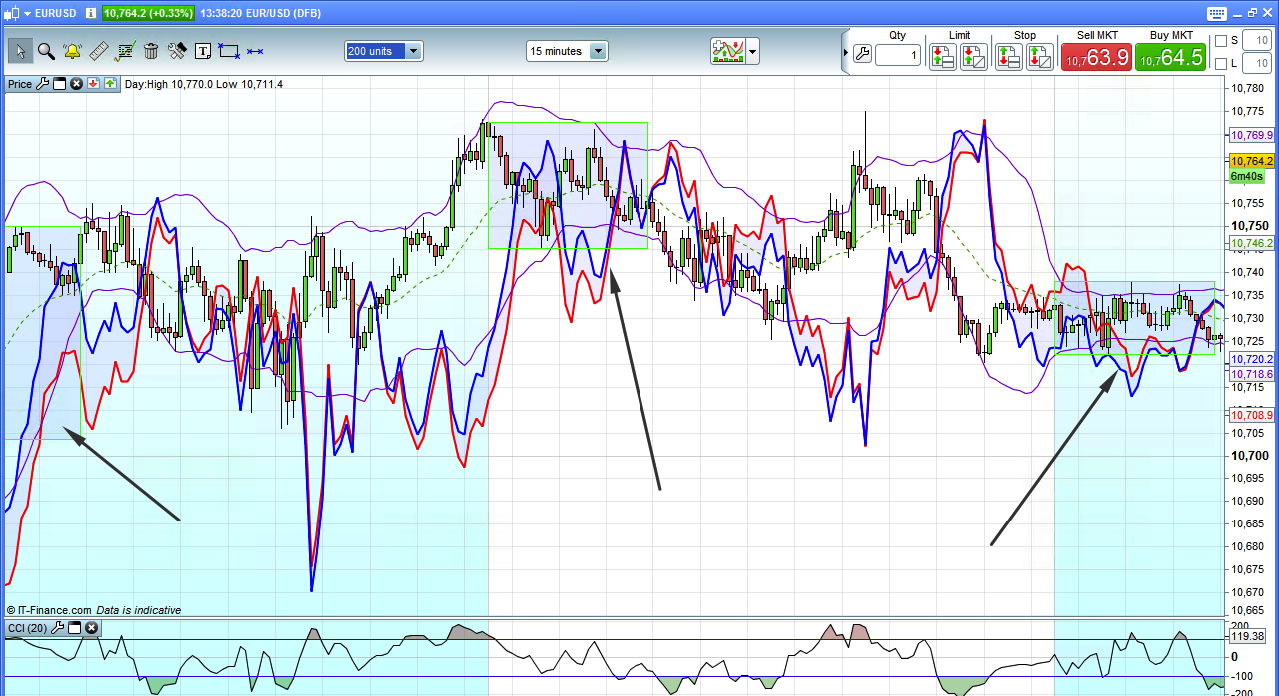
I amended the code as you explained and now it’s working fine .
The only issue is that it worked after restarting my PC, without changing any line of code at all.
I then tried to add a background to the rectangle but there is no way to do it, as far as I know.
Thank you Nicolas!
//defparam drawonlastbaronly = true
if intradaybarindex=0 then
maxvalue=0
minvalue=Dclose(0)*5
endif
timerange = time>000000 and time<=070000
if timerange then
maxvalue = max(maxvalue , high)
minvalue = min(minvalue , low)
if intradaybarindex=0 then
x1=barindex
endif
if time=070000 then
x2=barindex
DRAWRECTANGLE(x1,maxvalue,x2,minvalue) coloured(10,255,10,255)
endif
endif
RETURN
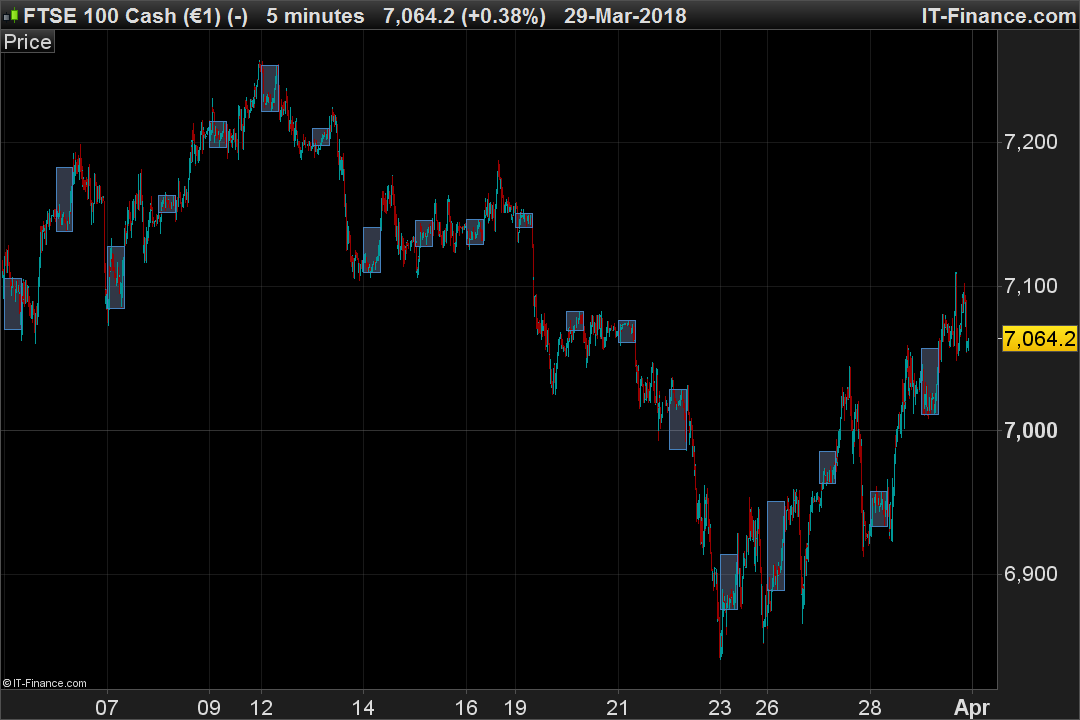
i wanted to change this box to 4am to 7am i tried below,
if intradaybarindex=0 then
maxvalue=0
minvalue=Dclose(0)*5
endif
timerange = time>=040000 and time<=080000
if timerange then
maxvalue = max(maxvalue , high)
minvalue = min(minvalue , low)
if intradaybarindex=0 then
x1=barindex
endif
if time=080000 then
x2=barindex
DRAWRECTANGLE(x1,maxvalue,x2,minvalue) coloured(70,130,190)
endif
endif
RETURN
but it didnt do anything any reason why???
It’s because line 9 will never be true after 000000.
Insert a new line between 3 and 4 which reads
MyBar=0
then at line 9 (now line 10) replace intradaybarindex with MyBar
if MyBar=0 then
and, finally, insert a line before or after line 10 (now line 11)
MyBar=1
@crolakstrading
There was an ENDIF wrongly placed in the code. The X1 coordinate was not correctly found, here is the code fixed:
if intradaybarindex=0 then
maxvalue=0
minvalue=Dclose(0)*5
endif
timerange = time>=040000 and time<=080000
if timerange then
maxvalue = max(maxvalue , high)
minvalue = min(minvalue , low)
endif
if intradaybarindex=0 then
x1=barindex
endif
if time=080000 then
x2=barindex
DRAWRECTANGLE(x1,maxvalue,x2,minvalue) coloured(70,130,190)
endif
RETURN
Well Nicolas, that would partially do, you’ll have a rectangle displayed also for hours BEFORE 040000.
I think the problem was the one I posted about.
To recap :
if intradaybarindex=0 then
maxvalue=0
minvalue=Dclose(0)*5
MyBar=0
endif
timerange = time>=040000 and time<=080000
if timerange then
maxvalue = max(maxvalue , high)
minvalue = min(minvalue , low)
if MyBar=0 then
x1=barindex
MyBar=1
endif
if time=080000 then
x2=barindex
DRAWRECTANGLE(x1,maxvalue,x2,minvalue) coloured(70,130,190)
endif
endif
RETURN
Thank you both! @robertogozzi & @Nicolas