DRAG INTO EXCEL – 100 ROW MAX LIMIT?

Viewing 10 posts - 1 through 10 (of 10 total)

  • Author
    Posts
  • #17556 quote
    GraHal
    Participant
    Master

    I’m drag & drop my Order List into Excel and then pivot into a Table, sort then to see which is the best performing Demo AutoBot.

    Unless I am missing a trick (?) there is a 100 row limit on drag & drop into Excel from PRT?

    It’s annoying there’s no way within PRT to see which Demo AutoBot is the best performer?

    Bots get stopped (for PRT reasons) and a restart loses previous profit / loss so I saw a pivot as an easy way to compare performance for up to 1 year / 500 rows … but seems I have been thwarted even in this??

    Comments / suggestions welcome please.

    GraHal

    #17678 quote
    Elsborgtrading
    Participant
    Veteran

    I also encountered that limit.

    Kasper

    #17690 quote
    Nicolas
    Keymaster
    Master

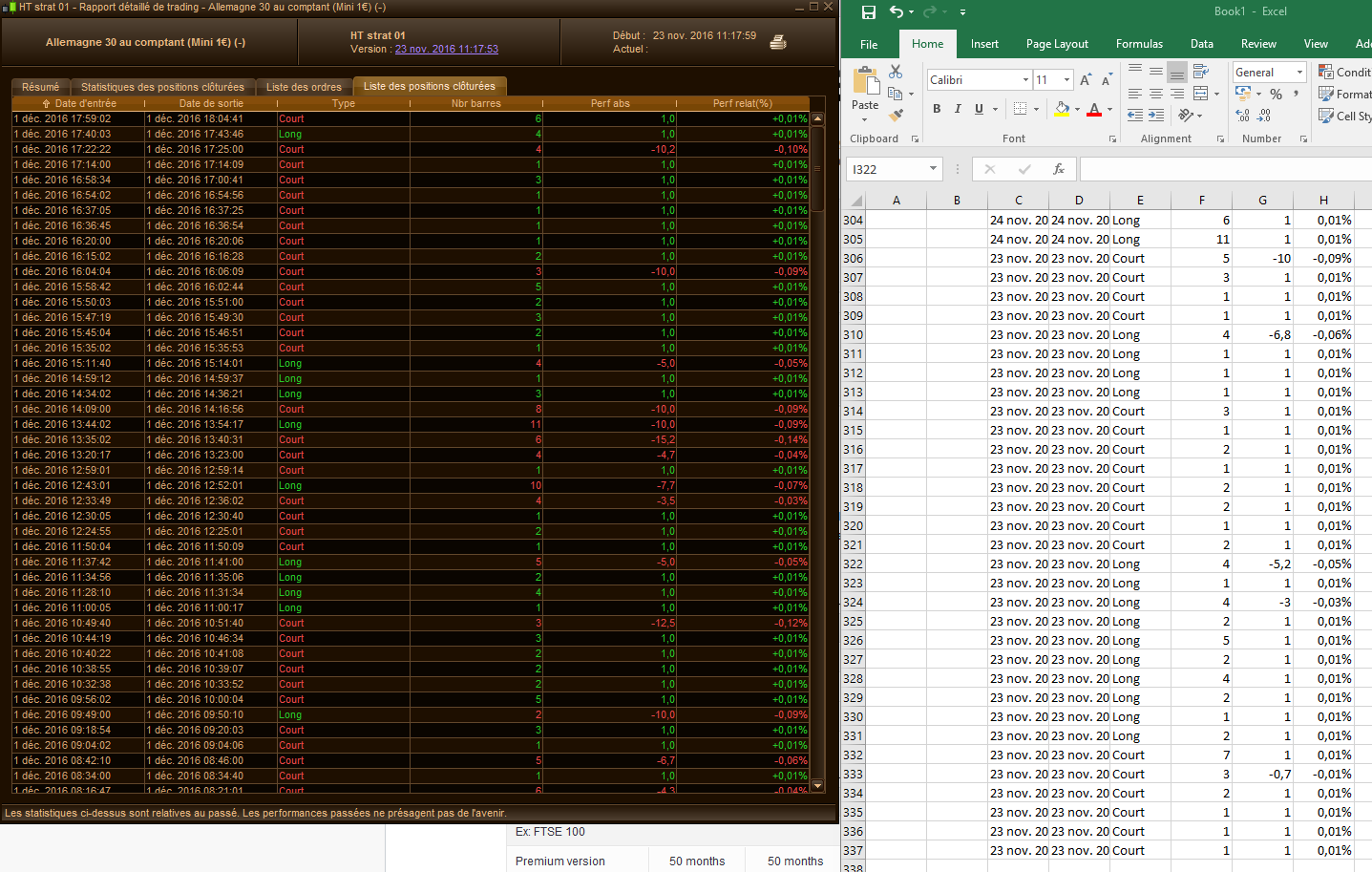
    I can drag more than 100 rows from the historical performance of any of the running strategies in my platform, I’m Premium, you?

    proorder-100-rows-limit.png proorder-100-rows-limit.png
    #17712 quote
    GraHal
    Participant
    Master

    I am running v10.2 with IG

    I just ran a Demo Bot and got 369 orders and sure enough all 369 Orders dragged into Excel.

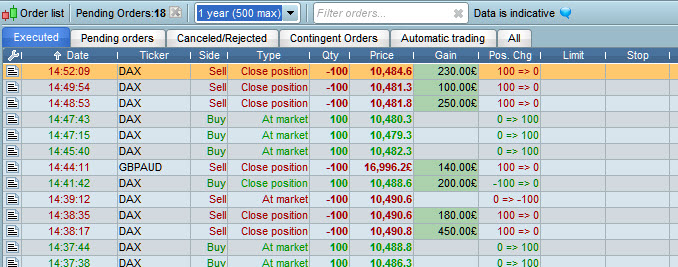
    When I drag from my Executed Order List for all Bots + Manual Trades (Orders List shows 500 limit) then the limit is 100 rows dragged into Excel.

    I just double checked this to make sure and the 100 executed Orders dragged into Excel have been executed in the last 28 hours.

    Nicolas,  I’d appreciate it if you could drag from your Executed Order List as maybe the 100 row limit is an ‘IG Thing’.

    Thank You

    GraHal

    #17717 quote
    Nicolas
    Keymaster
    Master

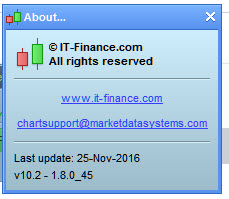
    You mean the first tab list? “Executed”? I just successfully exported 500 lines from the list .. another Premium benefit maybe? PRT version is 10.2 – 1.8.0_45 (from 25th Nov) here, what is yours?

    #17723 quote
    GraHal
    Participant
    Master

    Yes thats the List … screen shot  attached.

    Same version also … screen shot for benefit of others following.

    I will email IG and ask why cant I drag more than 100 rows now I know its not a PRT imposed limitation.

    Thank You Master 🙂

    GraHal

    Order-List.jpg Order-List.jpg v-10.2.jpg v-10.2.jpg
    #17881 quote
    GraHal
    Participant
    Master

    Here’s the answer from IG …

    Thanks for your patience.
    I am sorry to say that the IG ProRealTIme platform does not allow more than 100 lines to be copied.
    #17882 quote
    Nicolas
    Keymaster
    Master

    So you’ll get more with a PRT-CFD account like mine.

    #17931 quote
    GraHal
    Participant
    Master

    Ha … yes I am tempted on a PRT CFD account, but Spread Betting is more straighforward re tax rules!
    Also Spread Betting is always in GBP no matter what market is being traded. Also a few other easier matters re Contracts and Point Values. I do run an IG CFD Account side by side with IG Sprad Betting.

    Anyway I have asked IG as follows …

    Is the ‘100 row limit drag into Excel’ on Executed Orders a limit that satisfies some IG Requirement?
    OR – as is more likely (?)
    Is the 100 row limit just some default setting that has never been looked at / reset to the 500 rows allowed by the Executed Order List … see embedded screen shot top row for the 500 row limit.

    #17953 quote
    GraHal
    Participant
    Master
    Ha I sent IG a 20 second screen shot video of me doing the drag and drop … to make sure they understood the issue! It appears that PRT as Platform Provider impose the 100 row limit! See below … latest answer from IG
    Thanks for your email. I understand this from your perspective, believe me I do. I agree completely with you – it will make life easier if you could simply drag and drop in one go.

    ProRealTime is a third party platform, who provide the service for a very small fee of £30 a month, in which IG will refund you for if you place 4 trades per month. You can get more drag and drop limits if you use PRT Premium, which you can only get directly from PRT. Unfortunately, our version of PRT will not be changed – as this is not our platform and they have control over what we can provide, it makes it a little difficult. I hope this helps.

Viewing 10 posts - 1 through 10 (of 10 total)

  • You must be logged in to reply to this topic.

DRAG INTO EXCEL – 100 ROW MAX LIMIT?


Platform Support: Charts, Data & Broker Setup

New Reply
Author
Summary

This topic contains 9 replies,
has 3 voices, and was last updated by GraHal
9 years, 2 months ago.

Topic Details
Forum: Platform Support: Charts, Data & Broker Setup
Language: English
Started: 11/30/2016
Status: Active
Attachments: No files
Logo Logo
Loading...