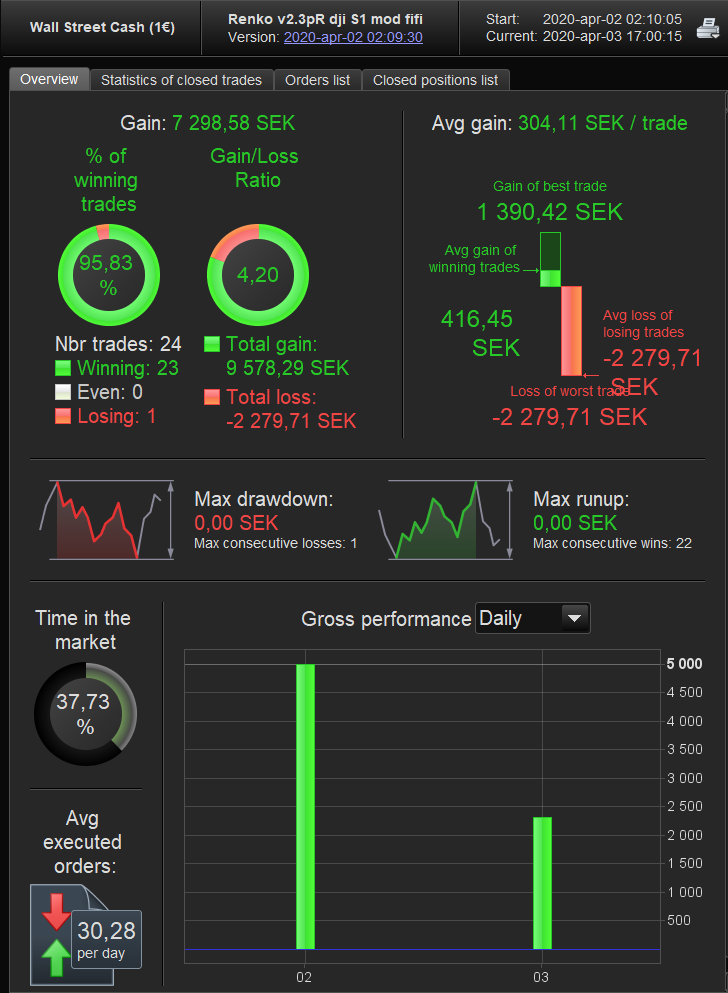
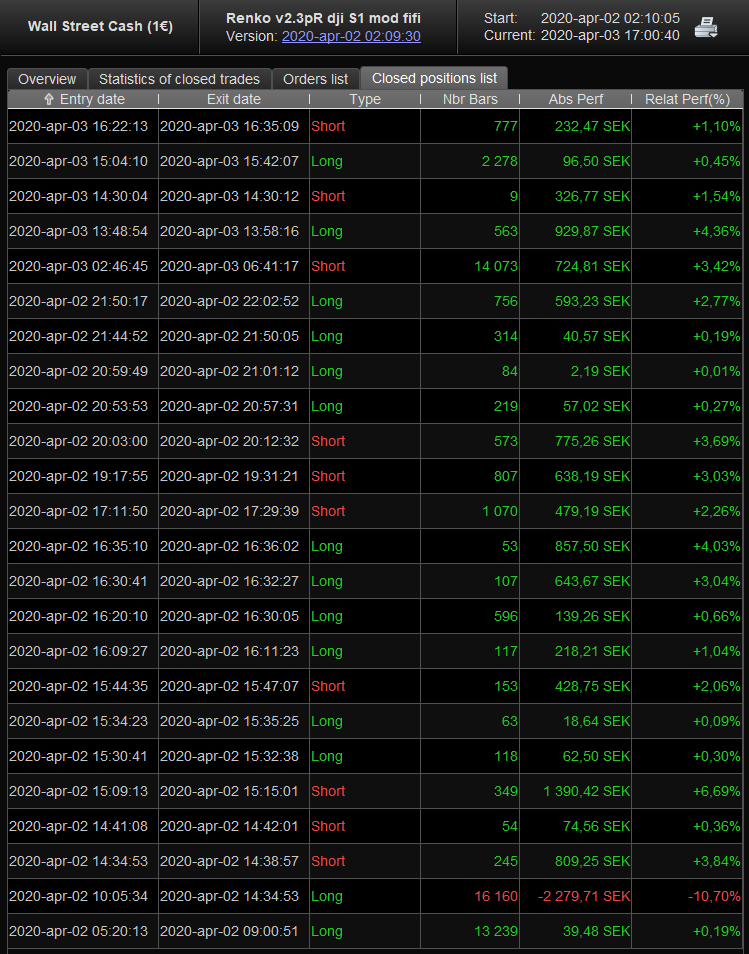
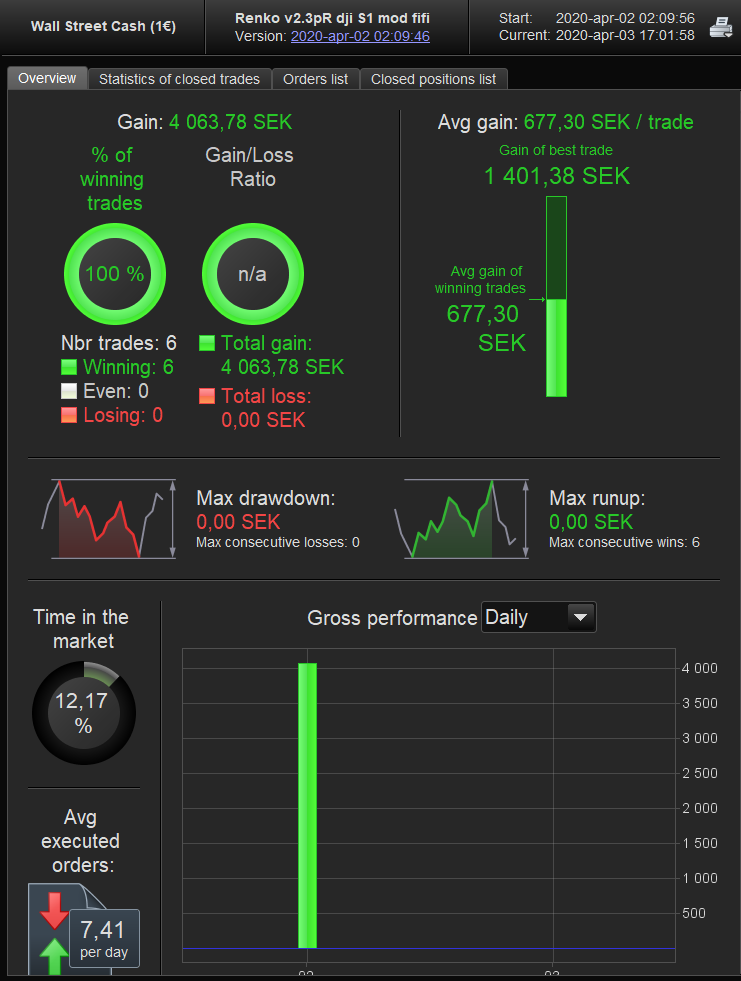
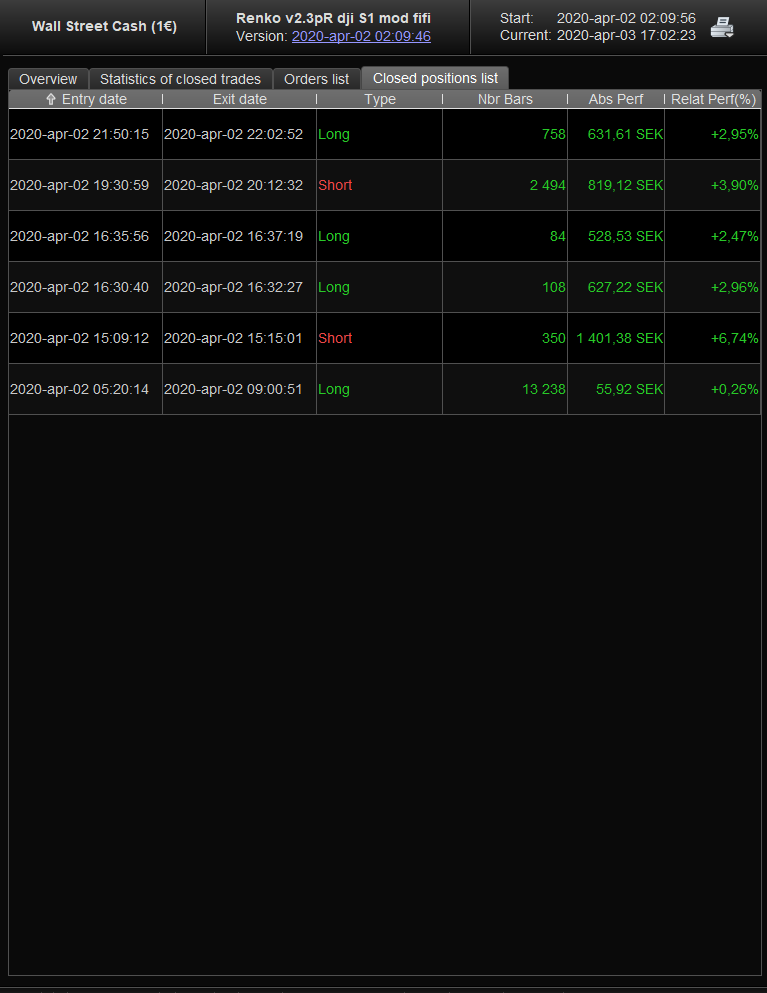
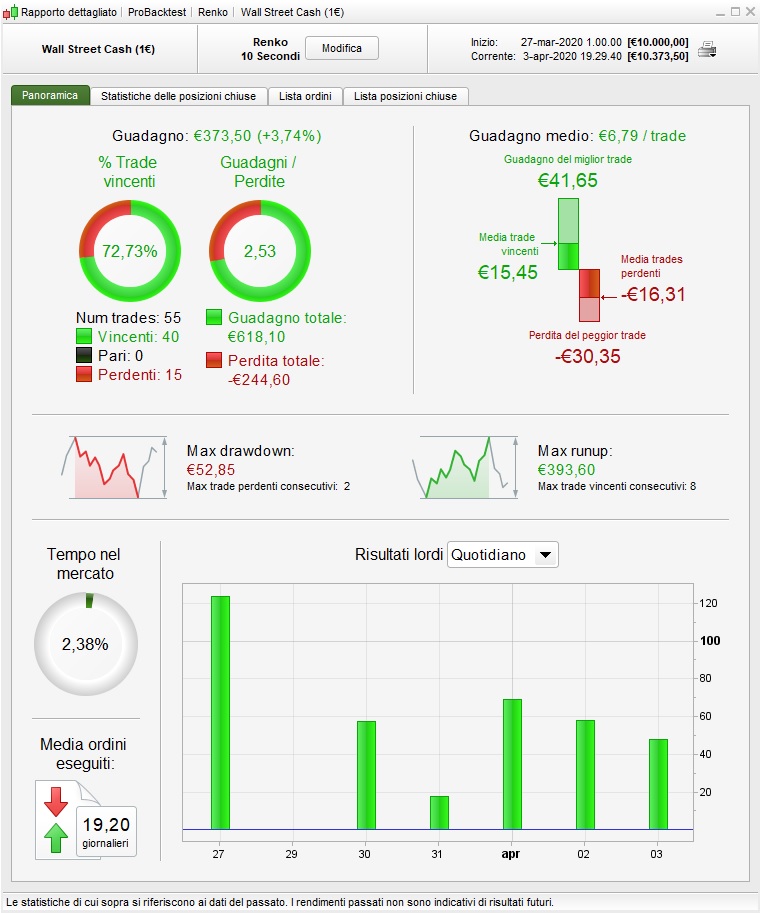
insane results
Please post results so we can all see and be happy for you?? 🙂
Also we can check if we got same results as you or do we need to use your settings etc
if the trend is up or down. Then change the box size after that. For example if the trend is up we want to make it easier to go long
Good idea, it’s all developing as we go along.
I agree … downtrends are different than up trends … recently the DJI went down near 1,000 points in a few hours, but many days later we are only about half way back up again!?
Most of us do not find coding easy and what seems like an easy change to say in words can take us hours.
@Nonetheless has included the SuperTrend in the code … so we are half way there to trying a different box size for up than down?
Have a go … you may surprise yourself! 🙂
Be sure to let us know please?
In order to open positions following the trend, i added bullish and bearish conditions to the Paul’s last version, performances up to +33%
EMA1 = exponentialaverage[10](close)
EMA2 = exponentialaverage[40](close)
bullish = Close>EMA1 AND Close>EMA2 AND EMA1>EMA2

EMA1 = exponentialaverage[10](close)
EMA2 = exponentialaverage[40](close)
bearish = Close<EMA1 AND Close<EMA2 AND EMA1<EMA2
@mrcool
maybe try to multiply value of trend indicator * x, in order to have the new value of boxsize, and for a simple calculation
another solution would be to use HullMA for confluence and to minimze latency
Somehow change the boxsize or Francesco last post make it more accurate when to enter the position from simple MA values to see where the trend is. It’s an easier way i guess.
Please post results so we can all see and be happy for you?? 🙂
Also we can check if we got same results as you or do we need to use your settings etc
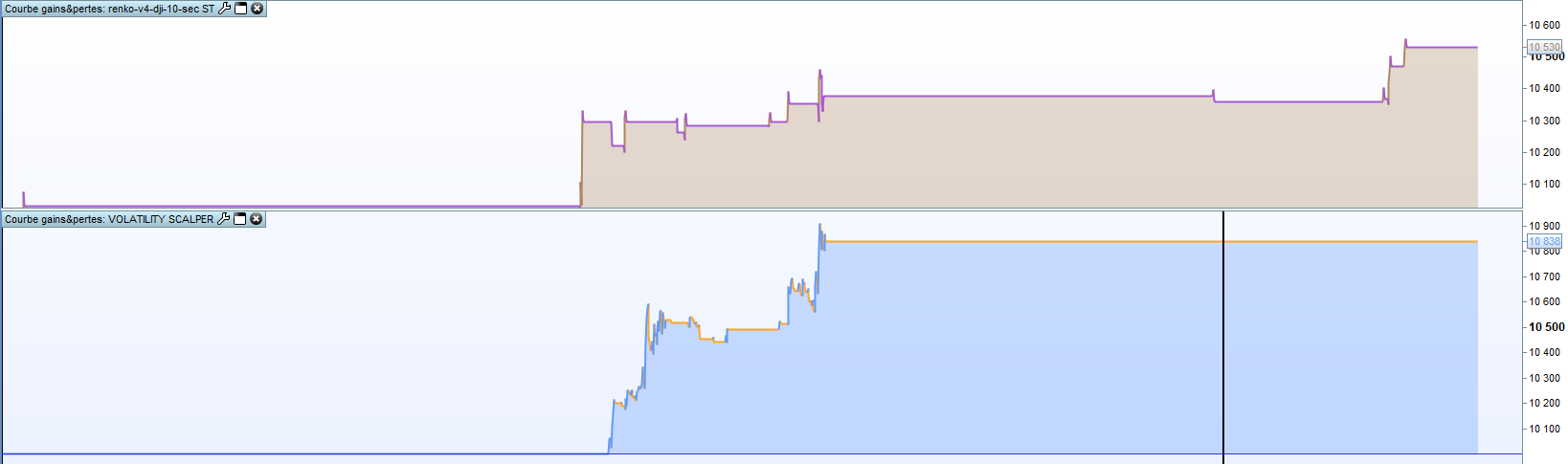
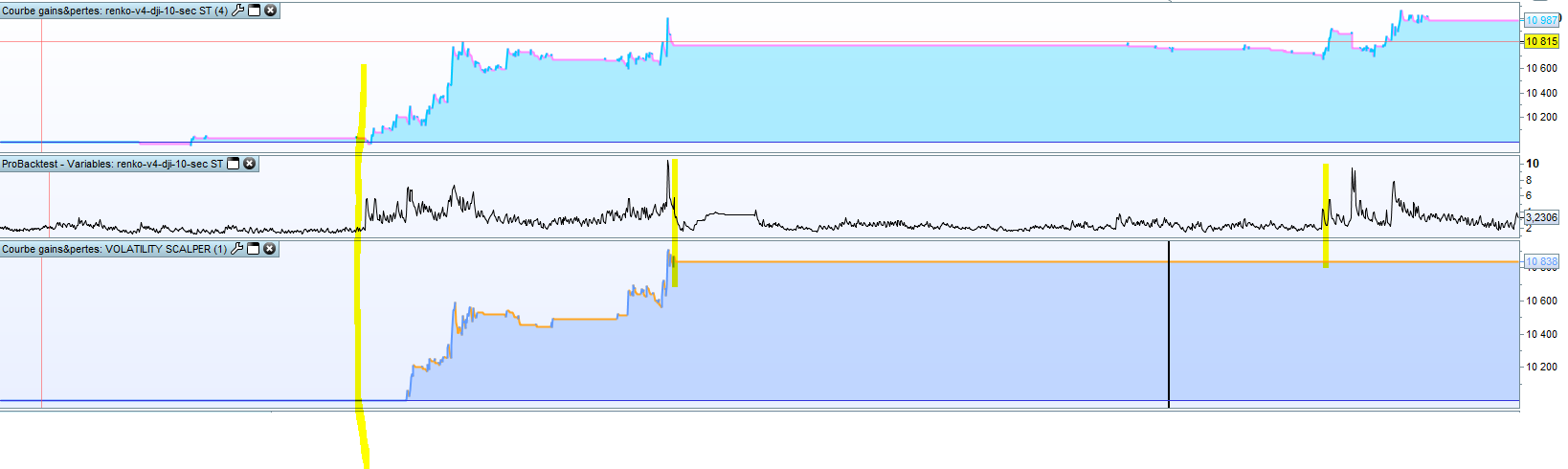
See pictures of both results and when the trades are taken 🙂 I run same one with 2 diffrent settings. One is with renkotype 3 and boxsize 100 and then otherone is with renkotype 3 and boxsize 200.
GraHal wrote:
Good idea, it’s all developing as we go along.
I agree … downtrends are different than up trends … recently the DJI went down near 1,000 points in a few hours, but many days later we are only about half way back up again!?
Most of us do not find coding easy and what seems like an easy change to say in words can take us hours.
@nonetheless has included the SuperTrend in the code … so we are half way there to trying a different box size for up than down?
Have a go … you may surprise yourself! 🙂
Be sure to let us know please?
The market is crazy right now so hard to get good results with only 100k with 1 sec. I’ve studied programming for 2 years on university so I know the basics but this is a bit diffrent for ”normal” programming languages.
In order to open positions following the trend, i added bullish and bearish conditions to the Paul’s last version, performances up to +33%
Haven’t tried it but I like the idea! In what TF do you add it?
@MrCool
With simple MM, they are all lag when the trend is identified, HullMA is more dynamic
i just compared a version of renko strategy and my strategy on going.. i hope 😉
 Paul
PaulParticipant
Master
Maybe that would be great to update value of boxsize with ATR
That a good idea!
What about this. Making boxsize depended on the atr of the green candles, and another one for the red one.
Meaning 2 dynamic boxsizes, both needed to muliply with factor x to make it usefull.
This for green candles.
// Calculation of ATR
// robertogozzi

p       = 30
Bullish = close >  open
MyTR = max(Range,max(abs(high - close[1]),abs(low - close[1])))
IF BarIndex < p THEN
IF Bullish THEN
MyATR = MyTR
ELSE
MyATR = MyATR[1]
ENDIF
ELSE
IF Bullish THEN
MyATR = ((MyATR[1] * (p - 1)) + MyTR) / p
ELSE
MyATR = MyATR[1]
ENDIF
ENDIF
RETURN MyATR AS "Atr"
In order to open positions following the trend, i added bullish and bearish conditions to the Paul’s last version, performances up to +33%
|
|
EMA1 = exponentialaverage[10](close)
EMA2 = exponentialaverage[40](close)
bullish = Close>EMA1 AND Close>EMA2 AND EMA1>EMA2
EMA1 = exponentialaverage[10](close)
EMA2 = exponentialaverage[40](close)
bearish = Close<EMA1 AND Close<EMA2 AND EMA1<EMA2
|
Update: slightly lower gain% but better winning trades% (last week all green days) with this
ema1=exponentialaverage[70]
ema2=exponentialaverage[120]
sma=average[180]

bullish= close>ema1 and ema1>ema2 and ema2>sma
bearish= close<ema1 and ema1<ema2 and ema2<sma
@Francesco
I’m still learning to code and would be grateful if you could show how the code looks like with your latest Bullish and Bearish additions?
I learn a lot of you guys, thanks! 🙂
First you have to add the settings that i’ve posted before in the code; then you have to add the variables into the entry conditions, like this:
// entry
If (tradetype=1 or tradetype=2) and tradelong then
if bullish then
if condbuy and not longonmarket then
buy positionsize contract at market
tradecounter=tradecounter+1
tradecounterlong=tradecounterlong+1
endif
endif
endif

if (tradetype=1 or tradetype=3) and tradeshort then
if bearish then
if condsell and not shortonmarket then
sellshort positionsize contract at market
tradecounter=tradecounter+1
tradecountershort=tradecountershort+1
endif
endif
endif
you can add bullish and bearish whenever you want between the conditions, i just added it into another line for clarity
One is with renkotype 3 and boxsize 100
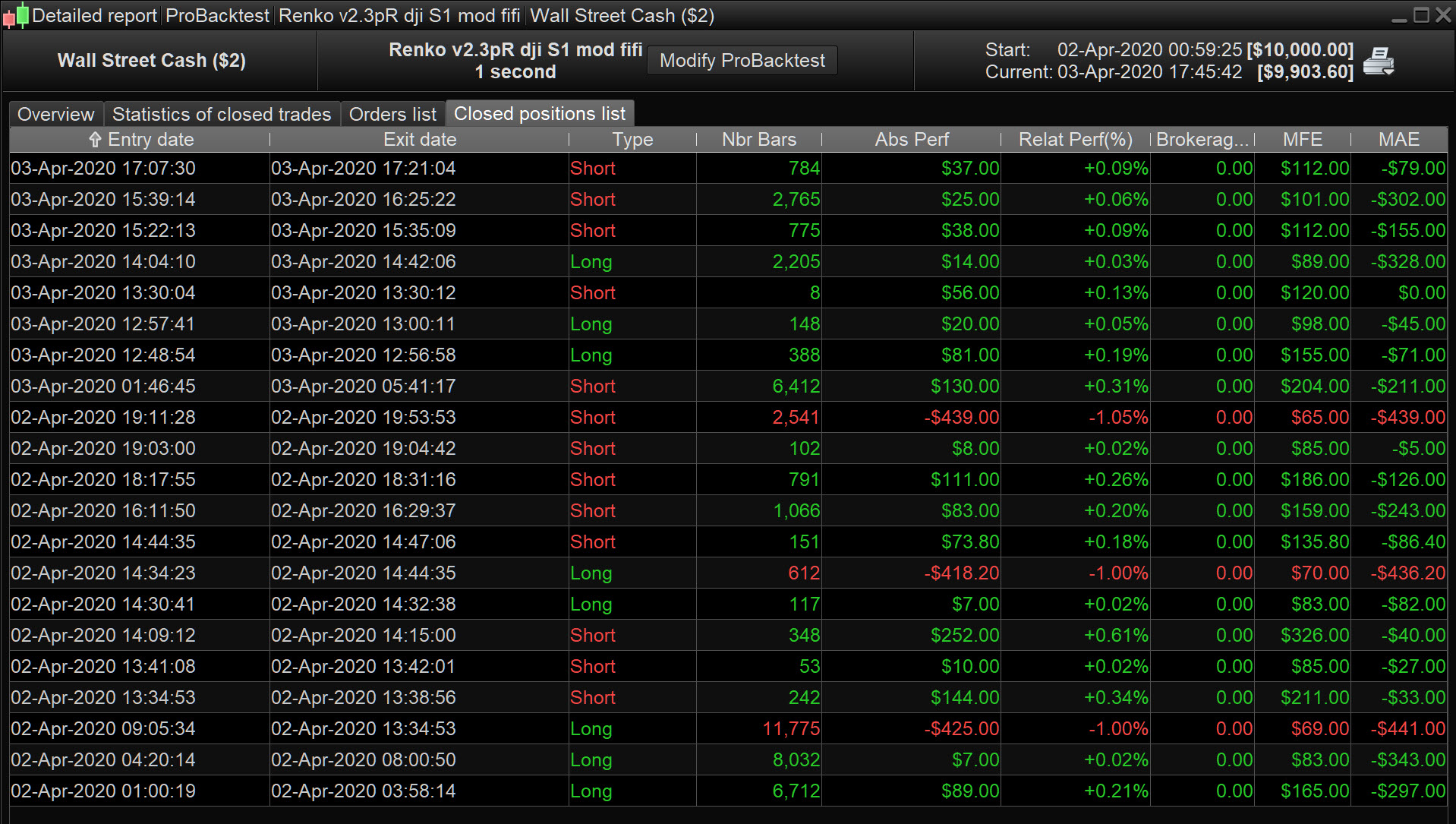
The results you show are backtested with a very low spread?? (You do not show the very top where is says ProBacktest or ProOrder)
I backtested with spread = 2 and got very similar results to yours.
I then backtested with spread = 10 (realistic as average spread over 24 hours?) and the result were a loss (similar to the same System I have running in Live Forward Test / ProOrder.
If you do not agree then please say as we all want to get rich together and have the Party of a LifeTime aboard Vonasi’s Yacht!!!! 🙂
EDIT / PS
I will say though that 3 big losses (see attached) account for total losses so seems we need to tweak the stop loss or better still have a dynamic exit, or even … if position perf < 0 after x bars etc??
@Paul
Interesting yes, thx
in progress in my thinking, for the moment i try to compare both strategy. Mine use volatility indicator including a method around the ATR too.
for the moment, i just tested to reduce the static value of the boxe size, set to 4 instead 20.
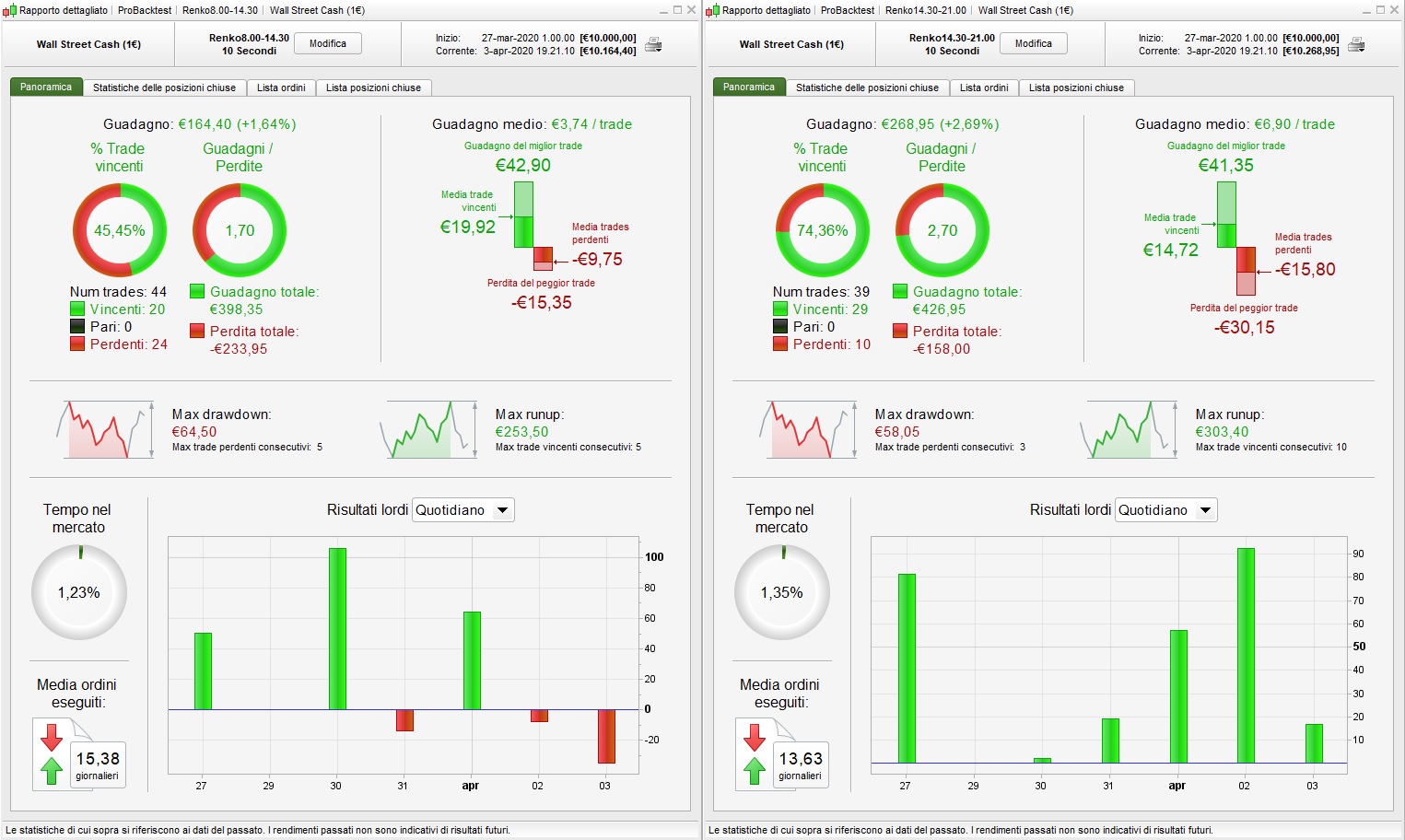
Update: Splitted the strategy into two versions, one on 8.00-14.30 with 2.4 spread, and another on 14.30-21.00 with 1.6 spread.
Boxsize, renkotipe, sl, tp and bullish/bearish conditions optimized for both. Results in the images. Position size=0.5
I know that this could be highly overoptimize, but splitting the strategy for the different time ranges could be an idea to better perform following the spread.
You can see the non-splitted version on 2.4 spread on the right
with 2.4 spread, and another on 14.30-21.00 with 1.6 spread.
Thanks … these should be useful for when spreads get back to normal?
Currently on DJI spread never gets lower than 5.6 and can be 26.6 at times?
I guess actual spreads are just normal ones+4pts since some days.
Normal fixed: 2.4 and 1.6 for 8.00-14.30 and 14.20-21.00
Actual fixed: 6.4 and 5.6 for 8.00-14.30 and 14.20-21.00
Dow reaches 26.6 or higher in 21.00-8.00 time ranges.