Different indicator values to graph on values?

Viewing 2 posts - 1 through 2 (of 2 total)
  • Author
    Posts
  • #150816 quote
    Monochrome
    Participant
    Senior

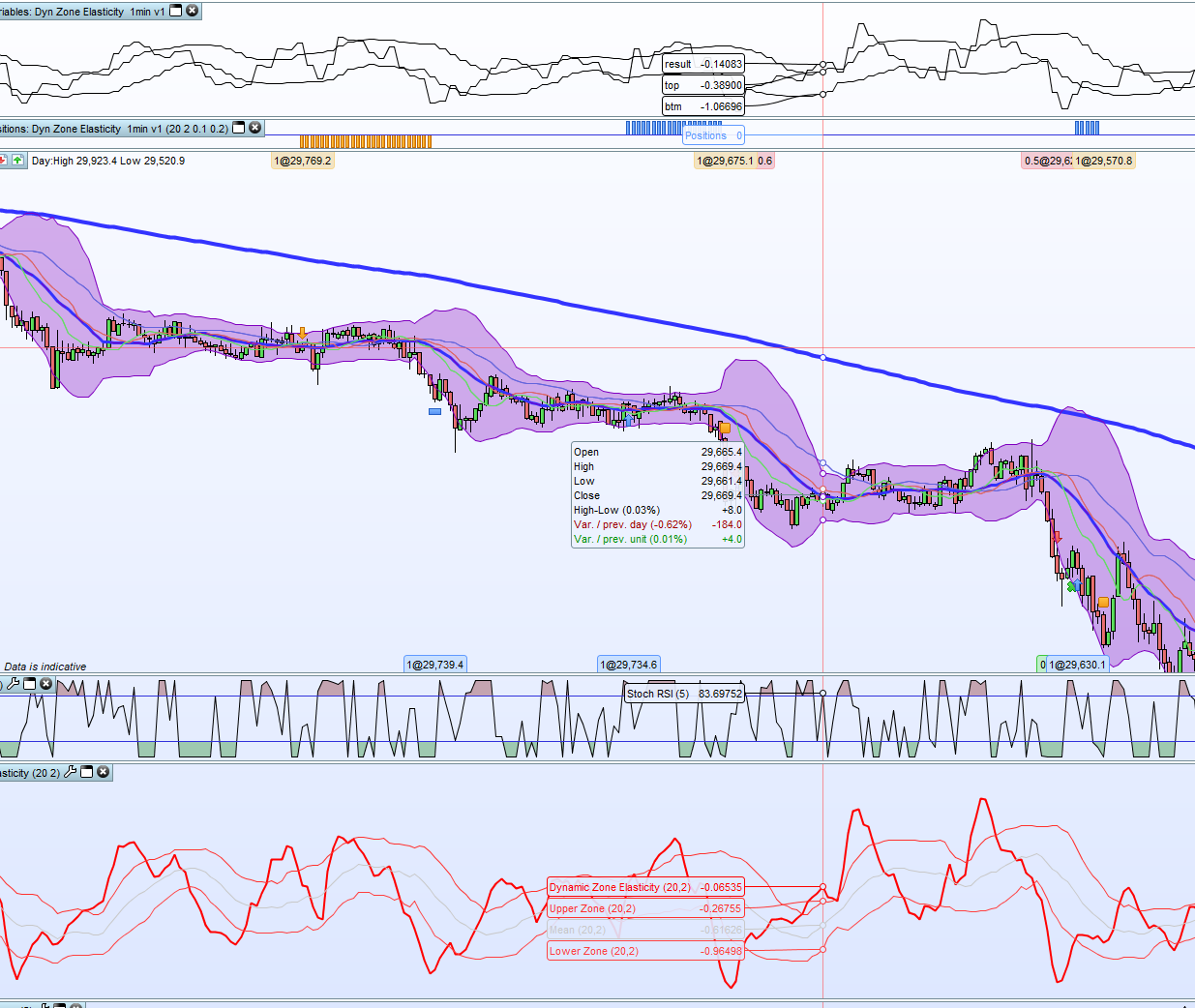
    Hi i am testing this indicator from MAZ , https://www.prorealcode.com/prorealtime-indicators/dynamic-zone-elasticity/.

    When i graph the results it shows different values.

    period = 20
    smoothing = 2
    once smoothing = max(1, smoothing+1)
    once period = max(1, Period)
    
    // Coeficient, change if required
    once coef = 0.8
    
    // Signal line
    x = std[Period](close)
    signam = 1 + (-1* ( ((average[period](close) + (x*2)) - close) / x ) / 2)
    
    // Dynamic Zones
    sq    = square(signam)
    mean  = average[period](signam)
    vsqrt = sqrt( average[period](sq) - square(mean) )
    
    top = mean + coef * vsqrt
    btm = mean - coef * vsqrt
    
    result = average[smoothing](signam)
    
    return result coloured(255,0,0) style(line, 2) AS "Dynamic Zone Elasticity", top coloured(255,50,47) AS "Upper Zone", btm coloured(255,64,64) AS "Lower Zone", mean coloured(200,200,200) AS "Mean"

    Any idea why this might be?

    Screenshot-24.png Screenshot-24.png
    #179220 quote
    jpgcreatestrading
    Participant
    Average

    i have the same problem with a simple RSI. i am testing a strategy using the RSI and was getting different results so graphed it to see quite a radical difference, so trades were not traded correctly.

    did you ever have a follow up from the tech team?

Viewing 2 posts - 1 through 2 (of 2 total)
  • You must be logged in to reply to this topic.

Different indicator values to graph on values?


ProBuilder: Indicators & Custom Tools

New Reply
Author
author-avatar
Monochrome @monochrome Participant
Summary

This topic contains 1 reply,
has 2 voices, and was last updated by jpgcreatestrading

4 years, 4 months ago.

Topic Details
Forum: ProBuilder: Indicators & Custom Tools
Language: English
Started: 11/17/2020
Status: Active
Attachments: 1 files
Logo Logo
Loading...