 Brad
BradParticipant
Junior
Hi All
I know this topic has been covered numerous times over the years:
Yet, I am still struggling.
This is the info I have:
- My charts are set to (UTZ+00:00)Z
- Market: Wall Street Cash (£1)
- During DST on a Friday, the market closes at 21hoo (UTZ)
- During Non-DST on a Friday, markets close at 22h00 (UTZ)
As far as I can see, my indicator says:
- No trades are to be opened from 19h00 on Fridays, and no trades are to be placed on Sundays during DST.
- No trades are to be opened from 20h00 on Fridays, and no trades are to be placed on Sundays during Non-DST.
// Determine the day of the week for the second Sunday in March
MarchSecondSunday = (Month = 3) AND (DayOfWeek = 0) AND (Date >= 8) AND (Date <= 14)

// Determine the day of the week for the first Sunday in November
NovemberFirstSunday = (Month = 11) AND (DayOfWeek = 0) AND (Date >= 1) AND (Date <= 7)

// Check if current date is within DST period
IF Date > MarchSecondSunday AND Date < NovemberFirstSunday THEN
DSTOn = 1
ELSE
DSTOn = 0
ENDIF

// Define trading hours based on DST status:
IF (DayOfWeek = 5 AND Time >= 200000) OR (DSTOn AND Time >= 190000) OR (DayOfWeek = 0) THEN
TradingDay = 0
ELSE
TradingDay = 1
ENDIF
Return TradingDay
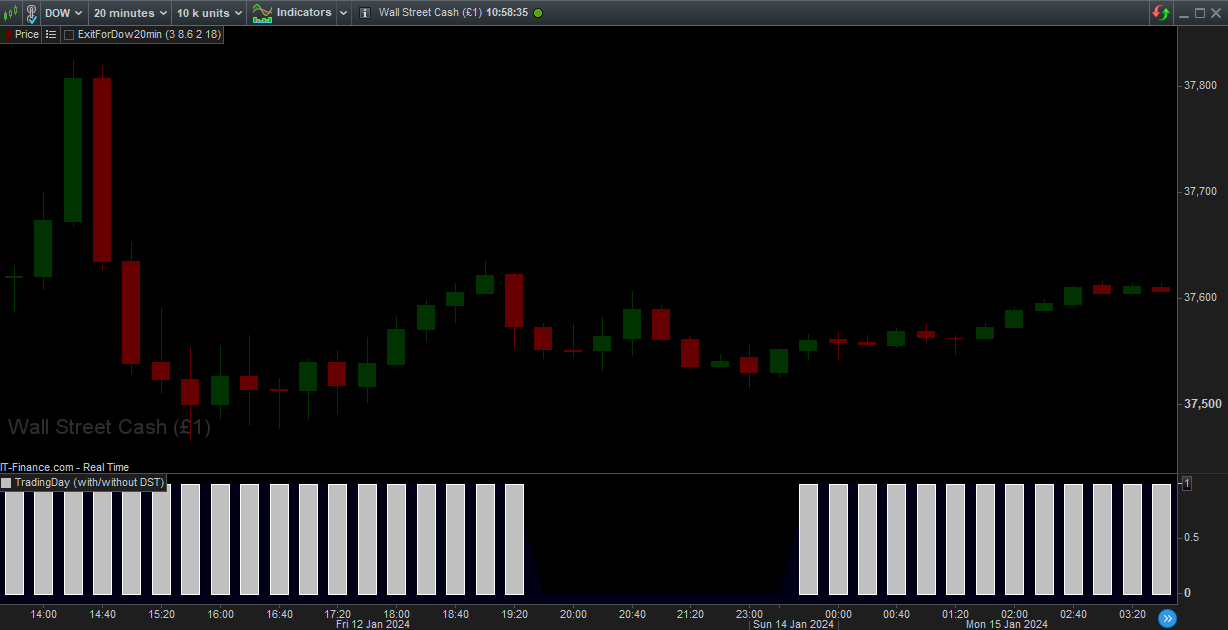
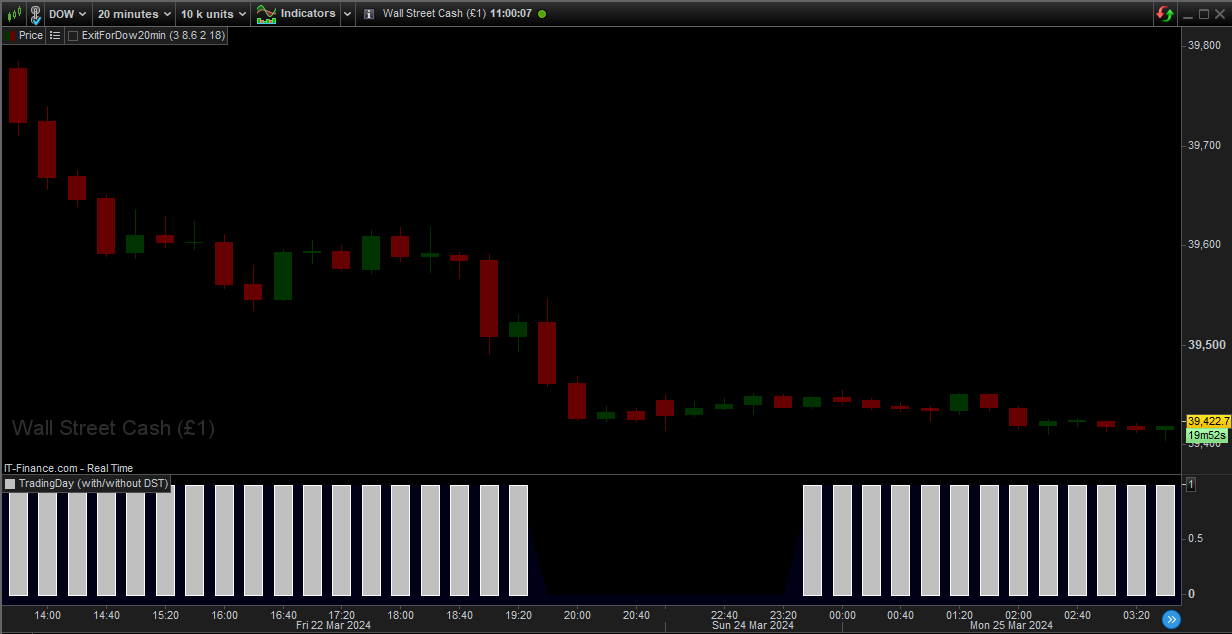
Yet, when I apply my indicator, it still shows:
- Trading is allowed at 19h20 on Fridays and 23h40 on Sundays during DST.
- Trading is allowed at 19h20 on Fridays and 23h40 on Sundays during Non-DST.
- (Screenshots attached)
A few questions, please:
- Is my indicator coded correctly?
- Does changing my chart time zone to: “Use different time zones for different markets (United States Indices – US)” make coding for DST unnecessary? (This has been mentioned by members in the forum)
- When completing a backtest, is a DST taken into account?
Regards
Brad
Try this one:
IF BarIndex = 0 THEN
IF OpenMonth < 3 OR OpenMonth > 10 THEN
DSTon = 0
ELSE
DSTon = 1
ENDIF
Sundays = 0
ENDIF

// Determine the day of the week for the second Sunday in March when DST turns ON
IF (OpenMonth = 3) AND (DSTon = 0) THEN
IF OpenDayOfWeek >= 0 AND (OpenDayOfWeek[1] > OpenDayOfWeek) THEN
Sundays = Sundays + 1
IF Sundays = 2 THEN
DSTOn   = 1
Sundays = 0
ENDIF
ENDIF
ENDIF

// Determine the day of the week for the first Sunday in November when DST turns OFF
IF (OpenMonth = 11) AND (DSTon = 1) THEN
IF OpenDayOfWeek >= 0 AND (OpenDayOfWeek[1] > OpenDayOfWeek) THEN
DSTOn   = 0
ENDIF
ENDIF

// Define trading hours based on DST status:
IF (OpenDayOfWeek = 5 AND ((OpenTime >= 200000 AND Not DSTon) OR (DSTOn AND OpenTime >= 190000))) OR (OpenDayOfWeek = 0) THEN
TradingDay = 0
ELSE
TradingDay = 1
ENDIF
Return TradingDay
Hi Brad,
Does changing my chart time zone to: “Use different time zones for different markets (United States Indices – US)” make coding for DST unnecessary? (This has been mentioned by members in the forum)
Nope.
When completing a backtest, is a DST taken into account?
If all the DLS periods are recognized in your code, Yes. Thus, backtest from of e.g. Jan 2019, and including the current one, 11 periods should be recognized and you must of course have those periods correct. You should also cover for the future, like the next period in autumn 2024 and spring 2025, assumed your Live System will be running until then.
There is no automation for this, apart from your own. 🙂
BradParticipant
Junior
Geez, I’ve got a lot to learn!
Thanks very much, Roberto.
Try this one:
Roberto, your code does virtually nothing, because it is not (or will not be) about Daylight Savings as such, sec;
You would not care a hoot whether your Italian stocks etc. open one hour earlier or later in relation to sun dawn when summer time has arrived next week (don’t even try to reason about the earlier or later if you want to survive this day 😉 ). What is important is the relation to the world markets. Thus, the past two weeks and the current week, the US markets open and close 1 hour earlier than Europe’s, because THEIR DLS already started two weeks ago; ours is just to come.
In principle the same thing will happen in autumn (the US will be early) but whether the period takes 3 weeks again, is to be seen (I did not look it up yet).
All we can say is that for Europe the rules are quite decent (your code contains that) and that for the US they seem to do what they like, or I don’t know the rules (why this idea ? because it is different often, like 1 week of difference, 2 weeks of difference, or 3 weeks of difference like currently). But hey, if you travel 10 States, you must change your watch 10 times. 🙂
if you travel 10 States, you must change your watch 10 times
If you use different instruments of 10 different countries you will have to change the dates above 10 times.
I just coded what had been asked.