


Custom trading hours not working on PRT 11.1

Viewing 3 posts - 1 through 3 (of 3 total)
  • Author
    Posts
  • #199949 quote
    MIRAK231
    Participant
    New

    Hello!

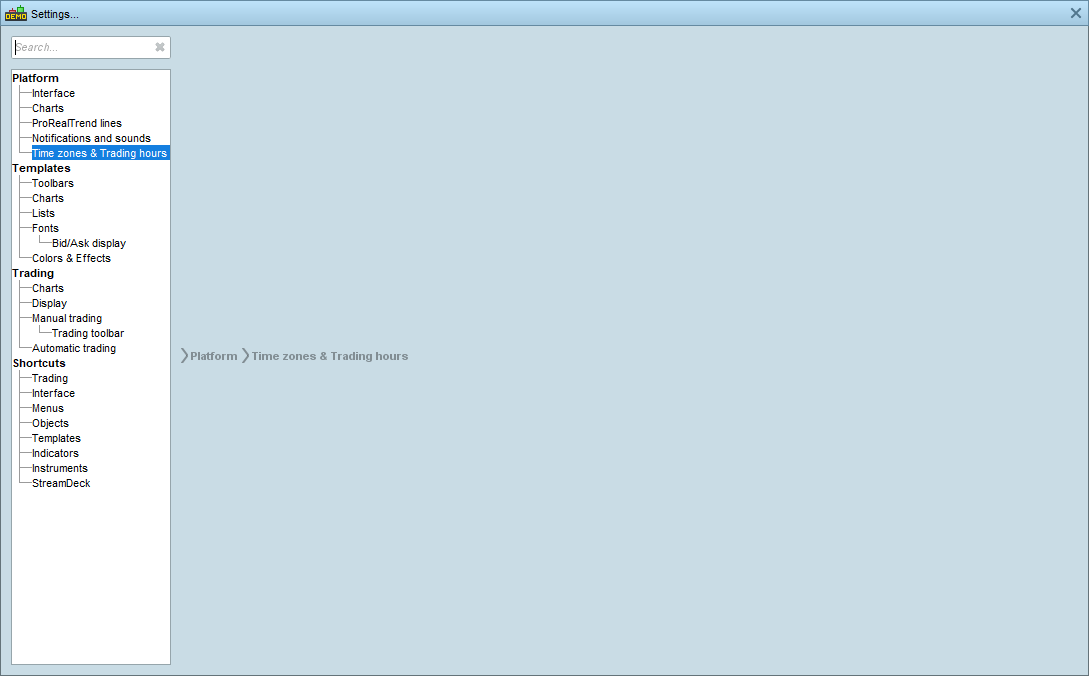
    I’ve been using ProRealTime v11.1 For nearly a month now, and every thing was great, till i started using custom trading hours yesterday. Today I logged into my platform and when i try to access the custom window in settings, this is what I get a blank window as shoan on the picture attached. I tried rebooting PRT many times, rebooting my computer, it didn’t work.

    Any idea on how to fix this.

    Capture08.png Capture08.png
    #199952 quote
    Maverick
    Moderator
    Average

    Dear Mirak,


    In order to allow us to analyze your platform, please send us a technical report from the menu “Help” of your platform.

    Click here for detailed instructions on how to send a technical report.

    This will send us a report containing technical information concerning your platform, which will allow our technical team to run a diagnostic analysis of the issue you have come across.

    Thanks in advance,

    Best Regards,

    Victor

    #199959 quote
    MIRAK231
    Participant
    New

    Hello Victor,

    I sent a report using the Technical support in the help menu. How is the Technical team going to reply to me?

    And I thaught it’s worth mentioning that i reinstalled the v11.1 and the problem is not resolved, however, I tried the v10.3 and it works just fine.

    Best regards

Viewing 3 posts - 1 through 3 (of 3 total)

  • You must be logged in to reply to this topic.

Custom trading hours not working on PRT 11.1


Platform Support: Charts, Data & Broker Setup

New Reply
Author
author-avatar
MIRAK231 @mirak231 Participant
Summary

This topic contains 2 replies,
has 2 voices, and was last updated by MIRAK231

3 years, 6 months ago.

Topic Details
Forum: Platform Support: Charts, Data & Broker Setup
Language: English
Started: 08/31/2022
Status: Active
Attachments: 1 files
Logo Logo
Loading...
