Custom timeframe creation

Viewing 9 posts - 16 through 24 (of 24 total)
  • Author
    Posts
  • #229490 quote
    JS
    Participant
    Senior

    Hi Maria,

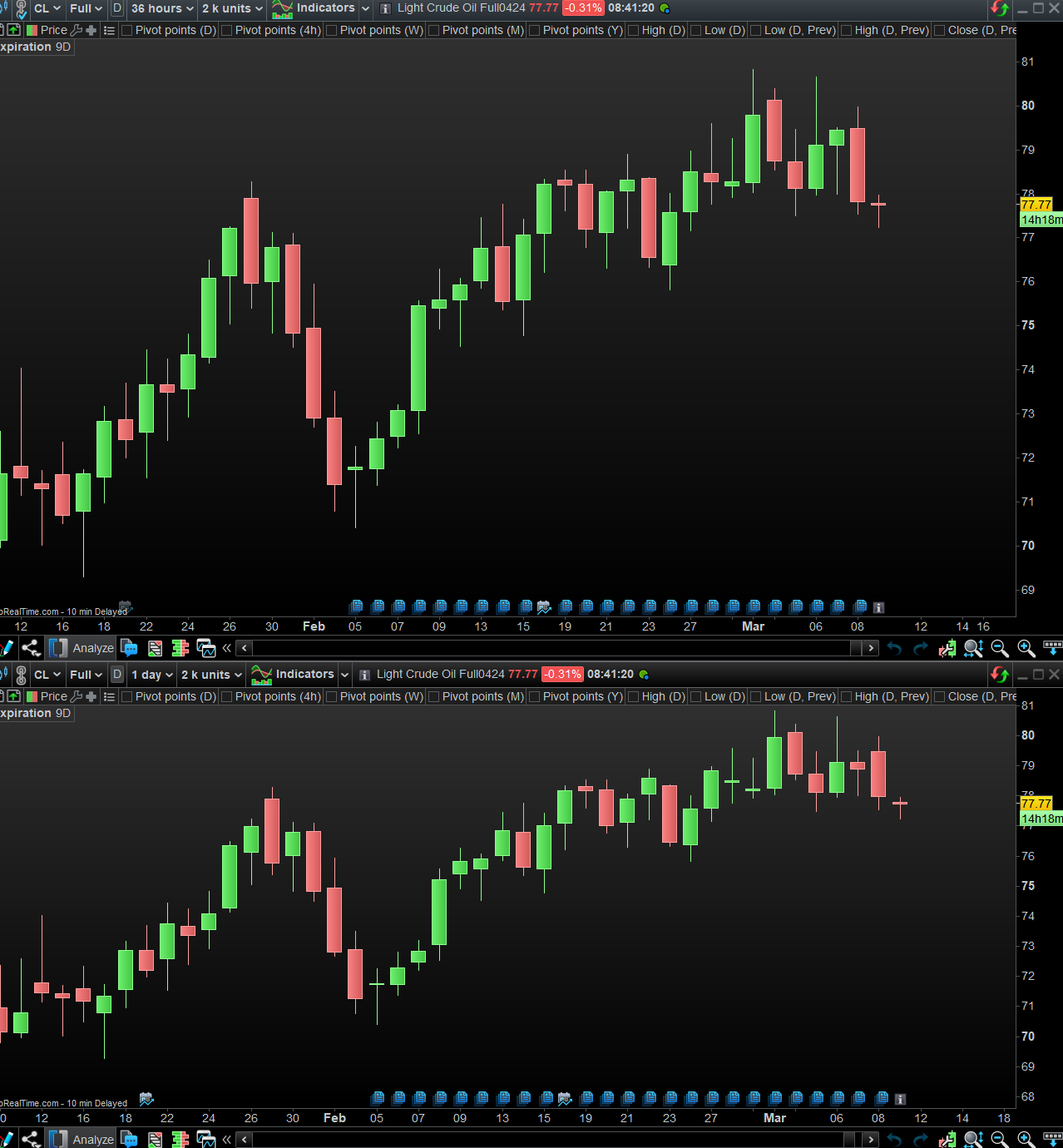
    What is possible in PRT is to make new “candles” based on the information of, for example, the last 36 hours of candles…

    In the image you can see on the lower part the candles with a time frame of 36 hours…

    maria_88 thanked this post
    Scherm­afbeelding-2024-03-08-om-17.54.54.png Scherm­afbeelding-2024-03-08-om-17.54.54.png
    #229569 quote
    Nicolas
    Keymaster
    Master
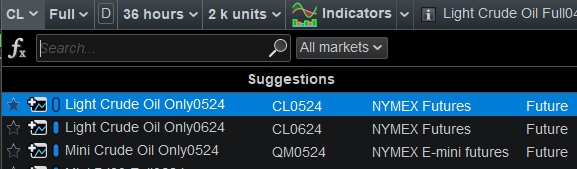
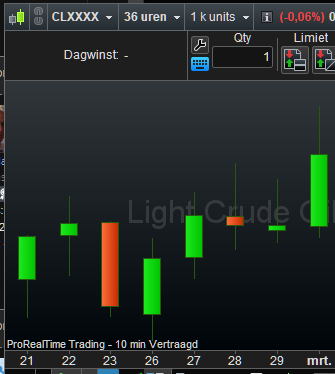
    It works fine with Light Crude Oil (CL) Futures instruments. Look carefully at the attached picture (above 36-hours chart, below daily chart), they are different charts.
    maria_88 thanked this post
    36-hours-us-crude.png 36-hours-us-crude.png crude-oil-tickers.png crude-oil-tickers.png
    #229575 quote
    PeterSt
    Participant
    Master
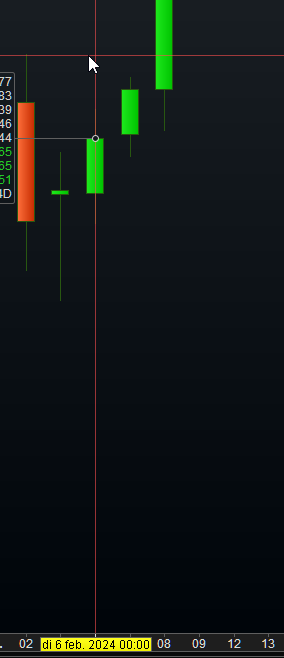
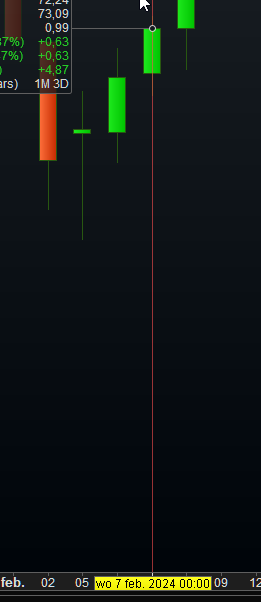
    If it would work fine, the bars would emerge each 36 hours. But they emerge each 24 hours.
    maria_88 thanked this post
    image_2024-03-11_091547511.png image_2024-03-11_091547511.png image_2024-03-11_091635533.png image_2024-03-11_091635533.png image_2024-03-11_091831813.png image_2024-03-11_091831813.png
    #229604 quote
    maria_88
    Participant
    New
    Hi Maria, What is possible in PRT is to make new “candles” based on the information of, for example, the last 36 hours of candles… In the image you can see on the lower part the candles with a time frame of 36 hours…
    Hi JS Thank you – I will investigate to see if this can help me!
    #229605 quote
    maria_88
    Participant
    New
    If it would work fine, the bars would emerge each 36 hours. But they emerge each 24 hours.
    Yes, true. This is the idea — it needs to be a separate 36 hour bar!   I emailed PRT support to see if they have any thoughts about this.
    #229606 quote
    maria_88
    Participant
    New
    It works fine with Light Crude Oil (CL) Futures instruments. Look carefully at the attached picture (above 36-hours chart, below daily chart), they are different charts.
      Hi, thanks Nicolas.   There are a few minor colour differences on some bars. But overall there is something still quite not right — as @PeterSt has also been able to point out.   The chart would be different because each bar is 36 hours (1.5 days.) Right now it’s showing the same thing. (On a 36-hour chart, I’d expect to see all that in less bars because of the merging.)   You’ll be able to see this principle in reverse. On the 12-Hour chart, the Daily bar is split into two separate 12-Hour bars.
    #229618 quote
    pableitor
    Participant
    Master
    Question is: what is really a 36 hour candle ?  Is it one single candle summing up 36 x 1 hour candles ? Or is it one candle spanning 1.5 trading sessions ?  Both should be different if the instrument doesnt trade 24h/day !
    #229620 quote
    maria_88
    Participant
    New
    Question is: what is really a 36 hour candle ? Is it one single candle summing up 36 x 1 hour candles ? Or is it one candle spanning 1.5 trading sessions ? Both should be different if the instrument doesnt trade 24h/day !
    Good question 😅 I’m fine with either.   But if I had a choice: Whatever the daily chart bar was ((even if it doesn’t trade 24h/day)), plus 12 hours of the next day.   So today’s would be Monday’s bar, all the way to 12PM Tuesday afternoon — making a day and a half. It’s about right and would get the job done. Won’t make too much of a difference for what I want to study.   Right now I’m working with available timeframes like Daily, sometimes D2 (48 hours). Was just always curious if there’s any “gold” in H36. Not a huge deal.   Very appreciative of the help, thanks guys! 👍
    pableitor thanked this post
    #229865 quote
    druby
    Participant
    New
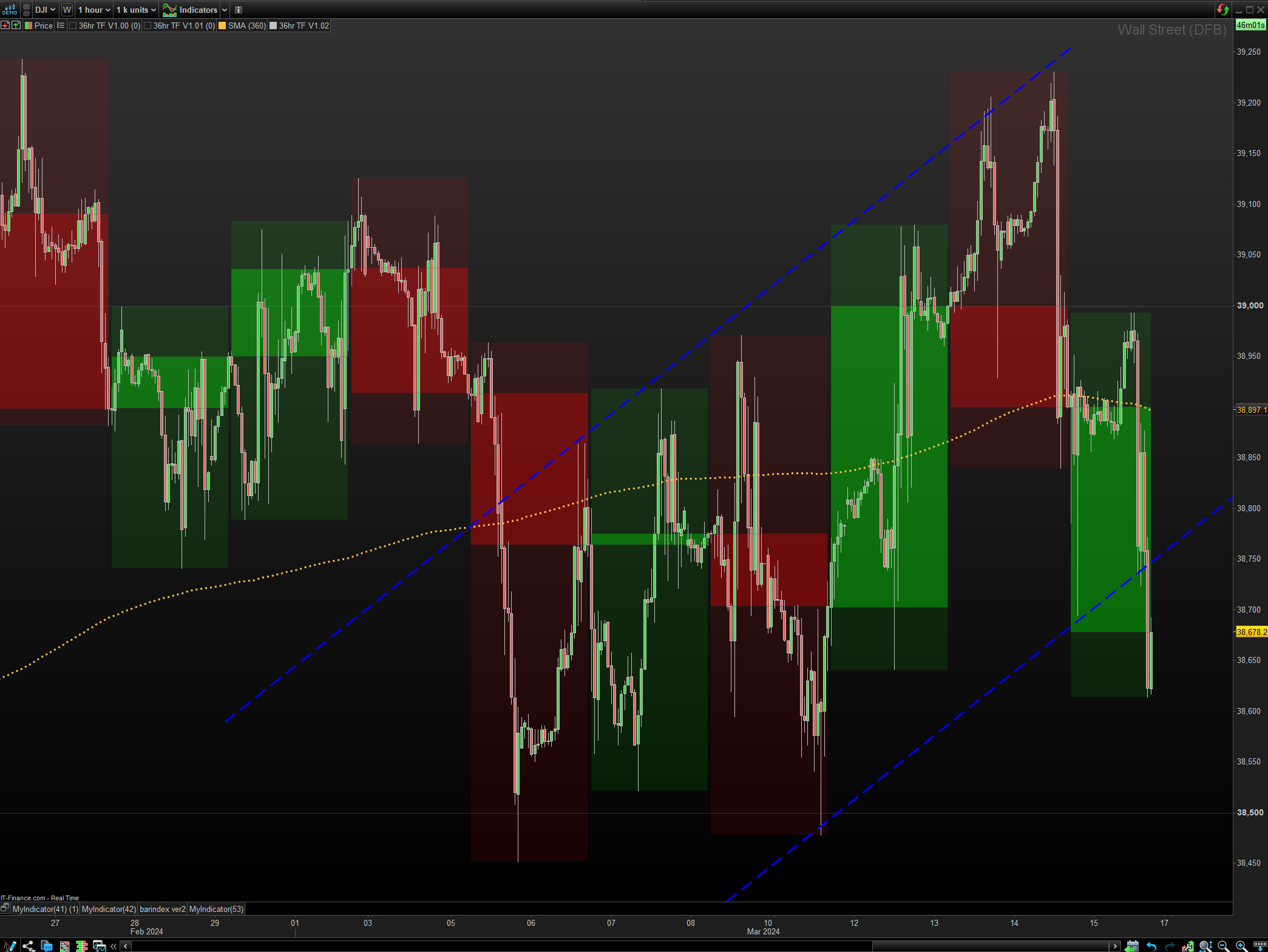
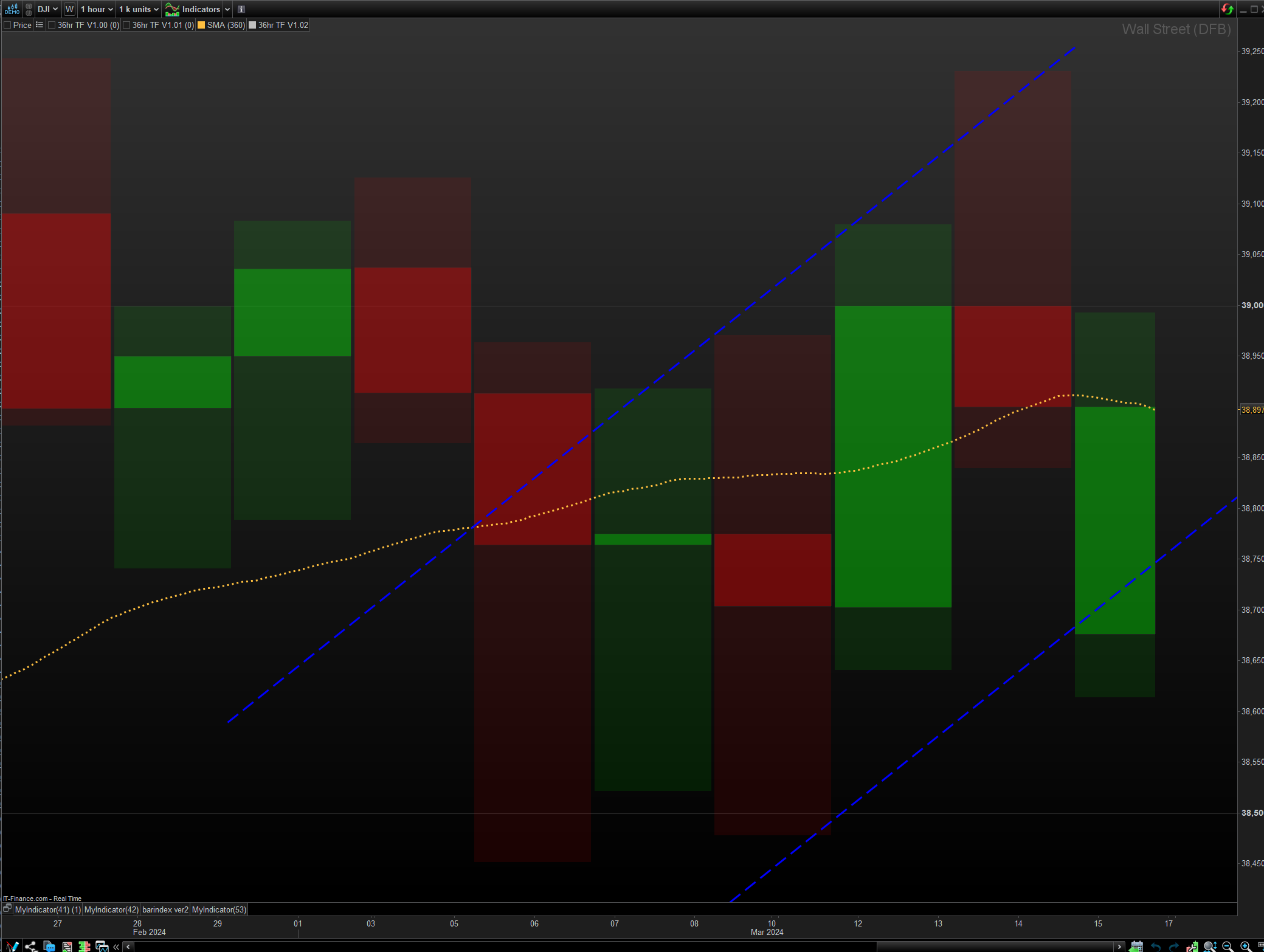
    hi… Modified and re-written this from some other code I wrote to see problems involved with custom timeframe. Using your 36hrs, this displays rectangles representing the bodies and highs and lows. The only frame of reference for the candle start, at the moment,  is bar zero of the chart and then a count of 36 bars. It appears to be stable and works on number of timeframes. I put a 10 period SMA on chart but multiplied by 36 and increased historical unit to render in right place. I think! So its possible with a bit of work, depends how your using it and what other indicators and type of information you want from it. druby
    maria_88-36hr-TF.png maria_88-36hr-TF.png maria_88-36hr-TF-2.png maria_88-36hr-TF-2.png 36hr-TF-V1.02.itf
Viewing 9 posts - 16 through 24 (of 24 total)
  • You must be logged in to reply to this topic.

Custom timeframe creation


Platform Support: Charts, Data & Broker Setup

New Reply
Author
author-avatar
maria_88 @maria_88 Participant
Summary

This topic contains 23 replies,
has 7 voices, and was last updated by druby

1 year, 11 months ago.

Topic Details
Forum: Platform Support: Charts, Data & Broker Setup
Language: English
Started: 03/08/2024
Status: Active
Attachments: 11 files
Logo Logo
Loading...