Création indicateur avalante spécifique

Viewing 3 posts - 1 through 3 (of 3 total)
  • Author
    Posts
  • #249910 quote
    BoVdAm
    Participant
    New

    Bonjour,

    je souhaiterai obtenir de l’aide pour la création d’un indicateur identifiant toute bougie avalante (haussière comme baissière) avec les critères suivants :

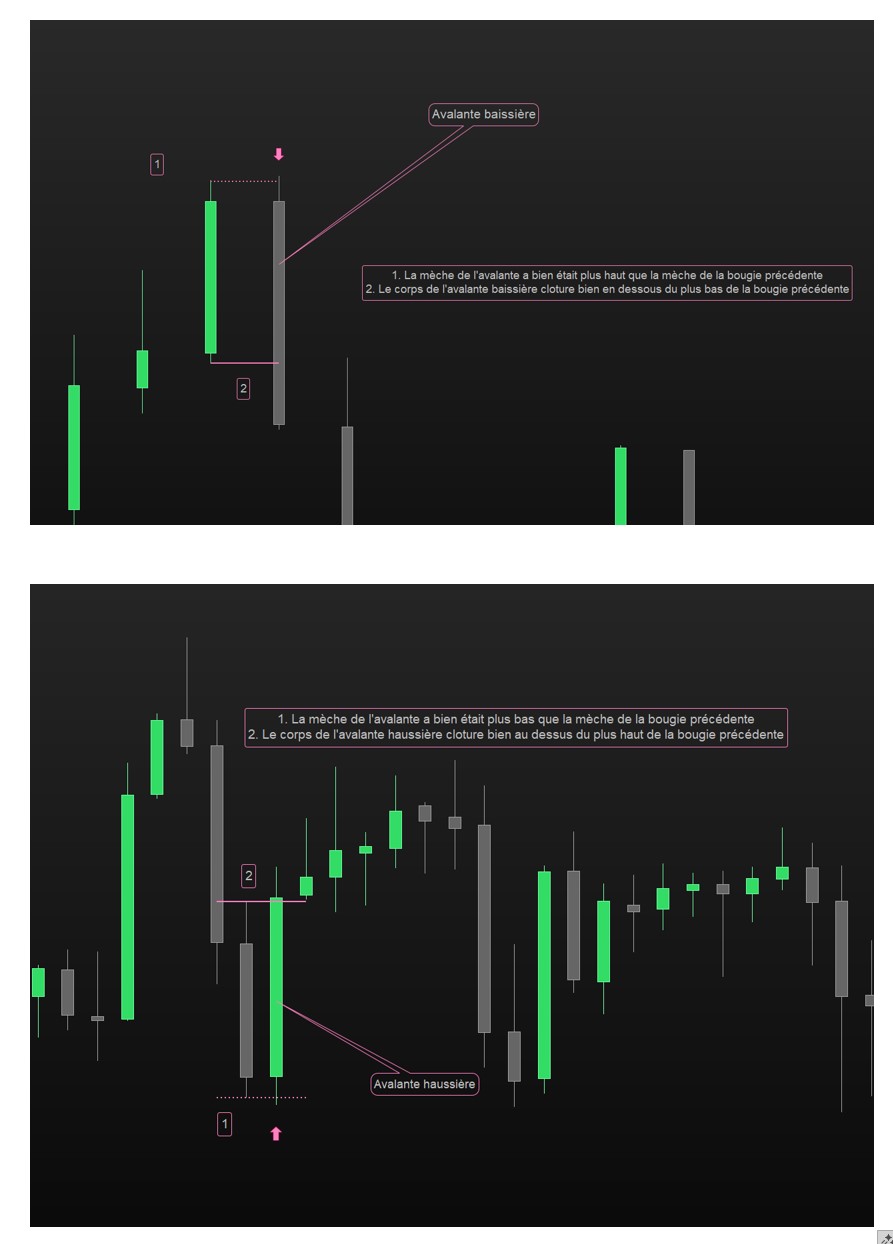
    – une avalante haussière doit à la fois avoir été plus bas (mèche) que le plus bas de la bougie précédente, et clôturer plus haut que le plus haut précédent (mèche précédente)
    – une avalante baissière doit à la fois avoir été plus haut (mèche) que le plus haut de la bougie précédente, et clôturer plus bas que le plus bas précédent (mèche précédente)
    – l’indicateur doit être sur prix et applicable à toute timeframe (même si je pense l’utiliser principalement sur du H1)
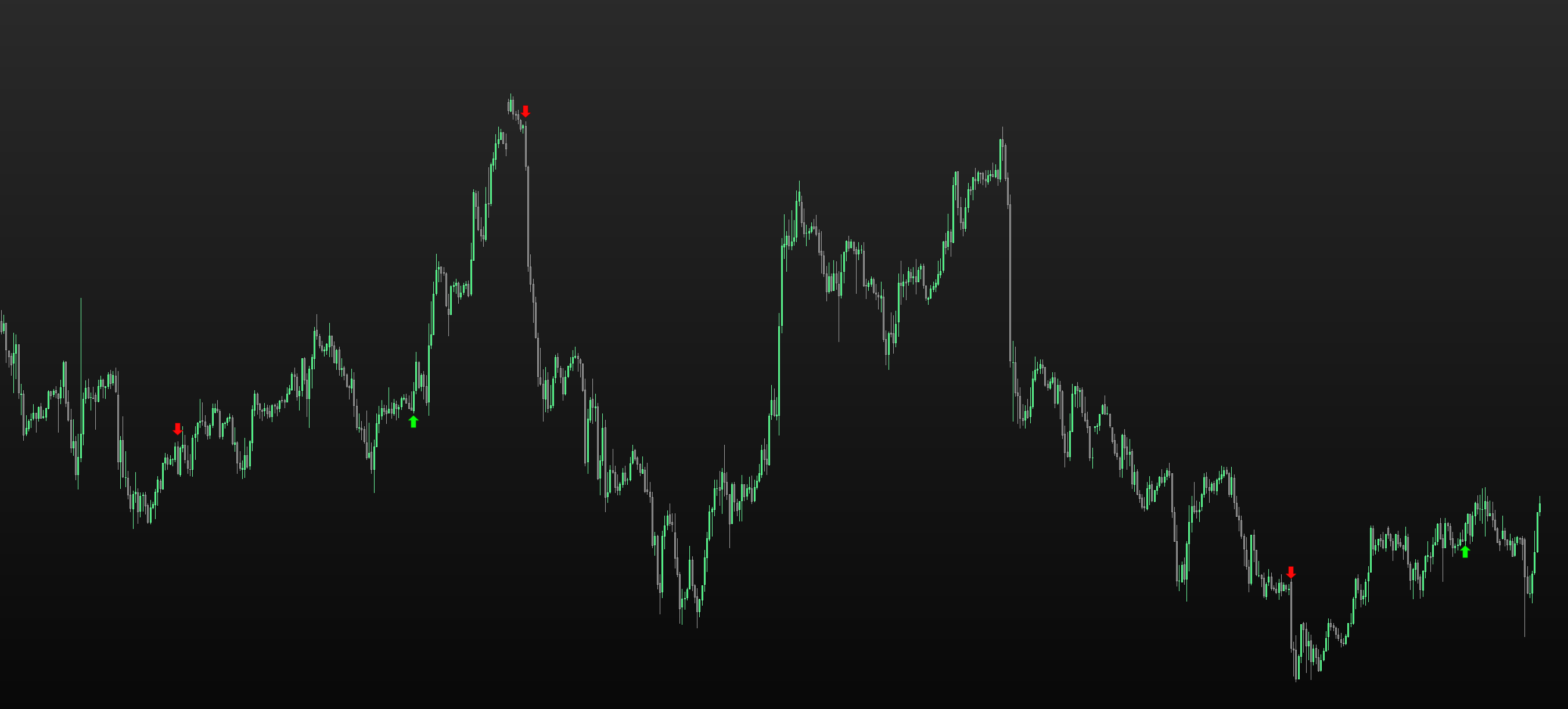
    – pour identifier les avalantes, une flèche montante ou descendante sera placée au dessus ou en dessous de la bougie avalante (outil “signal de vente”/”signal d’achat”)

    Capture jointe pour illustrer les choses.

    Vous en remerciant par avance

    #249912 quote
    JS
    Participant
    Senior

    Bonjour,

    Essayez ces…

    x=Average[20](Range)
    
    //Bullish
    If Close>High[1] and Low<Low[1] then
    DrawArrowUp(BarIndex,Low-x/2)Coloured("Green")
    EndIf
    
    //Bearish
    If Close<Low[1] and High>High[1] then
    DrawArrowDown(BarIndex,High+x/2)Coloured("Red")
    EndIf
    
    Return

    robertogozzi thanked this post
    #249916 quote
    BoVdAm
    Participant
    New
    Merci beaucoup pour la réponse. Sur cette base et quelques autres recherches, j’ai pu arriver à un résultat satisfaisant avec quelques compléments comme l’affichage durant certains horaires ou les tailles de corps de bougie. ENGULFING = 0 rge = averagetruerange[40](close) BodySizeUP = abs(open – close) BodySizePrecUP = abs(close[1] – open[1]) BodySizeDOWN = abs(close – open) BodySizePrecDOWN = abs(open[1] – close[1]) Ctime2 = time<=040100 and time=>020100 IF Ctime2 THEN IF close > open AND close > high[1] AND open[1] > close[1] AND BodySizeUP /BodySizePrecUP > 2 AND low < low[1] THEN DRAWARROWUP(barindex,low[1]-rge/2)coloured(10,255,10) ENDIF IF close < open AND close < low[1] AND open[1] < close[1] AND BodySizeDOWN /BodySizePrecDOWN > 2 AND high > high[1] THEN DRAWARROWDOWN(barindex,high[1]+rge/2)coloured(255,10,10) ENDIF ENDIF return Merci encore pour votre aide
    JS and Iván González thanked this post
Viewing 3 posts - 1 through 3 (of 3 total)

  • You must be logged in to reply to this topic.

Création indicateur avalante spécifique


ProBuilder : Indicateurs & Outils Personnalisés

New Reply
Author
author-avatar
BoVdAm @bovdam Participant
Summary

This topic contains 2 replies,
has 2 voices, and was last updated by BoVdAm

5 months, 2 weeks ago.

Topic Details
Forum: ProBuilder : Indicateurs & Outils Personnalisés
Language: French
Started: 08/20/2025
Status: Active
Attachments: 3 files
Logo Logo
Loading...