Création indicateur avalante spécifique

Viewing 3 posts - 1 through 3 (of 3 total)
  • Author
    Posts
  • #249910 quote
    BoVdAmBoVdAm
    Participant
    New

    Bonjour,

    je souhaiterai obtenir de l’aide pour la création d’un indicateur identifiant toute bougie avalante (haussière comme baissière) avec les critères suivants :

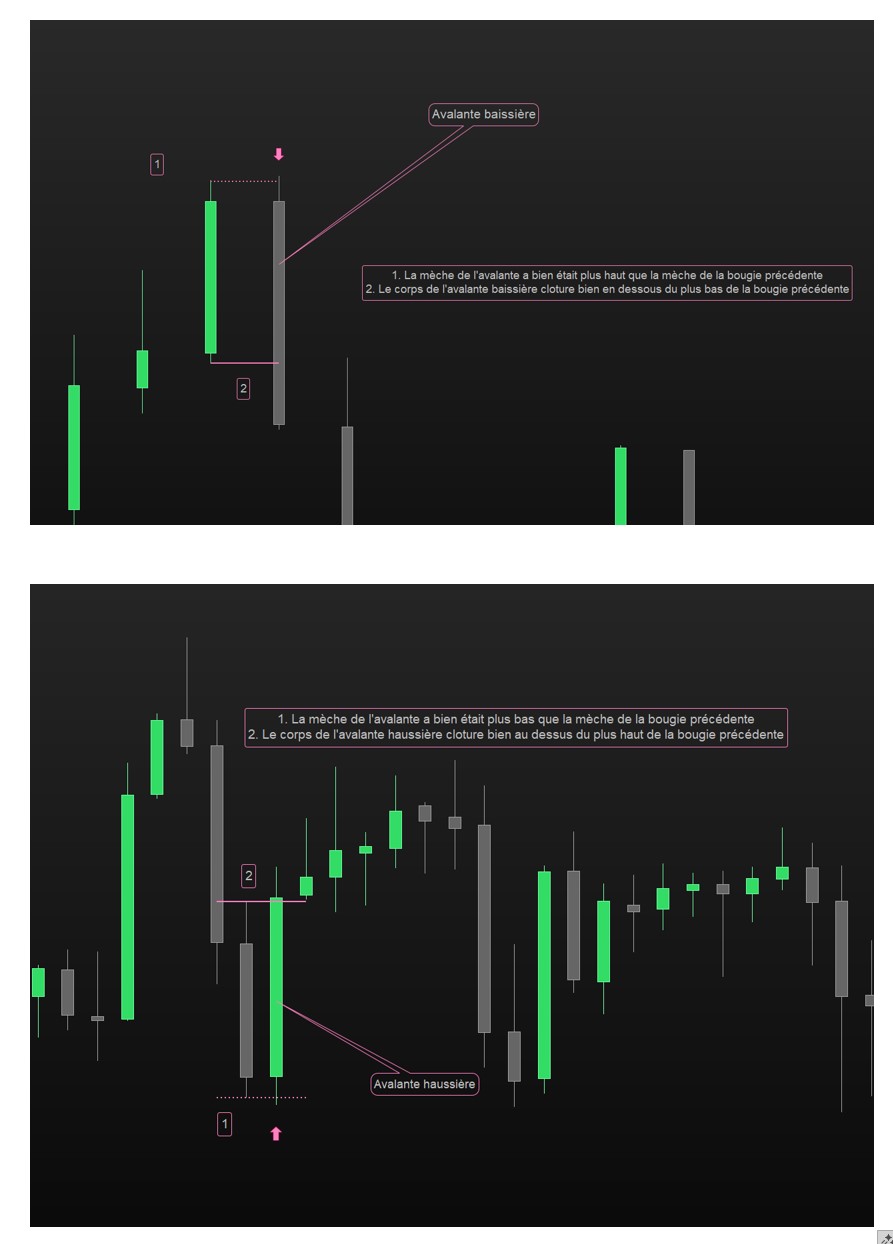
    – une avalante haussière doit à la fois avoir été plus bas (mèche) que le plus bas de la bougie précédente, et clôturer plus haut que le plus haut précédent (mèche précédente)
    – une avalante baissière doit à la fois avoir été plus haut (mèche) que le plus haut de la bougie précédente, et clôturer plus bas que le plus bas précédent (mèche précédente)
    – l’indicateur doit être sur prix et applicable à toute timeframe (même si je pense l’utiliser principalement sur du H1)
    – pour identifier les avalantes, une flèche montante ou descendante sera placée au dessus ou en dessous de la bougie avalante (outil “signal de vente”/”signal d’achat”)

    Capture jointe pour illustrer les choses.

    Vous en remerciant par avance

    avalante.jpg avalante.jpg
    #249912 quote
    JSJS
    Participant
    Master

    Bonjour,

    Essayez ces…

    x=Average[20](Range)
    
    //Bullish
    If Close>High[1] and Low<Low[1] then
    DrawArrowUp(BarIndex,Low-x/2)Coloured("Green")
    EndIf
    
    //Bearish
    If Close<Low[1] and High>High[1] then
    DrawArrowDown(BarIndex,High+x/2)Coloured("Red")
    EndIf
    
    Return

    robertogozzi thanked this post
    Scherm­afbeelding-2025-08-20-om-12.45.25.png Scherm­afbeelding-2025-08-20-om-12.45.25.png
    #249916 quote
    BoVdAmBoVdAm
    Participant
    New
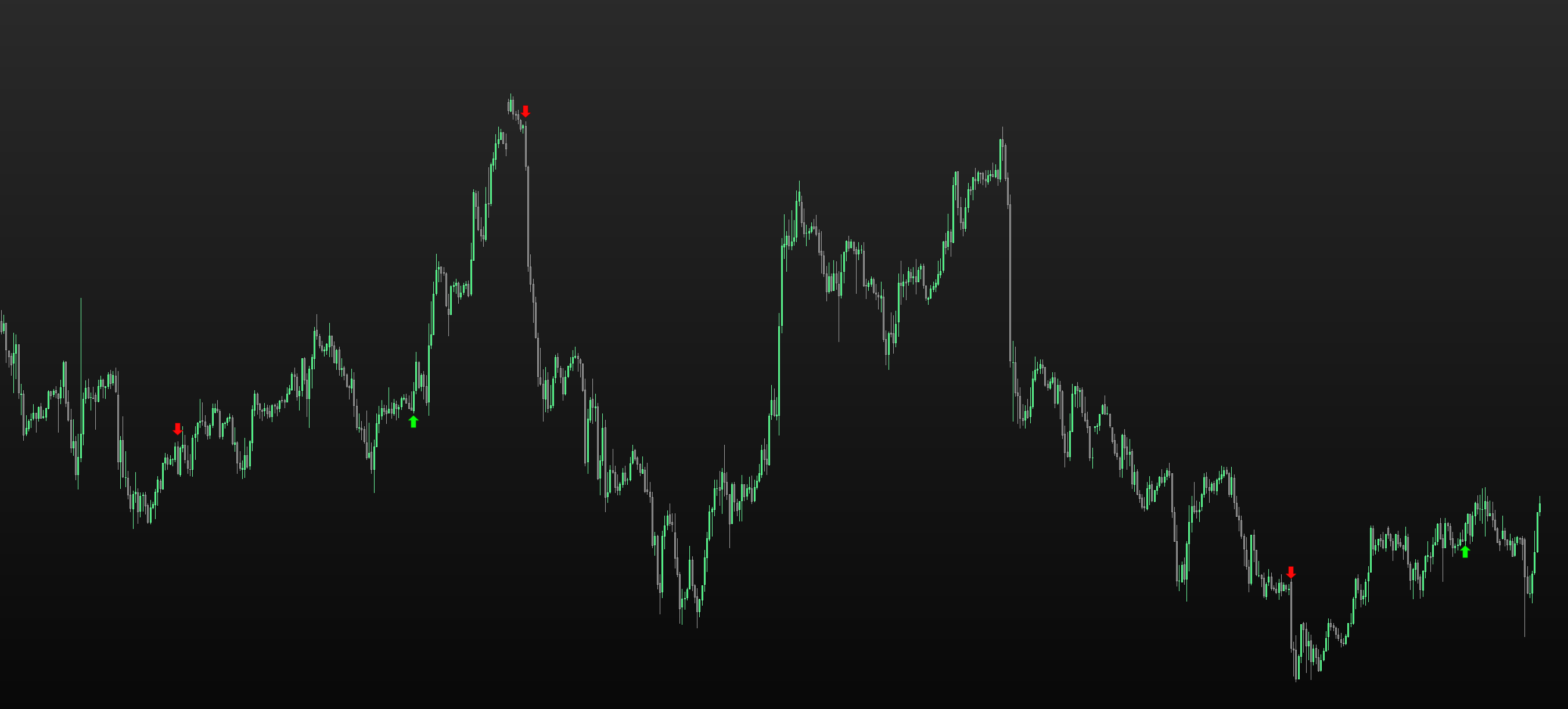
    Merci beaucoup pour la réponse. Sur cette base et quelques autres recherches, j’ai pu arriver à un résultat satisfaisant avec quelques compléments comme l’affichage durant certains horaires ou les tailles de corps de bougie. ENGULFING = 0 rge = averagetruerange[40](close) BodySizeUP = abs(open – close) BodySizePrecUP = abs(close[1] – open[1]) BodySizeDOWN = abs(close – open) BodySizePrecDOWN = abs(open[1] – close[1]) Ctime2 = time<=040100 and time=>020100 IF Ctime2 THEN IF close > open AND close > high[1] AND open[1] > close[1] AND BodySizeUP /BodySizePrecUP > 2 AND low < low[1] THEN DRAWARROWUP(barindex,low[1]-rge/2)coloured(10,255,10) ENDIF IF close < open AND close < low[1] AND open[1] < close[1] AND BodySizeDOWN /BodySizePrecDOWN > 2 AND high > high[1] THEN DRAWARROWDOWN(barindex,high[1]+rge/2)coloured(255,10,10) ENDIF ENDIF return Merci encore pour votre aide
    JS and Iván González thanked this post
    engulfing-done.png engulfing-done.png
Viewing 3 posts - 1 through 3 (of 3 total)

  • You must be logged in to reply to this topic.

ProRealAI ProRealAI New

Stuck on this ProBuilder code?

Describe what this topic is trying to build, in plain English, and ProRealAI writes the ProRealTime™ indicator, screener or system for you.

Available in 7 languages
Try ProRealAI

Création indicateur avalante spécifique


ProBuilder : Indicateurs & Outils Personnalisés

New Reply
Author
author-avatar
BoVdAm @bovdam Participant
Summary

This topic contains 2 replies,
has 2 voices, and was last updated by BoVdAmBoVdAm

1 year ago.

Topic Details
Forum: ProBuilder : Indicateurs & Outils Personnalisés
Language: French
Started: 08/20/2025
Status: Active
Attachments: 3 files
ProRealCode ProRealCode
Loading...