Copying Alerts

Viewing 12 posts - 1 through 12 (of 12 total)
  • Author
    Posts
  • #125204 quote
    deletedaccount14122020
    Participant
    New

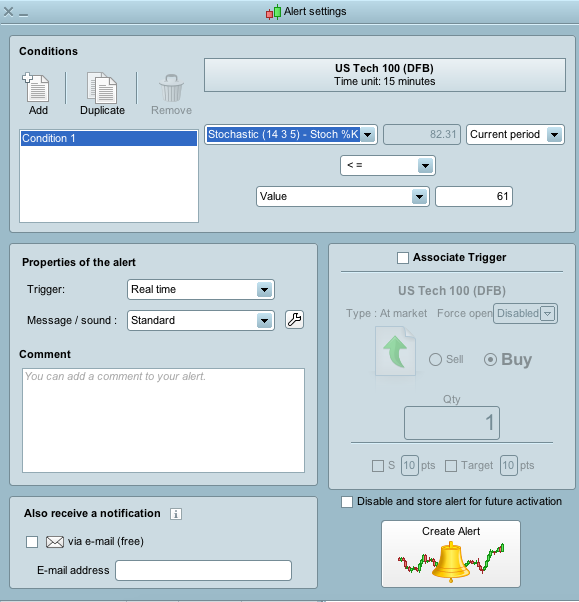
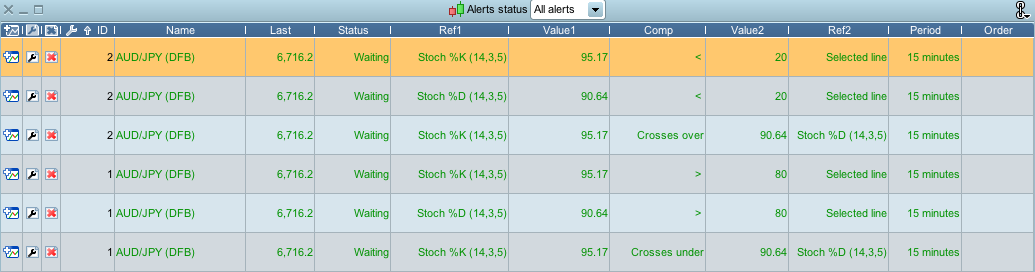
    I have two Alerts set for each market I trade each containing three conditions. I was wondering if it is possible to save these Alert configurations so I don’t have to type them out in full every time I want to add them to a new market but just copy them over.

    My Alert conditions are:

    Alert 1

    1. Stochastic %K over 80
    2. Stochastic %D over 80
    3. Stochastic %K crosses under Stochastic %D

    Alert 2

    1. Stochastic %K under 20
    2. Stochastic %D under 20
    3. Stochastic %K crosses over Stochastic %D

    I know I could set these up as Screeners but I wanted to have them as Alerts as first choice

    Any advice would be appreciated

    Screen-Shot-2020-04-08-at-13.04.10.png Screen-Shot-2020-04-08-at-13.04.10.png
    #125270 quote
    GraHal
    Participant
    Master

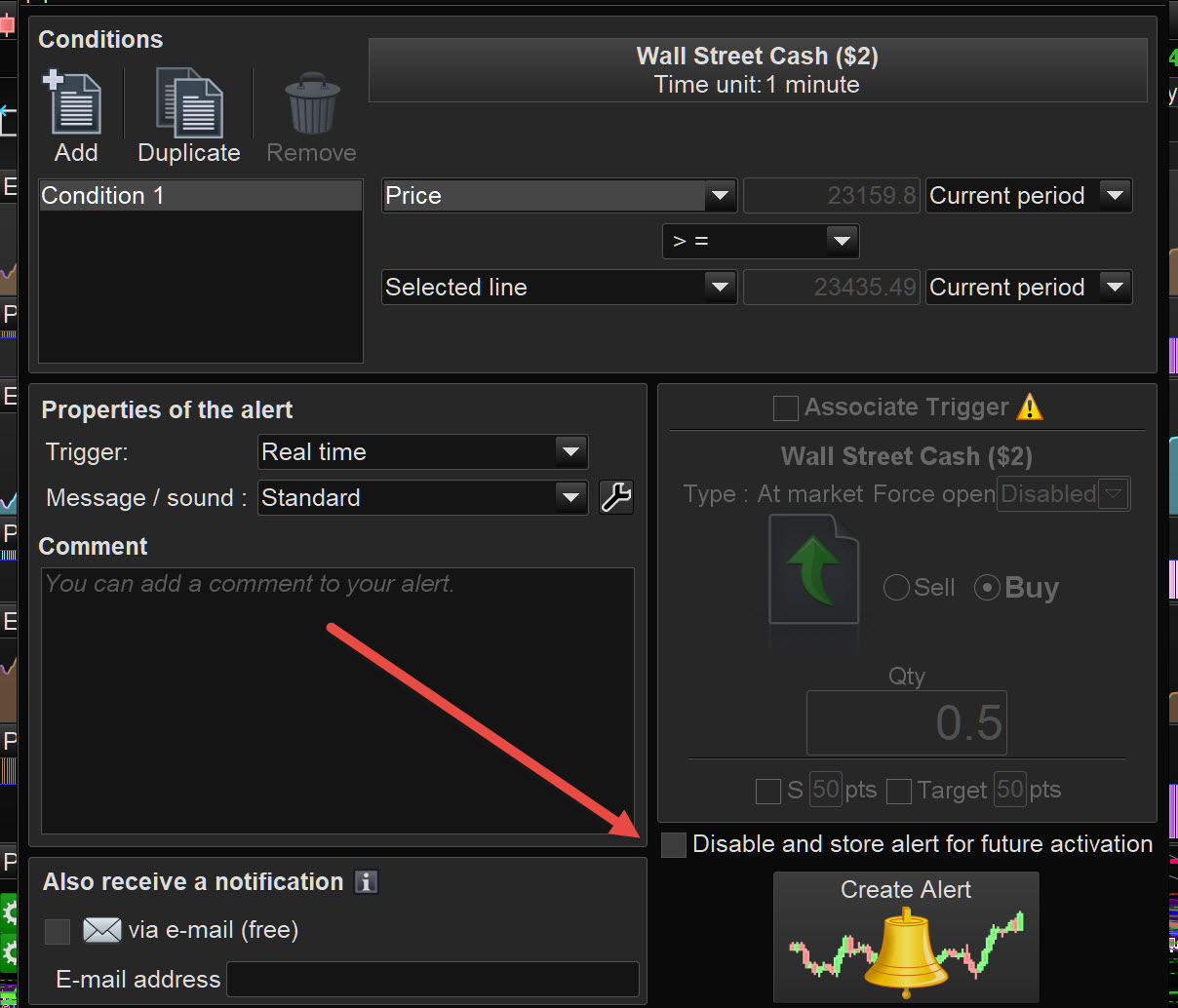
    I think I am not understanding your need fully, but is attached any use (at red arrowhead)??

    Richard.jpg Richard.jpg
    #125272 quote
    GraHal
    Participant
    Master

    so I don’t have to type them out in full every time

    Where are you typing them?

    Ah I checked your image … I see now! 🙂

    So yes my 1st suggestion should work, but you would have to set up the conditions on a chart then use the Alert maker then store for later etc ?

    Let us know how you get on please?

    #125282 quote
    robertogozzi
    Moderator
    Master

    You can’t.

    From within the alert window you can duplicate/cancel conditions, but there’s no provision to duplicate alerts.

    It would be great if, beyond setting an alert on an instrument, we could set an alert on the chart (no matter what instrument is displayed).

    #125301 quote
    deletedaccount14122020
    Participant
    New

    Many thanks for your feedback. I’ll have to type them out in full each time, but would like to see this as a future enhancement.

    Alert templates ?

    #125303 quote
    GraHal
    Participant
    Master

    Put it forward as an Improvement … click the Suggestion Box in left hand margin.

    You can link to this Topic to make it easier / quicker to complete the Form.

    https://www.prorealtime.com/en/contact

    #125304 quote
    deletedaccount14122020
    Participant
    New

    Will do

    GraHal thanked this post
    #125309 quote
    GraHal
    Participant
    Master

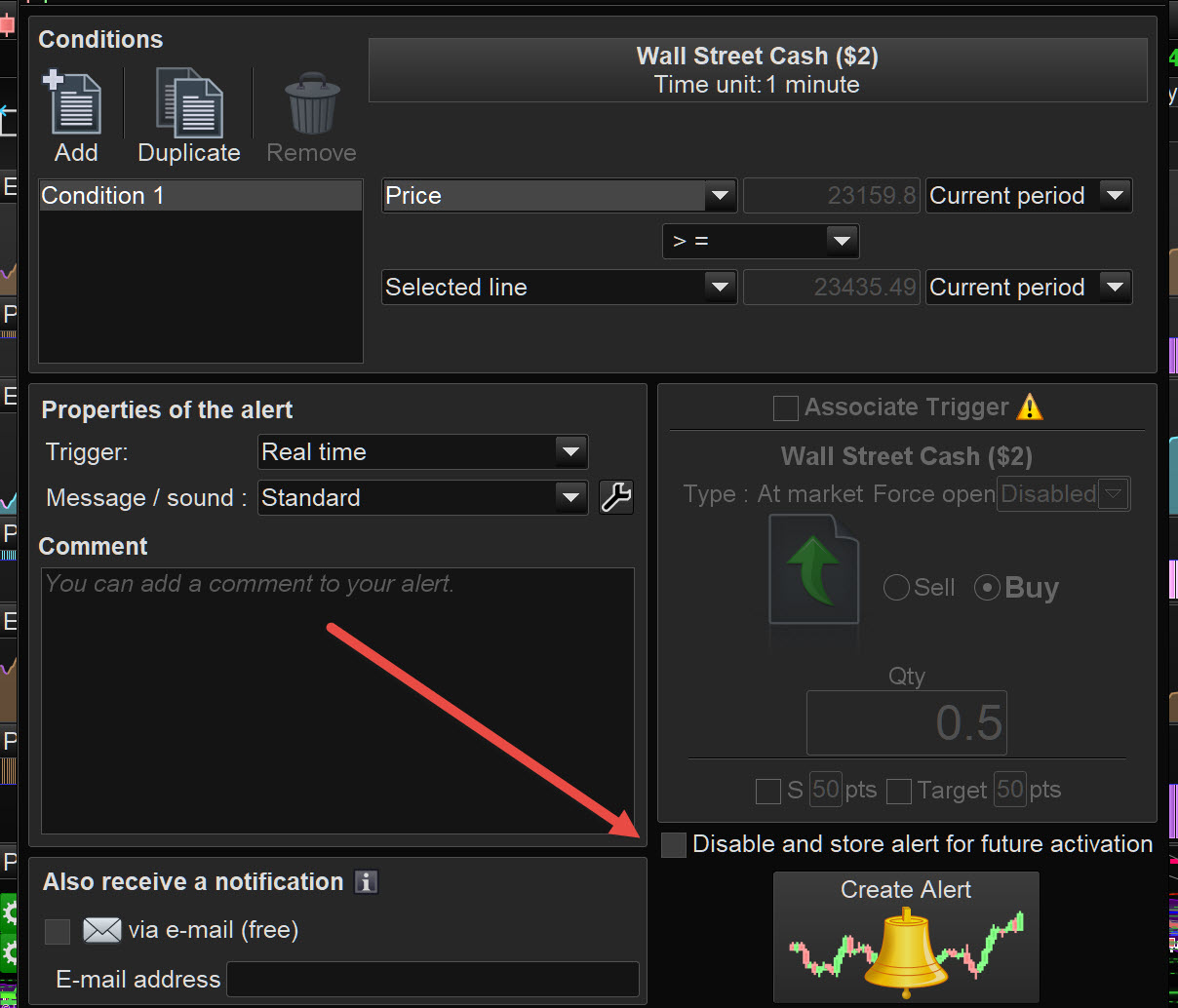
    I questioned my own suggestion, but don’t know the answer! 🙂

    Anybody know what the box / function at the red arrowhead is for?

    It seems to do nothing at all??

    Richard-1.jpg Richard-1.jpg
    #125311 quote
    deletedaccount14122020
    Participant
    New

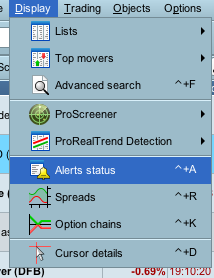
    This shows on the chart when an Alert is triggered using that function.

    I was wondering if it’s possible to code a drawing into the Indicator so it shows on the chart instead of a graph

    Screen-Shot-2020-04-08-at-19.32.22.png Screen-Shot-2020-04-08-at-19.32.22.png Screen-Shot-2020-04-08-at-19.32.02.png Screen-Shot-2020-04-08-at-19.32.02.png
    #125314 quote
    deletedaccount14122020
    Participant
    New

    I think we’ve got my two support requests mixed up ??

    #125315 quote
    GraHal
    Participant
    Master

    The wording alongside the box states … Store Alerts for future Activation.

    But I don’t see how it is possible to store alerts??

    EDIT / PS

    Aha .. I see now, thanks to your prompt with your screenshots … the alert is stored in the Alerts Table.

    Thank You

    #125321 quote
    robertogozzi
    Moderator
    Master

    @GraHal

    the option you refer to, when ticked, disables the alert, but will keep it for a later use. If you delete it you’ll have to add all conditions again to get it back, if you disable it, you can simply restore it clearing that box.

    GraHal thanked this post
Viewing 12 posts - 1 through 12 (of 12 total)

  • You must be logged in to reply to this topic.

Copying Alerts


ProScreener: Market Scanners & Detection

New Reply
Summary

This topic contains 11 replies,
has 3 voices, and was last updated by robertogozzi
5 years, 11 months ago.

Topic Details
Forum: ProScreener: Market Scanners & Detection
Language: English
Started: 04/08/2020
Status: Active
Attachments: 5 files
Logo Logo
Loading...