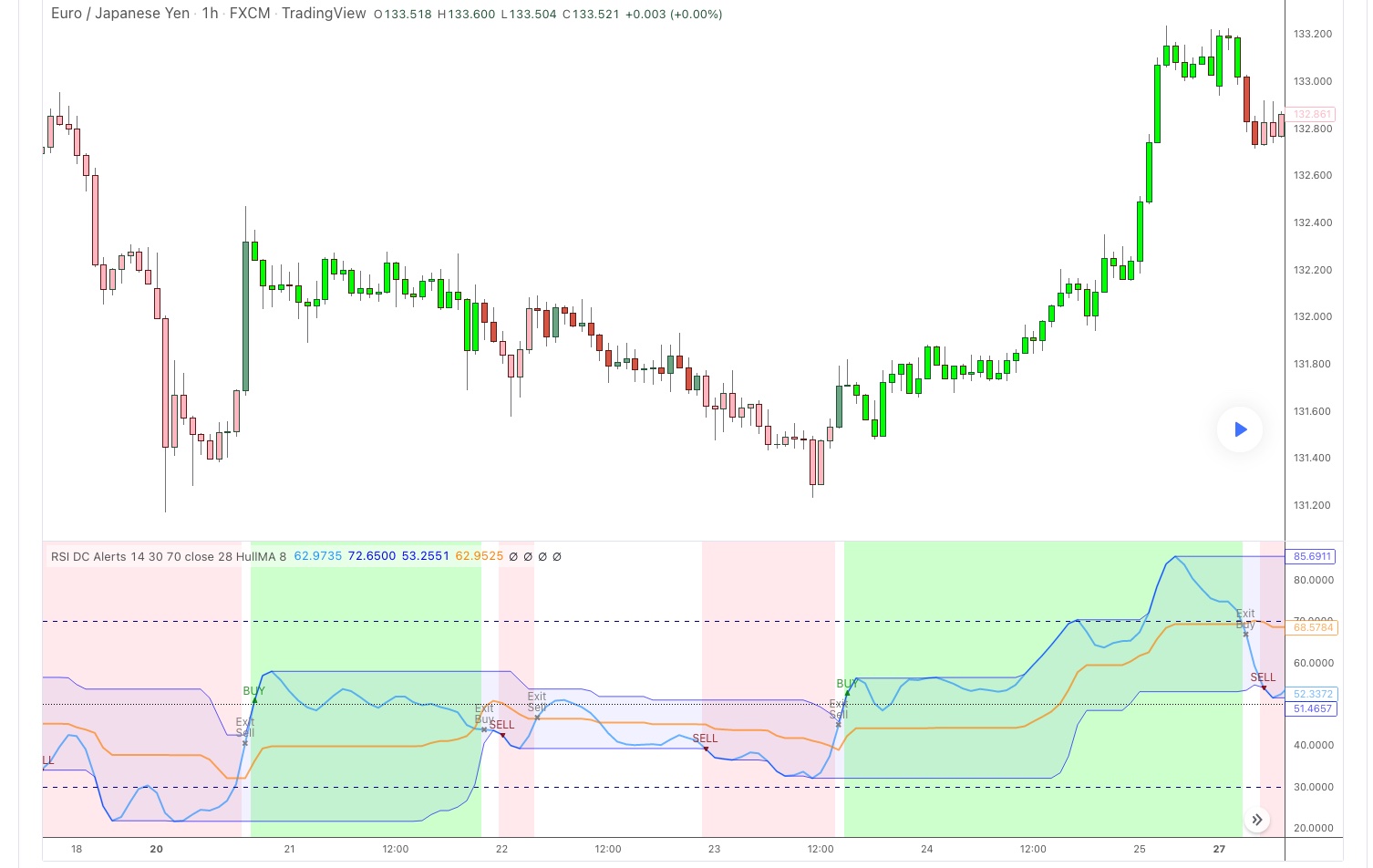
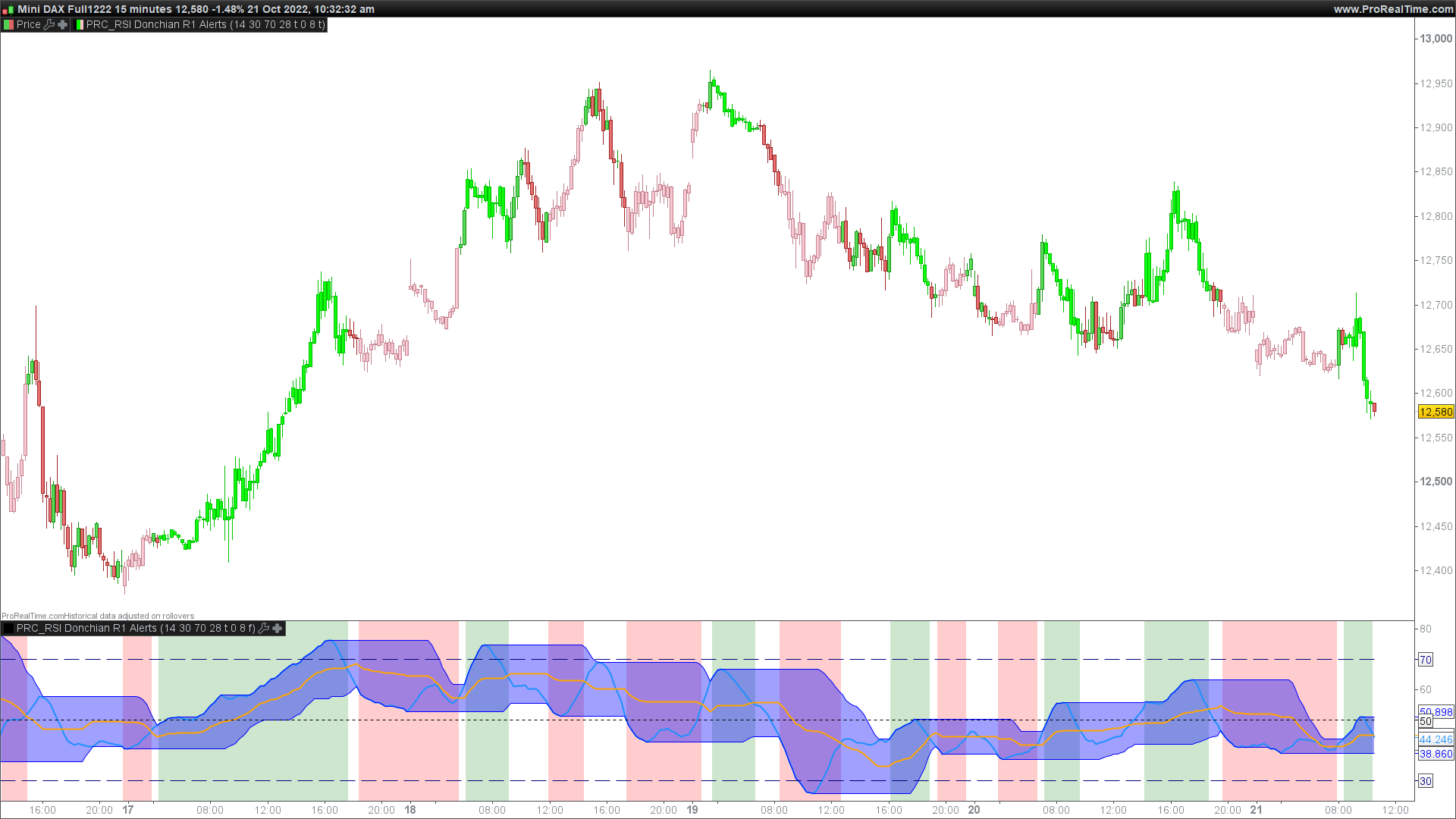
Di seguito il codice da solo (piuttosto corposo).
//@version=3
study(title=”RSI Donchian R1 Alerts by JustUncleL”, shorttitle=”RSI DC Alerts”, overlay=false)
//
// Author: JustUncleL
// Date : 9 December 2017
//
// Description:
// This study is based on an idea by presented by RicardoSantos and JayRogers of using
// Donchain Channel on the RSI curve.
// The idea being that when RSI passes through the DC centre and touches the Highest/Lowest DC
// then price action tends to follow in the same direction and stay there until the RSI crosses
// DC centre line again.
// This script expands on the original idea by including alert and exit signals based on the above rules.
// These alerts are also must be within the Oversold and Overbought boundaries of the RSI.
//
// This script idea also has the option of applying smoothing the RSI curve, HullMA (8) is default.
//
// Each Entry and Exit signal creates an Alertcondition that can be picked up by the TradingView Alarm system.
//
// TIP: Remember this type of Trading technique only works well in a trending market. Do not try to trade
// this technique in a ranging/flat market.
//
// References:
// – Donchian Channel Alerts R1 by JustUncleL
// – [RS][JR]RSI Donchian Channels
//
//
// Modifications:
// R1 Original
// – Added Bar Colouring Option.
// – Modified background to colour trade area until exit condition.
//
//
// —————————————————————————–
// Copyright 2017 JustUncleL
//
// This program is free software: you can redistribute it and/or modify
// it under the terms of the GNU General Public License as published by
// the Free Software Foundation, either version 3 of the License, or
// any later version.
//
// This program is distributed in the hope that it will be useful,
// but WITHOUT ANY WARRANTY; without even the implied warranty of
// MERCHANTABILITY or FITNESS FOR A PARTICULAR PURPOSE. See the
// GNU General Public License for more details.
//
// The GNU General Public License can be found here
// <http://www.gnu.org/licenses/>.
//
// —————————————————————————–
//
//
rsi_length = input(defval=14, minval=1, title=”RSI Period Length:”)
rsi_os = input(defval=30, minval=0,maxval=50,title=”RSI Oversold Level”)
rsi_ob = input(defval=70, minval=50,maxval=100,title=”RSI Overbought Level”)
src = input(close, title=”RSI Source”)
donlength = input(28, minval=1, title=”Donchian Channel Lookback Length”)
// MA – type, source, length
uSmooth = input(false,title=”Apply MA Smoothing to RSI”)
ma_type = input(defval=”HullMA”, title=”RSI MA Smooth Type: “, options=[“SMA”, “EMA”, “WMA”, “VWMA”, “SMMA”, “DEMA”, “TEMA”, “HullMA”, “ZEMA”, “TMA”, “SSMA”])
ma_len = input(defval=8, title=”RSI MA Smooth – Length”, minval=1)
sBars = input(false,title=”Colour Candles”)
//
// === /INPUTS
//
// === FUNCTIONS
// – variant(type, src, len)
// Returns MA input selection variant, default to SMA if blank or typo.
// SuperSmoother filter
// © 2013 John F. Ehlers
variant_supersmoother(src,len) =>
a1 = exp(-1.414*3.14159 / len)
b1 = 2*a1*cos(1.414*3.14159 / len)
c2 = b1
c3 = (-a1)*a1
c1 = 1 – c2 – c3
v9 = 0.0
v9 := c1*(src + nz(src[1])) / 2 + c2*nz(v9[1]) + c3*nz(v9[2])
v9
variant_smoothed(src,len) =>
v5 = 0.0
v5 := na(v5[1]) ? sma(src, len) : (v5[1] * (len – 1) + src) / len
v5
variant_zerolagema(src,len) =>
ema1 = ema(src, len)
ema2 = ema(ema1, len)
v10 = ema1+(ema1-ema2)
v10
variant_doubleema(src,len) =>
v2 = ema(src, len)
v6 = 2 * v2 – ema(v2, len)
v6
variant_tripleema(src,len) =>
v2 = ema(src, len)
v7 = 3 * (v2 – ema(v2, len)) + ema(ema(v2, len), len) // Triple Exponential
v7
// return variant, defaults to SMA
variant(type, src, len) =>
type==”EMA” ? ema(src,len) :
type==”WMA” ? wma(src,len):
type==”VWMA” ? vwma(src,len) :
type==”SMMA” ? variant_smoothed(src,len) :
type==”DEMA” ? variant_doubleema(src,len):
type==”TEMA” ? variant_tripleema(src,len):
type==”HullMA”? wma(2 * wma(src, len / 2) – wma(src, len), round(sqrt(len))) :
type==”SSMA” ? variant_supersmoother(src,len) :
type==”ZEMA” ? variant_zerolagema(src,len) :
type==”TMA” ? sma(sma(src,len),len) : sma(src,len)
// – /variant
// === /FUNCTIONS
dodgerblue = #1E90FF
AQUA = #00FFFFFF
YELLOW = #FFFF00FF
ORANGE = #FFA500FF
LIME = #00FF00FF
PINK = #FFB6C1FF
pink = #FFB6C1
// RSI calc
RSI = rsi(src, rsi_length)
// Smooth RSI if selected
ma_series = uSmooth? variant(ma_type,RSI,ma_len) : RSI
// Calculate RSI Donchian Channel
lower = lowest(ma_series, donlength)
upper = highest(ma_series, donlength)
basis = avg(upper, lower)
// Look for Touches and Breaks of upper and lower channel
break_Above = ma_series >= upper[1]?1:0
break_Below = ma_series <= lower[1]?1:0
break_Above_B = ma_series >= basis[1]?1:0
break_Below_B = ma_series <= basis[1]?1:0
// Plot channel
plot(ma_series, color=dodgerblue,style=line,join=true,linewidth=2,title=”RSI curve”)
u = plot(upper, title=”Upper DC Band”, style=line, linewidth=1, color=blue,offset=0)
l = plot(lower, title=”Lower DC Band”, style=line, linewidth=1, color=blue,offset=0)
plot(basis, title=”DC Mid-Line”, color=orange, style=line, linewidth=2, offset=0)
fill(u, l, color=blue, transp=95, title=”Channel Fill”)
//
hline(50,title=”RSI Centre”,color=black,linestyle=dotted,linewidth=1)
hline(30,title=”RSI lower boundary”,color=navy,linestyle=dashed,linewidth=1)
hline(70,title=”RSI upper boundary”,color=navy,linestyle=dashed,linewidth=1)
// Test and Count the higher break
higherhigh = 0
higherhigh := break_Above ? nz(higherhigh[1])>0?higherhigh[1]+1:1 : nz(higherhigh[1])>0 and break_Above_B?higherhigh[1]+1:0
// Test and Count the lower breaks.
lowerlow = 0
lowerlow := break_Below ? nz(lowerlow[1])>0?lowerlow[1]+1:1 : nz(lowerlow[1])>0 and break_Below_B?lowerlow[1]+1:0
// === Calculate Alerts
// Entry conditions
long = higherhigh==1 and ma_series<rsi_ob
short = lowerlow==1 and ma_series>rsi_os
// Exit conditions
exitlong = break_Below_B ? 1 : 0
exitshort= break_Above_B ? 1 : 0
// Alert State
olong = 0
olong := nz(olong[1])>0? exitlong==1? 0 : olong[1]+1 : long? 1 : 0
oshort = 0
oshort := nz(oshort[1])>0? exitshort==1? 0 : oshort[1]+1 : short? 1 : 0
// Colour bars
barcolor(sBars? (olong>0?LIME:oshort>0?PINK:na) : na)
// – Plot Alerts
plotshape(olong==1?ma_series:na, title=”BUY Arrow”, style=shape.triangleup, location=location.absolute,color=green,text=”BUY”, transp=20,offset=0)
plotshape(oshort==1?ma_series:na, title=”SELL Arrow”, style=shape.triangledown,location=location.absolute,color=maroon,text=”SELL”,transp=20,offset=0)
bgcolor(olong>=1?lime:na,transp=80,title=”Long BG”)
bgcolor(oshort>=1?pink:na,transp=70,title=”Short BG”)
//
plotshape(olong[1]>0 and olong==0?ma_series:na, title=’BUY Exit’, style=shape.xcross, location=location.absolute, color=gray, text=”Exit\nBuy”, offset=0,transp=0)
plotshape(oshort[1]>0 and oshort==0?ma_series:na, title=’Sell Exit’, style=shape.xcross, location=location.absolute, color=gray, text=”Exit\nSell”, offset=0,transp=0)
// – Signal Alerts to TV Alarm system
alertcondition(olong==1,title=”Break BUY Alert”,message=”BUY”)
alertcondition(oshort==1,title=”Break SELL Alert”,message=”SELL”)
alertcondition(olong[1]>0 and olong==0,title=”Break BUY Exit Alert”,message=”BUY Exit”)
alertcondition(oshort[1]>0 and oshort==0,title=”Break SELL Exit Alert”,message=”SELL Exit”)
//eof